
Joy-Con Charging Grip 1PCS for Switch/OLED
4.3Editor score
Affordable price point for most users
Includes long USB-C cable for comfort
Basic LED charging status indicators
This guide compares the top ten Joycon charging grip options to help you find the perfect accessory for extended gaming sessions on your Nintendo Switch.
Every Nintendo Switch player knows the struggle of draining battery life during intense gaming sessions. A reliable Joycon charging grip solves this problem by letting you play while your controllers charge. This accessory transforms your split controllers into a comfortable full-size gamepad for better ergonomics.
We evaluated ten leading charging grips based on build quality charging charging speed, and ergonomic design. Our selection includes options for budget buyers, travelers, and serious gamers who demand durability. Each product was chosen for its ability to integrate seamlessly with standard and OLED models.
Each pick below highlights specific strengths such as portability, cable length, or unique design features. Prices and availability can change frequently on Amazon and other retailers. We recommend checking current stock before making your final purchase decision to ensure you get the right accessory.
4.3Editor score
4.7Editor score

4.7Editor score
This side-by-side comparison helps you quickly identify which Joycon charging grip fits your specific needs and budget constraints.


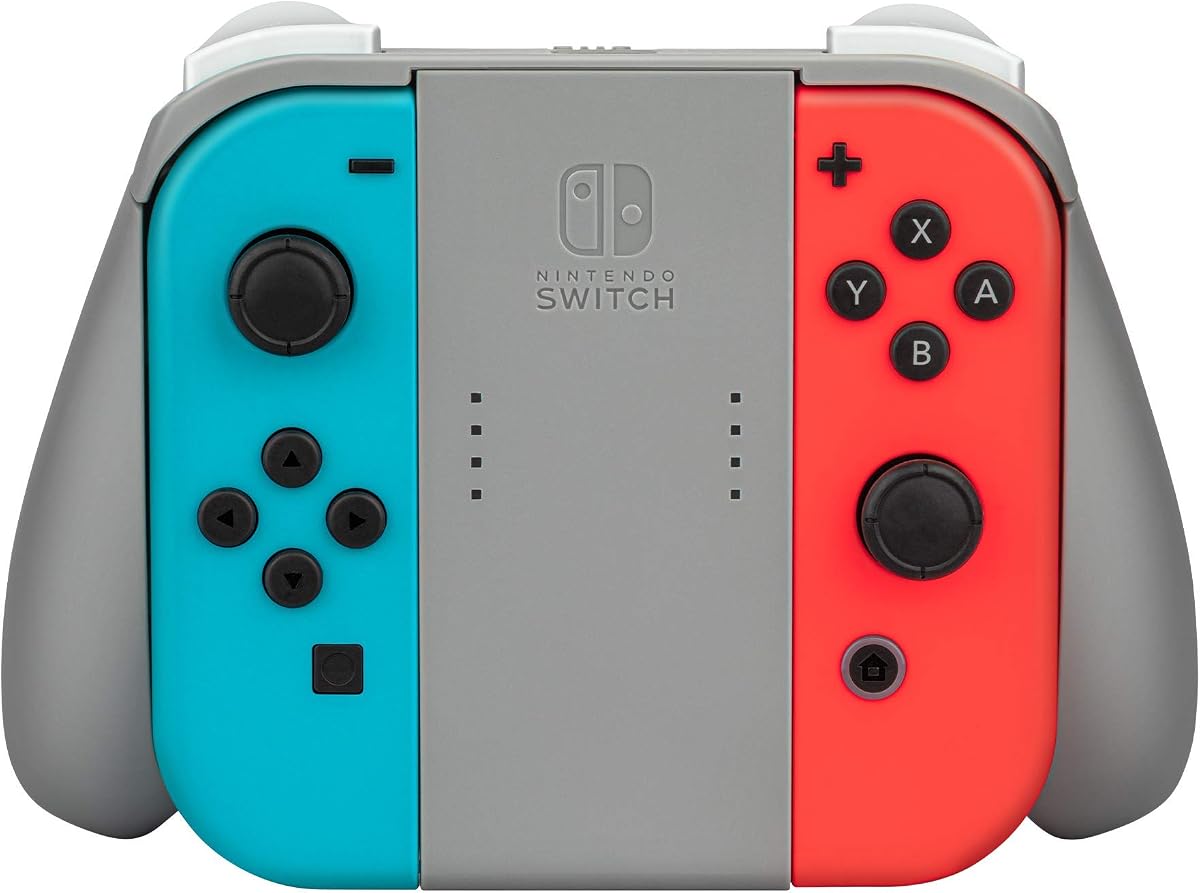
This KINVOCA model stands out with its built-in 2000mAh battery, making it a top choice for travelers and those without constant outlet access. With a high rating of 4.7, users praise its ability to extend playtime by up to 40 hours when the grip itself is fully charged.
We may earn a commission when you buy through this link, at no additional cost to you.
The dual charging capability allows you to plug in the USB-C cable to charge both the grip and your controllers at the same time. The ergonomic design combines left and right controllers into a full-size gamepad with smooth rails that lock securely without wobbling or scratching the hardware.
While the internal battery adds weight compared to simpler grips, it offers true independence from power sources. The safety features like overcharge and short circuit protection ensure you can leave controllers in the grip overnight without worry.
If you need a solution that combines charging with extended wireless play sessions, this grip is the most versatile option available. It is ideal for long flights or couch gaming where outlet access is limited but power needs are high.
The internal 2000mAh battery lets you play in TV mode without a cable connection once the grip is charged.
Overcharge protection cuts off power after controllers are full, preserving battery health and safety.
We may earn a commission when you buy through this link, at no additional cost to you.
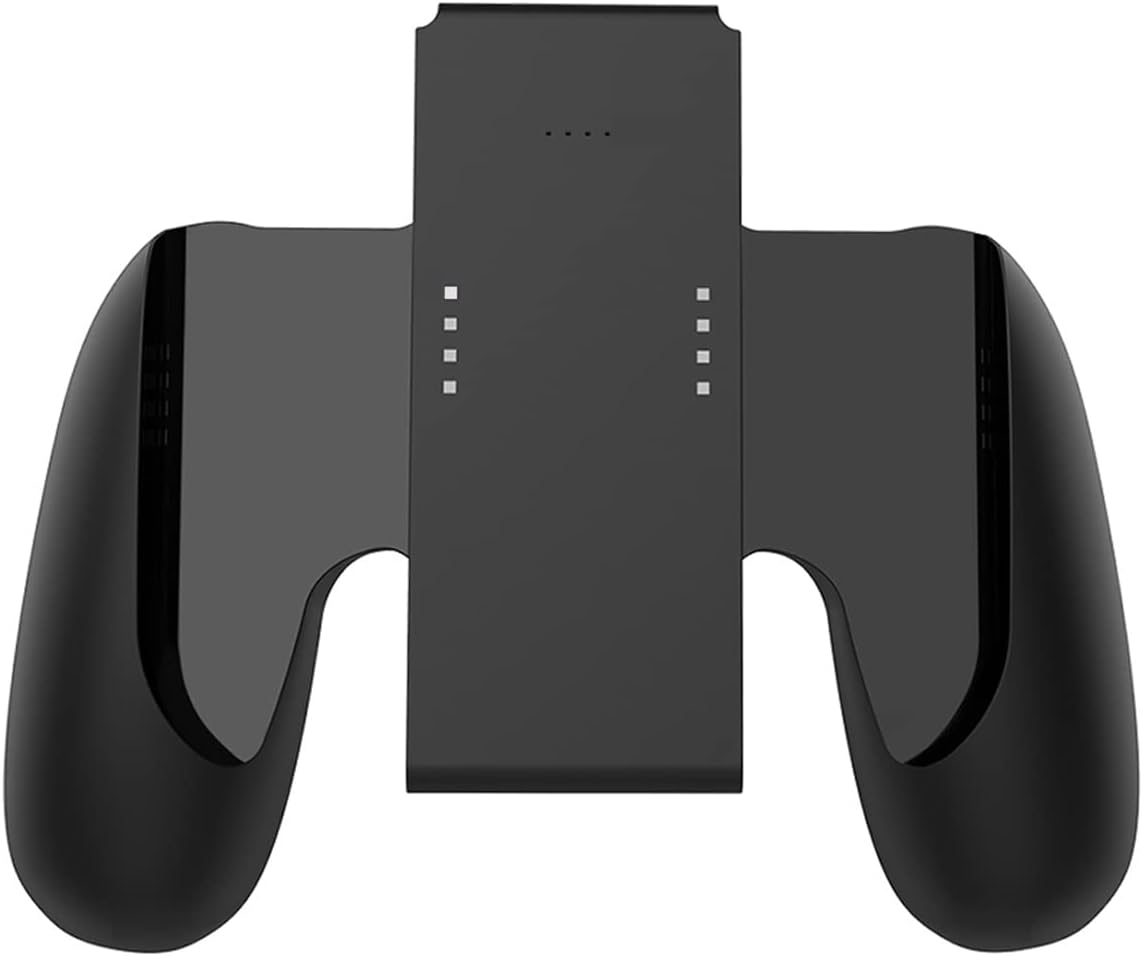
This grip delivers essential charging functionality at a budget-friendly price point, making it accessible for casual gamers. It features an ergonomic handle design that transforms your Joy-Con controllers into a full-size feel while you charge them simultaneously.
We may earn a commission when you buy through this link, at no additional cost to you.
The included 6.6ft USB-C cable is a standout feature for this price range, allowing you to play comfortably even when the power source is far away. The LED lights provide clear status updates so you never guess if your controllers are charging or full.
While it lacks the internal battery found in premium models, it fulfills its core purpose reliably. The sturdy construction and universal compatibility ensure it works seamlessly with both standard and OLED Switch models without needing special adapters.
Budget buyers will appreciate that this grip includes a 12-month warranty and responsive email support. It is a practical choice for those who need a simple, reliable charging solution without paying for extra features they do not require.
Priced competitively, this grip offers the core charging features most users need at a fraction of the cost of advanced models.
The 6.6ft cable provides significantly more reach than standard bundled cables, reducing cable management issues.
We may earn a commission when you buy through this link, at no additional cost to you.
The DLseego grip combines high-quality materials with a distinctive Kingdom-themed design that stands out from generic black options. Rated 4.7 by users, it offers robust protection for your controllers while providing a comfortable V-shaped ergonomic handle for long sessions.
We may earn a commission when you buy through this link, at no additional cost to you.
Its intelligent indicator system uses red for charging and blue for fully charged states, making it easy to check status at a glance. The durable ABS material ensures the grip withstands daily use without cracking or degrading over time.
The included 1.5M cable offers sufficient length for most home setups, and the anti-slip surface ensures your controllers stay secure. While the theme is unique, the functional benefits of speed and durability make it a strong premium contender for collectors.
If you value aesthetics alongside functionality, this grip is a great gift or personal upgrade. It balances style with serious performance, ensuring your controllers charge quickly and safely while looking unique on your setup.
The Kingdom theme gold trim adds a personalized look that makes your gaming setup stand out from standard accessories.
Durable ABS construction shields your Joy-Con controllers from drops and wear during intense gaming play.
We may earn a commission when you buy through this link, at no additional cost to you.
The JINGDU Switch JoyCon Charging Grip focuses on core safety and reliability with a flame retardant shell and intelligent control circuit. It offers a simple V-shaped design that holds your controllers securely while you continue playing games without interruption.
We may earn a commission when you buy through this link, at no additional cost to you.
Safety is a key focus here, with features like resettable fuses and overcharge protection built into the charging system. The red and green LED lights provide immediate feedback on battery status, reducing confusion during long gaming sessions.
Its lightweight build makes it easy to pack in a bag for travel, though it does not offer extra weight for stability. The included Type-C cable ensures compatibility with modern power sources for convenient charging at home or on the go.
Users looking for a no-frills solution that prioritizes safety and functionality will find this grip reliable. The 12-month warranty adds confidence to the purchase, ensuring you are covered if any manufacturing defects arise.
Flame retardant materials and intelligent circuits protect both your controllers and your home from electrical issues.
The lightweight form factor makes it easy to carry in a backpack without adding significant bulk to your kit.
We may earn a commission when you buy through this link, at no additional cost to you.
This 2PCS bundle from JINGDU offers a cost-effective solution for families or groups who want multiple charging grips. Each unit weighs only 30 grams, making them incredibly portable and easy to slip into any case or drawer.
We may earn a commission when you buy through this link, at no additional cost to you.
The safety features match the single grip model, with intelligent circuits and flame retardant shells ensuring reliable charging for your controllers. The V-shaped rails allow for quick slide-in installation, so you can start playing without delay.
Buying two grips at once ensures that everyone in the group has their own charging station ready. This is ideal for local multiplayer sessions where battery life needs to be managed efficiently without sharing a single charger.
If you are planning gaming nights with friends or family, this two-pack provides great value. You get the same reliable performance as the single unit but with the convenience of having a spare or a dedicated option for each player.
The two-pack ensures that every player can have their own grip ready for charging and gameplay.
Weighing just 30 grams, these grips add minimal bulk to your travel gaming setup.
We may earn a commission when you buy through this link, at no additional cost to you.
This grip introduces a unique stand function that allows it to sit upright on its own, acting as a display stand when not in use. The abrasive material on the handles reduces hand fatigue during long play sessions, enhancing comfort significantly.
We may earn a commission when you buy through this link, at no additional cost to you.
The non-slip grooves ensure your controllers stay locked in place even during intense action games. The reflective player indicator lights are designed to be easily seen in low-light conditions, which is helpful during nighttime gaming.
While the stand adds some bulk, it provides a neat way to store your controllers without them taking up much desk space. The Type-C charging port ensures modern compatibility for quick charging when you need to recharge your devices.
If you appreciate clean desk aesthetics and extra comfort, this grip offers features that go beyond simple charging. The ergonomic improvements make it a strong choice for gamers who play for extended periods daily.
The upright stand capability lets you display your controllers neatly on your desk when they are not in use.
Abrasive and non-slip textures provide a better hold and reduce hand strain during long gaming sessions.
We may earn a commission when you buy through this link, at no additional cost to you.
PowerA is a well-known brand in the gaming accessory space, and these comfort grips reflect their focus on build quality. They feature double-injected rubber grips that add cushioning and texture, improving hold comfort during active gameplay.
We may earn a commission when you buy through this link, at no additional cost to you.
While these specific grips do not include built-in charging, they offer an ergonomic solution to the standard controllers. The lightweight design ensures that adding them does not significantly increase the weight of your handheld setup.
The visible player indicator lights allow you to quickly check which controllers are assigned or connected. The easy slide-in design secures each Joy-Con firmly, so you can focus on your game without worrying about loose parts.
For those who prioritize comfort and brand reputation over built-in charging, these grips are an excellent choice. They pair well with separate charging docks to create a complete system that prioritizes ergonomic handling.
Double-injected rubber provides a soft yet secure feel that reduces hand pressure during long sessions.
PowerA is a trusted name in console accessories, known for durable and well-designed gaming peripherals.
We may earn a commission when you buy through this link, at no additional cost to you.
As an officially licensed product by Nintendo, this grip guarantees compatibility and quality standards. The enhanced trigger extensions provide quicker reaction times for action games, which is a unique functional benefit compared to standard grips.
We may earn a commission when you buy through this link, at no additional cost to you.
The Full Size Plus design offers a larger, more traditional controller feel that some players prefer over the slim Joy-Con setup. It includes a five-foot Type-C cable to keep you connected while playing comfortably on your TV or PC.
Individual charging indicators help you monitor the battery status of each controller separately, ensuring both are ready for use. The Red/Blue color scheme adds a bold visual style that matches the original Switch hardware aesthetic.
If you prefer official accessories with performance enhancements like trigger extensions, this is a strong choice. The licensed status ensures it meets the quality expectations of Nintendo fans and serious console gamers.
The trigger extensions allow for faster button presses in competitive games like shooters or racing titles.
Licensed by Nintendo, this grip ensures a reliable fit and finish that meets official hardware standards.
We may earn a commission when you buy through this link, at no additional cost to you.
This model focuses on safety and portability with built-in overcharge protection to prevent battery damage. It measures just 5.6 inches and weighs little, making it easy to toss in a bag for travel or storage.
We may earn a commission when you buy through this link, at no additional cost to you.
The high-quality ABS material ensures durability despite the compact size. It functions as a simple charging stand that allows you to charge your Joy-Con controllers while playing, eliminating the need to pause your game.
A lower rating suggests it may have some usability quirks compared to premium options. However, the inclusion of an instruction manual and reliable charging protection makes it a practical choice for basic needs.
If you are looking for a straightforward and safe charging solution at an entry-level price, this grip fits the bill. It provides the core functionality needed without extra bells or whistles.
Its small footprint ensures it fits easily into tight spaces in your gaming backpack.
Focuses on delivering reliable charging for your controllers without complex features or setup steps.
We may earn a commission when you buy through this link, at no additional cost to you.
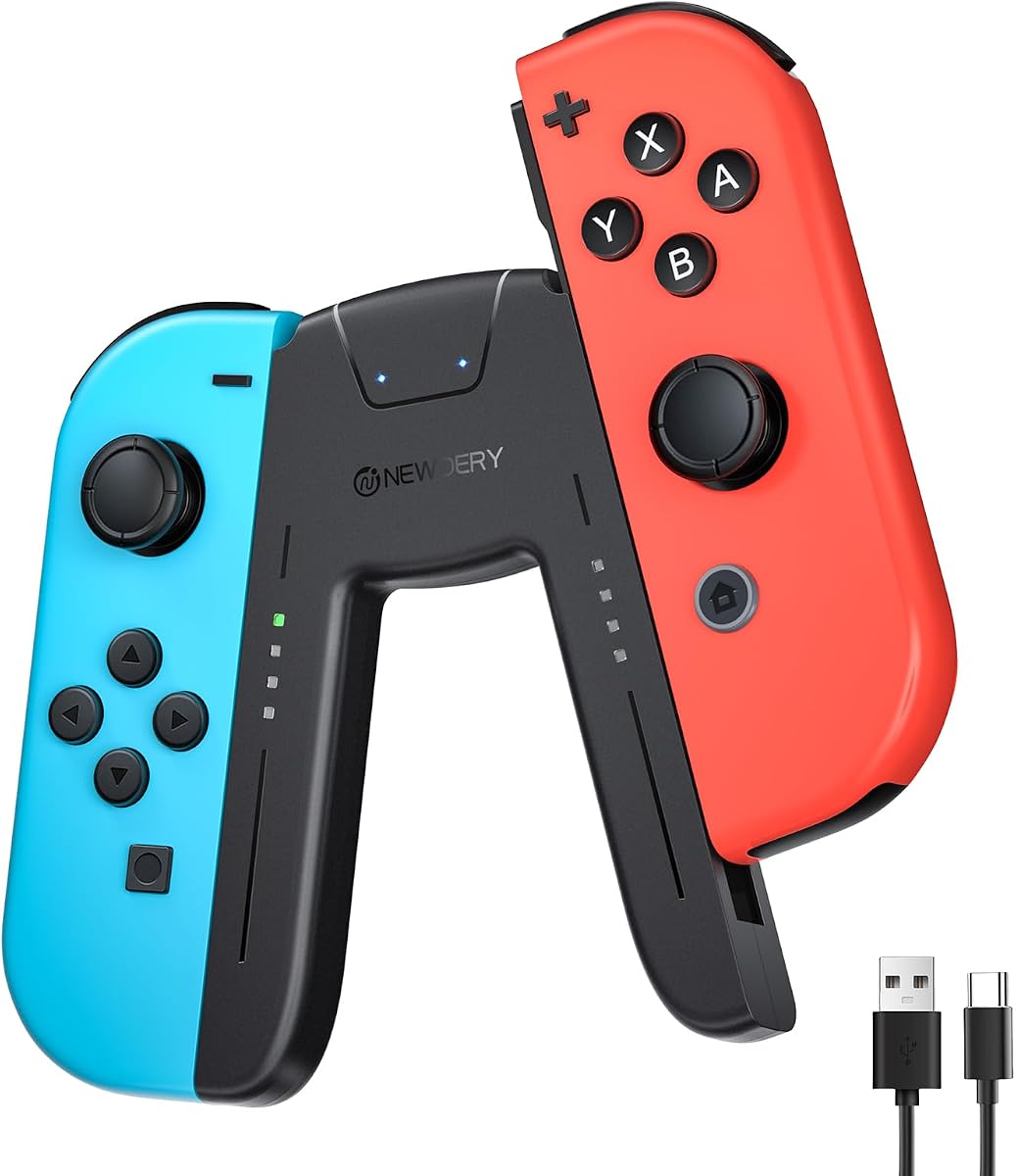
The NEWDERY LIFE Charging Grip distinguishes itself with an angled handle design that keeps your wrist in a natural position. This ergonomic improvement helps prevent hand soreness during long play sessions, making it ideal for extended gaming.
We may earn a commission when you buy through this link, at no additional cost to you.
Its case compatibility is a major convenience, allowing you to use it even if your controllers are already in protective covers. Precision slide rails ensure a snug fit, so your controllers stay secure during intense action or racing games.
Smart charging protection guards against overcurrent and overvoltage, ensuring your devices stay safe while charging. The lightweight and pocket-sized build make it easy to carry along wherever you go.
If comfort is your top priority, this grip offers a thoughtful design that reduces strain on your hands. It provides a seamless experience for users who want to keep their cases on while charging securely.
The angled handle helps align your wrist naturally, reducing the risk of strain during long gaming.
You do not need to remove protective cases from your Joy-Con to use this charging grip.
We may earn a commission when you buy through this link, at no additional cost to you.
Selecting the right Joycon charging grip requires balancing features, ergonomics, and specific gaming needs.
Some grips include internal batteries like the KINVOCA model, offering playtime even without a connected cable. Others rely solely on an external power source via USB-C. If you travel often, an internal battery is a valuable feature to look for.
Prioritize internal battery models for travel and external-only models for home use to save weight and cost.
The shape of the grip should support your natural hand position. Look for angled handles or rubberized surfaces that reduce fatigue. The NEWDERY LIFE model offers angled handles specifically designed to prevent wrist strain.
Choose a grip with ergonomic features that match your hand size and comfort preferences for long sessions.
Safety mechanisms like overcharge protection and flame retardant shells protect your controllers from damage. Brands like JINGDU emphasize intelligent control circuits to ensure safe charging cycles. This is critical for preserving the life of your devices.
Always check for overcharge protection and certified safe materials before purchasing a charging grip.
A longer USB-C cable gives you more freedom to play comfortably away from the outlet. The PDP and generic budget models often include cables around five to six feet. Ensure the cable is detachable for future replacement.
Opt for a grip with at least a five-foot cable to ensure comfortable play on your TV or couch setup.
High-quality ABS plastic ensures the grip withstands daily wear and tear. Look for double-injected rubber or non-slip surfaces for a secure hold. The DLseego and PowerA models highlight durable materials that protect your controllers.
Check product descriptions for mentions of durable ABS or rubber grips to ensure long-term reliability.
Some grips feature unique themes or colors to match your setup. Others are standard black for discretion. Choose a design that appeals to you while maintaining functionality. The DLseego model offers a unique Kingdom theme.
Select a design that fits your personal style while ensuring it does not compromise grip stability or function.
Buying in bundles can provide better value for families. The JINGDU two-pack offers two grips at a discounted rate compared to buying separately. This is useful if you need multiple charging options for different players.
Consider a bundle if you need more than one grip to maximize value and convenience for multiplayer sessions.
Trusted brands like PDP and PowerA often offer better warranty support and quality control. Research reviews and brand history before purchasing unknown options. Official licensing ensures compatibility with Nintendo Switch hardware standards.
Stick with known brands or licensed products to ensure warranty support and reliable performance over time.
To use a Joycon charging grip, slide each Joy-Con controller into the designated rails until they click securely into place. Ensure that the connectors align properly so the charging contacts touch the metal pins inside the grip. Once installed, plug the included USB-C cable into the grip and connect the other end to a power source.
For best results, use a quality adapter that provides the recommended power output to charge your devices efficiently. Avoid using damaged cables that may cause charging issues or poor connections. The LED indicators on the grip will typically turn green or blue once your controllers are fully charged.
To maintain your grip, wipe it down with a dry cloth to remove dust and sweat residue after gaming. Store it in a cool dry place away from direct sunlight to preserve the plastic and rubber components. Regularly check the USB ports for debris to ensure smooth cable insertion and removal.
Yes, most Joycon charging grips are designed to allow gameplay while charging. You can keep the controllers connected to the grip and use the console in TV or tabletop mode. This ensures you do not have to pause your game to plug in your controllers separately.
Some models like the NEWDERY LIFE Charging Grip are explicitly designed to accommodate cases. However, many standard grips may require you to remove the cases for proper connection. Check the product specifications to ensure your specific cases will fit inside the rails.
LED lights typically show charging status with different colors. Red usually means the controller is charging while green or blue indicates a full charge. Always refer to the user manual for specific color meanings since different brands may use slightly different signals.
Most modern grips include overcharge protection that stops the flow of power once the controllers are full. This feature helps prevent battery damage and ensures safety. Look for models that mention intelligent circuits or automatic cut-off for added protection.
Technically you can use a single controller in the grip but it may not fit securely depending on the design. It is best to use both controllers together to balance the weight and ensure proper connection to the charging ports. Some models are designed specifically for pairs.
You generally need a USB power adapter that matches the Type-C requirements of your grip. Most grips come with a cable but not the wall adapter. Any standard USB power adapter should work as long as it provides sufficient voltage and amperage.
Yes, most grips listed in this guide are compatible with both the standard and OLED Switch models. The physical connectors on the Joy-Con controllers remain the same across versions. Always verify compatibility in the product title before making your purchase.
Charging times vary but typically take about two to three hours for a full charge from empty. Factors like battery level and the strength of the power adapter influence this time. Using the included cable with a standard adapter is usually the best way to ensure speed.
We hope this guide helped you find the perfect Joycon charging grip for your gaming setup. Whether you chose the KINVOCA for its battery power or the JINGDU for value, each option offers reliable charging and improved ergonomics for your Switch controllers.
Consider your primary usage patterns when selecting a grip. Travelers might prefer models with internal batteries while home gamers can save money with basic options. Prioritize safety features and ergonomic comfort to ensure you play for longer periods without fatigue.
Remember that prices and availability change frequently so check the current listings on Amazon before buying. We update our guide regularly to reflect new releases and user feedback. Stay tuned for more updates on the best gaming accessories for your needs.