
BenQ TH671ST
4.4Editor score
Native Full HD 1080p resolution
Ultra-low input lag for gaming
Projects 100 inches from 5 feet
This guide compares the best Benq projectors for golf simulators by resolution brightness and throw ratio to help you find the perfect display for your indoor
Finding the right projector is essential for an immersive golf simulator experience. You need high brightness to overcome ambient light and sharp resolution to see course details clearly. A short throw model helps prevent shadows during your swing while keeping the image large and vibrant.
We evaluated ten top-rated models based on brightness, resolution, input lag, and installation flexibility. Our analysis focused on how well each device handles fast-motion content and color accuracy for realistic green rendering. We also considered long-term reliability and connectivity options for various simulator software.
Each pick highlights key strengths and potential trade-offs for home and commercial setups. While some models excel in brightness others prioritize color accuracy or low latency. Prices fluctuate frequently so check current listings before purchasing to ensure you get the best value for your specific needs.
4.4Editor score

3.5Editor score

5.0Editor score
This table provides a side by side overview of all ten models including their key specifications and standout features for easy comparison during your selection process.


The BenQ AH700ST stands out as a purpose built choice for golf simulation environments requiring high brightness and specific color tuning. With 4000 ANSI lumens it cuts through garage or basement lighting effectively ensuring the virtual course remains vivid. Its short throw design is critical for indoor setups where swing space is limited.
We may earn a commission when you buy through this link, at no additional cost to you.
This model excels in color accuracy with 95% Rec 709 coverage which helps render greens and skies realistically. The dedicated Golf mode optimizes the display for sports content reducing motion blur during swing playback. Connectivity is robust with USB Type C and multiple HDMI ports allowing seamless integration with various simulator PCs.
While it lacks true 4K resolution the Full HD output is sufficient for most simulators running at 1080p. The 20000 hour laser source reduces maintenance costs over time making it a solid long term investment. However users should ensure their software supports Full HD to maximize value.
Ideal for serious golfers needing reliable brightness and throw flexibility this projector balances performance and practicality. It is particularly suited for spaces where ambient light cannot be fully controlled. If you prioritize visibility and shadow reduction over pixel density this is a top recommendation for your indoor range.
The dedicated Golf mode adjusts saturation and contrast to enhance the visibility of the fairway and green areas specifically.
Laser technology ensures consistent brightness over 20000 hours meaning no lamp replacements are needed for years of use.
We may earn a commission when you buy through this link, at no additional cost to you.
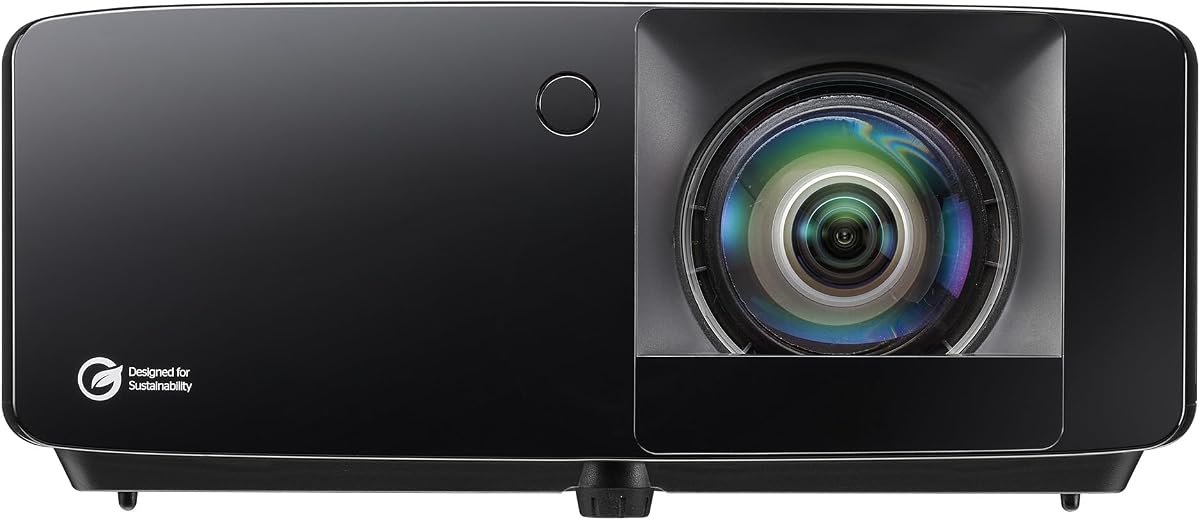
The BenQ TH671ST offers an affordable entry point into short throw projection without sacrificing essential gaming features. Its 3000 lumens output handles dim to moderately lit rooms well while the low input lag ensures responsive tracking for dynamic swings. It is widely recognized as a top choice for gaming which translates well to simulator use.
We may earn a commission when you buy through this link, at no additional cost to you.
With a short throw ratio you can project a massive 100 inch screen from just five feet away minimizing the risk of shadows during play. The native Full HD resolution provides clear text and course markers while the color accuracy keeps the simulation looking natural. This model is perfect for tight spaces where a long throw unit would fail.
While it may struggle in brightly lit environments compared to laser models it is a cost effective solution for dedicated dark rooms. The 3 year limited warranty adds peace of mind for home users who want reliability without a premium price tag. Setup is straightforward with automatic vertical keystone correction simplifying alignment.
For hobbyists or those new to simulation this projector delivers strong performance at a lower cost. It prioritizes speed and fit over extreme brightness making it a logical choice for controlled environments. If you need a compact reliable unit that fits easily into a garage corner this is an excellent contender.
Ultra fast low input lag ensures your swing motion syncs perfectly with the on screen ball flight without noticeable delay.
Projecting 100 inches from five feet allows placement on a shelf or stand without obstructing your golf swing path.
We may earn a commission when you buy through this link, at no additional cost to you.
The BenQ LK936ST is a powerhouse designed for commercial or high end home setups needing maximum visibility and detail. With 5100 ANSI lumens it overcomes almost any ambient light condition ensuring the simulation remains crisp and clear. The native 4K resolution delivers sharp course textures and readable data overlays essential for serious analysis.
We may earn a commission when you buy through this link, at no additional cost to you.
Installation flexibility is enhanced by lens shift and keystone correction allowing precise alignment without distorting the image. The short throw ratio keeps the projector safely out of the swing zone while still filling a large screen. Laser technology guarantees consistent brightness and color over thousands of hours with minimal maintenance required for operation.
While the price is significantly higher than home models this unit is built for durability and performance. It connects via HDBaseT for long cable runs making it ideal for professional simulators where the PC is far from the screen. Users wanting the absolute best image and brightness will find this investment justified by its capabilities.
This projector is best suited for dedicated facilities or wealthy home enthusiasts who refuse to compromise on image quality. Its robust build and high output ensure that even in challenging lighting conditions the experience remains immersive. If you demand top tier visuals and reliability this model is the clear leader in the category.
Native 4K resolution shows every blade of grass and fairway detail making the virtual course feel incredibly realistic.
Vertical and horizontal lens shift let you move the image without changing projector position ensuring perfect alignment.
We may earn a commission when you buy through this link, at no additional cost to you.
The Optoma GT3900UHD brings true 4K resolution and laser brightness to the table at a competitive price point. Its 4000 lumens output ensures a bright image even in moderately lit rooms while the short throw design minimizes shadows during the swing. This model explicitly markets itself as ready for golf simulators making it a strong contender.
We may earn a commission when you buy through this link, at no additional cost to you.
With a throw ratio of 0.496 to 1 you can project huge images from very short distances which is vital for indoor setups. The 30000 hour laser life offers exceptional longevity reducing long term ownership costs significantly compared to traditional lamps. HDR support adds depth to the image making it more engaging for movie breaks between rounds.
Although not a BenQ model it competes directly on specs and performance for similar tasks. The low input lag ensures responsiveness for fast tracking software but users should verify compatibility with their specific simulator engine. It is a great choice for those wanting 4K clarity without spending premium brand prices.
Ideal for homeowners seeking a balance of high resolution and brightness this projector delivers on key features. Its ultra short throw nature makes it versatile for various room sizes. If you prioritize sharpness and longevity over brand loyalty this unit is a compelling option for your simulator setup.
Projecting from inches away ensures the device never interferes with your stance or swing path during practice sessions.
This extended lifespan means you can enjoy your simulator for a decade without worrying about lamp replacements.
We may earn a commission when you buy through this link, at no additional cost to you.
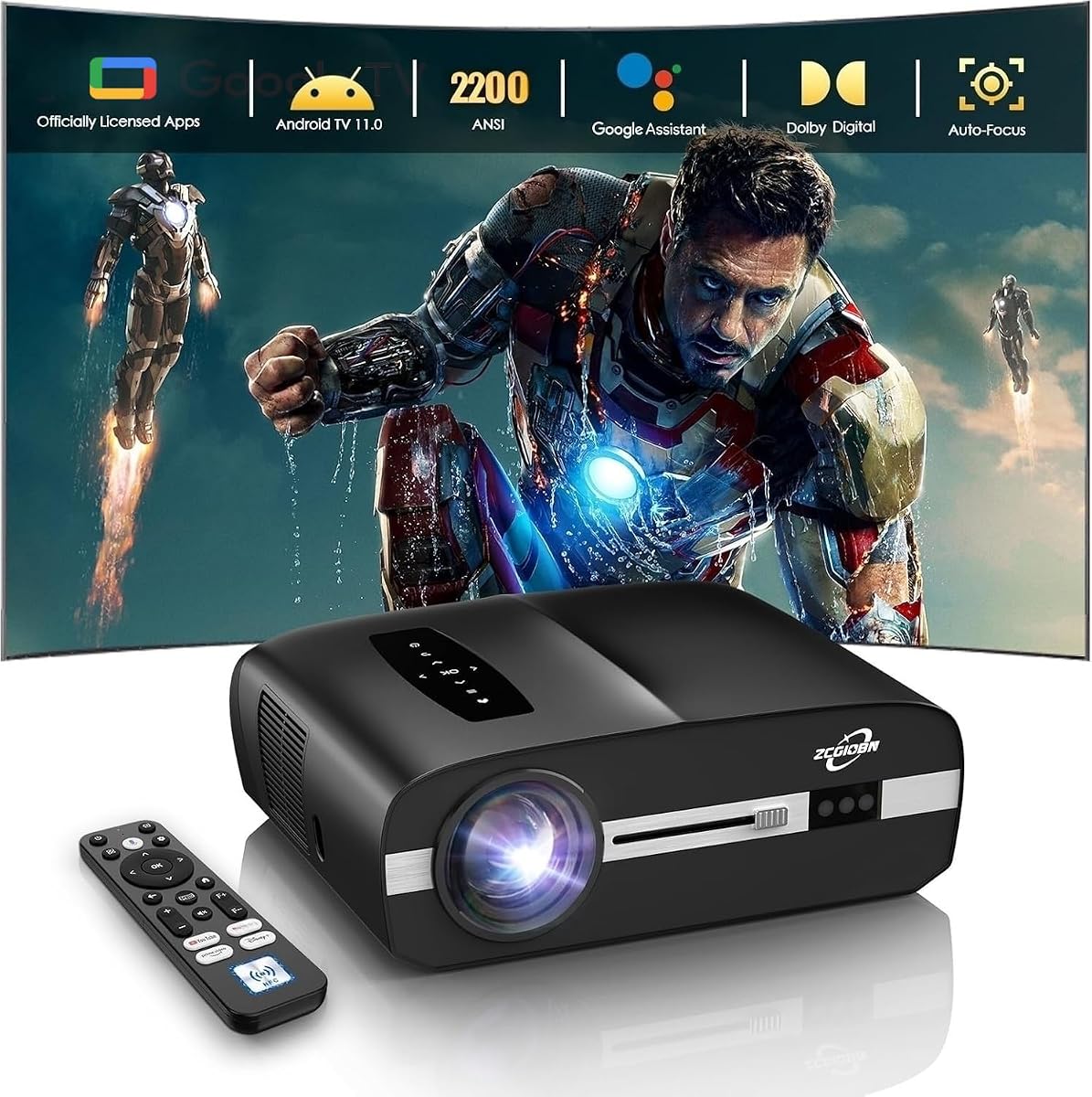
This 4K Projector model integrates Google TV and MEMC tech making it versatile for both simulation and streaming content. The 2200 ANSI lumens are adequate for darker rooms but may need dimming for daylight use. Its focus on ease of use is evident in the auto focus and keystone features which simplify setup for non tech users.
We may earn a commission when you buy through this link, at no additional cost to you.
The MEMC technology helps smooth out fast motion reducing blur during ball tracking which is critical for realistic feedback. Connectivity via HDMI 2.1 allows for high bandwidth data transfer ensuring stable video streams from your PC. Built in speakers provide decent sound though external audio is still recommended for immersive simulation experiences.
While it lacks the short throw ratio of specialized simulators it offers flexibility in placement including ceiling mounts. Users should place it carefully to avoid shadows but the auto alignment features help correct tilt quickly. It is a good dual purpose device for those who want a home theater and simulator screen.
Best for casual golfers or dual usage setups this projector offers smart features and decent 4K quality at a lower price. It prioritizes convenience and multimedia versatility over extreme brightness. If you need a screen that serves both movies and games this is a practical and user friendly choice.
Built in Google TV lets you stream Netflix or YouTube without needing a separate media box during downtime.
Auto keystone correction ensures the image is square and aligned even if the projector is not perfectly centered.
We may earn a commission when you buy through this link, at no additional cost to you.
The BenQ TH575i delivers strong brightness and low input lag for a mid range projector suitable for casual simulation. With 3800 lumens it can handle some ambient light better than many budget models making it versatile for garage use. The inclusion of Google TV adds entertainment value when not running a golf simulation.
We may earn a commission when you buy through this link, at no additional cost to you.
Its low 16.7ms input lag ensures your swings are tracked without delay which is vital for feedback accuracy. Four viewing modes allow you to optimize for sports or cinema depending on what you are watching. The auto vertical keystone feature makes mounting easier even if the projector is not perfectly square to the wall.
While it lacks laser longevity and 4K resolution it is a cost effective option for those needing high lumens without the premium price. The lamp based light source means eventual replacement is needed but this is standard for this class of product. It is a solid middle ground for users prioritizing brightness and simplicity.
Ideal for home users wanting a projector that works for movies and casual simulators this model offers good balance. Its brightness and lag specs make it competent for most swing tracking needs. If you want a bright flexible device without needing a dedicated dark room this is a worthy option.
The included Sports mode enhances motion clarity to make fast swing tracking more precise and responsive during play.
An official licensed Google TV dongle ensures access to streaming services without extra hardware purchases.
We may earn a commission when you buy through this link, at no additional cost to you.
The BenQ LU935ST is a commercial grade projector that brings WUXGA resolution and high brightness to home setups. Its 5500 ANSI lumens ensure the image is visible even in brightly lit garages where other projectors might fail. The short throw ratio keeps the unit safely out of the way during your golf swing practice sessions.
We may earn a commission when you buy through this link, at no additional cost to you.
With a contrast ratio of 3000000 to 1 colors appear vibrant and deep making the greens look more realistic. The 20000 hour laser source means minimal maintenance over the years of use. Lens shift allows for flexible installation making it easy to align without moving the projector physically or using digital keystone which can degrade quality.
While the resolution is WUXGA it is still high quality for simulation purposes and may not offer full HD sharpness. The commercial focus means it lacks smart TV features so you will need an external computer for all content. It is a workhorse for those needing extreme brightness and durability in challenging environments.
Best for serious practitioners requiring high visibility this projector excels in performance over entertainment features. Its brightness and lens shift provide flexibility for difficult installations. If you need a reliable bright display for training without needing streaming built in this is a robust solution.
A 3000000 to 1 contrast ratio ensures dark shadows and bright fairways stand out clearly for better depth perception.
Large lens shift lets you align the image perfectly without moving the projector or using software which degrades quality.
We may earn a commission when you buy through this link, at no additional cost to you.
The BenQ W4100i offers excellent color accuracy with 100% DCI-P3 coverage making it ideal for rendering natural greens and skies. Its 4K HDR support enhances dynamic range which helps with realistic lighting effects in virtual courses. This model focuses on home theater quality that can also serve a simulation purpose well.
We may earn a commission when you buy through this link, at no additional cost to you.
The LED light source offers a 10 year life reducing maintenance needs significantly compared to lamps. Lens shift and zoom provide installation flexibility though it lacks a short throw ratio. You may need to place it further back which requires adequate room depth. Android TV is built in for easy streaming during breaks.
While brightness is lower than high end lasers it is sufficient for controlled lighting environments. Users should prioritize color fidelity over raw lumens when choosing this unit. It is best suited for those who value visual quality and color precision for a realistic experience.
Ideal for color purists and home theater users this projector brings cinema quality to the simulator. Its color tech and durability make it a standout for aesthetic focus. If you want your golf course to look as real as possible this is a great choice for image quality.
Factory calibrated color accuracy ensures greens and skies look natural and true to life rather than oversaturated.
The 10 year LED life source means consistent brightness without needing lamp replacements for a decade of use.
We may earn a commission when you buy through this link, at no additional cost to you.
The ViewSonic LS740W is a bright laser projector designed to handle intense ambient light conditions effectively. With 5500 lumens it ensures visibility even in large windows or open spaces. The dedicated Golf Mode boosts greens and blues to enhance contrast for better course visibility during swing sessions.
We may earn a commission when you buy through this link, at no additional cost to you.
Instant startup eliminates warm up time so you can start practicing immediately without waiting. The laser light source provides reliable performance with minimal maintenance requirements over years of use. 360 degree projection allows for flexible placement such as ceiling mounts in custom simulator setups.
Resolution is WXGA which is lower than Full HD but acceptable for basic simulation needs. Users needing sharp text for data overlays may find this limiting. However for those prioritizing brightness and ease of use this model delivers solid performance in challenging environments.
Best for bright rooms or commercial use this projector offers strong output and instant on features. It is a practical choice for those who want to start playing without delays. If you need to overcome sunlight or bright lights this is a highly capable option.
Specialized Golf Mode adjusts colors to boost greens and blues for better realism in virtual course rendering.
Quick startup and shutdown save time and eliminate warm up waits for instant practice when you want to swing.
We may earn a commission when you buy through this link, at no additional cost to you.
This GoSports cover protects your projector from accidental ball strikes allowing you to place it safely on the floor. It uses durable HDPE and polycarbonate materials to withstand mishits without damaging your expensive equipment. This accessory is vital for any simulator setup where the projector sits near the swing zone.
We may earn a commission when you buy through this link, at no additional cost to you.
Installation is instant requiring no assembly. simply place it over the unit and route cords through the side vents. It ensures airflow to prevent overheating while keeping the device hidden and protected from damage. This setup reduces the need for complex ceiling mounts which can be costly to install.
While it does not project images itself it is essential hardware for long term protection of your investment. Users should ensure their projector fits within the dimensions to avoid heat buildup. It is a practical solution for protecting optics and electronics in active training spaces.
Ideal for any home simulator this cover adds a layer of security for your hardware investment. It makes floor mounting safe and convenient for your setup. If you want to avoid mounting headaches and protect your gear from damage this is a must have accessory.
The polycarbonate panel shields the lens from accidental hits ensuring your projector stays safe during practice swings.
Side vents maintain proper airflow to prevent overheating during long practice sessions or extended use periods.
We may earn a commission when you buy through this link, at no additional cost to you.
Choosing the right projector involves balancing brightness resolution and throw ratio to suit your room size and lighting conditions.
Brightness measured in ANSI lumens determines how well the image remains visible in ambient light. For garage or basement setups aim for at least 3000 lumens to prevent washed out colors. Laser projectors generally maintain brightness better over time than lamp based models.
Higher brightness ensures your simulator remains clear even if you cannot fully block out light. It is critical for tracking fast ball flight and reading course details accurately during play.
Short throw ratios allow you to place the projector closer to the screen which reduces shadow interference during your swing. Look for ratios below 1.0 if you have limited space between the screen and projector. This placement ensures your body does not block the image during play.
Proper placement is vital for uninterrupted play. If space is tight prioritize ultra short throw models to maximize your swing zone.
Higher resolution like 4K UHD offers sharper course textures and text overlays for detailed analysis. Full HD 1080p remains adequate for most simulation needs though 4K enhances realism significantly. Match the resolution to your simulator software requirements for optimal performance.
Clearer resolution helps you read fairway details and ball data easily. For serious analysis a higher resolution display is recommended for precision.
Low input lag ensures that your swing motion is synced with the on screen ball flight without delay. Gaming projectors usually have lower latency which is essential for accurate feedback in simulation software. Check specs for input lag values under 20ms for smooth performance.
High latency can make your swing feel disconnected from the simulation. Prioritize models marketed for gaming to ensure responsive and precise tracking.
Accurate color reproduction makes the virtual course look realistic and engaging. Look for wide color gamut coverage like Rec.709 or DCI-P3 for natural greens and skies. This fidelity enhances the immersion and realism of your training environment.
Poor color accuracy can make the course look artificial which may affect your visual focus. Aim for calibrated displays that support vibrant and natural tones.
Laser light sources offer longer lifespans compared to traditional lamps reducing maintenance needs. A 20000 hour laser can last years of daily use without needing replacement. This durability saves money and time over the long term.
Frequent lamp changes can be costly and disruptive. Choose laser models for consistent brightness and lower long term ownership costs.
Multiple HDMI ports and USB connections allow seamless integration with your PC and audio systems. HDMI 2.0b or higher ensures support for 4K at 60Hz for high refresh rates. Check that your simulator software matches the projector's ports.
Versatile connectivity simplifies your setup and avoids adapters. Ensure your chosen model supports your existing cables and devices for easy integration.
Lens shift and keystone correction help you align the image without moving the projector. Ceiling mounts are common in simulator setups so ensure the projector supports vertical lens shift. Flexible installation options save you from complex rigging work.
Proper alignment avoids distortion and keeps the image square. Look for models that offer physical adjustments to simplify mounting in tight spaces.
Set up your projector on a stable surface or ceiling mount ensuring the lens is clear of any obstructions. Align the image using the zoom and focus ring until it fits your screen perfectly without distortion.
Connect your golf simulator PC via HDMI and configure the display settings to match the projector's native resolution. Ensure your software outputs the correct refresh rate to prevent motion issues during fast swings.
Keep the lens clean with a soft cloth and avoid direct sunlight to prevent damage. Regularly check the vents for dust buildup to maintain optimal cooling and brightness output.
For a garage environment with natural light you need at least 3000 to 4000 ANSI lumens to ensure the image remains visible. Laser projectors are recommended as they maintain high brightness levels even in ambient light.
Short throw projectors can be placed close to the screen which prevents shadows caused by your swing. This ensures uninterrupted viewing and accurate tracking without the device blocking your path.
Resolution affects how clear text and course details appear. While Full HD is often sufficient 4K offers sharper realism which helps with tracking ball flight and reading data overlays more accurately.
Using a protective floor mounted enclosure keeps the unit safe from accidental ball strikes. This accessory ensures durability and prevents damage to the lens or internal components during practice.
Standard TV projectors work but gaming models with low input lag are better. Ensure the projector has the brightness and throw ratio needed to fit your room and avoid motion blur.
Use high speed HDMI cables that support the desired resolution and refresh rate. This ensures a stable signal without lag or dropouts during critical gameplay moments.
The BenQ AH700ST offers the best balance of brightness and throw features for dedicated setups. For budget conscious buyers the BenQ TH671ST provides excellent performance without breaking the bank.
Prioritize brightness and throw ratio to ensure your image is clear and shadow free. If you need 4K clarity consider the BenQ LK936ST for premium detail.
Always check current listings for the best deals and verify compatibility with your simulator software before purchasing.