
HP 14 Laptop 2025
4.3Editor score
Quad-Core Intel CPU
16GB RAM
Lifetime Office 2024 Bundle
Discover the top laptops with lifetime Microsoft Office included. We compare specs, performance, and value to help you choose the right business or student
Finding a laptop with lifetime Microsoft Office can save you money and hassle. These machines come pre-installed with Word, Excel, and other apps for forever use without subscription fees.
We evaluated ten models based on processor power, memory, storage, and display quality. Our comparison highlights the best options for students, professionals, and home office users in this category.
Each pick shows key specs and real-world performance notes. Prices change frequently on Amazon, so check the current listing before buying to ensure you get the best deal available now.
4.3Editor score

4.3Editor score

5.0Editor score
This side-by-side comparison lists all ten laptops with lifetime Microsoft Office to help you quickly identify the model that matches your needs and budget constraints.



This HP 17 laptop delivers solid performance for business and student needs with lifetime Microsoft Office pre-installed. It holds a 4.3 rating and includes 16GB RAM to handle many browser tabs and apps.
We may earn a commission when you buy through this link, at no additional cost to you.
The 8-Core Intel i3-N305 processor provides smooth speeds up to 3.8 GHz. Combined with 500GB SSD and external storage, you get fast boot times and plenty of space for files and media projects.
While the display is HD+ instead of Full HD, the large screen real estate helps with spreadsheets and documents. The non-reflective panel reduces glare during outdoor use or bright office environments.
It is an excellent choice for users who want a complete bundle without extra costs. The included accessories like mouse, dock, and external drive make this ready for immediate productivity.
The MarxsolAccessory bundle ensures you have everything needed to start working immediately without buying peripherals separately.
Free lifetime Office 2024 avoids ongoing subscription fees, saving money over the life of the laptop for students and small businesses.
We may earn a commission when you buy through this link, at no additional cost to you.
This slim HP 14 laptop is ideal for students needing affordable performance with lifetime Office tools. It rates 4.3 and features 16GB RAM for smooth multitasking across apps.
We may earn a commission when you buy through this link, at no additional cost to you.
The Quad-Core Intel N150 supports tasks up to 3.6 GHz. Storage mixes 128GB UFS with a 500GB external drive, offering decent space despite the smaller internal volume.
The design is portable and lightweight, fitting easily into backpacks for daily commutes. The green color adds a distinct look compared to standard silver business laptops.
Pick this if you need a budget-friendly option that includes Office forever. It balances cost with necessary specs like high RAM for web and document work.
Its slim form factor makes it easy to carry to classes or coffee shops while maintaining productivity with lifetime Microsoft apps.
Built-in Copilot AI helps with quick tasks and suggestions, boosting efficiency without needing extra software subscriptions.
We may earn a commission when you buy through this link, at no additional cost to you.
This HP Ultrabook offers a clean silver design perfect for professional or home use with lifetime Office software included. It holds a 4.1 rating and focuses on essential business capabilities.
We may earn a commission when you buy through this link, at no additional cost to you.
The Intel N150 processor handles everyday tasks efficiently while the 14 anti-glare display ensures readability outdoors or under lights. 8GB RAM suits basic web and document work well.
Storage depends on the external drive included in the HubxcelAccessory bundle, which adds versatility for backups. Wireless earbuds in the package enhance meeting experiences without extra costs.
This model works best for light users who prioritize screen quality and design over heavy multitasking. It is a solid entry point into premium business laptop features.
The display coating reduces reflections, making long reading sessions easier for students or professionals working in varied lighting.
Included earbuds and external drive provide immediate value, reducing initial setup expenses for new buyers.
We may earn a commission when you buy through this link, at no additional cost to you.
This HP business laptop stands out with a full 1TB SSD and touchscreen for intuitive navigation. It rates 4.0 and offers lifetime Office tools for long-term document work.
We may earn a commission when you buy through this link, at no additional cost to you.
The Intel i3-1215U delivers speeds up to 4.4 GHz with six cores, which speeds up apps and multitasking. 16GB RAM ensures you can keep many programs open smoothly.
The touchscreen adds convenience for selecting items quickly without a mouse, helpful for on-the-go users. Battery life supports up to five hours of mixed daily use.
Select this for pure internal storage and interface benefits. It is a strong choice for those who need reliable performance without external dependencies or accessories.
The 1TB SSD provides quick boot times and ample space for large files, speeding up your workflow significantly.
Touch input simplifies browsing and file management, offering a modern experience alongside keyboard input.
We may earn a commission when you buy through this link, at no additional cost to you.
This HP 15.6 laptop boasts a 5.0 rating with a crisp FHD display for vivid visuals. It features 16GB RAM and 1TB SSD for extensive file storage and fast performance.
We may earn a commission when you buy through this link, at no additional cost to you.
The 8-Core Intel i3-N305 powers applications efficiently up to 3.8 GHz. Weighing just 3.52 lbs, it is easy to carry daily while supporting long battery life.
Windows 11 Pro offers advanced security features suitable for professional work. Lifetime Microsoft Office is noted in details ensuring complete productivity setup out of the box.
It is ideal for users valuing screen clarity and portability. The balance of weight, speed, and storage makes it a highly recommended daily driver.
Up to 10 hours of usage allows all-day work without hunting for power outlets during meetings or classes.
The full high-definition screen renders text and images sharper than standard HD, improving reading comfort.
We may earn a commission when you buy through this link, at no additional cost to you.
This business student laptop combines a touchscreen with lifetime Office 2021 for essential tasks. It offers 12GB RAM which is a good balance for moderate multitasking needs.
We may earn a commission when you buy through this link, at no additional cost to you.
The Intel i3-1215U provides reliable speeds up to 4.4 GHz. While storage is limited to 256GB internally, it is fast via PCIe SSD technology.
Design focuses on usability with a responsive display for touch navigation. The 12GB RAM helps avoid lag when switching between apps like browsers and Office tools.
It suits buyers wanting touch input at a lower price. Consider external storage if you keep many large files locally on your system.
Lifetime 2021 version avoids subscription costs, ideal for budget-conscious users needing core Word and Excel tools.
12GB RAM offers a middle ground between basic 8GB and premium 16GB, handling standard workflows well.
We may earn a commission when you buy through this link, at no additional cost to you.
This premium model earns a 5.0 rating with a spacious 17.3 HD+ display perfect for media and documents. It includes lifetime Office 2024 for immediate productivity.
We may earn a commission when you buy through this link, at no additional cost to you.
The Intel i3-N305 with eight cores handles everyday tasks smoothly. 16GB RAM supports multiple open windows without slowdowns on a daily basis.
Storage is a solid 512GB PCIe SSD, ensuring quick boot times and ample room for common apps. Wi-Fi 6 guarantees fast internet speeds for cloud work.
It is excellent for those prioritizing screen real estate and reliability. The large display helps reduce eye strain during long work sessions or streaming.
The 17.3 screen gives plenty of space for spreadsheets and video editing timelines without clutter.
PCIe SSD delivers quick read write speeds, making file transfers and loading applications nearly instant.
We may earn a commission when you buy through this link, at no additional cost to you.
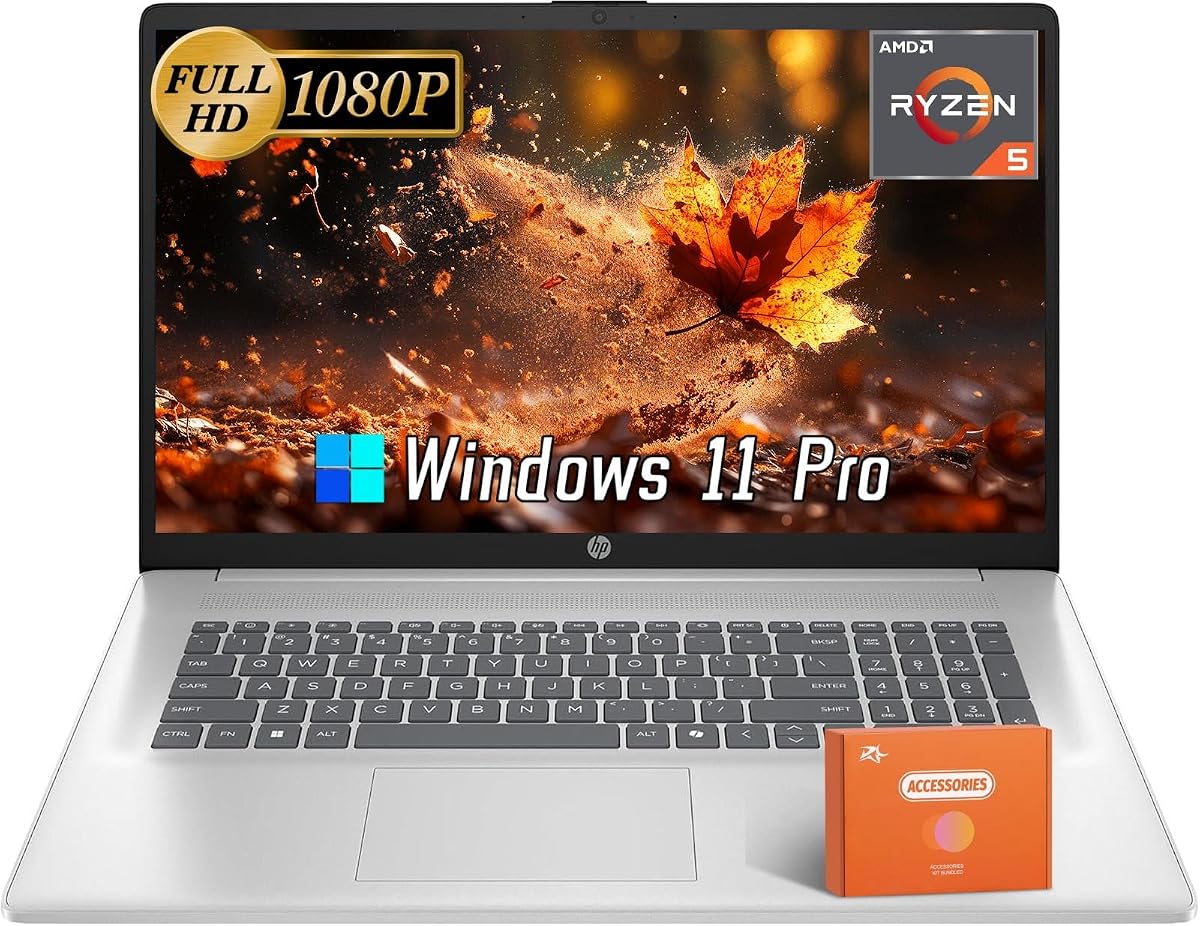
This HP laptop stands out with an AMD Ryzen 5 processor and FHD+ screen for sharp visuals. It comes with lifetime Office and Windows 11 Pro for enterprise features.
We may earn a commission when you buy through this link, at no additional cost to you.
The 7430U has six cores and twelve threads which speeds up multitasking significantly. AMD Radeon graphics enhance media playback and light creative work on the large screen.
Anti-glare coating reduces reflections making it comfortable for outdoor tasks. The 16GB RAM ensures smooth operation even with multiple apps open simultaneously.
Choose this if you prefer AMD performance for multitasking. It is a robust option for those needing powerful graphics without extra costs.
Radeon graphics handle light video editing and media better than basic integrated options.
The FHD+ resolution provides more detail than HD, improving readability of text and images.
We may earn a commission when you buy through this link, at no additional cost to you.
This premium model offers massive 32GB RAM and 2TB SSD storage for serious users. It holds a 5.0 rating and includes lifetime Office 2024 for all document needs.
We may earn a commission when you buy through this link, at no additional cost to you.
The Intel i3-N305 handles daily apps while extra RAM supports heavy multitasking and data analysis. It ensures smooth operation even with many virtual machines or large files.
Copilot AI adds intelligent assistance for faster content creation and answers. The USB hub and pouch provide essential accessories for portability and connectivity.
It is ideal for power users needing maximum internal memory. This machine future proofs your workflow with ample space and speed for years.
2TB space handles large datasets, video files, and backups without needing external drives constantly.
This RAM amount ensures zero lag when running multiple heavy applications or browser tabs at once.
We may earn a commission when you buy through this link, at no additional cost to you.
This HP 17.3 laptop features an i5-1334U with 10 cores for robust performance. It includes lifetime Office 2024 and Intel Iris Xe graphics for visuals.
We may earn a commission when you buy through this link, at no additional cost to you.
The processor delivers speeds up to 4.6 GHz which benefits demanding tasks. 16GB RAM ensures smooth multitasking for business professionals needing speed.
Storage is a solid 512GB SSD providing fast system response times. The USB hub allows more peripheral connections without extra costs for accessories.
Select this for high-end processing power within a reasonable price. It balances performance and value for users needing reliable speed daily.
The 10-core CPU handles complex calculations and multitasking better than standard i3 processors.
Integrated graphics offer better visual performance for media and light design tasks without dedicated GPU.
We may earn a commission when you buy through this link, at no additional cost to you.
Choosing a laptop with lifetime Microsoft Office requires attention to processor speed, memory, and screen quality to ensure long-term value.
Look for Intel Core i3 or higher or AMD Ryzen 5 to ensure smooth operations. Faster processors handle multitasking and heavy apps like Excel better.
Prioritize models with at least four cores for reliable daily performance and longevity.
At least 8GB RAM is needed for smooth browsing but 16GB is better for productivity. SSD storage ensures fast boot times compared to HDDs.
Aim for 512GB or more internal storage to keep files local without needing external drives.
HD+ or Full HD panels reduce eye strain during long document work. Anti-glare coatings are vital if you work outdoors or in bright rooms.
Larger 15 or 17 inch screens improve productivity by fitting more content at once.
Windows 11 Pro provides better security and management tools for business users. Ensure the OS is pre-activated and updated.
Pro versions often include BitLocker encryption to protect sensitive business data better.
Verify that the lifetime license is Office LTSC Professional Plus and not a trial. Read product details to ensure permanent activation without keys.
Avoid subscribing to Office 365 separately as it may conflict with the pre-installed lifetime version.
For mobile users, battery life should be around 8 hours or more for full day use. Fast charging support helps recover power quickly between tasks.
Check manufacturer specs for mixed usage time to match your commute or workday needs.
Ensure enough USB-A and USB-C ports for peripherals like mice and drives. Wi-Fi 6 guarantees faster internet speeds for cloud documents.
HDMI ports are essential for connecting to external monitors during presentations.
Bundles that include docks and external drives add value to the initial price. Mouse pads and cables save extra costs immediately.
Check what is included in the box to avoid buying accessories separately after purchase.
Always keep the system updated to ensure security patches and software compatibility remain active. Use the provided Lifetime Office User Guide to activate features upon receipt.
Avoid installing Office 365 separately as it may invalidate your pre-installed lifetime license permanently. Check activation status in the app settings after setup to confirm validity.
Clean the screen gently with a soft microfiber cloth to preserve the anti-glare coating. Store the laptop in a cool dry place to protect battery health over time.
Yes, these laptops come with Microsoft Office 2024 Professional Plus pre-installed and activated. You do not need to buy a key separately. Follow the user guide to ensure it remains valid.
No, installing Office 365 may invalidate the pre-installed lifetime license. To keep your access, use the included version only. Contact support if you need help checking activation status.
Office 2024 includes newer features and better integration with modern systems compared to 2021. Both versions offer perpetual licenses without subscriptions. Check your bundle to see which version is included.
8GB is the minimum but 16GB is ideal for smooth multitasking with browser tabs and apps. More RAM ensures the system stays fast for years as software demands increase.
Not all models include external drives but many bundles do for added value. Check the product specifications and bundle details to confirm storage capacity before buying.
Windows 11 Pro offers enhanced security and management tools useful for businesses. It is recommended for data protection and better remote access capabilities than Home versions.
Most models in this list do not include backlit keyboards. If you work in dim environments check product specs carefully before purchase. External keyboards can be added if needed.
These ten laptops offer excellent value with permanent access to Word Excel and other tools. The HP 17 Business and HP 17.3 Premium stand out for performance and storage respectively.
Prioritize models with at least 16GB RAM and SSD storage for long term reliability. Consider portability if you travel or work from different locations daily.
Prices and availability change frequently so check current listings before purchasing. Confirm that the lifetime Office license is active and valid after setup.