
CENMATE Aluminum 4 Bay
4.3Editor score
Aluminum Alloy Build Design
USB A and C Ports
Up To 80TB Capacity
Choosing the right Jbod enclosure allows you to expand your storage capacity without complex RAID setups. These devices connect multiple drives directly to your computer for easy access and data management needs.
We evaluated ten top models based on connectivity speed, build quality, cooling efficiency, and drive compatibility. Each selection offers unique advantages for different workflows and storage demands.
Every pick highlights key features and potential drawbacks to help you decide. Prices fluctuate frequently so check current listings before making your final purchase decision.
4.3Editor score

4.2Editor score
4.1Editor score
As an Amazon Associate we earn from qualifying purchases.
The following table provides a side-by-side overview of the most important specifications for each model to help you compare features quickly.




The TERRAMASTER D4-320 offers fast 10Gbps transfers with a solid build. It rates well for reliability and ease of use across multiple systems.
We may earn a commission when you buy through this link, at no additional cost to you.
Its USB 3.2 Gen2 interface delivers speeds up to 1016 MB/s with four drives. The Push-lock tray design ensures secure mounting without screws.
While it lacks RAID functionality, this DAS focuses on individual drive access. Fan noise is low but not silent under heavy load.
Ideal for professionals needing quick access to large datasets. Its tool-free design makes drive swaps efficient and straightforward.
USB 3.2 Gen2 delivers up to 10Gbps for quick file movement and large media backups.
Tool-free trays with Push-lock mechanism simplify installation and removal without extra tools.
We may earn a commission when you buy through this link, at no additional cost to you.
CENMATE delivers solid value with its aluminum 4-bay enclosure. It scores high on build quality and ease of setup for home or office.
We may earn a commission when you buy through this link, at no additional cost to you.
The aluminum case helps manage heat while USB 3.0 provides decent 5Gbps speeds. Hot swapping adds flexibility for active storage needs.
Noise levels may be noticeable in quiet spaces. Speed caps at 5Gbps which is slower than newer USB 3.2 options.
Best for budget-conscious users needing reliable external storage. Its straightforward design makes it accessible for all users.
Delivers essential features like hot swap and aluminum build at an affordable price range.
Includes both USB A and C cables for flexible connection to different host devices.
We may earn a commission when you buy through this link, at no additional cost to you.
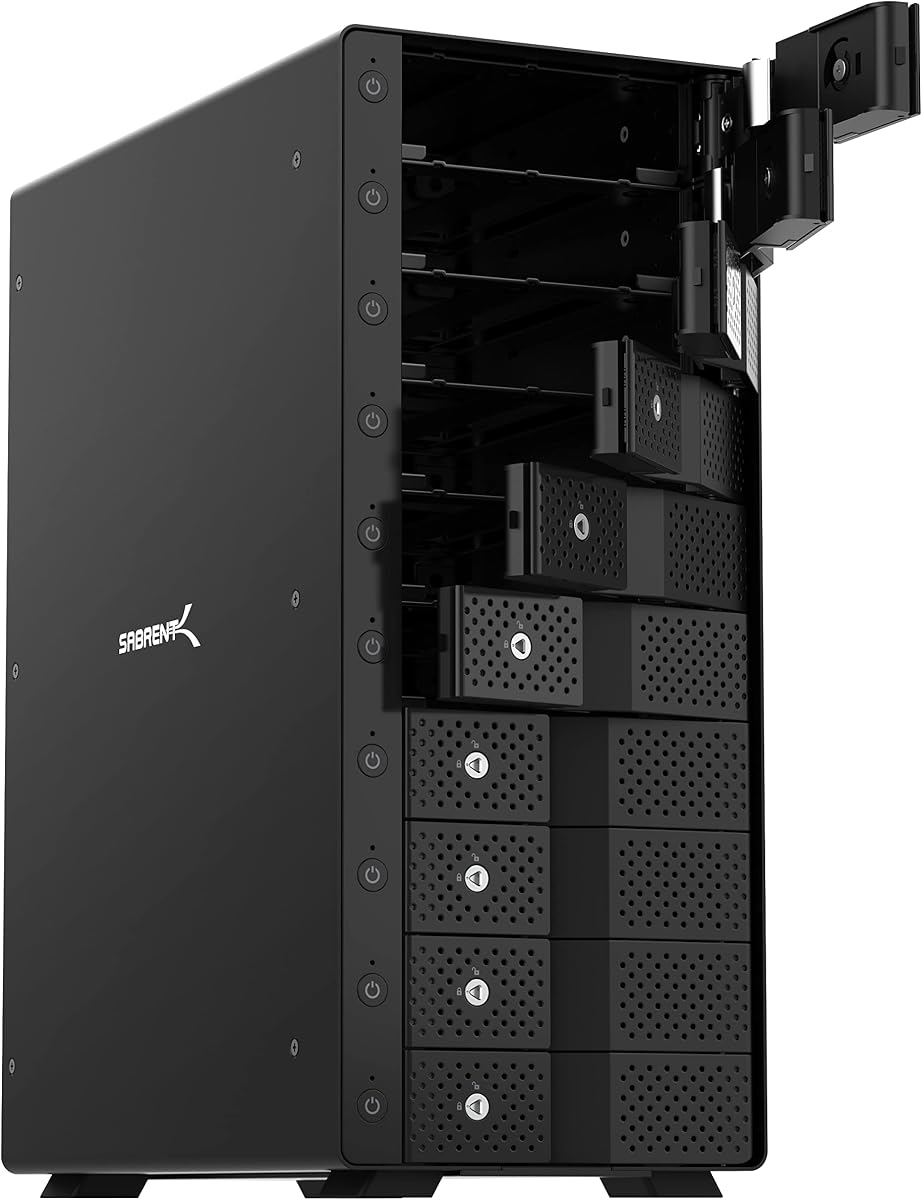
SABRENT tops the list for scalability with ten hot-swap bays and USB-C speed. It offers premium reliability and robust cooling for large media work.
We may earn a commission when you buy through this link, at no additional cost to you.
Each drive has its own switch for power management. USB-C provides 10Gbps throughput ideal for video editing or backup workflows.
Its size and cost are significant but justified for enterprise needs. Requires enough desk space due to dual 120mm fans.
Perfect for users needing maximum expandability and performance. This dock supports massive storage needs without compromising speed.
Holds up to ten drives for 200TB capacity and supports individual drive power control.
USB 3.2 Gen2 ensures 10Gbps transfer rates for efficient handling of large media files.
We may earn a commission when you buy through this link, at no additional cost to you.
IO CREST offers a spacious eight-bay layout for high capacity needs. It rates well for independent drive control and thermal management.
We may earn a commission when you buy through this link, at no additional cost to you.
Each drive has an on-off switch for selective power use. The smart fan adjusts speed based on temperature sensors for efficiency.
Speed is limited to 5Gbps USB 3.0 which may slow large transfers. The steel casing is functional but lacks premium finishes.
Great for servers needing multiple drives with control. It balances capacity and power management effectively for varied workloads.
Each drive bay includes a switch to power off unused drives and save energy.
Built-in thermal sensor adjusts fan speed to maintain optimal drive temperatures during use.
We may earn a commission when you buy through this link, at no additional cost to you.
The QNAP TR-004 brings hardware RAID to USB-C DAS storage. It excels when paired with QNAP NAS units for seamless expansion.
We may earn a commission when you buy through this link, at no additional cost to you.
RAID levels like 0 1 and 5 provide data redundancy. Its USB Type-C ensures fast transfer speeds for connected systems.
Compatibility is optimized for QNAP which may limit broader utility. Not all NAS models support this enclosure directly.
Ideal for QNAP owners needing extra storage. Its RAID capabilities add reliability for critical workloads or backups.
Hardware RAID support adds data redundancy and performance without needing software configuration.
Designed to integrate smoothly with QNAP NAS for seamless storage expansion and management.
We may earn a commission when you buy through this link, at no additional cost to you.
QNAP delivers a robust 12-bay rackmount solution for servers. It rates highly for reliability with a redundant PSU and fast USB.
We may earn a commission when you buy through this link, at no additional cost to you.
The 250W redundant supply ensures uptime if one unit fails. USB 3.2 Gen 2 provides high-speed connectivity for data centers.
It is pricey and best suited for rack environments. Desktop users may find its size and power requirements excessive.
Best for enterprise environments needing scalable storage. Its redundancy and speed make it a solid server expansion option.
Dual power supply setup ensures continuous operation even if one power unit fails.
Designed to fit standard server racks for professional and organized deployment.
We may earn a commission when you buy through this link, at no additional cost to you.
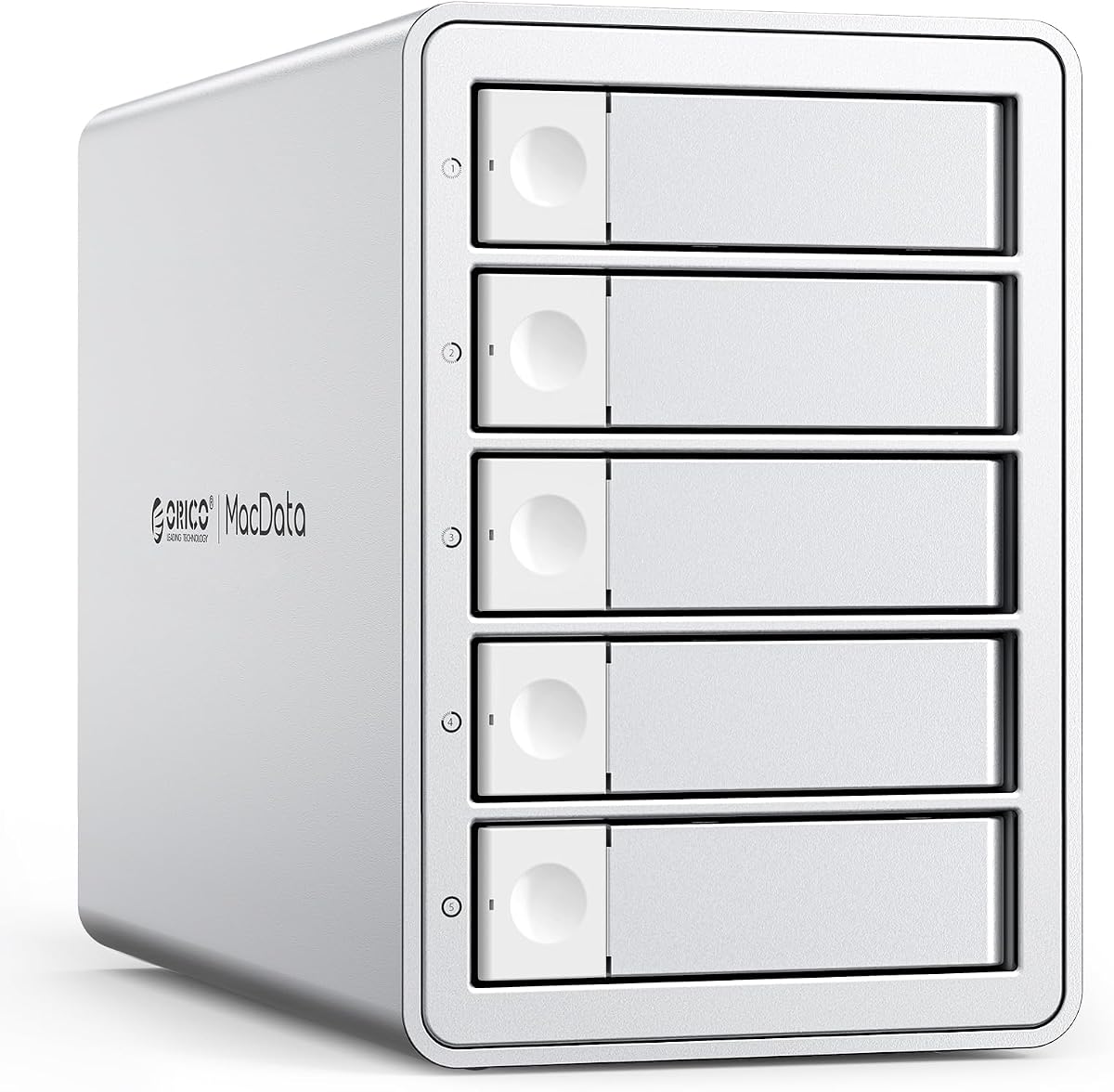
ORICO offers a versatile five-bay enclosure with extensive RAID options. It rates exceptionally high among users for reliability and build.
We may earn a commission when you buy through this link, at no additional cost to you.
Hardware RAID switches allow flexible setups from speed to redundancy. The 150W PSU eliminates external power bricks for a clean desk.
Transfers are limited to 5Gbps USB 3.0 which may bottleneck fast SSDs. RAID setup requires careful attention to avoid data loss.
Perfect for creative professionals needing customizable storage. Its cooling and power design ensure stable long-term operation.
Eight modes including RAID 0 1 5 and JBOD let users customize speed and security.
Built-in power supply reduces cable clutter and provides stable voltage for all drives.
We may earn a commission when you buy through this link, at no additional cost to you.
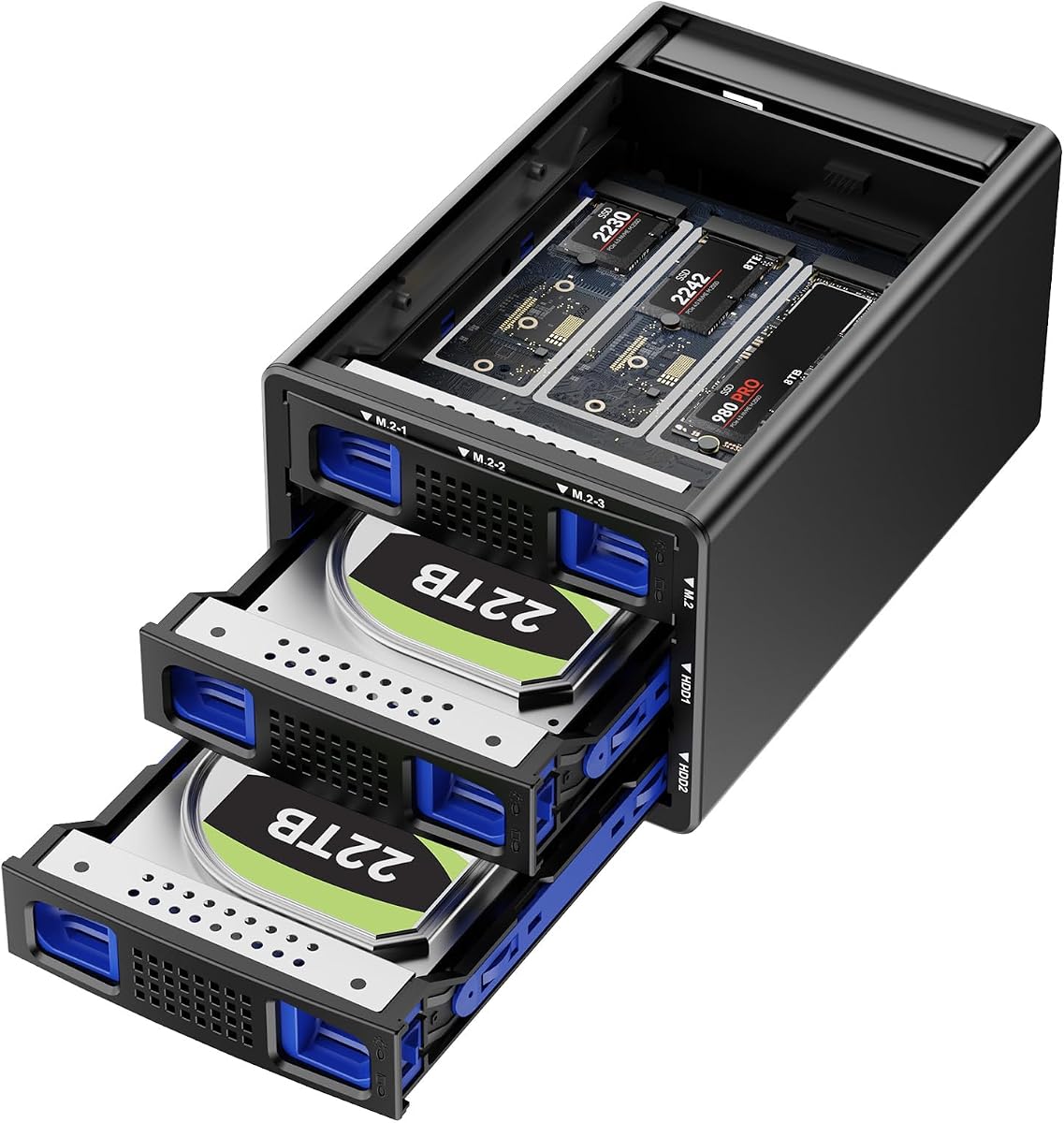
This enclosure mixes SATA and NVMe drives for flexible storage tiers. It scores well for speed and capacity combined in one unit.
We may earn a commission when you buy through this link, at no additional cost to you.
USB 3.2 Gen 2 delivers 10Gbps with full load read rates between 200 and 300MB/s. The aluminum case aids heat dissipation.
Fan noise may be a factor for quiet environments. RAID support requires careful setup especially on macOS systems.
Ideal for users wanting SSD speed and HDD space. Its unique hybrid design offers unmatched versatility for varied workloads.
Combines two SATA drives with three NVMe slots for balanced speed and capacity.
Offers both USB A and C connections to match various host computer ports.
We may earn a commission when you buy through this link, at no additional cost to you.
ORICO presents a dependable four-bay RAID unit for backups. It rates high for stability with its integrated power and cooling system.
We may earn a commission when you buy through this link, at no additional cost to you.
Eight RAID modes offer flexibility from speed to redundancy. The 150W PSU ensures smooth operation across multiple drives.
Speed caps at 5Gbps USB 3.0 which may not satisfy high transfer demands. Cooling vents work well but fans may be audible.
Best for users prioritizing data safety and ease. Its RAID modes simplify secure backups for critical files and projects.
Multiple RAID modes provide data redundancy options to protect against drive failures.
Built-in PSU removes external adapters and ensures stable voltage for long-term use.
We may earn a commission when you buy through this link, at no additional cost to you.
OWC delivers a four-bay enclosure optimized for high bandwidth USB-C systems. It supports universal drives and fast performance for Mac users.
We may earn a commission when you buy through this link, at no additional cost to you.
USB-C 10Gb/s interface reaches up to 947MB/s with compatible hardware. Its universal bays fit both 2.5 and 3.5 inch drives.
RAID software is not included which adds extra setup steps. Some users report issues with fan noise or software integration.
Good for those needing Thunderbolt compatibility. Its speed and support make it a viable option for professional Mac workflows.
USB 3.2 with 10Gb/s ensures quick file transfers for professional workflows and backups.
Supports both 2.5 and 3.5 drives for flexible storage choices across various capacities.
We may earn a commission when you buy through this link, at no additional cost to you.
Selecting the right Jbod enclosure requires understanding key specs like speed capacity and compatibility. These factors ensure your storage expands efficiently and safely.
Check the USB version to match your host port. USB 3.2 Gen 2 offers 10Gbps while older versions cap at 5Gbps affecting transfer times.
Prioritize USB 3.2 or Thunderbolt for large media files to avoid bottlenecks during daily use.
Verify maximum per drive capacity so your large drives are supported. Enclosures range from 20TB to 200TB total.
Choose a model supporting your future drive sizes to avoid replacing the enclosure soon.
Look for built-in fans or aluminum cases to dissipate heat. Sustained use generates heat that can reduce drive lifespan without airflow.
Silent fans are better for home offices while louder ones suit server rooms where noise is less concern.
Built-in power supplies reduce cable clutter and ensure stable voltage. External adapters may be bulky or prone to loss.
Adequate wattage is crucial for multi-drive setups to prevent shutdowns under high load.
Hot swap support lets you replace drives without powering off. This is vital for continuous operations or quick maintenance.
Check if trays are tool-free to simplify drive changes and save time during routine maintenance.
Hardware RAID adds redundancy and speed compared to software methods. Decide if you need mirroring or striping for your workflow.
Some enclosures offer multiple modes so verify they match your data safety needs.
Aluminum or steel housings protect drives from physical damage and aid cooling. Durable materials ensure the enclosure lasts long.
Look for secure drive locking to prevent accidental removal or damage during transport.
Ensure the enclosure works with your OS without extra drivers. Most support Windows Mac and Linux out of the box.
Check manufacturer notes for specific OS limitations to avoid configuration issues later.
Always connect power before inserting drives to ensure proper initialization and avoid data corruption. Secure all cables firmly to maintain stable connections during transfers.
Regularly monitor drive temperatures using included software or system tools. Overheating reduces drive lifespan so keep vents clear and fans functional.
Back up critical data separately even with RAID support. Replace aging drives proactively to maintain system reliability and avoid unexpected failures.
No a Jbod enclosure connects drives directly to your computer without a dedicated OS. A NAS has its own network interface and runs software services for remote access. Jbod is simpler and cheaper for local storage expansion.
Most enclosures allow mixing sizes and capacities though performance will match the slowest drive. Ensure all drives use the same interface like SATA for compatibility. Check capacity limits before combining different models.
Hot swap lets you remove or add drives while the system is running. This feature is ideal for backups or maintenance without downtime. Ensure the enclosure supports it and the OS recognizes changes.
Most modern enclosures are plug-and-play requiring no drivers on Windows Mac or Linux. Some RAID modes may need specific software for setup or monitoring. Always check the manual for OS requirements.
Check your computer for USB 3.2 Gen 2 or Thunderbolt ports for full 10Gbps speed. Older USB 3.0 ports will cap at 5Gbps even with compatible enclosures. Use the provided cables to ensure best performance.
RAID 1 mirrors data across drives providing redundancy if one fails. RAID 5 offers balance between space and safety but needs at least three drives. JBOD keeps drives separate so choose based on your safety priorities.
Active cooling fans increase noise under load to protect drives from overheating. Ensure vents are unobstructed and drives are seated properly. If noise persists consider placing it in a ventilated area.
Most enclosures work with Time Machine but require formatting to APFS or Mac OS Extended. Verify compatibility with your macOS version and check for driver needs for RAID features. Always backup before reformatting.
The TERRAMASTER D4-320 leads for its fast speed and tool-free design. Budget shoppers may prefer the CENMATE Aluminum 4 Bay for its value and build.
Prioritize interface speed and cooling when selecting your enclosure. These elements directly impact performance and drive longevity in daily use.
Verify current prices and compatibility before buying since listings change often. Your ideal model depends on your specific capacity and budget needs.