
Neezee Tab One Case
4.5Editor score
Detachable magnetic keyboard
Type-C charging support
Premium PU leather cover
Compare the top Lenovo Tab One keyboard cases and Bluetooth accessories for productivity, protection, and typing comfort in our expert October 2026 buying
Finding the right accessory for your tablet can transform it into a serious productivity machine. A quality keyboard case adds typing comfort and protection while keeping your device safe on the go.
We evaluated ten top-rated options based on build quality, connectivity, battery life, and user feedback. Our analysis covers detachable designs, full protection cases, and standalone wireless models.
Each pick highlights key strengths and trade-offs to help you decide quickly. Keep in mind that prices fluctuate often so verify current deals before making your final purchase decision.
4.5Editor score

4.8Editor score

4.3Editor score
Here is a side-by-side comparison of all ten products ranked by their overall performance and value proposition for Lenovo Tab One owners.
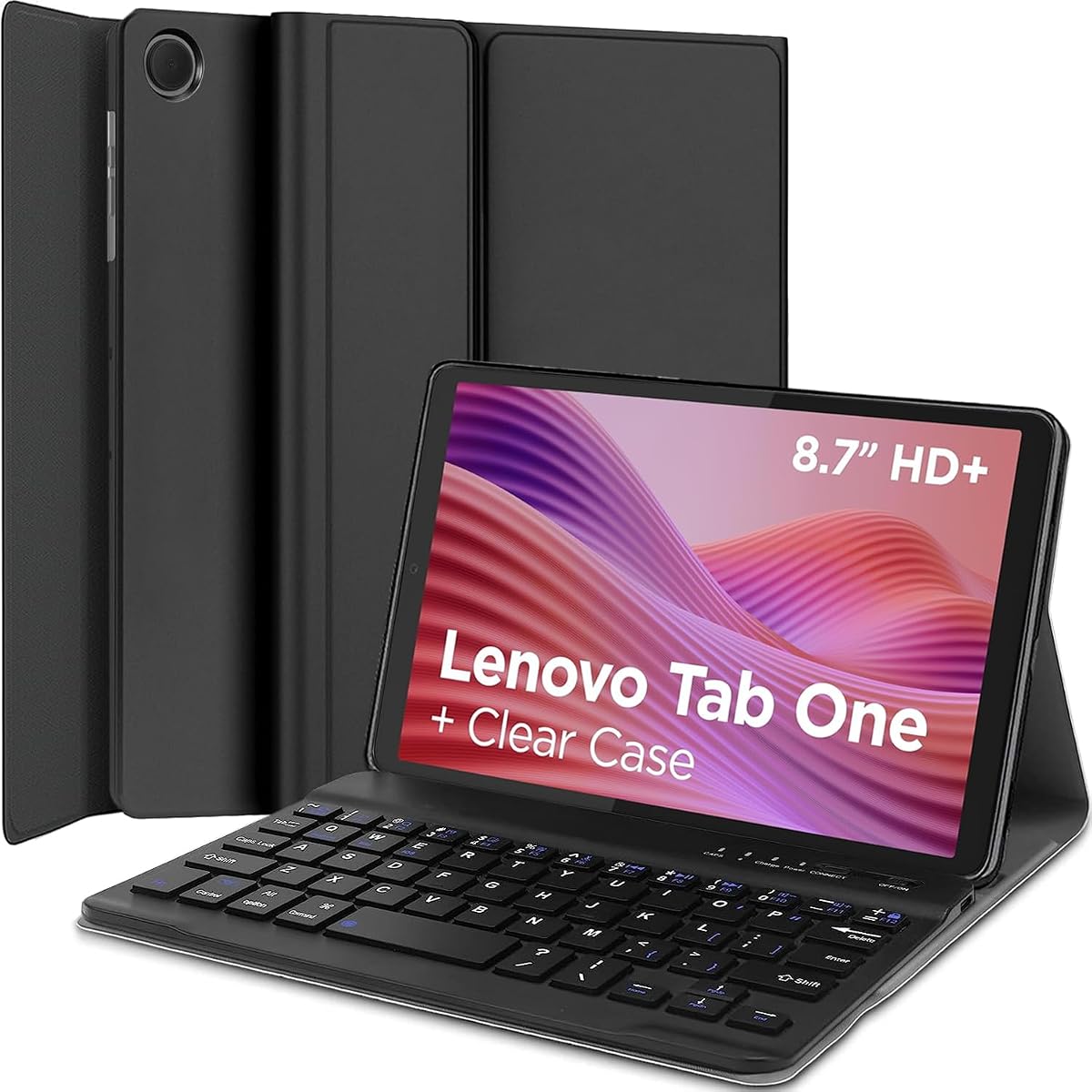


This case leads our list with a 4.8 star rating and a versatile design for typing and viewing. The detachable keyboard allows for a flexible workstation while the case ensures your device remains safe from everyday bumps.
We may earn a commission when you buy through this link, at no additional cost to you.
The 7-color backlight system is a major highlight for typing in dim environments. Users appreciate the ability to adjust brightness levels to suit their mood or lighting. The magnetic attachment ensures a secure connection without frustrating alignment issues.
While the battery lasts up to 90 hours without the backlight, enabling lights will reduce this duration. Also, the case fits only specific Lenovo models so double check your device number before buying to ensure a perfect fit.
It is ideal for students and professionals who need a reliable typing surface on the go. The combination of protection and productivity features makes this a standout choice for most Lenovo Tab One users.
The 7-color backlight with 3 brightness levels lets you type comfortably in any lighting condition.
Detach the keyboard for reading or use the case as a protective cover when not typing.
We may earn a commission when you buy through this link, at no additional cost to you.
This case offers a cost-effective solution for adding a keyboard to your device. It uses modern Type-C charging which simplifies setup compared to older micro USB standards. The design is sleek and keeps your tablet protected without adding bulk.
We may earn a commission when you buy through this link, at no additional cost to you.
The magnetic keyboard connects securely and detaches easily when you need to view content. It provides a stable typing experience and allows access to all buttons and ports without removing the case. This balance of function and protection makes it a strong value.
The lack of backlighting might be a downside for frequent night users. However, if you primarily work in well-lit environments the price and simplicity are hard to beat. The pink finish adds a touch of style for those who prefer colorful accessories.
Buyers looking for a no-fuss keyboard setup will find this option very practical. It is great for travel or school where durability and charging speed matter more than fancy lights.
The keyboard charges via Type-C for faster power-ups and compatibility with modern cables.
Built-in magnets hold the keyboard in place for stable typing without sliding around.
We may earn a commission when you buy through this link, at no additional cost to you.
This premium pack adds a trackpad and keyboard in one unit for a true laptop experience. The pogo pin connection means you do not need to worry about pairing or charging the keyboard separately. This design simplifies your workflow significantly.
We may earn a commission when you buy through this link, at no additional cost to you.
The keys have a 1.5mm travel distance which feels more like a traditional laptop than a tablet accessory. The integrated trackpad supports gestures for smooth navigation. Shortcut keys help with multitasking making this a powerful tool for work or study.
The kickstand offers a wide range of angles for comfortable viewing. The main downside is that it is specific to certain Pro models so verify compatibility. The price is higher but the integrated features justify the cost for power users.
This is the best choice for those who want a standalone computer feel without carrying a separate laptop. The convenience of having power and data connection built in is a major benefit for productivity.
Pogo pin connectors provide instant data transfer and power so no separate charging is needed.
Productivity hotkeys allow quick actions like split screen and screenshots with a single press.
We may earn a commission when you buy through this link, at no additional cost to you.
This keyboard stands out for its ability to switch between three devices seamlessly. It is perfect for users who work across a phone tablet and computer. The low profile design keeps it portable and easy to store in any bag.
We may earn a commission when you buy through this link, at no additional cost to you.
The typing experience is comfortable with a low travel distance for fast typing. It connects via Bluetooth or USB-C for flexibility. The battery lasts up to 60 hours which means less frequent charging during busy weeks.
Since this is a keyboard only you will need a separate case to protect your tablet. This might be a downside if you want an all-in-one solution. However, the connectivity options make it very versatile for mixed device environments.
Buyers who own multiple devices will love the convenience of seamless switching. It is a great productivity tool for professionals who move between workstations frequently.
Move between Android iOS and Windows devices with a simple button press for better workflow.
Choose between Bluetooth for wireless use or USB-C for a stable wired connection.
We may earn a commission when you buy through this link, at no additional cost to you.
This case is designed for the 11-inch model and adds a screen protector to the mix. The 7-color backlight helps visibility in dark rooms. It offers full protection with a durable leather cover to keep your tablet safe from drops.
We may earn a commission when you buy through this link, at no additional cost to you.
The detachable keyboard allows you to use the tablet as a standard display when needed. The magnetic connection is secure and easy to manage. The included screen protector saves you from buying a separate glass film which adds value.
Note that this does not fit smaller tablets so check your model carefully. The lack of a trackpad means you rely on touch gestures for navigation. Still the comprehensive protection and lighting features are strong selling points.
It is a solid choice for 11-inch owners who want a complete package. The value proposition is high since it covers typing protection and screen care in one purchase.
Includes a tempered glass screen protector alongside the keyboard for total device security.
Adjust backlight brightness and color to match your environment and reduce eye strain.
We may earn a commission when you buy through this link, at no additional cost to you.
This option distinguishes itself with a built-in multi-touch trackpad for easier navigation. The 3-zone backlight adds a unique visual flair to the typing experience. It is designed for those who prefer physical controls over touch gestures.
We may earn a commission when you buy through this link, at no additional cost to you.
The keyboard is detachable and the case supports multiple viewing angles. The battery life is rated up to 90 hours without the backlight. The design mimics a laptop setup which many users find familiar and comfortable.
However the product has mixed reviews which suggest some quality control issues. It is also heavier than minimalist options which might be a factor for travel. Weigh the benefits of a trackpad against the added weight before buying.
It suits users who prioritize navigation precision over minimalism. If you spend long hours typing a trackpad can significantly improve your workflow efficiency.
The integrated trackpad supports gestures for scrolling and selection without touching the screen.
The 3-zone backlight allows different colors on key sections for a unique setup.
We may earn a commission when you buy through this link, at no additional cost to you.
This set is unique because it includes a wireless mouse for extra control. The keyboard features a 7-color backlight similar to other premium cases. The case also has a pen slot which is handy for stylus users.
We may earn a commission when you buy through this link, at no additional cost to you.
The cover is ultra-thin to keep the tablet portable while the magnetic keyboard attaches securely. The mouse adds an input option for those who prefer clicking over tapping. This makes it a strong choice for graphic design or editing.
Be aware that the mouse may need separate batteries or charging depending on the model. Also ensure you have the correct 11-inch model to avoid fit issues. The pink color adds a distinctive look for personal style.
It is a great bundle for creative work or office tasks needing precise cursor control. The inclusion of a mouse and pen slot makes it a comprehensive toolkit.
Use the included wireless mouse for precise navigation alongside the keyboard.
A built-in slot keeps your stylus secure and within easy reach.
We may earn a commission when you buy through this link, at no additional cost to you.
This is a compact standalone keyboard that offers 7 LED colors. It is designed for portability and ease of use with Bluetooth 3.0 technology. The slim profile makes it easy to carry in a small bag.
We may earn a commission when you buy through this link, at no additional cost to you.
The Bluetooth pairing is fast and reliable for quick setup sessions. A power switch helps save battery when not in use. It is a solid choice for those who already have a case and just want typing ability.
Because it lacks a case you must protect your device separately. The keys are functional but simple without a trackpad or advanced shortcut keys. However the portability is excellent for frequent travelers.
Buyers who want a lightweight option for coffee shops or travel will appreciate this model. The backlight helps visibility when natural light is limited.
Slim and lightweight design fits easily into any bag for travel.
Choose from 7 vibrant LED colors to match your mood or setup style.
We may earn a commission when you buy through this link, at no additional cost to you.
This keyboard offers the same slim design without the LED lights for a lower price. The chiclet-style keys provide a tactile feel that is comfortable for long sessions. It is ideal for daytime typing where backlight is not needed.
We may earn a commission when you buy through this link, at no additional cost to you.
It connects quickly via Bluetooth 3.0 and includes a power switch for battery efficiency. The build is sturdy yet light enough for any bag. This simplicity ensures reliability and fewer points of failure.
The lack of backlight limits use in dark environments. Also remember you will need a separate case for protection. But for those who value a clean look and portability this is a great choice.
It is a smart option for budget-conscious buyers who do not need lights. The reliability and comfort make it a strong contender for daily use.
Chiclet-style keys offer a comfortable and responsive feel for extended use.
Power switch and low energy use extend battery life significantly.
We may earn a commission when you buy through this link, at no additional cost to you.
This case earns a perfect rating for its reliable design and comfort. The ABS material keys offer a better feel than cheap silicone. It is a slim option that provides full protection without extra bulk.
We may earn a commission when you buy through this link, at no additional cost to you.
The detachable keyboard is magnetic and supports long battery life of 100 hours. This means you can use it for weeks on a single charge. The stand covers allows multiple angles for comfortable viewing.
It does not have a backlight which might be a downside for night users. However the build quality and battery life are impressive for the price. It is a safe choice for those who want dependability.
If you want a reliable and simple setup this is a strong candidate. The high user rating reflects its consistent performance and build quality.
ABS material keys provide a tactile response that is better than standard silicone options.
Up to 100 hours of continuous use ensures weeks of work on one charge.
We may earn a commission when you buy through this link, at no additional cost to you.
Selecting the right keyboard involves checking compatibility features and build quality to match your needs.
Ensure the keyboard matches your specific tablet model number as dimensions vary even within the same brand. Check if it supports your device exactly to avoid fit issues.
Verify compatibility before buying to ensure a secure fit.
Bluetooth models offer more flexibility for pairing with multiple devices while pogo pin keyboards provide a wired connection without pairing. Decide if you need a standalone keyboard or an integrated one.
Choose connectivity based on your need for multi-device switching or stable wired links.
Backlit keys are useful for typing in dim or dark environments. Consider if you need color options or just simple illumination.
Select backlighting if you often type in low light conditions.
Look for battery specs that match your usage. Models with 100 hour life reduce charging frequency while backlighting drains power faster.
Prioritize long battery life if you travel often without a charger.
Full folio cases protect your device from drops and scratches. Standalone keyboards offer typing but no protection so assess your need for safety.
Choose a case with protection if your tablet travels frequently.
Slim and lightweight designs are easier to carry. Detachable keyboards allow you to remove the typing part for a lighter load.
Prioritize slim designs if you carry the tablet daily.
Built-in trackpads make navigation easier without touching the screen. They are useful for precise tasks like editing.
Look for a trackpad if you prefer physical cursor control.
Prices vary by features like backlight or materials. Assess what you need versus what you can afford to find the best value.
Balance your budget with essential features for the best return.
Pair your keyboard via Bluetooth or attach it magnetically to begin typing. Ensure the battery is charged for optimal performance.
Clean the keys with a soft dry cloth to remove dust. Avoid liquids near the electronic parts.
Store the keyboard in a cool dry place when not in use. Use the power switch to save battery life.
No most keyboards are designed for specific models. Always check the compatibility list on the product page to confirm it works with your device number.
Typical life is around 90 to 100 hours of use without backlight. Using the lights will shorten this time depending on brightness settings.
Yes many keyboards are detachable. You can use the keyboard separately once it is paired via Bluetooth or connected magnetically.
Some models support multiple devices. Bluetooth keyboards often switch between Android and iOS easily while others are limited to tablets.
A trackpad helps with precision navigation. It is useful for editing tasks or users who prefer a mouse over touch gestures.
Many models offer 7 colors and adjustable brightness. This feature helps with visibility and personal style in dark rooms.
The top picks offer a range of options for different needs from budget to premium features. Consider your primary use case to select the right model.
Prioritize compatibility and battery life for the best experience. If you type in the dark a backlight is a valuable add-on.
Remember to check current prices and deals before purchasing. Small price differences can affect overall value.