
Epson Workforce Pro WF-7840
3.9Editor score
13 by 19 inch printing
Apple AirPrint support
500 sheet capacity
Finding the right large format printer for Mac requires careful consideration of connectivity, print quality, and software compatibility. Mac users need devices that integrate seamlessly with macOS and support professional-grade outputs like posters, blueprints, and high-resolution photos.
We evaluated ten top-rated wide format printers based on user reviews, technical specifications, and real-world performance. Each model was assessed for its ability to handle large media sizes, maintain color accuracy, and offer reliable wireless printing options for macOS environments.
Each pick highlights key strengths and potential drawbacks to help you match a printer to your specific workflow. Prices and availability can change frequently, so verify the latest details before making a final purchase decision for your office or studio setup.
3.9Editor score

4.4Editor score

4.1Editor score
As an Amazon Associate we earn from qualifying purchases.
The following table provides a side-by-side comparison of all ten selected large format printers. It highlights essential specifications, connectivity options, and key capabilities to help you quickly identify which model aligns best with your Mac workflow and output requirements.


The Canon imagePROGRAF TC-21M stands out as a top contender for Mac users needing reliable large format printing. With a rating of 4.4 stars, this printer delivers professional quality outputs suitable for architects, designers, and creative professionals who require precise color reproduction.
We may earn a commission when you buy through this link, at no additional cost to you.
Its standout features include the ability to print up to 24 inches wide, making it ideal for posters and technical drawings. The USB flash drive port allows for quick printing without a computer, while cloud printing capabilities ensure you can access files remotely. The tiltable touchscreen LCD simplifies navigation for complex jobs.
While the upfront cost is higher than standard office printers, the versatility and print quality justify the investment for serious users. The learning curve is minimal thanks to the intuitive interface, and the automatic sheet feeder handles various paper sizes efficiently without frequent interruptions.
This printer is best suited for small businesses or studios that frequently produce large documents and value high fidelity in their prints. If you need a robust solution that integrates well with macOS workflows and offers extensive connectivity options, the TC-21M is a strong recommendation.
The printer ensures sharp lines and vibrant colors essential for technical drawings and marketing materials.
Cloud printing and USB options provide multiple ways to send jobs directly from your Mac or mobile devices.
We may earn a commission when you buy through this link, at no additional cost to you.
The Epson Workforce Pro WF-7840 offers an accessible entry point for Mac users seeking wide-format capabilities without breaking the bank. Despite a lower rating of 3.9 stars, it provides reliable performance for everyday office tasks and occasional large prints.
We may earn a commission when you buy through this link, at no additional cost to you.
Its PrecisionCore Heat-Free technology ensures quick production of prints up to 13 by 19 inches while saving energy. The built-in wireless connection and support for Apple AirPrint make it easy to send jobs from Mac devices directly. The 500-sheet capacity reduces the need for frequent paper refills.
Drawbacks include slower print speeds compared to premium models and potential wireless connectivity hiccups in busy networks. However, the DURABrite Ultra ink dries quickly to prevent smudging, which is crucial for handling documents immediately after printing.
This model is ideal for small offices or home studios that need a cost-effective solution for large documents. If your primary needs are occasional wide prints and standard office functions like copying and scanning, the WF-7840 delivers solid value.
You get professional wide-format printing capabilities at a price point that fits tighter budgets.
Native AirPrint support ensures seamless integration with macOS without requiring extra software installation.
We may earn a commission when you buy through this link, at no additional cost to you.
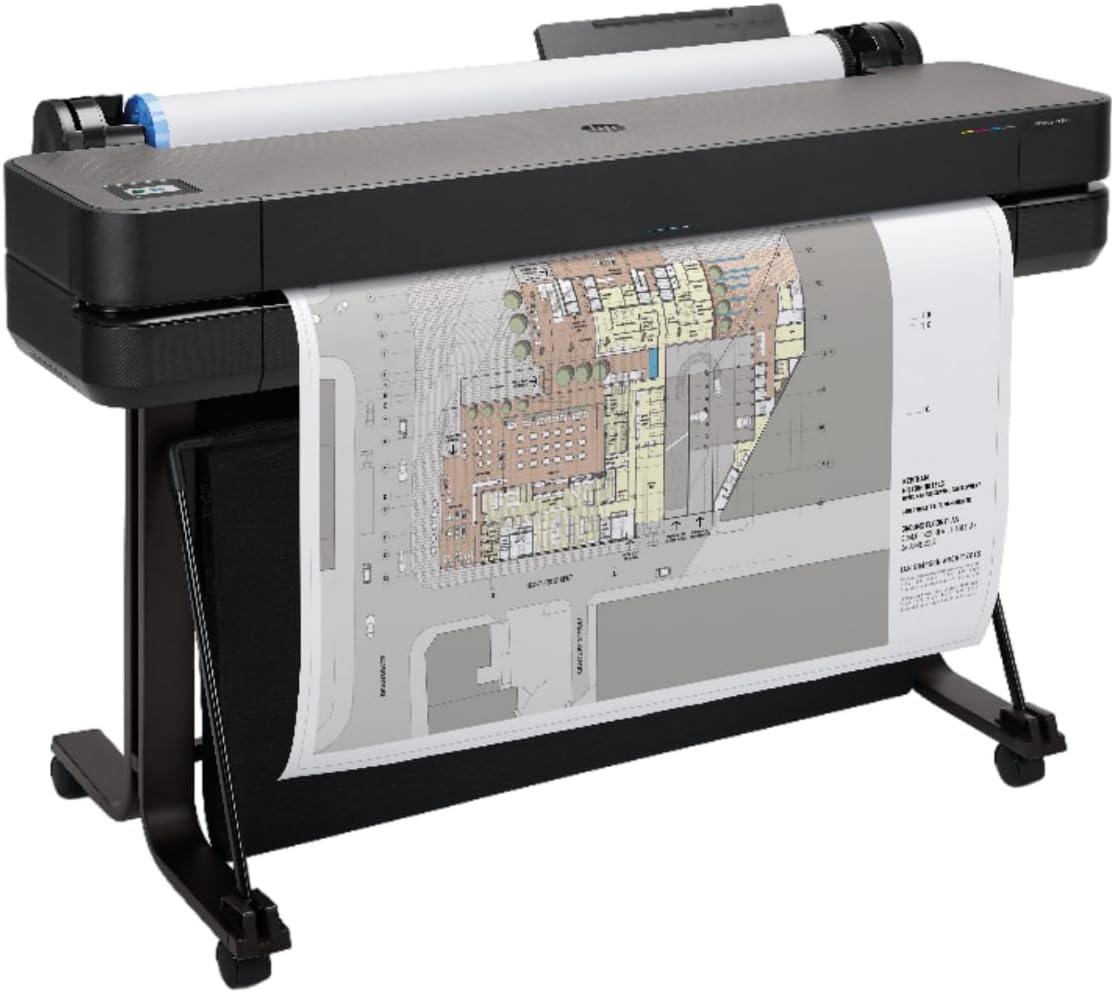
The HP DesignJet T650 represents a premium choice for professionals who demand the highest quality and reliability in large format printing. With a rating of 4.1 stars, it excels in producing technical drawings, architectural plans, and high-resolution posters.
We may earn a commission when you buy through this link, at no additional cost to you.
Its ability to handle 36-inch media rolls allows for expansive prints that standard printers cannot manage. The included two-year onsite warranty provides peace of mind for critical business operations. HP Click Software streamlines workflow by auto-nesting files and reducing waste automatically.
While the investment is significant, the efficiency gains and print quality are unmatched in its class. The 1GB memory ensures fast processing of complex files, and the Gigabit Ethernet connection offers stable data transfer for large datasets.
This printer is tailored for architecture firms, engineering offices, or design studios with high-volume needs. If you require precise line quality and extensive support coverage, the T650 is a worthy long-term investment for your Mac ecosystem.
The onsite warranty and robust hardware ensure minimal downtime during critical project deadlines.
Integrated software tools reduce manual setup time and optimize ink usage automatically.
We may earn a commission when you buy through this link, at no additional cost to you.
The HP OfficeJet Pro 9730 is designed for modern office environments where color accuracy and speed are paramount. Its rating of 3.8 stars reflects consistent performance in handling professional documents like spreadsheets and mood boards.
We may earn a commission when you buy through this link, at no additional cost to you.
A unique feature is the P3 color gamut support, which ensures prints match screen colors closely. The 4.3-inch touchscreen simplifies navigation, and the dual-band Wi-Fi minimizes connection drops. The included Instant Ink trial offers convenience by delivering ink before you run out.
The main trade-off is the 11 by 17 inch limit, which is smaller than true large format options. Additionally, the subscription model can add costs after the trial period ends. However, for color-critical office documents, this printer excels.
Choose this model if you need a versatile all-in-one for daily business tasks and value color fidelity. It fits well in a Mac office setup where reliability and ease of use are prioritized over massive print sizes.
The P3 gamut ensures your printed materials look exactly like your digital designs.
Auto duplex scanning and Wi-Fi connectivity streamline multi-step office tasks efficiently.
We may earn a commission when you buy through this link, at no additional cost to you.
The Epson EcoTank ET-15000 appeals to users who want wide-format printing without the high recurring costs of cartridges. With a rating of 4.2 stars, it offers a balance of performance and economy for home offices or small studios.
We may earn a commission when you buy through this link, at no additional cost to you.
Its Supertank system provides enough ink for thousands of pages, drastically reducing cost per page. The 4800 dpi resolution ensures sharp text and images, while the 17 ppm speed keeps workflow moving. Wireless connectivity allows easy printing from Mac devices.
The upfront price is higher than cartridge models, but long-term savings are significant. Users should note that the printer requires regular maintenance to prevent clogs in the print head. The high duty cycle makes it suitable for moderate to heavy use.
This is an excellent choice for budget-conscious buyers who print frequently. If you value low operating costs and reliable wide-format output, the ET-15000 delivers strong value over its lifespan.
The tank system eliminates frequent cartridge purchases, lowering overall operating expenses.
With 4800 dpi, you get crisp text and detailed graphics for professional documents.
We may earn a commission when you buy through this link, at no additional cost to you.
The Epson EcoTank Photo ET-8550 is tailored for photographers and creatives needing high-quality wide prints. Rated 4.0 stars, it combines tank technology with a 6-color ink system to produce stunning visual outputs.
We may earn a commission when you buy through this link, at no additional cost to you.
Using Claria ET Premium inks, it achieves rich colors and sharp details ideal for gallery prints. The system includes enough ink for two years, minimizing interruptions. Wireless capabilities allow seamless printing from Mac photo editing software.
While excellent for photos, it is slower for text documents compared to office printers. The physical size requires dedicated desk space. However, the cartridge-free design reduces waste and ensures consistent ink quality without clogs.
Choose this model if visual quality is your top priority. For Mac users focused on photography or graphic design, this printer offers a convenient and cost-effective solution for professional prints.
The 6-color ink system expands the color range for more accurate image reproduction.
Two years of included ink ensures you can print continuously without frequent refills.
We may earn a commission when you buy through this link, at no additional cost to you.
The Epson Expression Photo HD XP-15000 is perfect for Mac users with limited space who still want wide-format capabilities. With a rating of 3.9 stars, it delivers impressive photo quality despite its compact frame.
We may earn a commission when you buy through this link, at no additional cost to you.
Its 6-color Claria Photo HD ink set provides a wide gamut for vibrant images. The rear tray supports specialty media like cardstock, and it prints borderless up to 13 by 19 inches. Wireless connectivity ensures easy access from any Mac device.
Trade-offs include smaller paper capacity and slower speeds compared to larger models. However, for hobbyists or home offices, its size and ease of use are significant advantages. The Dash Replenishment feature helps you track ink levels automatically.
This printer is ideal for casual printers who need occasional wide prints. If you want a small machine that doesn't compromise much on quality, the XP-15000 is a solid choice.
Designed to fit on a desktop without taking up excessive workspace.
Produces borderless prints that look professional and polished for framing.
We may earn a commission when you buy through this link, at no additional cost to you.
The Brother INKvestment MFC-J6960DW is engineered for small businesses needing high-volume printing with wide-format support. Rated 4.2 stars, it combines speed and efficiency for active office environments.
We may earn a commission when you buy through this link, at no additional cost to you.
With MAXIDRIVE Technology, it reaches speeds of 31 ppm in black, ensuring quick turnaround times. The 3.5-inch touchscreen simplifies navigation, and the mobile app allows full control from a device. Its high capacity trays reduce maintenance needs significantly.
It lacks true 24-inch wide format, sticking to 11 by 17 inches. However, for business documents, this size is often sufficient. The subscription trial for ink adds value but requires management to avoid unwanted charges.
This model fits businesses prioritizing speed and reliability over massive print sizes. If you need a workhorse for Mac users that handles heavy daily loads efficiently, the Brother MFC-J6960DW is a strong contender.
Rapid printing ensures your workflow isn't slowed down by waiting for jobs to finish.
The mobile app provides seamless management and printing from anywhere in the office.
We may earn a commission when you buy through this link, at no additional cost to you.
The HP DesignJet T210 is specialized for technical drawings and posters requiring precise lines. Rated 4.4 stars, it delivers accurate results for architects and engineers using Mac systems.
We may earn a commission when you buy through this link, at no additional cost to you.
Its automatic horizontal cutter simplifies handling, and HP Click Software manages files automatically. The Gigabit Ethernet ensures stable data transfer for large CAD files. With 24-inch roll support, it produces long prints without interruption.
It is optimized for technical work rather than general office tasks. The ink usage is efficient compared to competitors, saving operational costs. However, users might need regular maintenance to keep the cutter functioning smoothly.
This plotter is ideal for technical fields needing specific output quality. If your Mac setup focuses on engineering or design, this model provides a reliable tool for professional drafting needs.
The printer is tuned to deliver sharp lines required for technical accuracy.
Optimized ink usage reduces waste and lowers costs for routine maintenance tasks.
We may earn a commission when you buy through this link, at no additional cost to you.
The HP DesignJet T630 offers heavy-duty large format capabilities for professional environments. Rated 4.0 stars, it handles extensive print jobs with ease, making it suitable for construction and design teams.
We may earn a commission when you buy through this link, at no additional cost to you.
Its 36-inch media support allows for expansive prints. The included stand and media bin streamline workflow, while the automatic cutter simplifies finishing. Wi-Fi and Ethernet connections ensure flexible placement in the office.
The cost is high, and it demands significant floor space. However, the durability and performance justify the investment for high-demand settings. It integrates well with Mac CAD software for smooth operation.
Choose this if you need a robust plotter for constant use. For Mac users in industries requiring frequent large outputs, the T630 provides the endurance and capacity needed for professional tasks.
Built to withstand continuous usage without compromising on print quality.
Automatic features like cutting and feeding save time on every project.
We may earn a commission when you buy through this link, at no additional cost to you.
Selecting the right large format printer for Mac involves evaluating several key factors to ensure compatibility and performance. This guide outlines the essential aspects to consider before making a purchase.
Ensure the printer supports AirPrint or has dedicated macOS drivers. Wireless options like Wi-Fi and Ethernet allow flexible placement in your workspace.
Look for native macOS support to avoid installation headaches and ensure stable printing from your devices.
Determine the maximum width you need, such as 13×19, 24-inch, or 36-inch options. Consider the type of media you will print, including rolls or sheets.
Choose a model that supports your typical paper sizes to avoid limitations on your output projects.
Check the DPI (dots per inch) to ensure sharp text and vibrant colors. Higher resolution is crucial for detailed technical drawings or photos.
Prioritize models with high DPI ratings if your work demands precise visual accuracy.
Compare cartridge versus tank systems. Tank printers offer lower long-term costs but have higher upfront prices.
Calculate the cost per page based on ink yield to understand your total operating expenses.
Look at pages per minute (PPM) to match your workflow speed needs. Duty cycle indicates how many pages the printer can handle monthly.
Choose a printer with a duty cycle that exceeds your average monthly volume to prevent wear and tear.
Evaluate included software for features like auto-nesting or remote printing. Ensure the interface is user-friendly for your team.
Software tools that integrate with your design apps can significantly improve efficiency and reduce errors.
Check the standard warranty length and whether onsite support is available. Reliable customer service is vital for business operations.
Opt for extended warranties if you plan to use the printer heavily in a professional setting.
Measure your available space since large format printers are bulky. Consider models with stands if floor space is limited.
Ensure there is enough room for paper trays and ventilation around the device.
Start by setting up the printer according to the manufacturer's guide. Connect it to your Mac via Wi-Fi or Ethernet, and install the necessary drivers or software from the official website.
Regularly clean the print heads to prevent clogs, especially if using a tank system. Use the built-in maintenance tools to check nozzle patterns and align the print head frequently.
Store paper and ink in a cool, dry place to maintain quality. Avoid exposing the printer to direct sunlight or extreme temperatures to prevent internal damage.
Most modern large format printers include native macOS support through AirPrint or specific drivers. Verify the product specifications to ensure compatibility with your specific macOS version before purchasing.
Roll feeding uses continuous paper rolls for long prints, ideal for blueprints. Sheet feeding uses pre-cut paper for standard documents. Some models support both via optional accessories.
It is recommended to clean the print heads once a week or whenever print quality degrades. Use the maintenance menu on your printer to perform automatic cleaning cycles.
Yes, most models support AirPrint and mobile apps. You can send jobs directly from your iOS devices without needing a Mac computer nearby.
Large format printers handle various media including bond, glossy, and vinyl. Check the manufacturer's list for compatible paper types to ensure smooth feeding and optimal print quality.
Use high-yield ink tanks or subscription services. Adjust print settings to draft mode for internal documents to conserve ink when high quality is not required.
We reviewed ten distinct large format printers tailored to various needs from budget to premium options. Models like the Canon imagePROGRAF TC-21M and HP DesignJet T650 stand out for professional work, while the Epson Workforce Pro WF-7840 offers affordable versatility.
Consider your specific requirements such as print size, speed, and ink costs before making a decision. Ensure the chosen model fits well with your existing Mac setup to avoid compatibility issues.
Prices and availability fluctuate frequently, so check current deals on Amazon before purchasing. Verify the latest warranty terms and shipping options to secure the best value for your investment.