
Dell Precision 3581
Core i7-13800H
32GB DDR5 RAM
RTX A500 Graphics
Renewed Value Option
This guide compares the top 10 best laptops for CAD Work based on performance, display quality, and professional certifications to help you choose the right
Selecting the right laptop for CAD work requires balancing raw processing power with portability and display accuracy. Professionals need machines that can handle complex 3D models and simulations without lag or crashes during critical design phases.
We evaluated ten high-performance workstations using strict criteria including processor speed, GPU capabilities, and ISV certifications. Our analysis focuses on real-world productivity features like multi-monitor support, battery life under load, and thermal management during rendering tasks.
Each pick showcases specific strengths for different workflow needs, from budget-friendly options to flagship mobile stations. Note that product specifications and pricing can change frequently, so verify current details before making your final purchasing decision online.

4.4Editor score

5.0Editor score
This side-by-side comparison highlights the key specifications and strengths of each workstation to help you identify the best fit for your specific CAD modeling and rendering requirements.




The Dell Precision 7680 stands out as a top-tier workstation designed specifically for demanding CAD workflows. With a robust Intel i9-13950HX processor and 32GB of DDR5 RAM, it delivers seamless performance for complex 3D modeling and simulation tasks.
We may earn a commission when you buy through this link, at no additional cost to you.
This model excels in professional environments thanks to its ISV certifications, ensuring reliable compatibility with industry-standard applications like AutoCAD and SolidWorks. The 16-inch FHD+ display provides crisp visuals necessary for precise design work.
While it is on the heavier side due to its robust build quality, the MIL-STD-810H testing guarantees durability for fieldwork. The extensive connectivity options including Thunderbolt 4 support up to three external monitors effectively.
Architects and engineers who prioritize performance and reliability will find this laptop an excellent investment. It balances power and portability well for users who need a mobile solution that does not compromise on workstation capabilities.
ISV certifications ensure that your CAD software runs without unexpected crashes or compatibility issues during critical project deadlines.
Support for multiple external monitors allows you to keep reference drawings and tool palettes open while focusing on your main design canvas.
We may earn a commission when you buy through this link, at no additional cost to you.
This version of the Precision 7680 offers a balanced configuration for professionals who need dedicated graphics power without the highest cost. The NVIDIA RTX 1000 Ada GPU provides significant acceleration for rendering and 3D visualization tasks.
We may earn a commission when you buy through this link, at no additional cost to you.
Featuring an Intel i5-13600HX processor and 32GB of DDR5 RAM, it handles multitasking efficiently. The display supports up to four external monitors via Thunderbolt and HDMI, making it ideal for wide workspace setups.
The anti-glare screen ensures comfortable viewing during long design sessions. While the processor is slightly lower than the i9 option, it remains capable for most standard CAD drafting and moderate rendering workloads effectively.
Engineers looking for a reliable mobile workstation with dedicated graphics should consider this model. It provides the stability needed for professional use while keeping costs manageable compared to flagship configurations.
The RTX 1000 Ada GPU accelerates viewport navigation and rendering times significantly compared to integrated graphics solutions.
Connecting multiple external displays allows you to organize complex design data across screens without cluttering your main view.
We may earn a commission when you buy through this link, at no additional cost to you.
The HP ZBook 8 G1i is engineered for professionals who require extensive memory for handling massive assemblies and complex simulations. With 64GB of DDR5 RAM and a 2TB SSD, it offers ample resources for heavy workloads without slowdowns.
We may earn a commission when you buy through this link, at no additional cost to you.
Its 16-inch touchscreen adds versatility for designers who prefer direct interaction with their sketches and layouts. The Intel Ultra 7 processor combined with NVIDIA RTX 500 Ada graphics ensures smooth performance across various professional applications.
Advanced features like Wi-Fi 7 and a 5MP webcam with AI noise reduction enhance collaboration capabilities. The HP Wolf Pro Security provides enterprise-grade protection for sensitive design data stored on the device.
If you frequently work with large datasets or need to run multiple virtual environments, this laptop is an ideal choice. It combines modern AI features with traditional workstation reliability effectively.
64GB of RAM allows you to keep multiple heavy CAD applications open simultaneously without performance degradation.
Wi-Fi 7 support ensures fast file transfers and stable cloud connections even in busy office environments with high interference.
We may earn a commission when you buy through this link, at no additional cost to you.
For budget-conscious professionals, the Dell Precision 3581 offers a compelling entry into certified workstation computing. This renewed unit comes with a warranty and provides significant savings while maintaining high-end component quality.
We may earn a commission when you buy through this link, at no additional cost to you.
Equipped with a 14-core Intel i7-13800H and 32GB of RAM, it handles multitasking and rendering tasks efficiently. The NVIDIA RTX A500 graphics card supports professional visualization tasks better than integrated alternatives.
The 15.6-inch FHD display is standard but functional for detailed work. While it lacks the premium build of higher-end models, it delivers the core performance needed for drafting and modeling work at a lower cost.
This laptop is perfect for students or freelancers who need reliable performance without breaking the bank. Ensure you verify the condition details before purchase to match your expectations for a renewed device.
Getting workstation class specs at a reduced price makes professional tools accessible to a wider range of users.
The combination of i7 processing power and 32GB RAM ensures that standard CAD operations remain smooth and responsive.
We may earn a commission when you buy through this link, at no additional cost to you.
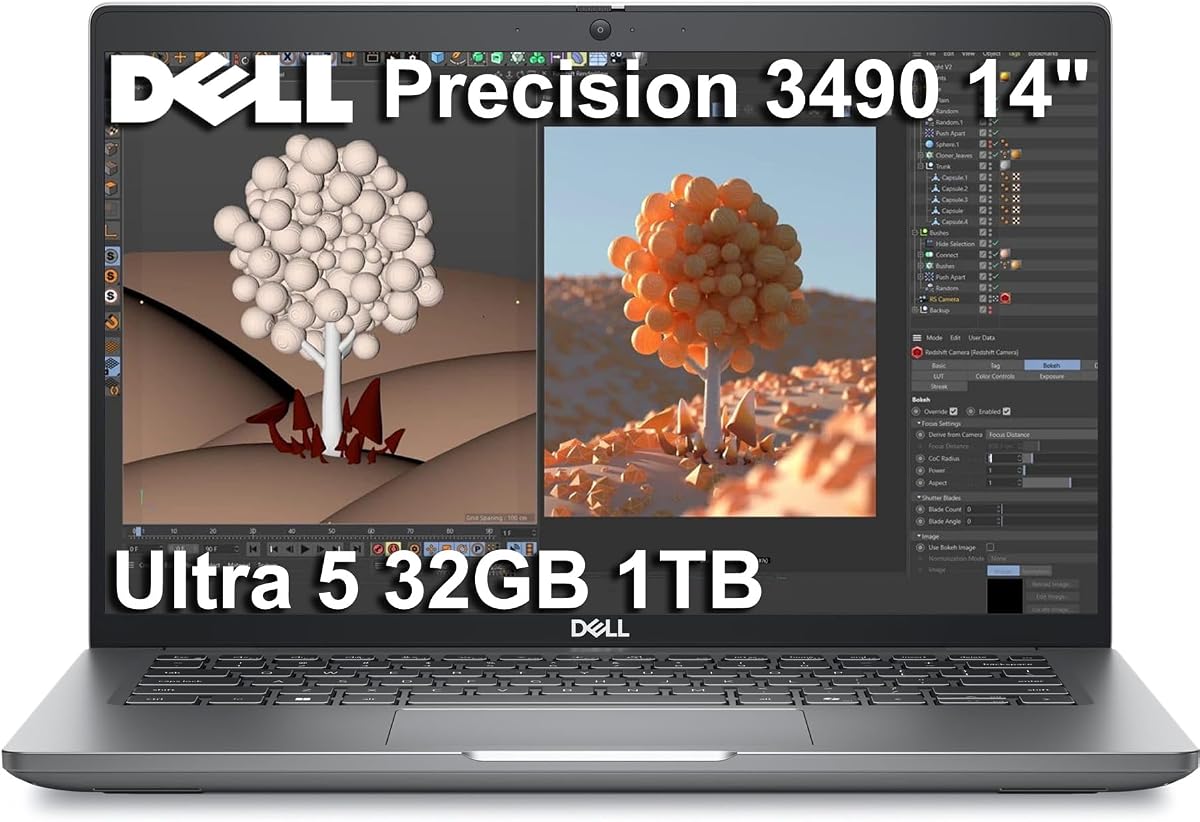
The Dell Precision 3490 proves that a true workstation can be highly portable. Weighing just 3.09 pounds, it is easy to carry to client sites while still delivering robust performance for professional workflows.
We may earn a commission when you buy through this link, at no additional cost to you.
Powered by the Intel Core Ultra 5 135H processor and 32GB of DDR5 RAM, it handles complex tasks with ease. The 14-inch display balances workspace with portability making it suitable for travel daily use.
Despite its slim profile, it maintains MIL-STD-810H military standards for durability. The inclusion of AI Copilot tools helps streamline productivity by automating routine tasks within your design software ecosystem.
Freelancers and consultants who travel frequently will appreciate the balance of power and weight. It offers the essentials needed for CAD work without the bulk of traditional heavy laptops.
The slim 14-inch form factor fits easily into standard backpacks while maintaining professional workstation capabilities.
Integrated AI tools assist in organizing files and drafting documentation to save time during project phases.
We may earn a commission when you buy through this link, at no additional cost to you.
This flagship model is designed for users who need desktop replacement performance in a mobile form factor. The NVIDIA RTX 4000 Ada with 12GB of VRAM is perfect for rendering massive models and complex simulations efficiently.
We may earn a commission when you buy through this link, at no additional cost to you.
The 17.3-inch display provides expansive real estate for detailed design work with high brightness ensuring visibility in various lighting conditions. Coupled with an i9 processor, it handles the most demanding tasks without thermal throttling.
Security features like IR facial recognition and enterprise-grade encryption protect sensitive client data. The full-size keyboard with a numeric keypad enhances data entry speed for technical tasks requiring precise input regularly.
Architects and engineers working on large-scale projects will benefit from the raw power and screen space. This is a high-end solution for those who prioritize performance above portability constraints.
The 12GB of dedicated VRAM ensures that even the most complex textures and scenes render smoothly without memory limits.
500-nit brightness allows for clear viewing even in bright office environments or near windows during the day.
We may earn a commission when you buy through this link, at no additional cost to you.
This iteration of the Precision 7680 blends powerful graphics with efficient memory technology for professional use. The RTX 2000 Ada GPU provides strong acceleration for 3D modeling and visual analysis tasks daily.
We may earn a commission when you buy through this link, at no additional cost to you.
Featuring Intel Core i7-13850HX and 32GB DDR5 CAMM RAM, it ensures fast processing and future-proof scalability. The display supports up to four external monitors, making it suitable for command center style setups.
MIL-STD testing ensures durability across various environments while ISV certifications guarantee software compatibility. The backlit keyboard and privacy shutter webcam add convenience and security for daily professional workflows.
Professionals needing a balance between graphics performance and system versatility will find this unit suitable. It offers a robust platform for engineering tasks requiring reliable hardware support.
CAMM RAM allows for thinner laptop profiles and faster memory speeds compared to traditional SODIMM modules.
Anti-glare display reduces eye strain during long sessions of drafting and reviewing detailed technical documents.
We may earn a commission when you buy through this link, at no additional cost to you.
Designed for extreme workloads, this model features an unprecedented 128GB of DDR5 RAM. It allows for handling thousands of components in assemblies or running multiple virtual machines simultaneously without lag.
We may earn a commission when you buy through this link, at no additional cost to you.
The Intel Core i9-13950HX processor supports 24 cores for heavy computational tasks. Combined with RTX 4000 Ada graphics, it is capable of high-fidelity rendering and complex engineering simulations effectively.
The 17.3-inch display offers ample space for detailed visual inspection. Enterprise features like SmartCard reader support and Wi-Fi 6E ensure secure connectivity in corporate environments with strict IT policies.
Data scientists and large enterprise teams working on massive datasets will find this machine indispensable. It represents the peak of mobile workstation capability for specialized professional demands.
128GB of RAM ensures that you never run into memory bottlenecks even with the most complex CAD models.
SmartCard readers and advanced encryption tools protect sensitive intellectual property from unauthorized access.
We may earn a commission when you buy through this link, at no additional cost to you.
This configuration offers a sweet spot with 64GB of RAM and 2TB of fast storage for professionals managing large files. It eliminates bottlenecks when switching between multiple heavy applications or saving large render outputs.
We may earn a commission when you buy through this link, at no additional cost to you.
Powered by Intel Core i7-13850HX and RTX 2000 Ada, it handles simulation and rendering tasks with efficiency. The anti-glare display ensures comfortable viewing for long periods of intensive design work sessions.
ISV certifications provide confidence in software stability during critical design phases. The numeric keypad and backlit keyboard facilitate productivity in low light conditions or complex data entry scenarios.
Engineers needing both high memory and storage capacity will appreciate this balance. It delivers the reliability of a true workstation with the flexibility required for mobile engineering work.
2TB of SSD space allows you to keep extensive project archives locally without relying on slow external drives.
The combination of high RAM and fast SSD reduces load times significantly for large engineering files.
We may earn a commission when you buy through this link, at no additional cost to you.
The ThinkPad P16s Gen 4 combines workstation reliability with a lighter chassis suitable for daily commuting. It delivers strong performance for CAD tasks while maintaining the legendary ThinkPad durability and keyboard quality.
We may earn a commission when you buy through this link, at no additional cost to you.
Equipped with Intel Core Ultra 7 255H processor and 32GB of DDR5 RAM, it ensures smooth multitasking. The 16-inch WUXGA display with narrow borders provides more screen real estate for design work in a compact form.
ISV certifications ensure compatibility with professional applications and MIL-STD-810H testing guarantees resistance to harsh conditions. Integrated security features like fingerprint readers protect your data on the go effectively.
Professionals who prioritize mobility alongside performance will find this a practical choice. It offers a balanced approach for those who need a laptop for both office design and client meetings.
Lighter than traditional workstations it makes travel easier without sacrificing professional computing capabilities.
Built-in fingerprint readers and Windows Hello support provide quick and secure access to your design files.
We may earn a commission when you buy through this link, at no additional cost to you.
Choosing a CAD laptop involves evaluating specific hardware components that directly impact performance and efficiency in your daily workflow.
Look for processors with high core counts and clock speeds to handle complex calculations in simulation software. Modern Intel i7 or i9 series or AMD Ryzen 7 and 9 processors provide the necessary speed for smooth 3D navigation and rendering tasks.
Prioritize multi-core performance for faster build times and single-core speed for responsive viewport manipulation.
A dedicated GPU is essential for rendering and visualization. NVIDIA RTX or Quadro cards with ISV certification ensure your CAD software runs optimally and supports advanced features like ray tracing.
Check VRAM capacity to ensure it can handle high-resolution textures and large models without lag.
RAM is critical for multitasking and handling large assemblies. Aim for at least 32GB of DDR5 RAM to keep multiple applications open without slowdowns.
Higher capacity like 64GB is recommended for extremely complex projects or when running virtual environments.
A high-resolution display with accurate colors is vital for design work. Look for screens with at least FHD+ resolution and anti-glare coatings to reduce eye strain.
Consider size and brightness levels based on whether you will use external monitors or work on the built-in screen primarily.
Fast NVMe SSDs reduce load times for applications and files. A minimum of 1TB is practical to store large design files and operating system efficiently.
Ensure the storage can be expanded later if your project archive grows over time.
Robust ports like Thunderbolt 4 and HDMI allow you to connect external monitors and peripherals easily. Multiple USB ports are necessary for mice, drawing tablets, and external drives.
Wi-Fi 6E or 7 ensures stable internet for cloud collaboration and data transfers.
Since you may move between sites, a laptop with MIL-STD testing ensures it can withstand bumps and shocks. A spill-resistant keyboard is also beneficial for fieldwork.
Prioritize a sturdy chassis if you plan to use the device in varied physical environments daily.
ISV certifications guarantee that the hardware is tested and optimized for specific professional software suites like AutoCAD and Revit. This reduces the risk of crashes during critical deadlines.
Always verify that the manufacturer supports the specific applications you use in your daily work.
Always keep your drivers and BIOS updated to ensure optimal performance and security for your CAD software. Regular updates fix bugs that might interfere with rendering processes or cause system instability during long work sessions.
Use a cooling pad if you notice the laptop overheating during intensive rendering tasks. Proper airflow extends the lifespan of internal components and prevents thermal throttling that slows down your calculations.
Backup your project files regularly to an external drive or cloud service. Data loss can be catastrophic in engineering and design work so maintaining multiple copies ensures your hard work is safe from hardware failures.
Yes, a dedicated workstation offers optimized drivers and hardware certified for professional software. These laptops handle complex calculations and large file loads better than standard consumer devices.
For most 3D modeling tasks 16GB is the absolute minimum but 32GB is recommended for smooth performance. Larger assemblies may require 64GB to avoid memory bottlenecks during rendering.
For 2D drafting integrated graphics can suffice but for 3D modeling an RTX GPU improves viewport performance significantly. Dedicated graphics ensure smoother navigation and faster rendering times.
Standard laptops often lack the sustained performance required for simulation tasks. Workstations have better cooling and optimized hardware to handle thermal loads during long calculation periods.
Display accuracy is crucial for design work to ensure colors and lines appear correctly. High resolution and anti-glare features reduce eye strain during long hours of detailed modeling.
ISV certifications mean the hardware and software have been tested together by independent vendors. This ensures compatibility and stability for professional applications like SolidWorks or Revit.
Lower the screen brightness and close unused background applications to save power. Plugging into a charger during heavy rendering tasks ensures the system performs at full capacity without draining the battery.
We reviewed ten top options ranging from portable business workstations to powerful mobile towers. The Dell Precision 7680 leads as an all-rounder while the HP ZBook 8 G1i stands out for memory capacity.
Prioritize processor speed and GPU performance based on your specific software needs. Ensure your choice has enough RAM to handle future project complexity without requiring an upgrade soon.
Always check current prices and stock levels before purchasing since tech deals change frequently. Investing in the right hardware ensures your productivity remains high throughout your career.