
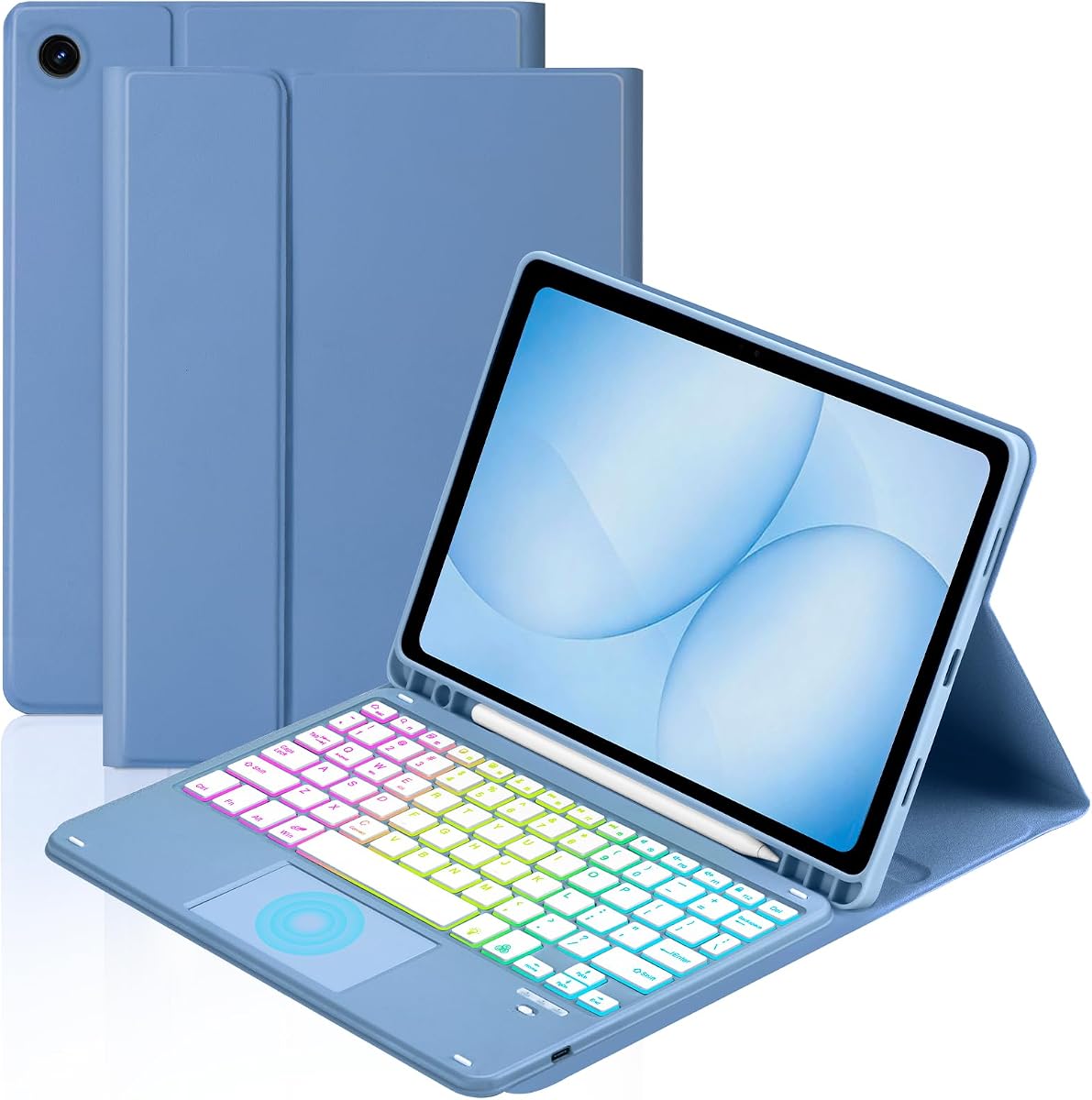
YBING Keyboard Case for Samsung Galaxy Tab A11 Plus & Galaxy Tab A9 Plus
4.5Editor score
360 rotating magnetic design
Rainbow backlight options
Detachable wireless keyboard
Discover the best keyboard for Samsung A11 Tablet with our expert guide comparing top cases, trackpads, and detachable keyboards for productivity.
Transform your Samsung Galaxy Tab A11 into a powerful workstation with the right keyboard accessory. A quality case combines protection with typing efficiency for work and study needs.
We analyzed ten top-rated options focusing on compatibility, battery life, and typing comfort. Each pick offers unique features like trackpads, backlights, or detachable designs for versatility.
Each review highlights key strengths and trade-offs to help you choose wisely. Please note that product availability and pricing may change over time as new models arrive.
4.5Editor score

4.3Editor score

4.6Editor score
This side-by-side comparison helps you quickly identify the right keyboard case for your specific usage needs and model compatibility requirements.




This Dexnor case stands out with its built-in trackpad and lightweight design for users who need laptop-like controls on the go.
We may earn a commission when you buy through this link, at no additional cost to you.
Its trackpad supports multi-finger gestures allowing for smooth navigation without touching the screen which enhances editing and browsing efficiency.
While it lacks a floating design the magnetic support remains solid enough for lap use though you may prefer an adjustable stand option.
Buy this if you prioritize trackpad navigation and portability over a premium cantilever stand and need reliable long-term battery standby.
The multi-touch trackpad allows for laptop-style cursor control making document editing and multitasking significantly easier than screen tapping.
With up to 720 hours of standby time you can leave the case dormant for weeks and still be ready to type without immediate charging.
We may earn a commission when you buy through this link, at no additional cost to you.
TUNKARMOR offers a detachable magnetic keyboard that transforms your tablet into a mini laptop quickly while allowing flexibility when you dont need to type.
We may earn a commission when you buy through this link, at no additional cost to you.
The three adjustable angles accommodate various postures whether you are reading watching videos or typing documents on a desk or lap.
While the absence of a trackpad means relying on touch input the slim profile and solid protection make it ideal for users who prefer lightweight setups.
Choose this for its detachability and protection features if you value the ability to remove the keyboard when using the tablet as a media device.
The magnetic keyboard can be moved or removed allowing you to adapt your setup instantly based on your current task or environment.
Three distinct viewing angles let you optimize ergonomics for different tasks ensuring comfort whether you are sketching writing or browsing.
We may earn a commission when you buy through this link, at no additional cost to you.
This option stands out by including both a mouse and trackpad giving you versatile control options for desktop-like workflows on your Samsung A11.
We may earn a commission when you buy through this link, at no additional cost to you.
The smart trackpad supports multi-touch gestures while the separate mouse offers precision for graphic editing tasks that require detailed cursor movement.
The rainbow backlight adds style but some may find the constant color change distracting in quiet environments or professional settings where focus is key.
Pick this bundle if you want the dual advantage of trackpad and mouse for complex tasks without buying accessories separately for your tablet.
Having both a trackpad and mouse lets you choose the best navigation tool depending on whether you need precision or multitouch gestures.
The seven-color rainbow backlight offers constant or breathing modes adding visual flair to your setup especially in dimly lit workspaces.
We may earn a commission when you buy through this link, at no additional cost to you.
The Soke keyboard case distinguishes itself with compatibility across iOS Windows and Android making it ideal for users who switch between different operating systems.
We may earn a commission when you buy through this link, at no additional cost to you.
It supports auto sleep/wake functionality which helps conserve battery life by waking your tablet when the lid opens and closing when it closes.
While it lacks a trackpad the straightforward design with two angles offers reliable performance for typing and reading without unnecessary complexity or bulk.
Opt for this if you use multiple devices or need a keyboard that switches systems effortlessly without reconfiguring settings every time.
Switching between iOS Windows and Android systems is seamless allowing you to use one keyboard case for all your mobile devices.
Auto sleep/wake ensures your tablet conserves power by automatically entering sleep mode when the case is closed reducing battery drain.
We may earn a commission when you buy through this link, at no additional cost to you.
This budget-friendly option delivers a 360-degree rotating design that allows both landscape and portrait viewing making it versatile for media consumption and work.
We may earn a commission when you buy through this link, at no additional cost to you.
The rainbow backlight adds a fun aesthetic while providing visibility in low light environments for users who appreciate customizable lighting effects.
Although it lacks a trackpad the detachable keyboard and strong magnetic hold offer excellent value for the price without compromising basic typing functionality.
Choose YBING if you need an affordable flexible keyboard case with rotation features and you prioritize media viewing comfort over precision cursor control.
The rotating back cover allows vertical and horizontal positioning enabling you to watch videos or read comfortably in any orientation.
Built-in powerful magnets securely attach the keyboard preventing accidental slips ensuring a stable typing surface even on uneven surfaces.
We may earn a commission when you buy through this link, at no additional cost to you.
Harvopu includes a precision 3-level DPI wireless mouse allowing users to adjust sensitivity for graphic editing or general web browsing tasks seamlessly.
We may earn a commission when you buy through this link, at no additional cost to you.
Its high-endurance battery life promises up to 180 hours of use on a single charge reducing the need for frequent recharges during long sessions.
The stain-resistant case keeps your device looking new despite daily use while the detachable keyboard offers flexibility when typing is not required.
Select this if you need precise mouse control and extended battery life without constantly charging your keyboard for continuous work sessions.
Three DPI levels let you switch between precision for design work and speed for navigation making the mouse versatile for different tasks.
With up to 180 hours of use the keyboard supports months of typical work before needing a recharge keeping you productive longer.
We may earn a commission when you buy through this link, at no additional cost to you.
This TiMOVO case impresses with a battery life exceeding 90 hours of active use plus a 90-day standby time ensuring you are ready to type anytime.
We may earn a commission when you buy through this link, at no additional cost to you.
Its three adjustable viewing angles provide ergonomic comfort for different tasks while the hibernation mode saves power during periods of inactivity.
Although the 10-minute sleep timeout is shorter than others it effectively conserves energy without requiring manual intervention from the user daily.
Pick this if you need a reliable long-battery keyboard that offers multiple viewing angles without needing a trackpad for your Samsung A11.
With over 90 hours of use and a 90-day standby you can go weeks without charging ensuring readiness whenever inspiration strikes.
Three distinct angles let you find the perfect ergonomic position for typing reading or sketching making the setup comfortable for extended periods.
We may earn a commission when you buy through this link, at no additional cost to you.
This MePadKey case features a smart touchpad supporting up to four-finger gestures making navigation and multitasking more efficient on your tablet.
We may earn a commission when you buy through this link, at no additional cost to you.
The multi-finger capabilities include swiping to scroll zoom pictures and switch applications without touching the screen directly which improves workflow.
While trackpad responsiveness can vary compared to laptop standards it provides sufficient control for basic navigation and document editing needs effectively.
Choose this if you value gesture-based navigation and want a trackpad included for multitasking without purchasing a separate mouse for daily tasks.
Four-finger gestures enable quick actions like screenshots and app switching making navigation fluid and reducing reliance on on-screen tapping.
The built-in smart touchpad supports multi-finger swipe gestures simplifying browsing and document navigation with intuitive gestures and control.
We may earn a commission when you buy through this link, at no additional cost to you.
This model combines a 360-degree rotating case with a multi-touch trackpad allowing flexible positioning and gesture control in one comprehensive solution.
We may earn a commission when you buy through this link, at no additional cost to you.
The multi-function shortcut keys streamline common tasks like copy paste and play making workflows more efficient for productivity-focused tablet users.
Its protective design ensures your stylus is securely stored and the rotating feature allows both portrait and landscape use seamlessly without limitations.
Select this if you want both rotation and trackpad gestures for versatile usage and need quick shortcut access for daily tasks efficiently.
The rotating case allows horizontal and vertical orientation adapting your device to different content types like media or documents comfortably.
Multi-function keys provide instant access to common tasks like copy and paste reducing manual navigation through menus during typing sessions.
We may earn a commission when you buy through this link, at no additional cost to you.
Supveco offers premium TPU protection with a honeycomb grid that shields your tablet from overheating and impact while maintaining a sleek professional look.
We may earn a commission when you buy through this link, at no additional cost to you.
Its multi-angle landscape stand allows secure holding for typing while backlit keys ensure visibility in dim environments without compromising comfort during use.
The auto sleep/wake function conserves power effectively and the seven color backlight adds visual enjoyment without distracting from productive work sessions.
Choose this for premium build quality and protection features if you prioritize durability over advanced navigation controls like a trackpad daily.
The TPU cover with honeycomb grid shields your tablet from overheating and damage ensuring long life without added bulk or weight.
A stable landscape stand holds your tablet securely at adjustable angles allowing comfortable typing and viewing on various surfaces reliably.
We may earn a commission when you buy through this link, at no additional cost to you.
Selecting the ideal keyboard case requires considering compatibility battery life and control features to match your workflow needs perfectly.
Always verify that the keyboard case is explicitly designed for your Samsung Galaxy Tab A11 or A9 Plus model numbers such as SM-X230 SM-X210 or similar variants.
Incompatible cases may not fit or function properly so checking model numbers in settings before buying prevents returns and frustration with usage.
Decide whether you prefer a built-in trackpad for seamless gesture control or a detachable wireless mouse for precision editing and navigation.
Trackpads simplify multitasking while mice suit detailed graphic work so choose the navigation method that best suits your daily tasks.
Look for keyboards with long standby times often measured in hundreds of hours to ensure your setup remains ready for use without constant charging.
Rechargeable designs with USB-C cables are convenient and energy-efficient for travelers who need reliable power during long sessions.
Adjustable backlights with multiple colors or brightness levels help you type comfortably in dim environments without straining your eyes during work.
Consider whether you prefer static colors or dynamic rainbow modes to suit your aesthetic preferences and professional requirements.
Detachable keyboards offer flexibility to remove the keyboard when you want to use the tablet for media consumption or casual browsing.
This versatility can reduce bulk and allow more portable usage scenarios where typing is not required for extended periods.
Cases with multiple viewing angles allow you to position your tablet ergonomically for writing reading or watching videos comfortably on any surface.
Anti-slip grooves ensure stability so your device remains securely in place during active use without sliding or falling unexpectedly.
Full 360-degree protection shields your device from scratches dents and falls with durable materials like PU leather or TPU covers.
Look for reinforced corners and slim profiles that protect without adding unnecessary weight to your portable setup.
Keyboards that support iOS Windows and Android systems allow you to use the same accessory across multiple devices for consistency.
This versatility is valuable for users who switch between different operating systems and want unified shortcuts without reconfiguring setups.
Insert your tablet securely into the case ensuring alignment magnets engage correctly for stable support and proper function of sleep wake features.
Charge the keyboard fully via USB-C before first use and avoid exposing it to excessive moisture or heat to preserve battery health.
Use shortcut keys to toggle backlight brightness or switch system modes as needed to maintain optimal performance during daily tasks.
No these keyboards are specifically designed for Samsung Galaxy Tab A11 and A9 Plus models. Always check model numbers like SM-X230 or SM-X210 in settings to confirm compatibility before purchase.
Some models like the Dexnor and MePadKey include a built-in multi-touch trackpad while others provide a detachable wireless mouse or no navigation tool at all so check product details.
Battery life varies by model but most offer 70 to 180 hours of use on a full charge with standby times reaching up to 90 days depending on usage patterns.
Certain models support multi-system compatibility across iOS Windows and Android allowing seamless switching between devices using system shortcut keys.
Many options feature detachable magnetic keyboards allowing you to remove them when typing is not needed while others have fixed designs for permanent attachment.
Most cases include a built-in S Pen holder to store your stylus securely but note that the stylus itself is typically not included with the product.
Backlight activation usually involves pressing a specific function key combination. Check the user guide for brightness levels or color modes on your specific model.
Yes most keyboard cases offer full edge coverage and shock absorption materials like honeycomb grids or rubberized padding to protect against drops and scratches.
We reviewed ten top keyboard cases offering trackpads detachable designs and robust protection tailored to the Samsung Galaxy Tab A11.
Prioritize features like battery life navigation controls and model compatibility to find a setup that fits your workflow seamlessly.
Always verify product availability and current pricing on retailer websites before purchasing to ensure you get the best deal available.