
Sceptre 24-inch Prime Monitor Thin 1080p LED Monitor 99% sRGB 2X HDMI VGA Build-in Speakers, Machine Black (E248W-19203R 2025 Series)
4.6Editor score
99% sRGB color gamut
100Hz refresh rate support
Built-in speakers included
This guide compares the top ten HDMI LED monitors for 2026. We evaluate refresh rates, color accuracy, and connectivity to help you find the ideal display for
Finding the right display is crucial for productivity and entertainment. A high-quality HDMI LED monitor offers sharp visuals and versatile connectivity. These screens ensure you can connect easily to laptops, consoles, or desktops without compatibility issues.
We analyzed ten leading models based on performance, build quality, and user feedback. Our comparison covers refresh rates, color gamut, and ergonomic features. This helps you understand which model fits your specific workflow and budget constraints effectively.
Each pick highlights unique strengths like eye care tech or gaming modes. Prices and availability change frequently so verify details before purchasing. This guide ensures you make an informed decision for your next display upgrade today.
4.6Editor score

4.7Editor score

4.6Editor score
This table provides a side-by-side overview of all ten models. It highlights key specifications like resolution, refresh rates, and connectivity options to simplify your selection process.





The Sceptre 24-inch Prime stands out as a top contender for budget-conscious buyers seeking reliable HDMI performance. With a strong 4.6 rating from users, it delivers crisp visuals and essential gaming features without breaking the bank. Its inclusion of 99% sRGB coverage ensures colors remain vibrant for both work and entertainment tasks.
We may earn a commission when you buy through this link, at no additional cost to you.
Connectivity is a major strength here. The monitor offers two HDMI ports alongside a VGA input, allowing you to connect multiple devices like laptops and game consoles simultaneously. The built-in speakers eliminate the need for external audio solutions in basic setups, saving desk space effectively. Additionally, the Blue Light Shift technology helps reduce eye strain during long hours of screen time.
While the stand is fixed to a simple tilt, the VESA mount pattern allows for third-party arms if ergonomics are a priority. The 100Hz refresh rate is notable for this price tier, providing smoother motion in games compared to standard 60Hz panels. The trade-off is a plastic chassis that may feel less sturdy than premium metal options.
This monitor is ideal for students or home office users who need a functional display without overspending. It balances cost and performance well, making it a smart entry-level choice. If you prioritize value over premium build materials, this Sceptre model offers excellent utility for daily tasks and casual gaming.
The 99% sRGB gamut ensures rich and accurate colors for media consumption and basic design work.
With a 100Hz refresh rate and custom FPS RTS modes, it handles casual gaming scenarios competently.
We may earn a commission when you buy through this link, at no additional cost to you.
The Sceptre E275W offers a larger 27-inch canvas at a competitive price point, appealing to those who need more screen space. Users appreciate the smooth visuals provided by its 100Hz refresh rate which helps minimize tearing during dynamic content. The inclusion of built-in speakers makes it a complete all-in-one solution for a secondary monitor or home office setup.
We may earn a commission when you buy through this link, at no additional cost to you.
Color fidelity remains solid with 99% sRGB coverage ensuring images look true to life across different tasks. Connectivity options are robust with two HDMI ports and a VGA port for legacy devices. The Blue Light Shift feature is a thoughtful addition for those who spend long hours reading documents or browsing the web.
Ergonomics are somewhat limited as the stand only allows for tilt adjustments rather than height or swivel changes. This might require a separate VESA arm for a fully customizable viewing experience. Despite this, the larger size provides better immersion for media consumption and multitasking compared to standard 24-inch screens.
This model is best suited for users who want a bigger display without investing in premium brands. It balances size and cost effectively making it an attractive option for dorm rooms or guest setups. If you need extra workspace and reliable connectivity this Sceptre monitor delivers strong performance for the price.
The 27-inch screen offers ample space for multitasking and immersive viewing experiences.
Built-in speakers and HDMI inputs allow for easy setup of entertainment and workstations.
We may earn a commission when you buy through this link, at no additional cost to you.
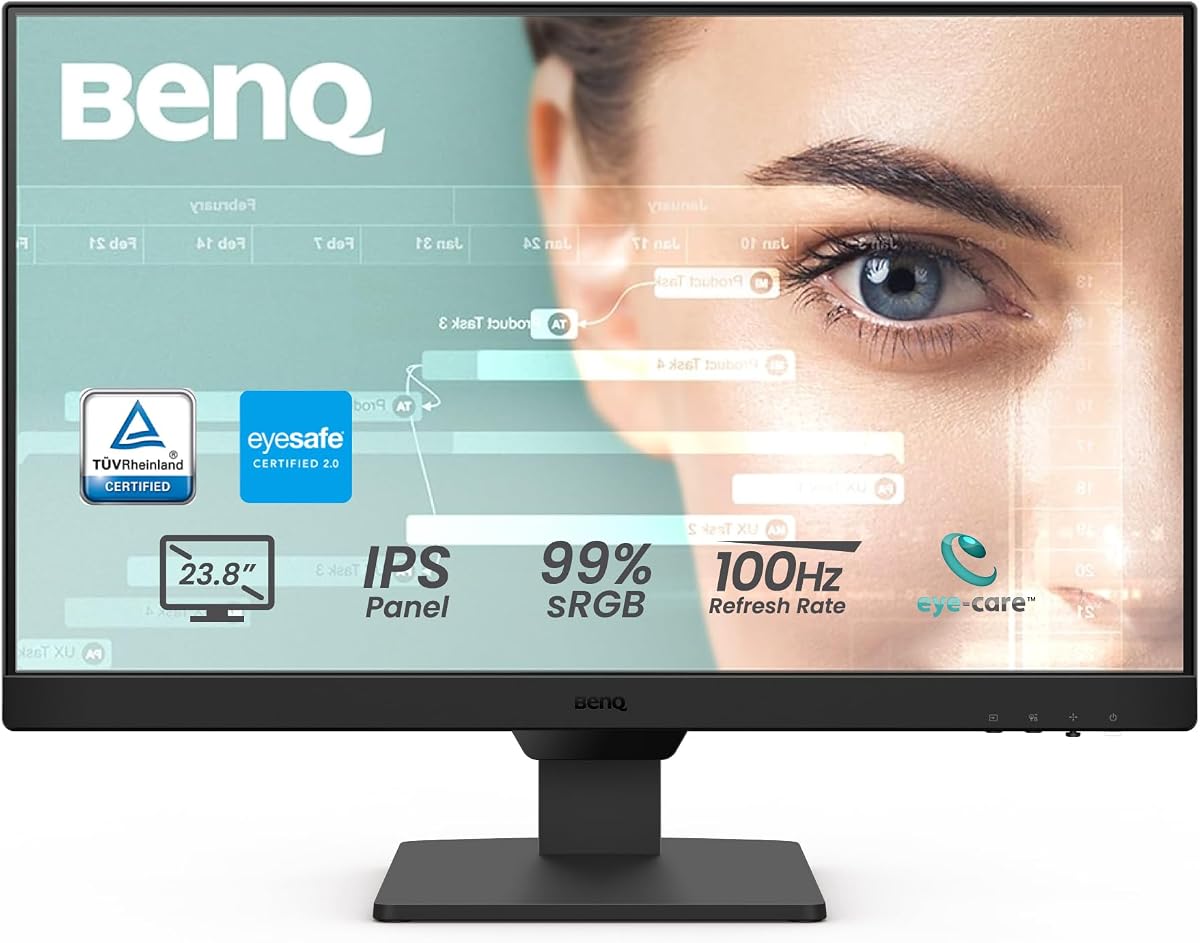
The BenQ GW2490 is renowned for its commitment to eye health making it a standout choice for office professionals. With its 4.6 rating users praise the Low Blue Light Plus technology that filters harmful rays while keeping colors vivid. The IPS panel ensures wide viewing angles so colors stay consistent from any seat in the room.
We may earn a commission when you buy through this link, at no additional cost to you.
Its 100Hz refresh rate provides smooth scrolling and video playback reducing motion blur effectively. The inclusion of DisplayPort alongside HDMI gives users flexibility for high-performance connections. Adaptive Brightness helps maintain visual comfort by adjusting screen levels based on ambient light conditions in your workspace.
While the stand is simple and only offers tilt the thin bezels create a sleek modern look that fits well in any desk setup. The build quality feels sturdy enough for daily use without excessive weight. However, the lack of a USB hub means you may need a separate dock for connecting peripherals.
This monitor is perfect for writers, researchers, or anyone prioritizing long-term eye health. The combination of IPS clarity and eye-care features makes it a reliable partner for extended work sessions. If protecting your eyes is a top priority this BenQ model offers exceptional value and comfort.
The IPS panel delivers vivid and lifelike colors with 99% sRGB accuracy for precise work.
Adaptive Brightness and Low Blue Light Plus work together to reduce strain during long use.
We may earn a commission when you buy through this link, at no additional cost to you.
The Dell SE2426H earns its spot as Editor's Choice due to its superior gaming performance and balanced features. Its 144Hz refresh rate and 1ms response time deliver fluid motion essential for competitive gaming. Users love the wide viewing angles provided by the IPS panel which ensure accurate colors from any position.
We may earn a commission when you buy through this link, at no additional cost to you.
The TUV 3-star eye comfort certification adds significant value for daily productivity. It reduces harmful blue light while preserving color quality making long work sessions less straining. The ultra-thin bezels maximize screen real estate and create a clean aesthetic that looks great on modern desks.
Connectivity includes two HDMI ports allowing easy switching between devices without plugging and unplugging. While the stand only tilts the high build quality and slim profile make it a sleek addition to any room. The AMD FreeSync support helps prevent screen tearing ensuring a smooth visual experience during gaming.
This monitor is ideal for gamers and professionals who need speed and accuracy without compromise. It bridges the gap between work and play effectively with its high refresh rate and clear visuals. If you want a reliable all-rounder this Dell model sets a high standard for value and performance.
A 144Hz refresh rate and 1ms response time provide crisp and fluid motion for gamers.
TUV 3-star eye comfort certification reduces blue light to protect eyes during long use.
We may earn a commission when you buy through this link, at no additional cost to you.
The Philips 241V8LB stands out for its VA panel which delivers deep blacks and high contrast ratios. This makes it excellent for watching movies or working in dimly lit environments where clarity is key. Users appreciate the 100Hz refresh rate which ensures smooth visuals for both work and casual gaming sessions.
We may earn a commission when you buy through this link, at no additional cost to you.
The Flicker-Free technology and EasyRead mode are notable features that enhance comfort during long usage periods. These features help reduce eye strain allowing you to read documents comfortably for extended times. The slim bezel design provides a modern look that works well for multi-monitor setups requiring minimal interruption.
While it lacks height adjustment the tilt capability offers some flexibility for positioning. The 178-degree viewing angles ensure colors remain consistent even when viewed from the side. However, the contrast may not match the depth found in more expensive VA panels but it remains impressive for the price.
This monitor is perfect for media consumers and office workers who prioritize contrast and eye comfort. Its balance of performance and comfort features makes it a practical choice for daily use. If you need a reliable display for mixed tasks this Philips model delivers consistent quality and value.
The VA panel produces brighter whites and deeper blacks for vivid and realistic images.
Flicker-Free and EasyRead mode create a paper-like experience for reducing eye fatigue.
We may earn a commission when you buy through this link, at no additional cost to you.
The Dell P2425H distinguishes itself with a fully ergonomic stand allowing height tilt swivel and pivot adjustments. This flexibility makes it a top choice for professionals who need to customize their viewing position throughout the day. The Full HD resolution ensures sharp text and images for detailed work tasks.
We may earn a commission when you buy through this link, at no additional cost to you.
Users value the reliable build quality and clear visuals this model provides. The 1500:1 contrast ratio offers decent depth for standard office tasks. While it lacks advanced gaming features like adaptive sync its focus on productivity and comfort is evident in its design choices.
The stand adjustments eliminate the need for a monitor arm saving desk space and cost. The build quality is sturdy with a finish that complements professional environments. However, the higher price point might not appeal to budget buyers looking for basic display solutions.
This monitor is ideal for corporate offices or users who spend hours at their desk daily. The ergonomic support helps maintain healthy posture and reduces strain effectively. If you prioritize physical comfort and reliability this Dell model is a solid investment for long-term use.
Height swivel and tilt adjustments allow you to find a comfortable viewing angle easily.
Dell's reputation for reliability ensures this monitor stands up to daily professional demands.
We may earn a commission when you buy through this link, at no additional cost to you.
The BenQ BL2490 boasts a perfect 5.0 user rating highlighting exceptional satisfaction across all metrics. Its anti-glare coating is a major plus for users in bright offices or near windows. The 100Hz refresh rate ensures fluid visuals making it a versatile choice for both productivity and entertainment.
We may earn a commission when you buy through this link, at no additional cost to you.
With both HDMI and DisplayPort connectivity it offers flexibility for modern setups. The brightness level of 250 cd/m2 provides clear images even in well-lit rooms. The minimalist design focuses on functionality ensuring the screen remains the center of attention without distraction.
The stand offers only tilt adjustments which limits ergonomic customization for taller users. However, the overall build quality and performance balance are hard to ignore given the high rating. The 5ms response time is adequate for most users though fast gamers may prefer sub-millisecond options.
This monitor is perfect for those seeking a reliable screen with minimal glare issues. Its high satisfaction score suggests consistent performance across many users. If you need a clean efficient display for daily tasks this BenQ model delivers high value and quality.
The anti-glare coating prevents reflections allowing for clearer viewing in bright environments.
Both HDMI and DisplayPort inputs give you multiple options to connect your devices.
We may earn a commission when you buy through this link, at no additional cost to you.
The LG 24U411A-B excels in multimedia with HDR10 support that enhances video and image quality. The 120Hz refresh rate provides smooth motion transitions ideal for gaming and watching videos. Users appreciate the IPS panel which offers vibrant colors and consistent viewing angles from any position.
We may earn a commission when you buy through this link, at no additional cost to you.
For productivity, the Reader Mode lowers blue light to reduce strain during text-heavy tasks. The flicker-safe technology further ensures comfortable viewing during long work sessions. The slim bezel design keeps the focus on the screen while maintaining a modern aesthetic on any desk.
The stand offers only tilt adjustments and a slim base which saves space but lacks height adjustment. While brightness is standard for this price range the color performance remains impressive. This model bridges the gap between work and entertainment capabilities effectively.
This monitor is ideal for home users who need a versatile display for movies and work. The combination of HDR and high refresh rate sets it apart from standard office screens. If you prioritize visual media quality this LG monitor delivers rich color and smooth motion.
HDR10 support brings out more detail and contrast for immersive movie watching experiences.
Reader Mode and Flicker Safe reduce eye strain allowing for longer comfortable viewing sessions.
We may earn a commission when you buy through this link, at no additional cost to you.
The Acer KB220Q offers a compact 21.5 inch design perfect for smaller desks or multi-monitor setups. Its ZeroFrame design maximizes screen space making the display feel larger than its dimensions suggest. The 100Hz refresh rate ensures smooth visuals that outperform standard office monitors significantly.
We may earn a commission when you buy through this link, at no additional cost to you.
Fast response times of 1ms help eliminate ghosting during fast-paced gaming or scrolling. Adaptive-Sync support provides a tear-free experience when connected to compatible graphics cards. The crisp Full HD resolution ensures text remains sharp for document work and spreadsheets.
While the smaller size might limit immersion for movies it is efficient for focused work. The basic tilt stand keeps costs down but limits positioning options. However, the build quality feels solid and the design looks modern despite its compact form factor.
This monitor is best for small offices or home users needing efficient space usage. Its high refresh rate and fast response time make it surprisingly capable for casual gaming. If you need a reliable compact display this Acer model delivers strong performance in a small package.
The compact 21.5 inch footprint fits well on limited desks without sacrificing screen clarity.
A 1ms response time ensures fast action stays sharp without distracting motion blur.
We may earn a commission when you buy through this link, at no additional cost to you.
The Dell S2425HSM represents the premium end of the category with full ergonomic adjustments including pivot and swivel. The 144Hz refresh rate and 1ms response time ensure top-tier performance for gaming and video. Integrated dual speakers add audio convenience without cluttering your desk space.
We may earn a commission when you buy through this link, at no additional cost to you.
TUV 4-star eye comfort certification indicates strong protection against blue light and flicker. The Ash White finish offers a distinctive modern look that stands out from standard black monitors. HDMI connectivity supports multiple devices ensuring easy setup for laptops and desktops.
While it costs more than basic models the features justify the investment for many users. The ability to pivot to portrait mode aids in coding or document reading. However, the larger base requires a bit more desk depth than compact stands.
This monitor is perfect for professionals who need maximum comfort and style. The combination of premium ergonomics and visual performance makes it a versatile tool. If you want a display that adapts to your needs this Dell model offers the most comprehensive feature set.
Height tilt pivot and swivel adjustments allow for a fully customized viewing position.
A 144Hz refresh rate and fast response times deliver fluid visuals for gaming and work.
We may earn a commission when you buy through this link, at no additional cost to you.
Selecting the right monitor involves balancing multiple technical factors. This guide breaks down the most important specifications to ensure you pick a display that fits your workflow.
Refresh rate measures how many times the screen updates per second. Higher rates like 144Hz provide smoother motion which is essential for gaming and fast scrolling. For office work, 60Hz to 75Hz is often sufficient, but 100Hz or higher adds noticeable fluidity to daily tasks.
Prioritize a higher refresh rate if you play fast-paced games or watch a lot of video content.
IPS panels offer excellent color accuracy and wide viewing angles making them great for design work. VA panels provide better contrast and deeper blacks which are ideal for watching movies. TN panels are faster but suffer from poor colors, so they are less common in modern office setups.
Choose IPS for color work and VA for contrast-heavy multimedia consumption.
HDMI is the standard for connecting most laptops and game consoles. Ensure the monitor has at least two HDMI ports if you need to switch between devices frequently. DisplayPort is often used for higher refresh rates and is common on desktop PCs.
Verify the input ports match your devices to avoid needing extra adapters or cables.
Extended screen time can cause eye strain so features like Blue Light Shift and Flicker-Free are valuable. Look for certifications like TUV Rheinland which validate that the display reduces harmful emissions. These technologies help maintain comfort during long work sessions or late-night gaming.
Invest in eye care tech if you work long hours to protect your vision and comfort.
A good stand should offer height tilt swivel and pivot adjustments to reduce neck pain. If the monitor lacks these features, check for a VESA mount pattern to attach a third-party arm. Proper ergonomics are crucial for maintaining a healthy posture during daily use.
Prioritize stands with height adjustment to align the top of the screen with your eye level.
Full HD 1920×1080 is the standard resolution for 24-inch screens offering clear text and sharp images. Higher resolutions like 1440p or 4K are better for creative work but require more powerful graphics hardware. Stick to Full HD for general productivity to keep costs low and compatibility high.
Full HD is the sweet spot for 24-inch monitors balancing clarity and cost for most users.
Response time indicates how quickly a pixel changes color which affects motion blur. Lower values like 1ms ensure fast action looks sharp without ghosting. For general office work this matters less, but for gaming it significantly impacts visual quality.
Look for a response time of 1ms to 5ms for smooth visuals in games and videos.
Materials and design durability affect how long the monitor lasts. Sturdy bases and minimal wobble are signs of good build quality. Thin bezels also add to the aesthetic appeal and make multi-monitor setups look cleaner and more modern.
Check reviews for mentions of plastic quality and stand stability before making your final decision.
Start by connecting your HDMI cable securely to both the monitor and your computer. Ensure the monitor is powered on and select the correct HDMI input using the menu buttons on the front or side. Adjust the screen resolution in your operating system settings to match the monitor's native resolution for the sharpest image.
Clean the screen regularly with a soft microfiber cloth to remove dust and fingerprints. Avoid using harsh chemicals or spraying water directly on the screen as this can damage the panel. Use a gentle screen cleaner if necessary to maintain clarity without scratching the surface.
Adjust the brightness and contrast settings based on your room lighting to reduce eye strain. Many monitors have preset modes for different tasks like s or movies which can be enabled quickly. Proper calibration ensures you see colors accurately and reduces fatigue during long work sessions.
Yes, many HDMI LED monitors support gaming with refresh rates up to 144Hz and fast response times. Look for features like AMD FreeSync to prevent screen tearing. Most models also include specific game modes to enhance visual performance.
A 24-inch monitor is generally considered the best size for standard office desks. It offers enough screen space for multitasking without taking up too much room. If you have a larger desk, a 27-inch model can provide extra productivity space.
Most of these monitors support laptops via HDMI connections. Ensure your laptop has an HDMI port or use an adapter like USB-C to HDMI for compatibility. The monitors work well for extending your laptop display to a larger screen.
Built-in speakers provide basic audio suitable for videos or conference calls but are not ideal for high-fidelity sound. For critical listening, you may still prefer external speakers or headphones. They serve well as a convenient backup when external audio is not available.
Use monitors with Blue Light Shift and Flicker-Free features to reduce strain. Follow the 20-20-20 rule: every 20 minutes look at something 20 feet away for 20 seconds. Proper desk height and monitor positioning also play a key role in eye health.
VESA mount refers to a standard pattern on the back of the monitor for attaching it to wall mounts or arms. This allows you to customize the viewing position or save desk space. Check the specific pattern size like 100x100mm before buying a mount.
Most monitors come with the necessary HDMI cable but check the box contents carefully. Using a high-quality HDMI cable ensures stable signal transmission especially at higher refresh rates. You can purchase third-party cables if the included ones are too short.
LED monitors typically last for several years with regular use. Proper care like avoiding direct sunlight and regular cleaning can extend their lifespan. Many models come with warranties that cover defects for a few years of usage.
Choosing the right HDMI LED monitor depends on balancing your specific needs with your budget. The Sceptre 24-inch Prime offers great value for basic tasks while the Dell SE2426H provides top-tier gaming performance. For premium ergonomics, the Dell S2425HSM stands out with its full adjustment capabilities.
Prioritize features that directly impact your daily workflow such as refresh rate for gaming or eye care for office work. Understanding the differences between IPS and VA panels will help you find the right visual quality. Don't forget to check connectivity options to ensure seamless integration with your devices.
Prices and stock levels change frequently so always verify the current details before buying. This guide helps you make an informed decision based on current market options. Find the monitor that fits your setup today and enjoy improved productivity and entertainment.