
Amazon Basics HDMI Cable, 6ft, 4K@60Hz, High-Speed 4K HDMI 2.0 Cord with Ethernet, 18Gbps, 2160p, 48 bit, Compatible with TV/PS5/Xbox/Roku/Blu-ray, Black
4.7Editor score
Affordable reliable option
Supports 4K 60Hz
Includes Ethernet channel
This guide compares the top HDMI cables for Vsee Box to ensure high speed streaming and reliable connectivity for your home theater setup.
Finding the right HDMI cable for your Vsee Box is essential for getting the best picture quality and smooth streaming performance. You need a cable that supports high bandwidth and modern features to avoid lag or dropouts during use.
We compared ten highly rated HDMI cables based on their speed, durability, and compatibility with Vsee Box and other devices. Each product was evaluated for its ability to deliver crisp visuals and stable connections in various home setups.
Each pick highlights key strengths and ideal use cases to help you choose the right cable for your needs. Keep in mind that prices can change frequently, so check current listings before making your final decision.
4.7Editor score

4.7Editor score

4.8Editor score
This table provides a quick side-by-side look at the key specifications and features of each HDMI cable reviewed in this guide.


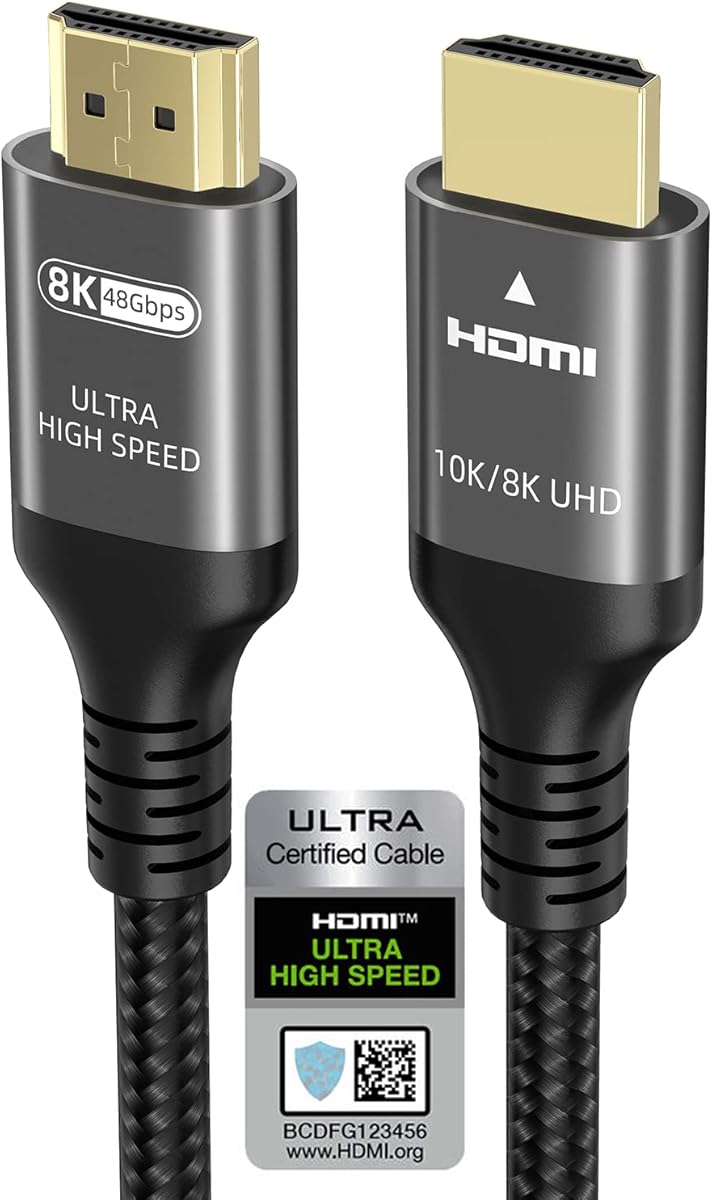

This cable stands out for its ability to handle high-resolution video and advanced gaming features. It has a strong rating from users who value reliability and speed.
We may earn a commission when you buy through this link, at no additional cost to you.
The key strength here is the 48Gbps bandwidth which ensures smooth 8K and 4K transmission. It also supports variable refresh rate which helps reduce tearing on supported displays.
One trade-off is that it may be more than needed if you only use 1080p devices. However the extra headroom ensures future compatibility without needing upgrades.
If you want top performance for your Vsee Box and future devices this is a great pick. It balances durability and speed well.
The 48Gbps bandwidth ensures this cable can handle the latest 8K video streams without bottlenecks.
Variable refresh rate support helps eliminate screen tearing during high motion content or games.
We may earn a commission when you buy through this link, at no additional cost to you.
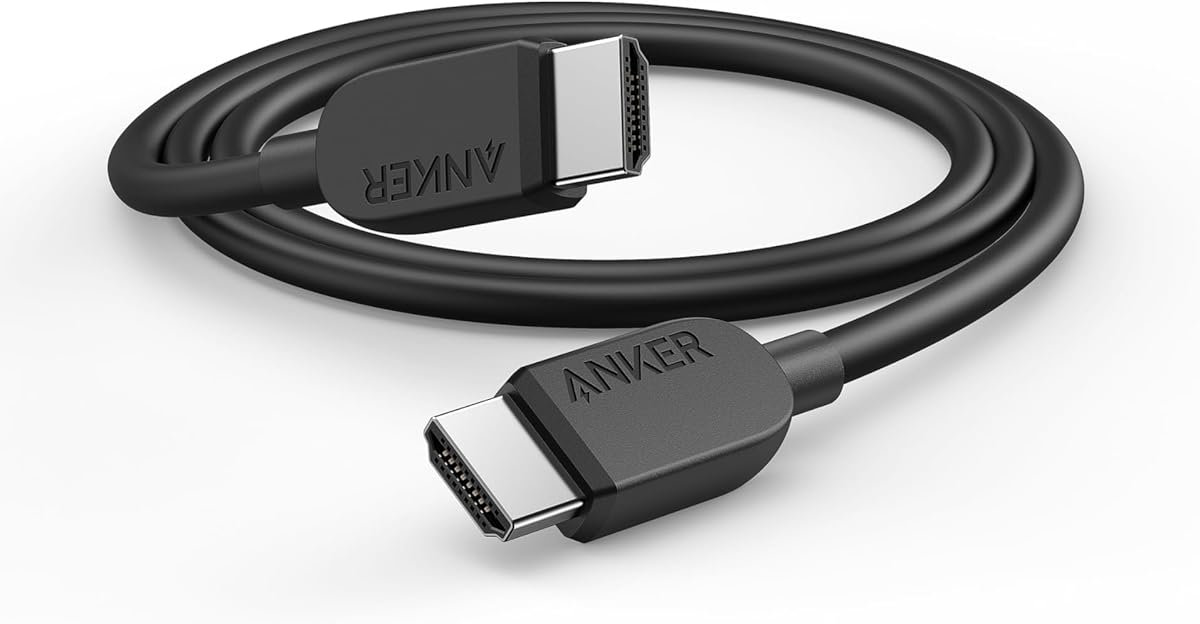
Anker is known for durable accessories and this HDMI cable delivers on that promise. It offers high speed transmission with a strong build quality.
We may earn a commission when you buy through this link, at no additional cost to you.
This cable supports 4K at 240Hz which is great for gaming or fast moving content. The 1000 bend resistance adds to its longevity and reliability.
The main limitation is the 6 foot length which may not fit all room setups. Check your distance needs before buying.
This is a solid choice if you need a reliable cable with strong build quality. It works well with Vsee Box and other modern devices.
Designed to withstand up to 1000 bends ensuring the cable lasts longer under frequent use.
Supports 4K at 240Hz for ultra smooth visuals during fast paced gaming sessions.
We may earn a commission when you buy through this link, at no additional cost to you.
This 2-pack from Highwings offers great value for households needing multiple HDMI connections. Both cables support the latest HDMI 2.1 features.
We may earn a commission when you buy through this link, at no additional cost to you.
You get two cables with 48Gbps bandwidth and 8K support in one purchase. The reinforced shell ensures durability for daily use.
The only downside is if you only need one cable you might not use the second. But having a spare is often helpful.
This is an excellent choice for multi device setups or as a backup option. It provides premium features at a budget friendly price.
Get two certified cables for the price of one allowing easy connections for multiple devices.
Aluminum alloy shell and anti-bending design ensure the cables withstand daily wear.
We may earn a commission when you buy through this link, at no additional cost to you.
Amazon Basics offers a simple reliable cable at a very low price. It handles 4K video well and includes an Ethernet channel for internet sharing.
We may earn a commission when you buy through this link, at no additional cost to you.
This cable supports 4K at 60Hz which is sufficient for most streaming needs. The Ethernet feature allows you to share internet without extra wires.
It lacks the latest HDMI 2.1 features like 8K or 120Hz but that is expected at this price. It is perfect for standard home setups.
If you want a no fuss affordable cable this is a great choice. It works well with Vsee Box for basic streaming.
A budget friendly option that still delivers 4K video and includes useful Ethernet features.
Backward compatible with earlier HDMI versions to work with a wide range of devices.
We may earn a commission when you buy through this link, at no additional cost to you.
Silkland provides a certified HDMI 2.1 cable with strong HDR and audio capabilities. It is a good pick for immersive home theater experiences.
We may earn a commission when you buy through this link, at no additional cost to you.
This cable supports Dynamic HDR and immersive audio formats like Dolby Atmos. The 48Gbps bandwidth ensures smooth high resolution video transmission.
While it is a lesser known brand the certification and features are solid. Check for availability before purchasing.
This is a great choice if you want high quality HDR and audio support. It works well with Vsee Box and sound systems.
Dynamic HDR reveals nuanced brightness and darkness for a cinematic viewing adventure.
Supports formats like DTS:X and Dolby Atmos with enhanced Audio Return Channel support.
We may earn a commission when you buy through this link, at no additional cost to you.
This cable is designed for rooms where the display is far from the Vsee Box. It is rated for in-wall installation which helps with clean setups.
We may earn a commission when you buy through this link, at no additional cost to you.
You get 15 feet of length with 8K support and 48Gbps bandwidth. The CL3 rating means it can safely be run through walls.
The price is higher due to the length and rating but it solves distance issues well. Ensure you need the extra length before buying.
This is ideal for home theaters with long cable runs. It offers reliable performance over distance.
CL3 rating ensures the cable is safe for installation inside walls without fire risk.
15 foot length ensures signal integrity even when devices are far apart.
We may earn a commission when you buy through this link, at no additional cost to you.
UGREEN has a very high rating from users who praise its build quality and performance. It is a premium cable with strong features.
We may earn a commission when you buy through this link, at no additional cost to you.
This cable supports Dynamic HDR and eARC for high quality audio. The aluminum alloy case and braided jacket add to its durability.
It is priced higher than some options but the quality and features justify it. The high user rating speaks to its reliability.
This is a great pick if you want top quality and don mind mind the cost. It works excellently with Vsee Box.
Passes HDMI 2.1 certification ensuring full compliance with the latest standards.
Robust aluminum alloy case and braided jacket ensure resistance to daily wear.
We may earn a commission when you buy through this link, at no additional cost to you.
This cable from Acer offers strong gaming features including variable refresh rate and high refresh rates. It is a good choice if you game on Vsee Box.
We may earn a commission when you buy through this link, at no additional cost to you.
It supports 4K at 240Hz and variable refresh rate to reduce tearing. The eARC support also improves audio on compatible setups.
The braided design adds durability but you need a display that supports these features to see the benefit. It works well for Vsee Box streaming too.
This is a solid pick for mixed use with gaming and streaming. It provides future proof connectivity.
Variable refresh rate helps reduce screen tearing on compatible devices for smoother gameplay.
Supports eARC and Dolby Atmos for better sound on compatible devices.
We may earn a commission when you buy through this link, at no additional cost to you.
Ubluker offers a certified cable with support for very high resolutions. It has strong audio and video features for a premium experience.
We may earn a commission when you buy through this link, at no additional cost to you.
This cable supports 10K and 12-bit deep color which provides rich visuals. It also supports immersive audio formats like Dolby TrueHD.
The 10K support is more than needed now but future proofs the setup. The brand is less known but the certification gives confidence.
This is a great pick if you want rich color and audio features. It works well with Vsee Box.
Supports 12-bit color accuracy for more realistic and vivid pictures.
Supports high-bitrate audio formats including DTS:X and Dolby Atmos.
We may earn a commission when you buy through this link, at no additional cost to you.
This cable offers 10 feet of length which is great for longer runs. It is CL3 rated for in-wall installation and has gold connectors.
We may earn a commission when you buy through this link, at no additional cost to you.
It supports 4K at 60Hz with ARC for audio return. The braided nylon and gold connectors add durability and corrosion resistance.
It is not HDMI 2.1 but handles standard 4K well. The 10 foot length is the main highlight for flexible setups.
This is a solid choice if you need more length at a reasonable price. It works well for Vsee Box.
Gold plated connectors resist corrosion for guaranteed top tier image and sound.
CL3 rated for in-wall use ensuring safe installation without fire risks.
We may earn a commission when you buy through this link, at no additional cost to you.
Selecting the right HDMI cable ensures your Vsee Box delivers the best possible picture and sound quality. Consider these key factors before buying.
Bandwidth determines how much data the cable can carry. For modern streaming 48Gbps is ideal for 8K and high refresh rates. 18Gbps is enough for 4K 60Hz.
Choose 48Gbps for future-proofing and 18Gbps for standard 4K needs.
HDMI 2.1 supports 8K and 4K 120Hz. HDMI 2.0 supports 4K 60Hz. Match the version to your Vsee Box capabilities to avoid bottlenecks.
Pick HDMI 2.1 if you plan to upgrade displays soon.
Measure the distance from your Vsee Box to the display. Cables come in 6ft 10ft and longer. Longer cables may need CL3 rating for in-wall use.
Buy the shortest cable that reaches to avoid clutter.
Braided nylon and gold connectors improve longevity and corrosion resistance. Look for reinforced shells to handle daily bending.
Opt for braided designs in high-traffic areas.
Dynamic HDR and eARC support improve picture and audio quality. Ensure the cable supports these if your display and soundbar need them.
Prioritize HDR and eARC for immersive experiences.
Certified cables guarantee they meet official standards. Unlikely cables may work but lack guaranteed performance. Check for HDMI Forum certification.
Always choose certified cables for reliability.
Cables range from a few dollars to higher prices. Budget options work fine for basic needs. Premium cables offer better build and future features.
Balance features with how long you plan to use the cable.
Look for sellers with good return policies. Warranties like 18 months offer peace of mind. Check support availability if issues arise.
Choose sellers with strong support and warranties.
Plug one end of the HDMI cable into your Vsee Box and the other into the TV display port. Ensure it clicks into place for a secure connection.
Route the cable neatly to avoid sharp bends or pressure. Use cable ties or clips to manage slack and prevent tripping.
Periodically check the connectors for dust or debris. Clean gently with a dry cloth to maintain good signal transmission.
Most Vsee Box models work well with HDMI 2.0 for 4K 60Hz. If you want future features like 8K or 120Hz look for HDMI 2.1 cables with 48Gbps bandwidth.
Yes longer cables work but signal quality may drop over very long distances. For lengths over 15 feet use high-speed certified cables to ensure stability.
Current Vsee Box models are optimized for 4K. Using an 8K cable provides future-proofing but you may not see 8K content until the device supports it.
A black screen often means a poor connection or HDCP mismatch. Check the cable is firmly seated and that the TV supports the signal resolution.
Yes all HDMI cables carry audio. For better sound quality check for ARC or eARC support especially if you use a soundbar or AV receiver.
Certified cables guarantee the bandwidth and features match the label. This reduces issues like flickering or limited resolution making them worth the small price increase.
Only cables with CL3 rating are safe for in-wall installation. Regular cables may not meet fire codes. Check the specs before running inside walls.
Look for Ultra High Speed HDMI labels or 48Gbps in the product details. Certified cables include QR codes for verification on the packaging.
The top picks offer excellent performance for Vsee Box with options for speed durability and budget. Highwings and UGREEN lead in features and build quality.
Prioritize bandwidth and HDMI version to match your Vsee Box capabilities. Consider length and durability for your specific room setup.
Always check current prices and availability before buying. The right cable ensures smooth streaming and the best picture quality.