
Samsung 50-Inch Class U8000H Series Crystal UHD 4K Smart TV
4.2Editor score
Crystal Processor 4K upscaling
Motion Xcelerator for smooth games
Color Booster for vibrant visuals
Find the best gaming TV for PS5 and Xbox with this expert guide comparing top models featuring 144Hz, HDMI 2.1, VRR, and HDR for immersive next-gen gameplay.
Choosing the right gaming TV for PS5 and Xbox requires careful consideration of refresh rates, input lag, and HDR performance to ensure smooth, immersive gameplay experiences.
We compared ten top models based on panel technology, connectivity options, smart features, and overall picture quality to help you find the perfect screen for your console setup.
Each pick highlights key strengths and trade-offs so you can decide based on your needs, but remember that prices and availability can change frequently over time.
4.2Editor score
4.4Editor score

4.1Editor score
This side-by-side comparison highlights the standout specifications and features of each model to help you quickly identify which TV offers the performance you need for gaming.


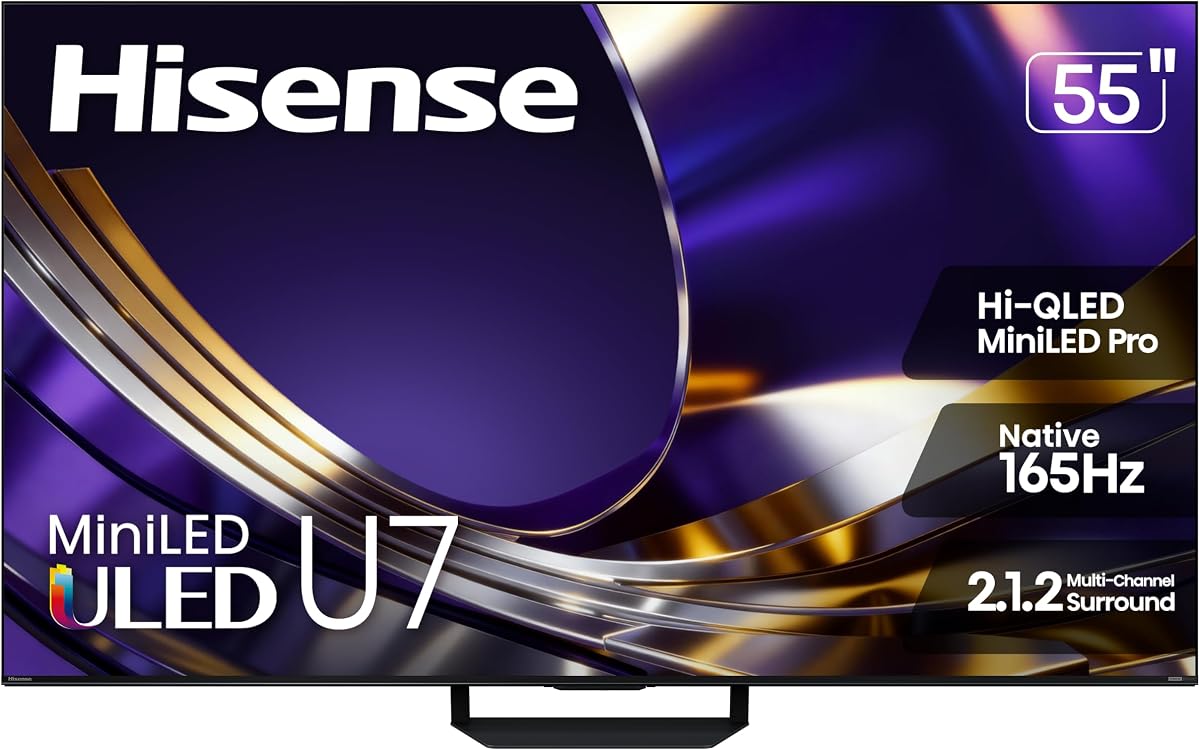
The Hisense 55U7SG stands out as a top contender for serious gamers seeking high-end performance without flagship pricing. With a 4.4 rating from verified buyers, it delivers stunning visuals and fluid motion essential for next-gen consoles.
We may earn a commission when you buy through this link, at no additional cost to you.
Its native 165Hz refresh rate ensures that competitive shooters and racing games run with minimal motion blur and input lag. The MiniLED backlight with up to 3000 local dimming zones produces deep blacks and bright highlights, making HDR games like Cyberpunk 2077 truly pop.
While the anti-reflection layer helps in bright rooms, some users may notice slight color shift at extreme viewing angles. Additionally, Google TV interface includes promotional content that can be distracting but does not impact gaming performance.
Gamers who want premium brightness and smooth motion at a competitive price point should strongly consider this model. It balances high-end specs with value, making it an ideal choice for living room gaming setups.
This high refresh rate ensures buttery smooth motion during fast-paced gameplay, reducing input lag and tearing significantly compared to standard 60Hz panels.
The dual-layer screen treatment minimizes glare from windows and lights, allowing you to focus on gameplay even during daylight hours without distractions.
We may earn a commission when you buy through this link, at no additional cost to you.
The Samsung U8000H offers an accessible entry point for those seeking a reliable 4K TV for console gaming. Rated 4.2 stars by users, it handles standard gaming loads well despite its budget positioning.
We may earn a commission when you buy through this link, at no additional cost to you.
Its Crystal Processor ensures that 1080p games are upcaled to near 4K clarity, preserving detail in textures and HUDs. Motion Xcelerator helps smooth out choppy action in sports games, though it is not as effective as higher refresh rates.
Because it lacks a high refresh rate and advanced HDR features, competitive gamers may find it less responsive than premium options. However, casual players will appreciate its clear visuals and lack of complex settings menus.
For small apartments or secondary gaming setups where cost is a priority, this model provides solid performance. It is best suited for players who prioritize value over cutting-edge technical specs.
This processor enhances lower resolution content, making older games look sharper and more detailed on a modern 4K display.
Estimates frame transitions to reduce judder, providing a smoother experience for fast-moving scenes without requiring high hardware refresh rates.
We may earn a commission when you buy through this link, at no additional cost to you.
Sony’s BRAVIA 3 II is engineered to work seamlessly with the PlayStation 5, offering exclusive features that simplify setup and enhance image quality. With a 4.1 rating, it delivers a polished experience for fans of the ecosystem.
We may earn a commission when you buy through this link, at no additional cost to you.
Auto HDR Tone Mapping and Auto Genre Picture Mode automatically adjust settings to match game content, removing the need for manual calibration. The Game Menu allows quick access to performance assist features without interrupting play.
While the price is higher than other brands, the integration with PS5 and premium picture processing justify the investment for console-focused users. Casual streamers might find similar value elsewhere, but Sony fans will love the synergy.
Choose this TV if you own a PS5 and want a hassle-free, high-quality gaming experience. The combination of exclusive software features and reliable hardware makes it a standout choice.
This feature automatically optimizes HDR settings for games, ensuring accurate colors and contrast without manual adjustment or complex menus.
Provides quick access to gaming-specific settings like frame rate mode and audio adjustments, allowing players to tweak performance on the fly.
We may earn a commission when you buy through this link, at no additional cost to you.
The TCL 55T7 is a strong mid-range option that delivers impressive performance for its price. Rated 4.3 stars, it offers a 120Hz panel that appeals to gamers looking for smooth motion without breaking the bank.
We may earn a commission when you buy through this link, at no additional cost to you.
QLED technology ensures rich colors and good brightness, while Dolby Vision and HDR10+ support make HDR games look detailed and vivid. The inclusion of Google TV provides access to a vast library of streaming apps.
Basic local dimming may lead to blooming in high-contrast scenes, and the built-in speakers lack deep bass. However, adding an external soundbar can easily overcome the audio limitations for a better experience.
For budget-conscious gamers wanting high refresh capabilities, this TV is a practical choice. It balances essential gaming features with smart TV functionality effectively.
Quantum dot technology enhances color volume and accuracy, making scenes look more vibrant and lifelike compared to standard LED TVs.
Supports 120Hz input from consoles, providing smoother motion and reduced blur in action games and sports broadcasts.
We may earn a commission when you buy through this link, at no additional cost to you.
The iFFALCON 55U85 brings MiniLED technology to a competitive price point, offering excellent contrast and brightness. With a 4.3 rating, it stands out for its versatile HDMI 2.1 support and gaming features.
We may earn a commission when you buy through this link, at no additional cost to you.
MiniLED backlighting allows for precise dimming, resulting in deep blacks and bright highlights suitable for dark room gaming. The inclusion of four HDMI 2.1 ports ensures multiple consoles can be connected without needing an AV receiver.
Some users may find the interface slightly less polished than major brands, and global support might be limited. However, the raw specs and feature set are robust for the price.
Tech-savvy gamers looking for high specs like 240Hz VRR and MiniLED should consider this model. It is a hidden gem for those willing to try a niche brand for superior hardware.
Utilizes hundreds of local dimming zones to control light precisely, creating deep blacks and bright peaks for a cinematic HDR experience.
Four ports support 4K 120Hz or 144Hz, ensuring you can connect a PS5, Xbox, and PC simultaneously without compromise.
We may earn a commission when you buy through this link, at no additional cost to you.
The Hisense 55U6SF Pro is a solid choice for those who prefer the Fire TV interface. Rated 4.3 stars, it combines MiniLED performance with a dedicated subwoofer for immersive sound.
We may earn a commission when you buy through this link, at no additional cost to you.
The 144Hz refresh rate ensures fluid gameplay, and the MiniLED zones provide good control over contrast. The built-in subwoofer adds depth to audio effects, reducing the immediate need for external speakers.
Fire TV may display sponsored content that some users find annoying. Additionally, the design is utilitarian compared to sleeker models. However, the performance remains competitive.
Amazon ecosystem users will appreciate the seamless Fire TV integration. It is a practical choice for those prioritizing software familiarity alongside solid gaming hardware.
Provides dedicated low-frequency response, making explosions and music tracks sound fuller without needing a separate soundbar immediately.
The anti-reflection coating minimizes glare from ambient light, ensuring visibility even in bright rooms during daytime gaming sessions.
We may earn a commission when you buy through this link, at no additional cost to you.
The Samsung M70H combines Mini LED technology with Samsung’s Gaming Hub to offer a versatile entertainment experience. Rated 4.3 stars, it is designed to handle both streaming and console gaming effectively.
We may earn a commission when you buy through this link, at no additional cost to you.
Mini LED backlighting provides bright highlights and deep blacks, making HDR content pop. The Gaming Hub allows access to cloud gaming services, broadening the types of games you can play without extra hardware.
While Motion Xcelerator improves clarity, aggressive motion processing can sometimes create artifacts. Also, the Gaming Hub adds complexity to the menu system that some may not need.
Gamers who also love streaming and sports will enjoy the feature set. It is a well-rounded TV for households with mixed media consumption habits.
Aggregates cloud gaming apps and local console inputs into a single interface, making it easy to switch between services and games.
Optimizes settings specifically for sports, reducing motion blur on fast-moving balls and enhancing grass colors for realism.
We may earn a commission when you buy through this link, at no additional cost to you.
The Roku Select Series offers a straightforward smart TV experience with QLED visuals. Rated 4.4 stars, it focuses on simplicity and streaming efficiency rather than gaming specs.
We may earn a commission when you buy through this link, at no additional cost to you.
Roku Smart Picture automatically adjusts settings for optimized viewing, and the interface is clean and intuitive. QLED panels ensure good color performance for general content.
It lacks HDMI 2.1 and high refresh rates, making it unsuitable for next-gen console gaming. Users seeking advanced gaming features will need to look elsewhere.
For casual viewers who want a reliable TV with easy navigation, this is an excellent pick. It simplifies the smart TV experience without sacrificing picture quality.
Automatically optimizes settings like brightness and contrast based on content, ensuring a consistently good picture without manual adjustments.
Features essential buttons and voice search in a minimalist design, reducing clutter and making it easy to find lost remotes.
We may earn a commission when you buy through this link, at no additional cost to you.
The TCL 65QM6K brings premium MiniLED features to a larger 65-inch format. Rated 4.3 stars, it offers expansive visuals and strong HDR performance suitable for living rooms.
We may earn a commission when you buy through this link, at no additional cost to you.
QD-Mini LED technology provides vibrant colors and precise local dimming. The Halo Control system minimizes blooming around bright objects, keeping text and UI elements sharp during gaming.
Setup requires sufficient wall space and consideration of viewing distance. Also, Google TV ads may disrupt flow unless manually configured. Still, the picture quality is top-notch.
Gamers wanting a large screen for immersive play without sacrificing image quality will love this model. It is a spacious choice for big room setups.
Advanced local dimming eliminates haloing artifacts, keeping shadows deep and bright highlights crisp for clean images.
Delivers high-quality built-in sound, enhancing the immersive feel of games with clear dialogue and punchy audio effects.
We may earn a commission when you buy through this link, at no additional cost to you.
The Hisense E6QF is an entry-level Fire TV that handles standard gaming well. Rated 4.0 stars, it provides basic smart TV features with decent picture quality.
We may earn a commission when you buy through this link, at no additional cost to you.
AI Light Sensor adapts brightness to the room, improving comfort. Dolby Atmos support ensures compatible content sounds immersive. Game Mode Plus helps reduce input lag slightly.
Lacking true HDMI 2.1 and high refresh rates, it is best for casual gaming. Motion Rate 120 is software interpolated, not native. Expect standard clarity for the price.
For those wanting a budget TV for light console play and streaming, this fits. It offers value for users not demanding cutting-edge gaming features.
Automatically detects ambient light to adjust screen brightness, reducing eye strain and improving visibility in varying lighting conditions.
Optimizes input lag and picture settings specifically for gaming, ensuring a smoother experience than standard viewing modes.
We may earn a commission when you buy through this link, at no additional cost to you.
Selecting a TV for next-gen consoles requires balancing technical specs like refresh rate and input lag with practical factors like size and smart features.
Refresh rate determines how many frames per second the screen displays. For PS5 and Xbox, look for 120Hz or 144Hz panels to ensure smooth motion in fast-paced games. Input lag should be under 20ms to prevent delay between controller and action.
Prioritize TVs with native high refresh rates over interpolated ones, and check for Game Mode settings to minimize latency during gameplay.
HDMI 2.1 supports higher bandwidth required for 4K at 120Hz or higher. Ensure the TV has at least one HDMI 2.1 port for your console. Some TVs offer multiple ports for connecting multiple devices.
Check that the port supports ALLM (Auto Low Latency Mode) and VRR (Variable Refresh Rate) for a seamless experience.
MiniLED, QLED, and OLED panels offer different trade-offs. MiniLED provides high brightness and good contrast. QLED offers vibrant colors. OLED has perfect blacks but may be less bright.
Choose based on your room lighting. Bright rooms benefit from MiniLED or QLED, while dark rooms may prefer OLED or high-quality MiniLED.
HDR formats like Dolby Vision, HDR10+, and HDR10 enhance contrast and color. Look for TVs that support multiple formats to handle all game types. Peak brightness also affects HDR quality.
Higher peak brightness ensures HDR details are visible. Aim for TVs with at least 600 nits brightness for decent HDR performance.
Google TV, Fire TV, and Tizen offer different interfaces. Choose one that supports your preferred apps. Ease of use and updates matter for long-term satisfaction.
Ensure the platform allows you to easily switch between gaming inputs and streaming apps without lag or complexity.
For 4K gaming, ensure the TV has native 4K resolution. Size depends on your room and viewing distance. 55 to 65 inches is standard for living rooms.
Consider mounting options and viewing angles to ensure comfortable play during long sessions.
Built-in speakers vary widely. Look for Dolby Atmos or DTS support for immersive audio. If not enough, plan for a soundbar or speakers.
Audio settings like clear dialogue modes can improve voice chat clarity during online play.
Anti-reflection coatings reduce glare in bright rooms. Viewing angles matter if multiple people watch. IPS panels offer wide angles, while VA offer better contrast.
Test the TV in your room lighting to ensure reflections do not distract from gameplay.
Start by connecting your console to an HDMI 2.1 port to ensure high bandwidth support for 4K 120Hz. Enable Game Mode in the TV settings to minimize input lag and disable unnecessary image processing.
Calibrate picture settings by adjusting brightness and contrast to match your room. Use presets like Movie or Game for balanced visuals. Turn off motion smoothing to avoid artificial blur during action.
Clean the screen with a soft microfiber cloth to avoid scratches. Avoid harsh chemicals that damage coatings. Keep ventilation clear to prevent overheating during extended sessions.
While 60Hz TVs work fine, a 120Hz TV allows smoother gameplay in supported titles like Call of Duty. It reduces motion blur and input lag significantly. If you play competitive shooters, high refresh is highly recommended.
OLED offers perfect blacks and fast response, but MiniLED provides higher brightness. For bright rooms, MiniLED may be better. For dark rooms, OLED excels. Both support high refresh rates and VRR.
No, only HDMI 2.1 ports do. Older HDMI 2.0 ports max out at 4K 60Hz. Check specifications to confirm which ports are full bandwidth before buying a TV.
VRR syncs the TV refresh rate with the console output to prevent screen tearing. It makes gameplay smoother and reduces stutter. Look for HDMI 2.1 VRR features like FreeSync or G-Sync.
Yes, use eARC on HDMI to connect a soundbar for lossless audio. This ensures you get full Dolby Atmos quality. Most modern TVs support this feature for better surround sound.
Modern LED and MiniLED TVs last around 60,000 to 100,000 hours. Proper care like avoiding overheating helps longevity. OLEDs may have shorter lifespans due to burn-in risk.
ALLM automatically switches the TV to Game Mode when a console is detected. This ensures minimal input lag without manual changes. It is a standard feature on HDMI 2.1 TVs.
Quality matters more for immersion. A 55-inch high-quality TV is better than a large, blurry one. Balance size with performance specs like HDR and refresh rate to maximize experience.
Choosing a gaming TV involves balancing specs like refresh rate and HDR support with your budget and room. Our top picks like the Hisense 55U7SG offer premium features for high performance.
Prioritize HDMI 2.1 ports and low input lag to ensure your console plays to its potential. Don’t overlook smart features that streamline streaming between gaming sessions.
Prices and models update regularly, so check current deals before finalizing your purchase to ensure you get the best value available today.