
ARZOPA 16.1" 144Hz Portable Gaming Monitor
4.4Editor score
16.1 inch display
144Hz refresh rate
106% sRGB
Finding a gaming monitor without PC needed means looking for screens that work directly with consoles, phones, or laptops. These displays bring high refresh rates and crisp visuals to your setup wherever you go.
We compared ten top-rated models based on screen quality, portability, and connection options. Each pick offers unique strengths for different gaming needs and travel preferences.
Each section below shows key specs, pros, and cons to help you decide. Remember that prices can change, so check the latest deals before you buy your new screen.
4.4Editor score

4.4Editor score

4.4Editor score
As an Amazon Associate we earn from qualifying purchases.
Below you will find a detailed side by side comparison of all ten models. This table helps you quickly identify which monitor fits your specific gaming and portability needs.



This portable gaming monitor stands out as the top pick for its combination of size and performance. With a 180Hz refresh rate and 2K resolution, it delivers a smooth and sharp visual experience. It rates well with consoles and phones, making it a versatile choice.
We may earn a commission when you buy through this link, at no additional cost to you.
The 23.8 inch screen provides ample space for immersive gaming. The FreeSync technology helps eliminate tearing. The integrated bracket allows for easy setup without tools. This makes it ready to use right out of the box.
While the price is higher than some options, the performance justifies it. The only real trade off is needing enough power for full performance. Most laptops and power banks handle this well. It is a solid investment for serious gamers.
If you want the best overall experience without a PC, this is the one to choose. It balances portability with a large screen and high specs. It is perfect for travel or as a second screen at home.
The 180Hz refresh rate ensures every frame is smooth. This reduces motion blur during fast action scenes.
With Type-C and HDMI ports, it connects to many devices. You can use it with a phone or laptop easily.
We may earn a commission when you buy through this link, at no additional cost to you.
The EVICIV monitor is designed for those who prioritize mobility. Its 18.5 inch size is compact yet spacious enough for gaming. The included sleeve case adds value and protects the screen during transit.
We may earn a commission when you buy through this link, at no additional cost to you.
The 120Hz refresh rate provides a fluid experience for competitive games. The 1ms response time minimizes input lag. The VESA mount option allows you to attach it to monitor arms if needed.
It is a bit smaller than the top pick which might matter for immersion. The stand is flexible but not as adjustable as others. Still, it is a great tool for on the go productivity and fun.
Choose this if you need a screen that is easy to pack. The protective case is a huge plus for travelers. It works well with game consoles and laptops for a quick setup anywhere.
The included sleeve case keeps the monitor safe. The lightweight design fits easily in a backpack.
The 1ms response time helps with quick movements. This reduces ghosting in fast-paced games.
We may earn a commission when you buy through this link, at no additional cost to you.
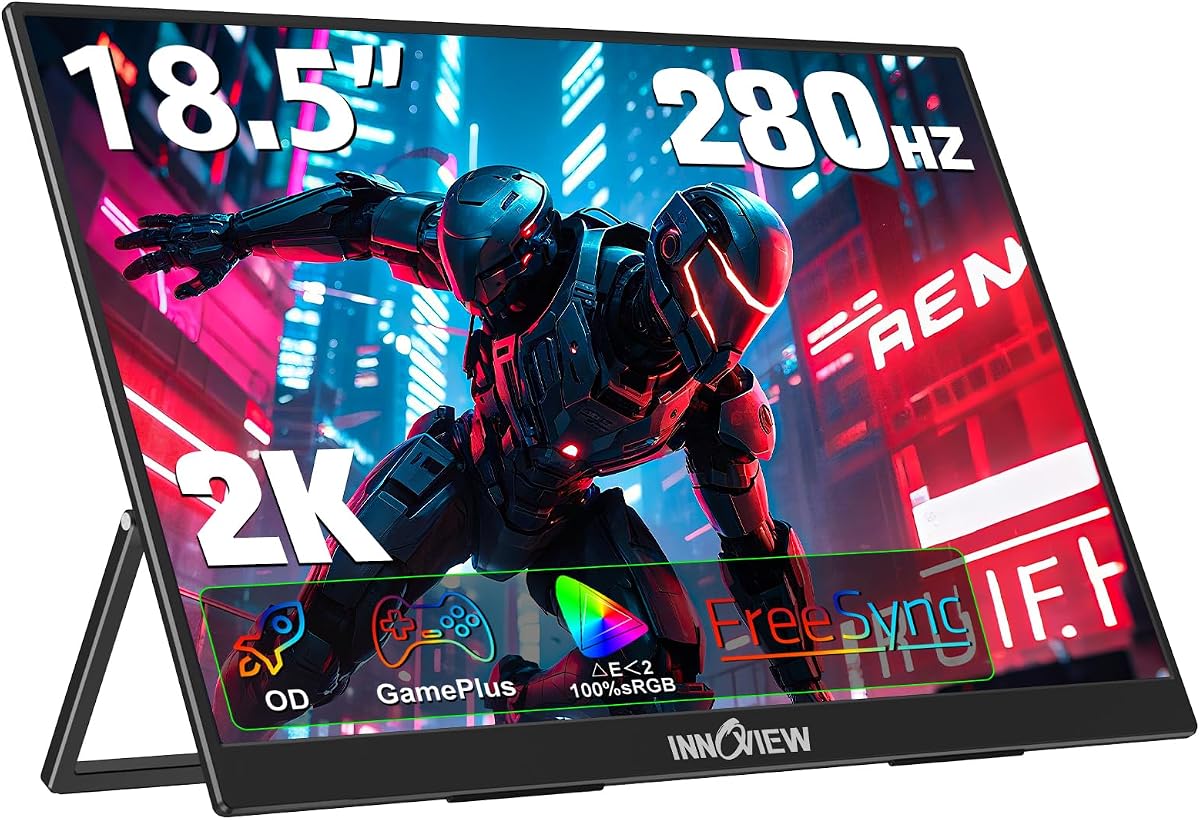
This InnoView model offers the fastest refresh rate on our list. The 280Hz rate is perfect for competitive shooters. The 2K resolution adds sharpness to the game visuals. It is built for speed and clarity.
We may earn a commission when you buy through this link, at no additional cost to you.
The GamePlus feature adds customizable crosshairs for FPS games. The HDR support enhances color contrast. The 16.7 million colors bring scenes to life. It works well for both work and play.
Getting the full 280Hz requires a device that can push that speed. Not all laptops or consoles do. The power supply note is important as flickering can occur if power is low.
If you have a high-end device and want speed, pick this one. It is a great companion for gaming on the go. The mounting options make it easy to fit into any space.
Customizable crosshairs help with aiming. The FPS game mode optimizes visibility.
The 280Hz rate ensures smooth motion. This gives you a competitive edge in games.
We may earn a commission when you buy through this link, at no additional cost to you.
ViewSonic is known for quality displays. This model is light and slim for easy travel. The 144Hz refresh rate is smooth for gaming. It uses a single USB-C cable to reduce clutter.
We may earn a commission when you buy through this link, at no additional cost to you.
The 60W two-way power keeps your device charged. The included cover protects the screen. The kickstand supports portrait and landscape modes. It is great for a mobile workstation.
The 15.6 inch screen is smaller than others. The 1080p resolution is standard but not QHD. For some users, this size is preferred for fitting in small bags.
Choose this if you value brand reliability and portability. It is excellent for nomads who need a screen on the move. The setup is simple and the cable management is great.
A single USB-C cable handles power and data. This reduces the number of cables you need.
At just 1.5 lbs, it is easy to carry. The slim profile fits in any backpack.
We may earn a commission when you buy through this link, at no additional cost to you.
The ARZOPA Z1FC offers great performance for the price. The 144Hz refresh rate makes games smooth. The 106% sRGB ensures colors are vivid. It is a top choice for budget-conscious buyers.
We may earn a commission when you buy through this link, at no additional cost to you.
The 16.1 inch size is balanced for travel. It works well with Xbox and PS5. The built-in stand is easy to adjust. You can switch between vertical and horizontal modes.
It does not have adaptive sync which might cause tearing. The resolution is 1080p not QHD. However for the price it is a hard monitor to beat for casual gamers.
Buy this if you need a cheap and reliable screen. It is perfect for students or those new to portable gaming. The setup is simple and it works with many devices.
The price is very competitive. It offers high specs for less money.
The 106% sRGB gamut is strong. This gives you vibrant visuals.
We may earn a commission when you buy through this link, at no additional cost to you.
This SANSUI monitor is a desktop powerhouse. The 32 inch curved screen provides deep immersion. The 240Hz refresh rate is incredibly fast. It is perfect for a dedicated gaming setup.
We may earn a commission when you buy through this link, at no additional cost to you.
The 1500R curvature wraps around your view. The 125% sRGB color gamut is wide. The HDR technology adds depth to images. It supports VESA mounting for flexible positioning.
It is not portable so it is for home use. The lack of speakers means you need external audio. But for visual performance on a desk, it is a top choice.
Choose this if you want a large desktop experience. It is great for FPS and racing games. The high refresh rate ensures no lag in your gameplay.
The curved screen wraps your vision. This makes you feel inside the game.
The 240Hz rate is great for speed. It keeps your view smooth and clear.
We may earn a commission when you buy through this link, at no additional cost to you.
The 24 inch version of the SANSUI curved series is smaller. It fits well on many desks. The 160Hz refresh rate is smooth for gaming. The curvature adds a modern feel to your setup.
We may earn a commission when you buy through this link, at no additional cost to you.
There are multiple game modes for different genres. The HDR support enhances image quality. The black level adjustment helps in dark scenes. It is a strong choice for casual gaming.
It does not have speakers so audio is separate. The VA panel has good contrast but slower response than IPS. Still, the price makes it a great value for desktops.
Buy this if you want a smaller curved screen. It is great for limited desk space. The warranty and support from SANSUI add peace of mind.
Game modes adjust settings for specific titles. This optimizes the experience for FPS or movies.
The 1500R curve focuses your view. It helps keep your eyes on the center.
We may earn a commission when you buy through this link, at no additional cost to you.
This UPERFECT monitor uses QLED for better color. The 100% DCI-P3 coverage is a plus for creators. The 2K resolution is sharp on an 18 inch screen. The brightness is strong for any room.
We may earn a commission when you buy through this link, at no additional cost to you.
The 400 nits brightness ensures visibility. The ultra-slim design is easy to carry. The bezel is very thin for a modern look. It includes FreeSync for smoother gameplay.
You need a 30W adapter for full performance. This adds a small cost to the setup. The price is higher than standard portable screens.
Choose this if you care about color and brightness. It is great for designers and gamers. The screen quality is premium and stands out from others.
The 100% DCI-P3 coverage is great. This is a pro-level color range.
The 400 nits rating is high. It makes the screen pop in light.
We may earn a commission when you buy through this link, at no additional cost to you.
The Samsung Odyssey G55C is a premium desktop monitor. The 1000R curvature is the deepest and most immersive. The QHD resolution provides razor-sharp visuals. It is a top tier choice.
We may earn a commission when you buy through this link, at no additional cost to you.
The Eye Saver Mode reduces blue light. The HDR10 support adds depth. The FreeSync keeps everything smooth. The 165Hz refresh rate is fast for action.
It is not portable so it is for a home setup. The price is higher due to the brand and quality. But the visual fidelity is unmatched in its class.
Buy this if you want a high-end home monitor. It is perfect for long gaming sessions. The comfort features and image quality are top notch.
The 1000R matches your eyes. It draws you into the screen.
The Eye Saver Mode helps your eyes. It reduces strain over time.
We may earn a commission when you buy through this link, at no additional cost to you.
This Dell monitor has a high customer rating. The IPS panel ensures wide viewing angles. The 144Hz refresh rate is good for gaming. The 1ms response time helps with lag.
We may earn a commission when you buy through this link, at no additional cost to you.
The TÜV 3-Star certification helps your eyes. The thin bezels maximize the view. It is built with quality in mind. It works well for both work and play.
The stand does not adjust height which is a limit. It is for desktop use only. But the reliability and color are excellent.
Choose this if you trust a major brand. It is great for a reliable desk setup. The high rating shows customer satisfaction.
The IPS panel keeps colors true. You can view from any side.
The eye comfort certification is helpful. It reduces strain for long use.
We may earn a commission when you buy through this link, at no additional cost to you.
Choosing a monitor that works without a PC requires looking at specific factors. This guide breaks down what you should consider.
Refresh rate is how many times the screen updates per second. A higher rate like 144Hz or 240Hz means smoother motion in games. Look for at least 144Hz for gaming.
Aim for 144Hz or higher for the best experience.
Resolution defines the clarity of the image. QHD or 2K is sharper than 1080p but requires more power. For portable screens, 1080p is often enough to save battery.
Choose QHD if your device can support it.
Check the ports to ensure they match your console or phone. USB-C and HDMI are the most common. Make sure the monitor can receive video and power easily.
Confirm your device has the right ports.
IPS panels offer better colors and viewing angles. VA panels have higher contrast which is good for dark scenes. TN panels are fast but have poorer colors.
Prefer IPS for vibrant colors and wide angles.
If you travel, weight and size matter. Smaller screens like 16 inches fit in backpacks. Larger screens give more space but are heavier to carry.
Pick a size that fits your travel habits.
Many portable monitors need extra power. Some run on USB-C power but others need a wall adapter. Check if your power bank can supply enough watts.
Ensure your power source is strong enough.
Some monitors come with stands while others need VESA mounting. A stand allows you to place it on a table easily. VESA allows wall or arm mounts for flexibility.
Look for VESA if you want wall mounting.
Long gaming sessions can hurt your eyes. Look for features like low blue light and flicker-free technology. This helps keep your vision comfortable.
Select a model with eye care features.
First connect the monitor to your device using a USB-C or HDMI cable. If the device is not enough power you may need to connect a charger to the monitor.
Next adjust the stand or mount to your viewing height. Ensure the screen is at eye level to reduce neck strain during play.
Finally wipe the screen with a soft cloth to keep it clean. Do not use harsh chemicals. This will prolong the life of the display.
Yes many of these monitors connect to phones via USB-C. You can play games from your phone directly. Check that your phone supports video out.
No most work with laptops, consoles, or phones. They are designed to be standalone displays. A PC is optional depending on your setup.
Many use USB-C power. Some require a wall adapter for full brightness. Always check the wattage needs before buying a power bank.
Yes 144Hz is smooth for most games. Higher rates like 240Hz help in competitive shooters. But 144Hz is a great balance.
Absolutely. They act as second screens for laptops. You can type or read comfortably on them.
This often means the power is too low. Add an extra power source or use a stronger adapter.
We reviewed ten great options from portable to desktop. Each offers a unique set of features for your needs.
Consider your budget and how you plan to use it. The top picks are solid starting points for any gamer.
Prices change often so check the current deals before you buy.