
Time Clock for Small Business H4
4.8Editor score
Standalone operation
Three verification methods
No monthly fees
Discover the top fingerprint time clocks for employees. We compare features, security, and ease of use to help you find the best attendance tracking solution.
Choosing the right attendance tracking system is crucial for modern businesses. Fingerprint time clocks offer secure and efficient ways to manage employee hours without the hassle of paper cards or manual entry errors.
We evaluated ten top-rated models based on their recognition speed, data security, and user interface. Our analysis covers both standalone and cloud-connected options to suit various business sizes and needs.
Each selection highlights unique strengths like battery backup or app control. Prices and availability may fluctuate, so verify current details before purchasing to ensure you get the best value for your team.
4.8Editor score

4.6Editor score

4.4Editor score
This side-by-side comparison highlights the core specifications and capabilities of each ranked device to help you make an informed decision for your workplace.



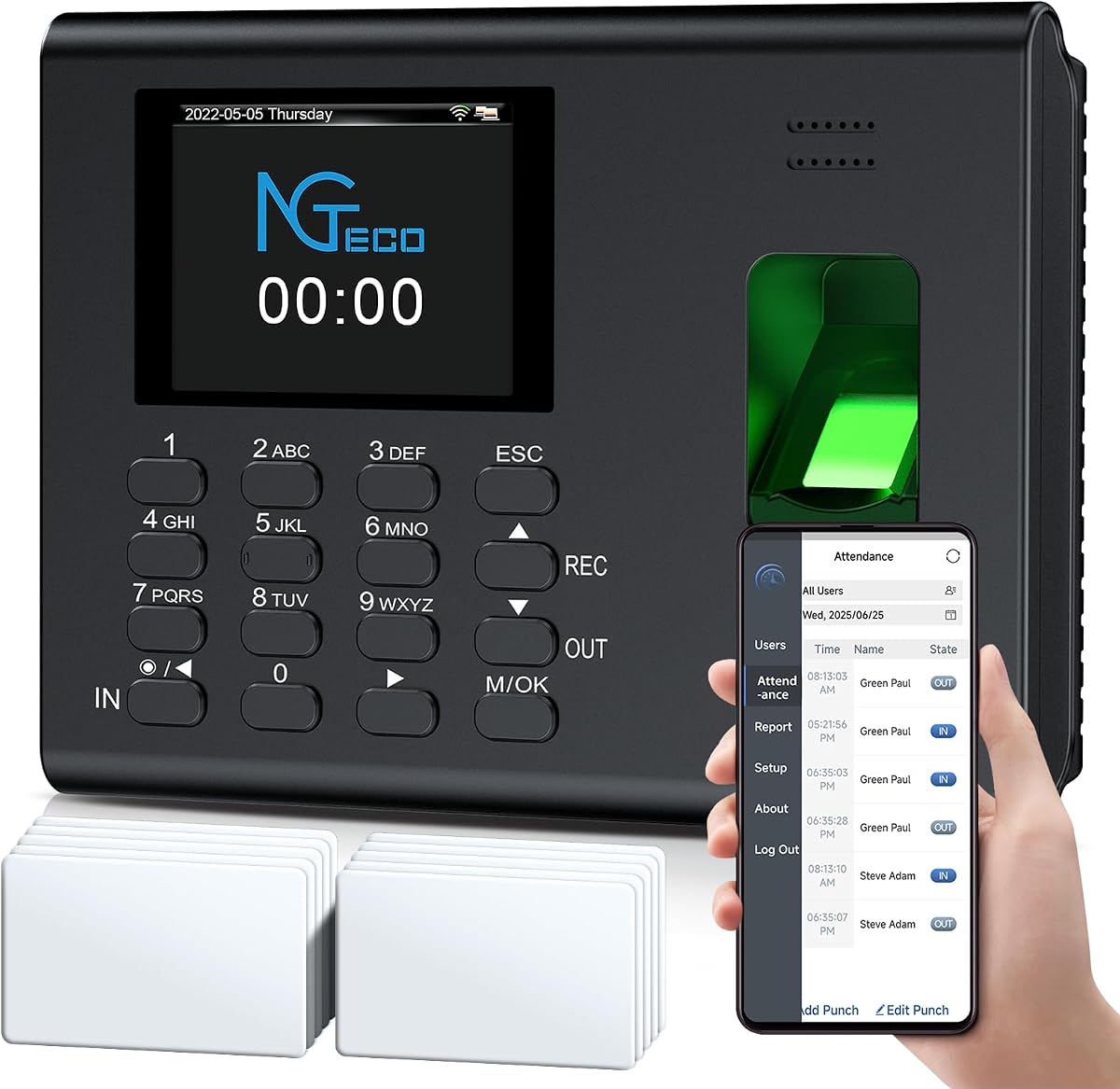
The NGTeco Time Clock stands out as a top choice for small businesses seeking reliable attendance tracking. With a high user rating, it combines speed and security effectively. Its advanced sensor handles wet or dry fingerprints in under a second.
We may earn a commission when you buy through this link, at no additional cost to you.
Key strengths include streamlined scheduling and auto time tracking. The system calculates work hours effortlessly and syncs punches in real-time via the app. This reduces administrative tasks and ensures accurate records for payroll processing.
Some users may find the local network requirement a minor hurdle. However, this ensures secure data transfer. The backup system protects records during power outages, maintaining reliability even when connectivity is lost temporarily.
Ideal for businesses needing quick and secure clock-ins. The US-based support adds peace of mind. This model is recommended for teams wanting a balance of ease and advanced features without complex setups.
The device manages shifts including overnight schedules with auto calculations. This simplifies admin tasks and ensures real-time punch detection for accurate records.
Track hours align with any payroll cycle. Export timesheets via email or USB. Integrated backup safeguards records during power outages to minimize disruptions.
We may earn a commission when you buy through this link, at no additional cost to you.
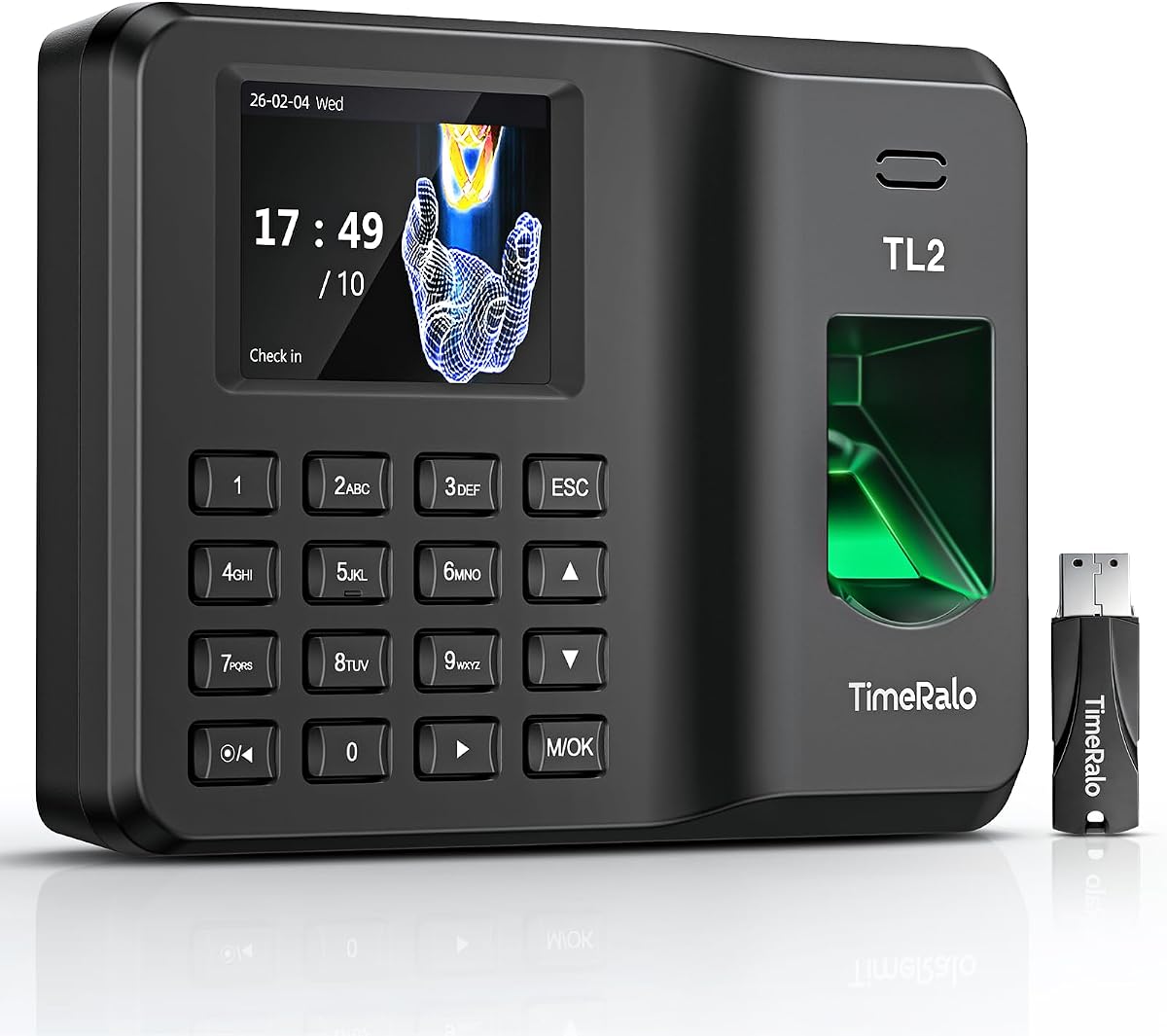
This standalone unit is perfect for businesses without network infrastructure. It starts quickly with minimal setup. The USB drive allows easy data transfer for payroll integration without extra software.
We may earn a commission when you buy through this link, at no additional cost to you.
It supports up to 500 user profiles and 50,000 records. This makes it scalable for expanding small businesses. The paperless design eliminates waste and manual entry errors efficiently.
The lack of app features might limit remote managers. However, the internal backup system ensures data remains secure even if power fails. This reliability is crucial for consistent operations.
Best for teams prioritizing simplicity and durability. The compact design fits anywhere. It is a cost-effective solution for offices or warehouses needing independent time tracking without monthly fees.
Get started in minutes with no WiFi. Export attendance data via USB with ready-to-use Excel reports. Fully independent tracking simplifies setup.
Onboard memory supports up to 500 user profiles and records. Built with industrial-grade materials for daily durability in any workplace environment.
We may earn a commission when you buy through this link, at no additional cost to you.
This model offers a straightforward way to track time without digital overhead. Setup takes minutes and requires no internet. The USB flash drive provides a simple bridge for data management.
We may earn a commission when you buy through this link, at no additional cost to you.
It stores up to 500 fingerprints and handles shifts well. The paperless feature helps businesses save on supplies. Data remains safe during power outages thanks to the built-in backup system.
The interface is basic which may not suit complex needs. But it prevents buddy punching effectively. Its durability ensures it lasts in various environments like factories or schools.
Ideal for small businesses wanting low maintenance. The flexible installation options add convenience. It is a green office upgrade that delivers precise instant records without hidden costs.
No WiFi or monthly fees needed. Set up in minutes for immediate use. Transfer attendance data effortlessly via USB flash drive with Excel reports.
Stores up to 500 fingerprints and 50,000 punch records. Backup system safeguards data during outages ensuring zero data loss and hassle-free use.
We may earn a commission when you buy through this link, at no additional cost to you.
This cloud-based device allows managers to track time remotely. The app and web portal offer real-time insights. Dual-band WiFi ensures fast connectivity without connection lags.
We may earn a commission when you buy through this link, at no additional cost to you.
It supports flexible shift types and overtime rules. This automation simplifies payroll preparation. AWS cloud storage protects data with encryption and US server adherence to standards.
A separate subscription unlocks advanced features. While basic management is free, full access costs extra. The battery backup ensures continuous tracking during power cuts.
Best for businesses needing remote oversight. The detailed reports aid decision-making. It offers a modern solution with secure storage and easy integration into existing workflows.
Manage attendance from anywhere via app or web. Dual-band WiFi delivers fast stable connectivity for uninterrupted performance and smooth operations.
AWS cloud storage with end-to-end encryption keeps data safe. Configure overtime rules to compute hours automatically for payroll-ready data.
We may earn a commission when you buy through this link, at no additional cost to you.
The uAttend system offers a robust all-in-one solution. It handles fingerprint, RFID, and PIN entries efficiently. The cloud-based design allows real-time data access from any device.
We may earn a commission when you buy through this link, at no additional cost to you.
It simplifies payroll tasks and tax filings. The interface is user-friendly for new and tech-savvy users. In-depth reporting provides valuable insights into productivity and labor costs.
The subscription model means ongoing costs. Some users may find the rating lower due to service dependencies. But the automatic backup gives peace of mind for data security.
Best for those needing integrated payroll help. It automates tax filings and data entry. It suits growing businesses needing comprehensive tracking and reporting features in one system.
Makes time tracking effortless with cloud-based power. Automate payroll and tax filings with ease for business efficiency and accurate records.
View and manage attendance in real-time from any device. Automatic cloud backups keep employee data secure and always available when needed.
We may earn a commission when you buy through this link, at no additional cost to you.
This clock earns top marks for value and ease of use. It works fully standalone without complex setups. The high rating reflects reliable performance for small and medium businesses.
We may earn a commission when you buy through this link, at no additional cost to you.
It calculates hours automatically and supports night shifts. The three verification methods prevent buddy punching. Multi-language options help diverse teams switch preferences easily.
Without remote access, on-site management is needed. But local storage ensures privacy. The backup system protects data during power outages effectively.
Ideal for budget-conscious buyers needing secure tracking. It eliminates paper cards and ink supplies. This model is perfect for offices or factories needing straightforward and reliable attendance management.
Ready to use in minutes with no technical knowledge. Complete setup quickly with step-by-step tutorials. Automatic hours calculation eliminates manual errors.
Offers fingerprint RFID card and PIN verification. Backup system protects records during power outages without resetting the device for reliable operation.
We may earn a commission when you buy through this link, at no additional cost to you.
This clock handles complex workflows well with its cloud tools. It offers free core features like auto calculations and reports. Flexible shifts suit part-time and multi-department teams.
We may earn a commission when you buy through this link, at no additional cost to you.
Security is robust with AWS servers and encryption. Offline mode ensures no data loss during network issues. Multi-language support aids international workforces effectively.
Full features require a subscription which adds cost. The lower rating might reflect software updates. But the core functionality remains accessible for many businesses.
Best for teams needing adaptable scheduling. The compliance features add value. It is a good fit for businesses wanting remote tools without paying for every module.
Fully flexible shift configs suit all team structures. Powered by AWS US servers with end-to-end encryption for compliant data storage.
Supports offline punch capture syncing automatically. Includes free core features with lifetime technical support for reliable daily use.
We may earn a commission when you buy through this link, at no additional cost to you.
This device empowers staff to check their own hours. The app allows real-time access to records without delays. It simplifies admin tasks and boosts transparency for employees.
We may earn a commission when you buy through this link, at no additional cost to you.
Smart scheduling handles cross-day shifts easily. The auto calculations reduce manual entry errors. Reports are sent directly via email for easy processing.
Without face scan, it may suit smaller teams. But the offline mode ensures tracking during network drops. Setup is fast with minimal technical expertise required.
Best for reducing admin burdens and increasing transparency. It suits high-turnover teams well. This model offers a user-friendly upgrade from traditional paper systems.
Staff view timesheets on phone without approval needed. Remote access lets you view correct attendance via mobile app easily.
Built-in intelligence calculates hours and overtime. Auto-generates visual reports for pay periods sent directly to email to reduce paperwork.
We may earn a commission when you buy through this link, at no additional cost to you.
This premium model combines high tech with user convenience. The touchscreen offers an intuitive experience. Facial recognition adds speed for teams needing quick entry.
We may earn a commission when you buy through this link, at no additional cost to you.
Remote access allows managers to adjust schedules on the go. Dual-band WiFi ensures uninterrupted operation. The system supports complex overtime rules and night shifts.
The cost is higher than basic units. But the premium features justify the investment for large teams. AWS storage maintains high security standards.
Best for modern offices wanting the best user experience. It streamlines the punch process effectively. This device offers top-tier connectivity and security for professional environments.
Stay connected anytime via web or mobile apps. 4 flexible punch methods include fast facial recognition for efficient secure clock-ins.
Dual-band WiFi ensures smooth uninterrupted operation. Secure AWS storage protects attendance records with end-to-end encryption.
We may earn a commission when you buy through this link, at no additional cost to you.
This unit is reliable for environments with unstable networks. The battery ensures continuous operation during outages. It combines fingerprint PIN and card modes to prevent buddy punching.
We may earn a commission when you buy through this link, at no additional cost to you.
Data syncs automatically when network recovers. The app allows remote management on the same network. Full paperless operation helps reduce recurring supply costs.
Network dependency might be a limit for some. But the backup battery and offline sync reduce that risk. It supports large staff needs well.
Best for teams needing offline resilience. The durable construction fits high-frequency use. It offers a cost-effective solution for secure and reliable attendance management.
Features fingerprint PIN and card recognition. Real-time alerts eliminate manual errors and ensure precise hour calculation and fair payroll.
Built-in 2000mAh backup battery supports offline recording. Full paperless operation cuts costs with zero hidden fees for long-term usage.
We may earn a commission when you buy through this link, at no additional cost to you.
Selecting the right clock depends on your business size and network capabilities. Consider these factors to match the device to your operational needs.
Standalone devices work without internet using USB for data transfer. Cloud options offer remote access via apps or portals for managing attendance from anywhere. Choose standalone for offline needs or cloud for real-time oversight.
If you need remote management choose cloud connectivity. If network access is limited standalone units provide reliable offline operation.
Most clocks offer fingerprint scanning for security. Some include PIN, RFID card, or face recognition. Multiple methods reduce buddy punching and help employees choose the fastest entry.
Prioritize models with multiple methods if you need flexibility. Fingerprint is standard but adding PIN or card helps if fingers are wet.
Check how many fingerprints and records the device holds. Options range from 200 to 500 users. Ensure the capacity matches your current staff size plus future growth.
Select a unit that exceeds your current staff count. This prevents data limits from forcing an early upgrade.
Look for backup systems that save records during power outages. Cloud storage adds security with encryption. Local backup ensures data stays safe even if the server is offline.
Always confirm the device has battery backup. Losing attendance data can lead to payroll errors and disputes.
Some systems generate Excel reports directly via USB. Others need apps for exports. Detailed reports save time on payroll calculations and reduce manual data entry.
Ensure the export method suits your workflow. USB is simple while apps offer more dynamic visualization.
US-based support helps resolve issues quickly. A one-year warranty covers defects and hardware failures. Reliable customer service reduces downtime during technical glitches.
Check warranty terms before buying. Good support ensures your business runs smoothly even if setup is difficult.
Advanced units support rotating or night shifts easily. Basic models may treat all hours as standard. Complex schedules need systems that can distinguish between day and night.
Choose a clock with configurable rules if you run 24/7 operations. This automates overtime tracking and prevents schedule errors.
Most devices are plug and play with wall mounts. Simple setups reduce IT costs. Consider if you need a desk or wall installation for your office space.
Opt for models with clear manuals and tutorials. Quick deployment gets your team clocking in faster without delays.
Start by placing the clock in a central location accessible to all staff. Follow the manual to register employee fingerprints or PINs. Ensure the sensor is clean for accurate detection.
Train your team on how to punch in and out properly. If using a cloud device connect it to stable WiFi. Check logs regularly to verify entries are correct.
Protect the unit from dust and moisture to maintain sensor quality. Use the backup battery feature to avoid data loss during outages. Clean the screen gently with a soft cloth when needed.
Not all models need internet as some are standalone and use USB for data. However cloud models need WiFi for remote access. Standalone units work offline making them ideal for locations without stable networks.
Yes most modern clocks use unique biometric data like fingerprints to ensure each punch is valid. Some add PIN or card options to increase security. This makes it hard for one person to clock in for another.
Standalone units export data via USB as Excel files. Cloud models allow email export or portal downloads. These files integrate easily with payroll software to automate calculations and reduce errors.
Most devices have built-in backup batteries that save data during outages. Once power returns the clock resumes normal operation. This ensures no attendance records are lost and the system remains functional.
Cloud-based models often allow staff to view their hours on mobile apps. Standalone units usually require admin access. This transparency helps employees verify their hours and reduces admin queries.
Most offer standard file formats like CSV or Excel for integration. Some have specific partners but manual import is common. Always check compatibility with your current software before purchasing the clock.
Capacity varies by model typically supporting between 200 and 500 users. Larger businesses may need multiple units. Check the user limit in specs to ensure it fits your team size.
Many standalone units require no subscription as data is stored locally. Some cloud options have free tiers but charge for advanced features. Always review the pricing model to avoid unexpected costs.
We highlighted top models like the NGTeco Time Clock for its balanced features and the H4 for budget reliability. Each device offers unique strengths tailored to different business sizes.
Prioritize data security and shift flexibility when selecting. Cloud models suit remote managers while standalone options work best for limited network access.
Prices and availability fluctuate so check current listings before finalizing. This ensures you secure the best value and features for your team.