
10Gb PCIe NIC Network Card Intel 82599EN
4.5Editor score
Genuine Intel 82599EN silicon
No vendor lock on SFP+ cage
Plug and play on Proxmox
This guide compares the top ten Fiber Optic Network Interface Card models for speed, compatibility, and reliability in home and professional network setups.
Modern networks demand speed and reliability that copper cables often struggle to provide. A Fiber Optic Network Interface Card enables high bandwidth connections essential for servers, NAS units, and professional workstations requiring robust data transfer capabilities.
We evaluated ten leading models based on chipset performance, interface compatibility, and feature sets. Each product was assessed for real world utility in virtualization, storage, and high throughput environments to ensure accurate recommendations.
Each pick highlights core strengths, trade offs, and ideal use cases for different users. Prices fluctuate regularly, so verify current listings before purchasing. This guide helps you select the right hardware for your specific infrastructure needs today.
4.5Editor score
4.9Editor score

5.0Editor score
The following table provides a side-by-side comparison of all ten reviewed products. It outlines critical specifications, connectivity options, and primary use cases to help you quickly identify the most suitable adapter for your infrastructure requirements.


The Mellanox CX4121A stands out as a top choice for users needing extreme network speeds. With a rating of 4.9, it delivers reliable dual 25GbE connectivity using the proven ConnectX-4 Lx controller.
We may earn a commission when you buy through this link, at no additional cost to you.
Its standout quality is support for RDMA over RoCE, which offloads network processing from the CPU. This makes it ideal for virtualization clusters, large scale storage, and high-performance computing workloads where latency must be minimized.
While it requires 25GbE SFP28 optics which can be pricier, the performance gain justifies the cost for professionals. The card auto-negotiates lanes and switches PCIe generations ensuring compatibility with most modern server motherboards.
Buy this card if you run data centers or demanding storage arrays. It provides future-proof speeds and enterprise-grade features at a competitive price point for high-speed networking hardware.
The card supports SR-IOV and advanced I/O virtualization allowing multiple virtual machines to access the network efficiently without host overhead.
It supports IEEE 802.3by and VLAN tagging ensuring seamless integration into complex network environments requiring specific standards compliance.
We may earn a commission when you buy through this link, at no additional cost to you.
This adapter offers incredible value by using genuine Intel 82599EN silicon at a budget-friendly price. It delivers sustained 10 Gigabit throughput perfect for NAS transfers and virtual machine migration without breaking the bank.
We may earn a commission when you buy through this link, at no additional cost to you.
A key advantage is the lack of vendor lock on the SFP+ cage. You can use third-party DAC twinax, AOC, or fiber optics without rejection. This flexibility significantly reduces ongoing costs compared to branded alternatives.
The passive heatsink design means it runs warm, so adequate case airflow is required. On Windows 11, driver installation may be needed manually. However, on Proxmox, TrueNAS, and ESXi, it works plug and play out of the box.
This is the smart choice for homelab enthusiasts and small businesses wanting enterprise reliability on a budget. It balances performance and flexibility better than most cheap cards in the market today.
The card supports iSCSI and FCoE storage protocols allowing direct connection to storage area networks with minimal configuration.
It supports Energy Efficient Ethernet to reduce power consumption during periods of low network activity.
We may earn a commission when you buy through this link, at no additional cost to you.
The StarTech 2-Port GbE SFP Network Card earns a perfect 5.0 rating for its robust build and reliable performance. It uses the Intel I350-AM2 chipset to add two flexible open SFP slots to desktops or servers.
We may earn a commission when you buy through this link, at no additional cost to you.
Its primary strength is the unlocked 1GB SFP slots which accept any MSA-compliant module. This enables longer fiber cable runs immune to EMI or copper DACC modules for short distances. The built-in heatsink ensures stable performance over long periods.
While it only supports Gigabit speeds it offers dual ports for link aggregation or redundancy which is rare at this price point. It is ideal for environments needing fiber flexibility rather than raw 10G speed.
Choose this card for IT manageability and versatility. It supports PXE boot VLAN tagging and SR-IOV making it a strong fit for virtualized servers needing dependable connectivity without overpaying for speed.
Having two ports allows for network redundancy or link aggregation ensuring uptime even if one cable fails.
Compatible with Windows Server Linux VMware and Hyper-V ensuring it works across most enterprise environments.
We may earn a commission when you buy through this link, at no additional cost to you.
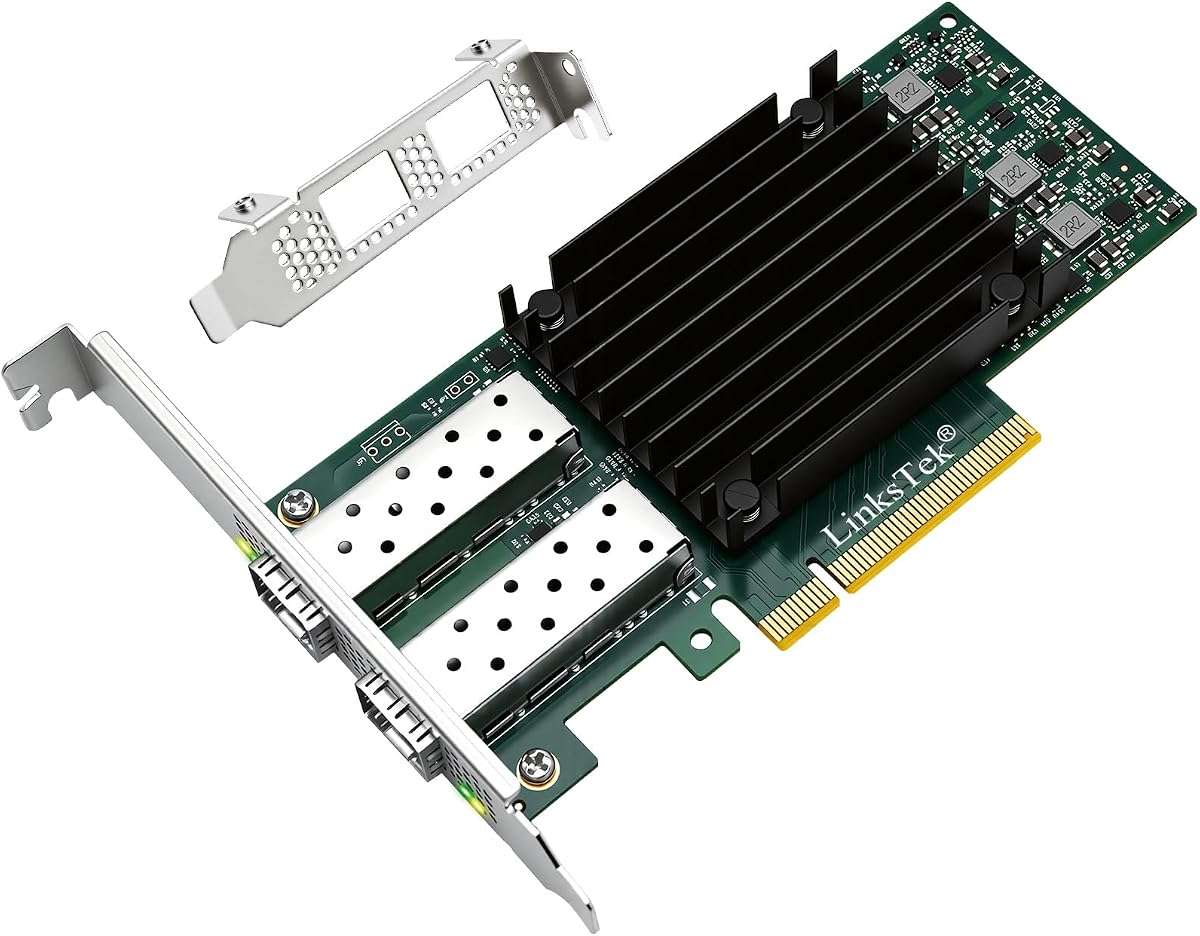
The LinksTek X520-DA1 provides stable unified 10Gb/s LAN and SAN connectivity for data centers and desktop PCs. It uses the Intel 82599ES controller which is a staple in high-performance networking hardware.
We may earn a commission when you buy through this link, at no additional cost to you.
Its standout features include advanced traffic management and SR-IOV support making it suitable for virtualization. It delivers low latency which benefits 4K streaming gaming and high speed storage applications equally.
Users should note that drivers must be installed on Windows 10 and 11. Also the card requires 10GbE SFP+ transceivers or DAC cables which are not included. However the performance and feature set justify these minor setup steps.
This card is perfect for gamers needing fast local storage or IT admins managing NAS units. It offers professional grade features at a consumer-friendly price point with flexible bracket options.
Receive Side Coalescing and Intel Ethernet Flow Director help optimize data flow reducing CPU load during heavy usage.
Support for Flexible Port Partitioning allows for better resource allocation in virtual environments.
We may earn a commission when you buy through this link, at no additional cost to you.
Asus brings sleek design to networking with the XG-C100F adapter. It offers 10 Gbps speeds which are ten times faster than standard Gigabit Ethernet for rapid file transfers and streaming.
We may earn a commission when you buy through this link, at no additional cost to you.
Its standout quality is the built-in aluminum heatsink which keeps the card cool during high performance tasks. This passive cooling design reduces noise and maintains sustained throughput without fan interference.
Automatic prioritization ensures bandwidth goes to important streams or games when needed. While it costs more than generic alternatives the build quality and QoS features provide a polished experience for demanding users.
Buy this if you value aesthetics and reliable performance. It suits desktops and high-end PCs where temperature control and smooth data flow are priorities for daily computing and media consumption.
The stylish aluminum heatsink ensures the component stays within optimal temperature ranges during heavy network usage.
The SFP+ cage supports both fiber optic and direct-attach copper connections for flexible cable management.
We may earn a commission when you buy through this link, at no additional cost to you.
The 10Gtek 10Gb PCI-E NIC leverages the Intel 82599EN controller to provide high-quality virtualization support. It focuses on server environments needing stable connectivity for Linux and Windows Server.
We may earn a commission when you buy through this link, at no additional cost to you.
A key strength is the full I/O virtualization support which enhances server stability. The single SFP+ port connects directly to 10 Gigabit modules or cables making it compact and efficient for rack setups.
Note that it strictly supports 10G speeds without auto-negotiating to slower rates like 1G or 2.5G. Also hot swapping is not supported. However the 3 year warranty and lifetime tech support provide long-term peace of mind.
This is the ideal choice for dedicated servers where 10G throughput is mandatory. The Intel chipset ensures compatibility and reliability for businesses and enthusiasts alike.
Original controller components ensure consistent performance under load without unexpected drops or errors.
Lifetime technology support and a three-year warranty cover potential hardware issues effectively.
We may earn a commission when you buy through this link, at no additional cost to you.
This card utilizes the Realtek RTL8127 controller to offer a Gen4 interface which is faster than older Gen2 cards. It provides 10Gb/s speeds ideal for modern computing needs.
We may earn a commission when you buy through this link, at no additional cost to you.
A standout feature is the QR code for quick driver downloads simplifying setup. The wide PCIe x1 compatibility ensures installation on most computers including those with limited slots.
Be aware it supports Linux Kernel up to 6.15 and lacks ESX/ESXi compatibility. However for Windows users and modern desktops it offers excellent stability and diagnostics functions for reliable daily use.
Buy this if you need a modern interface without paying a premium. It balances cost and performance effectively for users seeking 10G speeds on standard hardware.
The integrated QR code allows users to scan and access drivers immediately without hunting online.
Exclusive RealWoW technology enhances stability and enables wake-up functions for remote access.
We may earn a commission when you buy through this link, at no additional cost to you.
This adapter includes an Intel 82599EN chip for reliable high-speed performance. It stands out by including a multimode optical module which saves immediate purchase of extra hardware.
We may earn a commission when you buy through this link, at no additional cost to you.
The card offloads TCP/UDP/IP checksums to free up CPU resources. This improves throughput significantly for heavy tasks like video rendering or large data transfers. The gold-plate fingers ensure reliable contact to prevent sudden disconnection.
While it lacks a user rating the included optics add value. The PCIe X1 interface fits most slots and supports multiple bracket sizes for various case types. It adapts well to different cable ports including single mode and active optical cables.
Choose this for industrial PCs or workstations needing fiber connectivity. The included module and stable chip make it a practical choice for professional applications.
Hardware checksum offloading reduces CPU usage allowing the processor to focus on application tasks.
Gold-plated fingers provide antioxidant protection and stronger physical contact for longevity.
We may earn a commission when you buy through this link, at no additional cost to you.
The TP-Link TX401 uses 10GBase-T technology to deliver 10 Gbps speeds over copper cables. It is ideal for users wanting fiber speeds without changing to SFP+ optics.
We may earn a commission when you buy through this link, at no additional cost to you.
A major strength is the included 1.5m CAT6A cable rated for 10 Gbps performance. This convenience ensures you have the right cabling ready out of the box. QoS prioritization helps gamers avoid congestion during heavy downloads.
It negotiates down to lower speeds on older switches but works best with modern hardware. While copper has slightly higher latency than fiber it is easier to manage in standard office environments.
Buy this if you prefer RJ45 connectivity and want a hassle-free setup. The included cable and brackets make it a convenient upgrade for existing desktop and network infrastructures.
The included CAT6A cable ensures immediate compatibility and performance without extra purchases.
Prioritized performance features ensure smooth gaming and streaming experiences even on busy networks.
We may earn a commission when you buy through this link, at no additional cost to you.
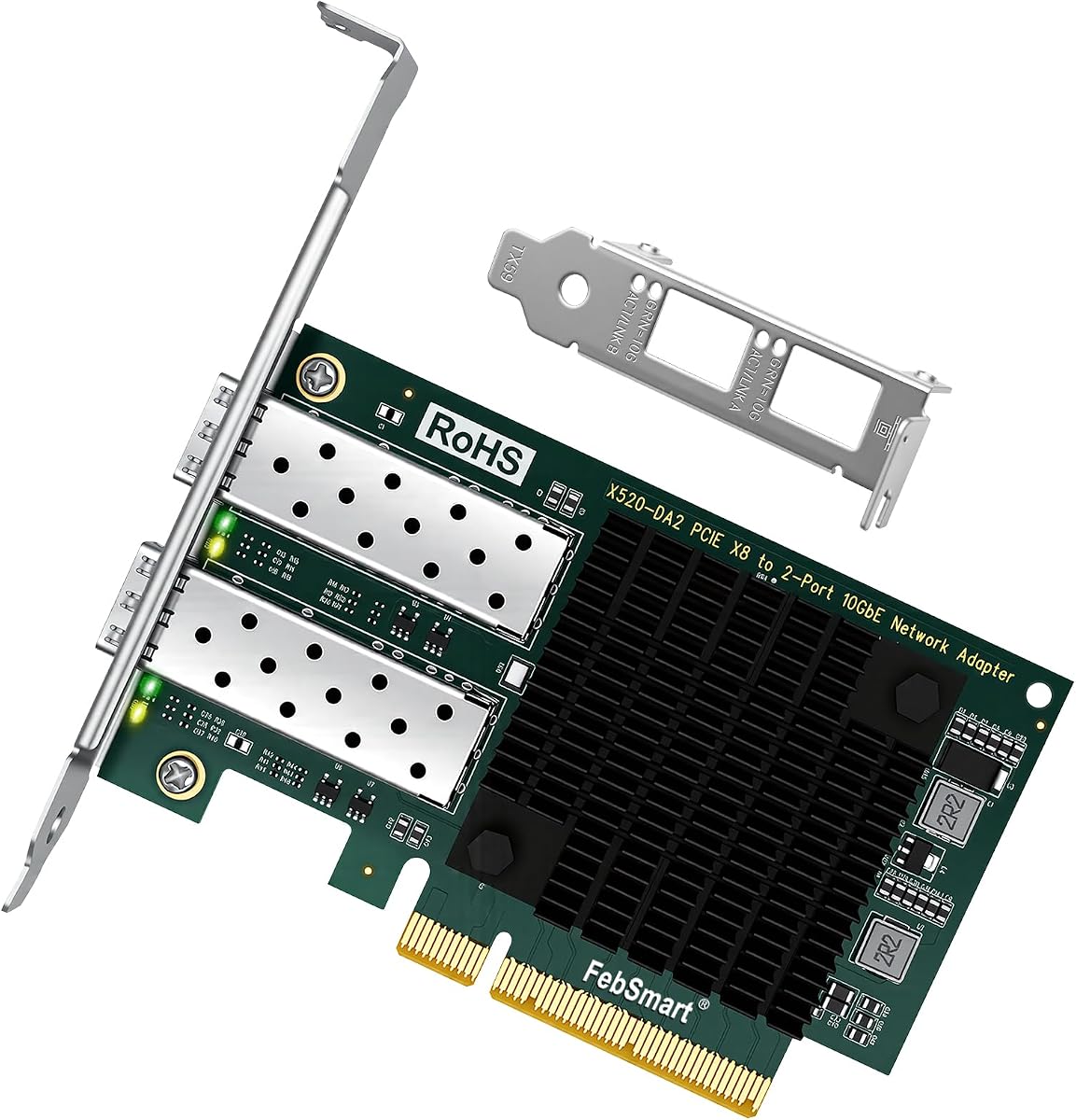
The FebSmart X520-DA2 delivers stable 10Gb/s LAN and SAN connectivity using dual 10GbE SFP+ ports. It is powered by the Intel 82599ES 2x controller for high performance in virtualization environments.
We may earn a commission when you buy through this link, at no additional cost to you.
Its standout quality is the 40 Gbps total bandwidth capacity which ensures full-duplex connections without bottlenecking. The card supports storage over Ethernet protocols like FCoE for efficient data center operations.
Users need to source their own SFP+ transceivers or DAC cables separately. The PCIe x8 interface provides ample bandwidth but requires a compatible slot on the motherboard. It supports a wide range of operating systems including Linux and FreeBSD.
Choose this card for virtualized servers needing dual high-speed links. It offers excellent value for redundancy and storage performance in professional networking setups.
Two independent 10GbE ports allow for failover setups ensuring continuous uptime during maintenance or failure.
Support for FCoE enables high-speed storage access directly over the Ethernet connection.
We may earn a commission when you buy through this link, at no additional cost to you.
Selecting the right network interface card depends on your specific speed requirements, existing hardware, and operational needs. This guide covers essential factors to consider for informed purchasing.
Determine whether you need 1 Gigabit, 10 Gigabit, or 25 Gigabit speeds based on your network infrastructure. Higher speeds require compatible switches and cabling but ensure future readiness for data heavy tasks.
Prioritize bandwidth that matches your server or NAS capabilities to avoid bottlenecks.
Choose between SFP+, SFP28, or 10GBase-T connectors. SFP+ allows flexible use of fiber or DAC cables while 10GBase-T uses standard RJ45 copper. Ensure your motherboard supports the PCIe lane requirements.
Match the connector type to your existing cables to avoid additional purchase costs.
Intel chipsets like 82599EN are reliable for Linux and virtualization. Realtek may offer cost savings but sometimes lack enterprise features. Verify driver support for your OS before buying.
Stick to well-known chipsets for long term stability across platforms.
Look for SR-IOV support if you run virtual machines. This allows multiple VMs to share the physical NIC efficiently improving performance in virtualized environments.
Ensure the card supports your specific hypervisor like VMware ESXi or Proxmox.
Check if the card includes low-profile and full-height brackets. This flexibility allows installation in small form factor PCs as well as standard tower cases.
Confirm the physical dimensions fit your chassis to avoid mounting issues.
Some branded cards reject third party optics. Choose cards with unlocked SFP cages to save money on optical modules and transceivers.
Open compatibility ensures you can use generic parts easily.
High speed cards generate heat. Passive heatsinks work well with case airflow but silent builds may need fans. Check thermal specs to prevent throttling.
Ensure your system has adequate ventilation for sustained performance.
Verify driver availability for Windows Server, Linux, or FreeBSD. Some cards require manual driver installation on client OS like Windows 10 or 11.
Official support simplifies deployment and troubleshooting.
First ensure your motherboard has a compatible PCIe slot such as x4, x8, or x16. Insert the card firmly and secure it with the bracket. If using a low-profile bracket replace it with the full height one for standard cases.
Install the appropriate drivers for your operating system. For Intel cards use the official Intel Ethernet Adapter Complete Driver Pack. Check compatibility with Linux or virtual environments like ESXi for plug and play support.
Maintain optimal performance by keeping the card clean from dust. Ensure case fans provide airflow around the heatsink. Use high quality fiber or DAC cables rated for the card's speed to avoid data errors.
Yes they require compatible switches that support the same port speed such as 10GbE or 25GbE. Ensure the switch uses matching transceivers or fiber types to establish a stable connection.
SFP+ supports speeds up to 10 Gbps while SFP28 supports up to 25 Gbps. They are physically similar but SFP28 modules are needed for higher bandwidth applications.
Most modern cards auto-negotiate to lower speeds if connected to a slower switch. However you must use cables rated for at least 1G or 10G speeds to avoid data loss.
Server OS like Linux Server or VMware often have built-in drivers. Desktop OS like Windows 10 or 11 may need manual installation. Always check product compatibility lists.
Many models support popular NAS OS like TrueNAS and Synology. Verify if the card is plug and play or requires driver installation before purchase.
Fiber offers longer reach and immunity to interference but costs more. Copper is easier to manage for short distances. Choose based on your distance and budget requirements.
We reviewed ten top models ranging from high-speed Mellanox adapters to budget-friendly Intel options. The CX4121A leads for 25GbE performance while the Intel 82599EN cards provide excellent 10GbE value.
Prioritize chipset compatibility and virtualization features to ensure long term use. Consider bracket types and cooling needs based on your physical environment.
Prices and availability change often so check current listings before buying. Select the card that matches your speed needs and OS requirements for the best networking experience.