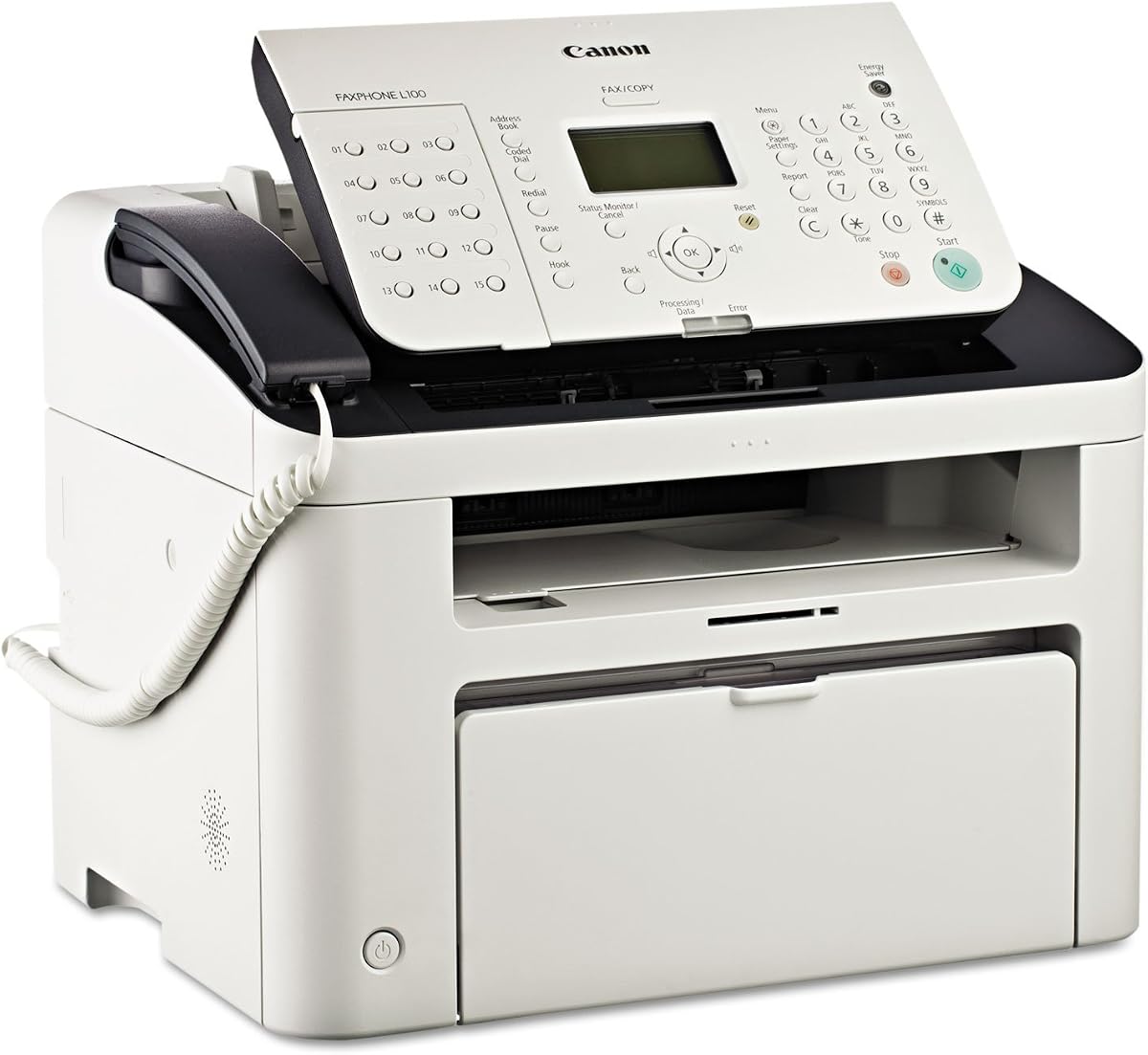
Canon FAXPHONE L100
4.1Editor score
Fast 19 PPM print speed
512 sheets memory capacity
150 sheets paper capacity
This guide compares the top ten fax machines with phone handsets for home offices and businesses, evaluating speed, memory, and reliability to help you choose
Finding a reliable fax machine with phone capabilities is essential for businesses that still require traditional document transmission. These devices combine faxing, copying, and telephony into one unit, saving space and simplifying workflows for professional environments.
We compared ten top-rated models based on fax speed, memory capacity, paper handling, and overall user satisfaction. Our analysis focuses on real-world performance metrics and key features that matter most for daily office operations and document management needs.
Each pick highlights specific strengths like laser quality, paper tray size, or advanced dialing features. Please note that prices and availability change frequently, so verify current details before making your final purchasing decision for your office setup.
4.1Editor score

4.4Editor score

4.0Editor score
This table provides a side-by-side overview of the ten selected fax machines with phone functions, highlighting key specifications like modem speed, memory, and paper capacity to help you quickly identify the best fit for your needs.


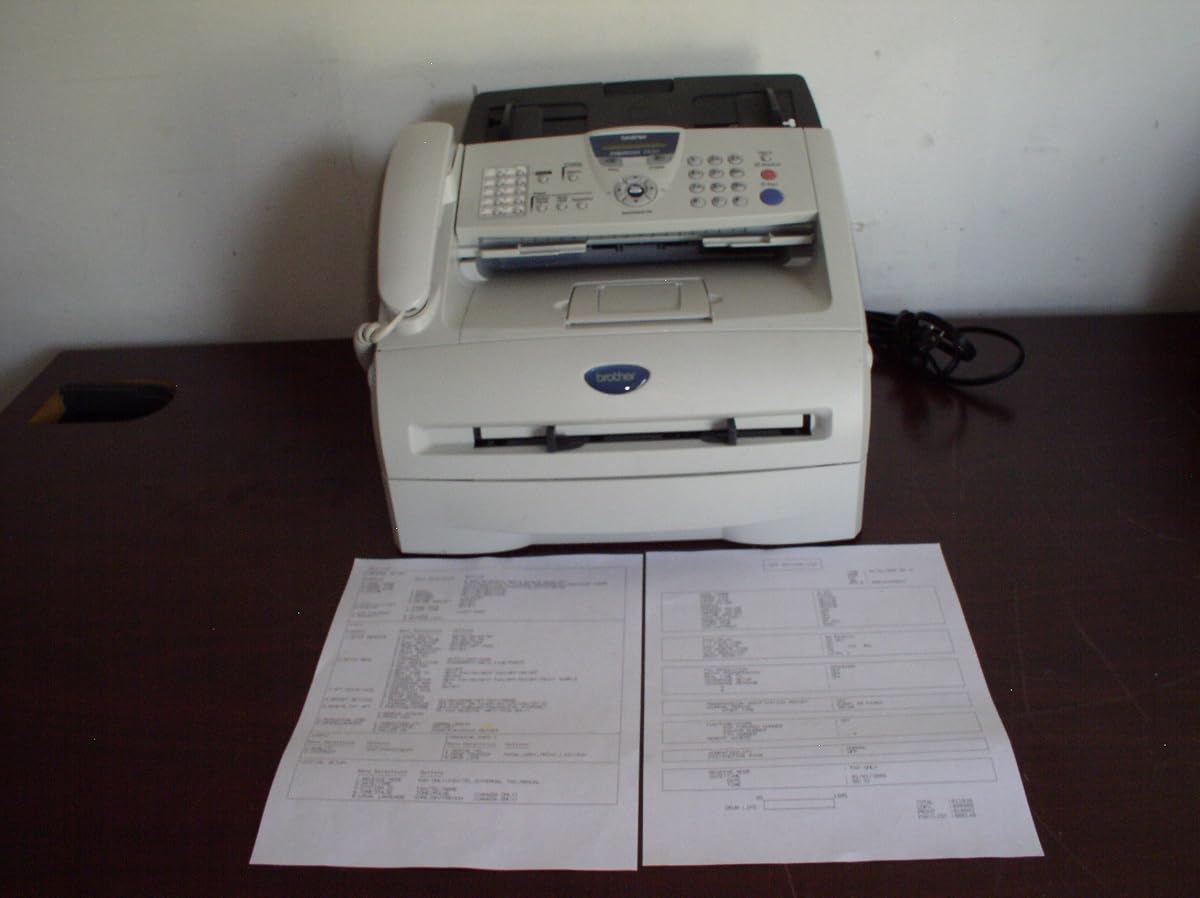

This model is a high-performance business-class fax machine that excels in reliability and speed. With a 4.4 rating, it stands out for its laser technology and professional-grade faxing capabilities.
We may earn a commission when you buy through this link, at no additional cost to you.
The Super G3 fax type ensures fast and accurate document transmission. Its laser monochrome printing provides crisp, clear documents suitable for legal and business communications.
Trade-offs include limited color options and a higher initial investment. However, the durability and speed justify the cost for high-volume users.
Ideal for businesses requiring consistent fax performance. We recommend it for offices prioritizing speed and document quality over color printing.
Super G3 fax technology ensures documents are sent and received quickly, reducing downtime during busy office hours.
Laser monochrome printing delivers sharp text and graphics, making it perfect for contracts and official documents.
We may earn a commission when you buy through this link, at no additional cost to you.
The IntelliFax 2820 offers robust memory storage with 8 MB capable of storing up to 500 pages. It is a reliable choice for offices needing significant offline storage for faxes.
We may earn a commission when you buy through this link, at no additional cost to you.
Its 250-sheet input capacity and 20-page auto document feeder streamline workflow. The USB 2.0 interface allows for future printing options and driver support.
While it lacks modern wireless features, the wired connection ensures stability. The older design might not fit modern aesthetics but remains functional.
Best for offices prioritizing memory and reliability over connectivity. Choose this if you need to store large volumes of faxes locally.
With 8 MB of memory, you can store up to 500 pages of incoming faxes without printing them immediately.
The 250-sheet input capacity and 20-page ADF reduce frequent paper reloading, saving time during busy periods.
We may earn a commission when you buy through this link, at no additional cost to you.
The Canon L100 is a budget-friendly monochrome laser fax with a 4.1 rating. It offers impressive speed with up to 19 pages per minute printing capacity.
We may earn a commission when you buy through this link, at no additional cost to you.
Its 512 sheets memory capacity allows storing multiple faxes easily. The generous 150 sheets paper capacity reduces refill frequency for daily use.
While features are basic compared to premium models, it covers essential fax needs effectively. Monochrome output limits it to text documents only.
Perfect for small offices needing speed without high costs. Recommend for those prioritizing value and efficiency in fax operations.
Print up to 19 pages per minute, ensuring your documents are ready quickly for distribution or faxing.
Uses less than 2 watts in Energy Saver mode, helping reduce electricity costs for small businesses.
We may earn a commission when you buy through this link, at no additional cost to you.
The CimFAX A5 offers a modern paperless solution with a 4.0 rating. It allows sending faxes from Windows, Mac, Android, and iOS devices easily.
We may earn a commission when you buy through this link, at no additional cost to you.
Auto save features store faxes locally or as PDFs automatically. Email forwarding ensures you never miss an important fax even when away.
Requires an internet connection, which may be a hurdle in areas with poor connectivity. Setup can be more complex than traditional fax machines.
Best for tech-savvy users wanting paperless efficiency. Choose this if you value digital storage and mobile fax access over traditional hardware.
Send faxes directly from your smartphone using the intuitive app interface, anytime and anywhere you need.
Incoming faxes are automatically saved to a local or network folder as PDFs for organized storage.
We may earn a commission when you buy through this link, at no additional cost to you.
The MFC7240 combines print, copy, scan, and fax in one unit with a 4.2 rating. It offers fast monochrome printing up to 21 pages per minute.
We may earn a commission when you buy through this link, at no additional cost to you.
The 250-sheet paper tray provides ample capacity for office tasks. High-resolution scanning ensures detailed digitization of documents.
Lacks wireless connectivity, relying on wired USB for connections. This might limit placement options for flexible office setups.
Ideal for users needing multifunctionality without color printing. Recommend for offices prioritizing speed and all-in-one utility over flexibility.
Combines printing, copying, scanning, and faxing to save desk space and streamline document handling.
The 250-sheet paper tray reduces the need for frequent refills during heavy workloads.
We may earn a commission when you buy through this link, at no additional cost to you.
The PPF-2800 supports 108-station auto dialing with a 3.6 rating. It allows storing up to 90 pages in memory for efficient transmission.
We may earn a commission when you buy through this link, at no additional cost to you.
Makes up to 99 copies at a time, suitable for duplicating documents easily. Uses plain paper, which is convenient for standard office use.
Print speed is limited to 10 pages per minute. The interface feels dated compared to newer models available today.
Best for offices needing extensive dialing features. Choose this if you frequently broadcast faxes to multiple locations regularly.
Store 108 stations and broadcast faxes to up to 270 locations, perfect for mass communication needs.
Store up to 90 pages in memory to prevent data loss during power outages or busy periods.
We may earn a commission when you buy through this link, at no additional cost to you.
The Panasonic KX-FHD331 offers Caller ID and answering machine interface with a 2.8 rating. It uses plain paper, which is standard for office environments.
We may earn a commission when you buy through this link, at no additional cost to you.
The 9.6 Kbps modem ensures basic transmission speeds. A 6-month warranty with an exchange program provides some peace of mind.
Lower modem speed might result in slower faxing times. The rating suggests potential reliability issues compared to competitors.
Best for small offices needing voice integration. Choose if you prioritize Caller ID and answering features over transmission speed.
Caller ID compatibility helps you identify senders before answering, streamlining call management.
Includes a 6-month warranty with an exchange program to address potential hardware issues quickly.
We may earn a commission when you buy through this link, at no additional cost to you.
The FAX-575 is a personal fax with phone and copier functions rated 4.1. It transmits faxes at about 15 seconds per page for decent speed.
We may earn a commission when you buy through this link, at no additional cost to you.
With 512 KB memory storing up to 25 pages, it handles small volumes well. The 50-sheet paper capacity suits low-volume personal use.
The paper tray is relatively small, requiring frequent refills. Features are basic compared to business-grade models available.
Best for personal home offices. Choose this if you need a compact unit for occasional faxing without business features.
Ideal for personal use with easy operation and convenient features that save space.
Copy documents with up to 400 x 400 dpi resolution, providing clear black-and-white output.
We may earn a commission when you buy through this link, at no additional cost to you.
The renewed version of the FAX-575 offers similar features at a lower cost with a 3.8 rating. It retains the 15 seconds per page transmission speed.
We may earn a commission when you buy through this link, at no additional cost to you.
Memory capacity remains 512 KB storing up to 25 pages. It provides convenient operation suitable for personal users on a budget.
As a renewed product, it may show signs of wear. The rating is slightly lower, reflecting potential variability in condition.
Best for budget-conscious buyers. Choose this if you want affordable personal faxing and can accept minor cosmetic imperfections.
Enjoy the same convenient features as the new model at a reduced price point for personal use.
Store up to 25 pages in memory to handle incoming documents without immediate printing.
We may earn a commission when you buy through this link, at no additional cost to you.
The Canon L80 features a 33.6 Kbps modem with a 3.6 rating. It prints at 6 pages per minute and includes a telephone handset for calls.
We may earn a commission when you buy through this link, at no additional cost to you.
Laser output ensures high-quality text documents. The USB interface allows for future connectivity and driver support.
Printing speed is relatively slow at 6 ppm. The interface is basic compared to more modern multifunction machines.
Best for users prioritizing fax speed over print speed. Choose this if you need fast fax transmission with laser quality output.
A 33.6 Kbps modem ensures rapid transmission times for your documents and communications.
Laser technology provides clear, professional-looking prints for your business documents.
We may earn a commission when you buy through this link, at no additional cost to you.
Selecting the right fax machine involves considering multiple factors that impact daily operations and document management efficiency.
Transmission speed determines how quickly documents are sent and received. Faster modems, such as 33.6 Kbps, reduce wait times during busy periods. Slow modems may delay critical communications affecting productivity.
Look for modems rated at least 14.4 Kbps for standard use or higher for heavy volume environments.
Memory capacity allows the machine to store faxes when paper runs out or during power outages. Higher memory ensures documents are not lost and can be printed later when conditions improve.
Choose models with at least 512 KB for small offices, or 8 MB for high-volume needs requiring extensive storage.
Paper capacity determines how often you need to refill trays. Higher capacity reduces interruptions and ensures continuous operation during busy workflows.
Opt for models with at least 100 sheets for offices and 50 sheets for personal use to maintain efficiency.
Output type defines whether the machine prints on thermal paper or plain paper. Plain paper offers professional-looking documents and easier storage compared to thermal paper.
Always choose plain paper models unless specific regulatory constraints require thermal output for security.
An auto document feeder (ADF) allows multiple pages to be scanned or faxed at once. This feature significantly reduces manual effort when handling multi-page documents.
Select a machine with at least a 20-page ADF to streamline batch processing in professional settings.
Connectivity determines how the fax connects to your network or PC. USB and wired options are common, but newer models offer email forwarding and cloud storage.
Check that the interface supports your current hardware and any future digital workflows you plan to adopt.
Auto dialing and broadcast features save time when sending faxes to multiple recipients. Memory dialing stores numbers for quick access and reduces manual entry errors.
For businesses sending to many locations, look for at least 100-station dialing capabilities.
Warranty length and support options protect your investment against hardware failures. Longer warranties provide peace of mind and reduce long-term repair costs.
Prioritize models offering at least a 1-year warranty with accessible customer service for technical issues.
Start by connecting the fax machine to a dedicated phone line to ensure clear signal transmission. Verify that the line is active and free of static or interruptions before proceeding with setup.
Load plain paper into the tray and configure the settings according to your preferences. Adjust resolution and contrast levels to optimize output quality based on document types.
Regularly clean rollers and feed paths to prevent paper jams and ensure smooth operation. Replace consumables like toner cartridges promptly to maintain consistent print quality and avoid interruptions.
While some modern fax machines support VoIP adapters, traditional analog lines remain the most reliable. VoIP may cause transmission errors due to compression issues affecting fax signal integrity. Check compatibility with your provider before connecting.
Most models require standard plain paper, which is convenient and professional. Avoid thermal paper unless specified for specific models needing heat-sensitive media. Plain paper reduces cost and environmental impact.
Memory storage automatically saves incoming faxes when paper runs out. Configure settings to save to memory by default for added security. Check your manual for specific menu options to enable storage features.
Laser faxes use toner for sharp text and are generally faster and more durable. Inkjet faxes use liquid ink which may be slower and prone to smudging. Laser is preferred for professional document quality.
Certain modern paperless models allow sending faxes directly from mobile apps. Traditional machines require physical paper but can work with email forwarding services. Check device compatibility before assuming mobile capabilities.
Clean rollers every few months or when paper jams occur regularly. Dust and debris build up over time affecting feed reliability. Regular maintenance extends the lifespan of your fax machine.
If memory is enabled, the machine stores the fax and prints it when power returns. Without memory, the fax may be lost. Always verify memory settings and use a UPS for critical systems.
Yes, many businesses and government agencies still accept faxed documents as legally binding. However, digital signatures are increasingly accepted. Always confirm requirements with your specific industry regulations.
Our top picks highlight models like the Brother PPF4750E for business performance and the Canon L100 for budget value. Each device offers distinct strengths suited to different operational needs.
Prioritize memory capacity, transmission speed, and paper handling based on your volume requirements. A balanced combination of features ensures reliability for daily communications.
Always verify current prices and availability before purchase since market conditions change. Choosing a well-reviewed model ensures your office stays connected efficiently.