
Dell Wired Mouse MS116
4.6Editor score
Simple plug-and-play
Lightweight design
Reliable wired connection
Discover the best external mouse for Dell Laptop users. This guide compares top wireless and wired mice for comfort, battery life, and seamless compatibility
Finding the right external mouse for Dell Laptop can significantly enhance your productivity and comfort during long work sessions. A good mouse offers precise tracking, ergonomic design, and reliable connectivity to match your workflow needs perfectly.
We compared ten top-rated mice based on compatibility, battery life, ergonomics, and user feedback. Our list includes budget-friendly options, premium picks, and gaming-focused models to suit every Dell user preference today.
Each pick highlights key features, pros, and cons to help you decide quickly. Remember that availability and pricing may vary, so check current details before making your final purchase decision online.
4.6Editor score

4.9Editor score
4.6Editor score
This side-by-side comparison highlights key specifications across all ten mice to help you identify the best fit for your Dell Laptop setup quickly and easily.





The Dell Advanced Wireless Compact Mouse stands out as the top choice for Dell laptop users seeking reliability and performance. With a 4.9 rating, it offers dual-mode connectivity and an impressive 36-month battery life that reduces maintenance hassle significantly.
We may earn a commission when you buy through this link, at no additional cost to you.
Its 1600 DPI sensor ensures precise tracking across high-resolution displays while seven programmable buttons enhance navigation efficiency. The mouse integrates smoothly with Dell Display and Peripheral Manager software, allowing users to optimize settings for their specific workspace needs.
While it requires AA batteries which may add slight weight, the long battery life offsets frequent replacements. Users should note that Swift Pair works on Windows 10 v1803 onward, ensuring quick setup without complex configuration steps each time.
Ideal for daily office work or home computing, this mouse delivers consistent performance tailored for Dell ecosystems. Its combination of durability, connectivity options, and service support makes it the recommended pick for most users seeking quality.
Software integration allows users to customize mouse settings directly through Dell utilities for seamless workflow management.
The 36-month runtime means users can rely on the mouse for years without constant battery changes or recharging interruptions.
We may earn a commission when you buy through this link, at no additional cost to you.
This Dell Gaming Mouse delivers robust performance with a 4000 DPI sensor suitable for both work and casual gaming. Rated 4.6 stars, it features dual-mode wireless connectivity and extensive compatibility across Windows, Mac, Chrome, Linux, and Android systems.
We may earn a commission when you buy through this link, at no additional cost to you.
Seven strategically placed buttons allow quick access to web navigation and applications while the Dell Peripheral Manager software enables deep customization. The mouse includes advanced exchange service for faulty units within three years ensuring minimal downtime during usage.
Its design leans toward gaming needs which might not suit all ergonomics preferences compared to simpler options. Battery life matches standard models but some users may find the extra buttons unnecessary if they prefer minimalist setups.
Choose this mouse if you need high DPI precision and flexible customization. It works well for Dell laptops needing gaming capabilities or advanced navigation features beyond basic pointing requirements.
Works seamlessly across multiple operating systems ensuring flexibility for users with diverse computing environments.
Shortcut keys streamline workflow tasks allowing quick access to common functions without keyboard shortcuts.
We may earn a commission when you buy through this link, at no additional cost to you.
For users prioritizing simplicity and cost, the Dell Wired Mouse MS116 offers a reliable 4.6 rated solution. It connects directly via USB without needing batteries or pairing making it an effortless upgrade from built-in touchpads.
We may earn a commission when you buy through this link, at no additional cost to you.
Its compact lightweight design reduces strain during extended use while the plug-and-play nature means no drivers are necessary. This mouse is perfect for stationary workstations where mobility is not critical and budget constraints exist.
The main trade-off is reliance on a wired connection which limits movement range compared to wireless alternatives. However for desktop setups or docking scenarios this limitation often does not impact overall productivity or comfort levels significantly.
This mouse suits students or professionals needing a straightforward pointing device. It remains a top budget choice for Dell laptops when reliability and immediate usability matter most.
Direct USB power eliminates battery replacements ensuring consistent performance without maintenance interruptions.
Plug-and-play functionality means users can start working immediately without configuring settings or software.
We may earn a commission when you buy through this link, at no additional cost to you.
The VssoPlor Wireless Mouse delivers solid everyday performance with 4.5 stars focusing on convenience and quiet operation. Its slim compact form factor makes it easy to carry while 2.4GHz wireless provides stable connections up to 10 meters.
We may earn a commission when you buy through this link, at no additional cost to you.
Intelligent sleep mode extends battery life by powering down during idle periods reducing energy waste significantly. The frosted surface and whisper clicks help maintain a quiet environment suitable for libraries or shared offices where noise matters.
While lacking advanced customization or rechargeable options this mouse covers essential tasks efficiently. Users should keep spare AA batteries handy since it does not include rechargeable capabilities for continuous use.
Ideal for travelers or home office users needing a compact solution this mouse balances affordability with practical features. Its quiet operation and portability make it a strong contender for non-gaming everyday use cases.
Auto sleep mode conserves power automatically allowing longer intervals between battery changes.
Slim design fits easily into laptop bags without adding bulk or weight to your daily carry.
We may earn a commission when you buy through this link, at no additional cost to you.
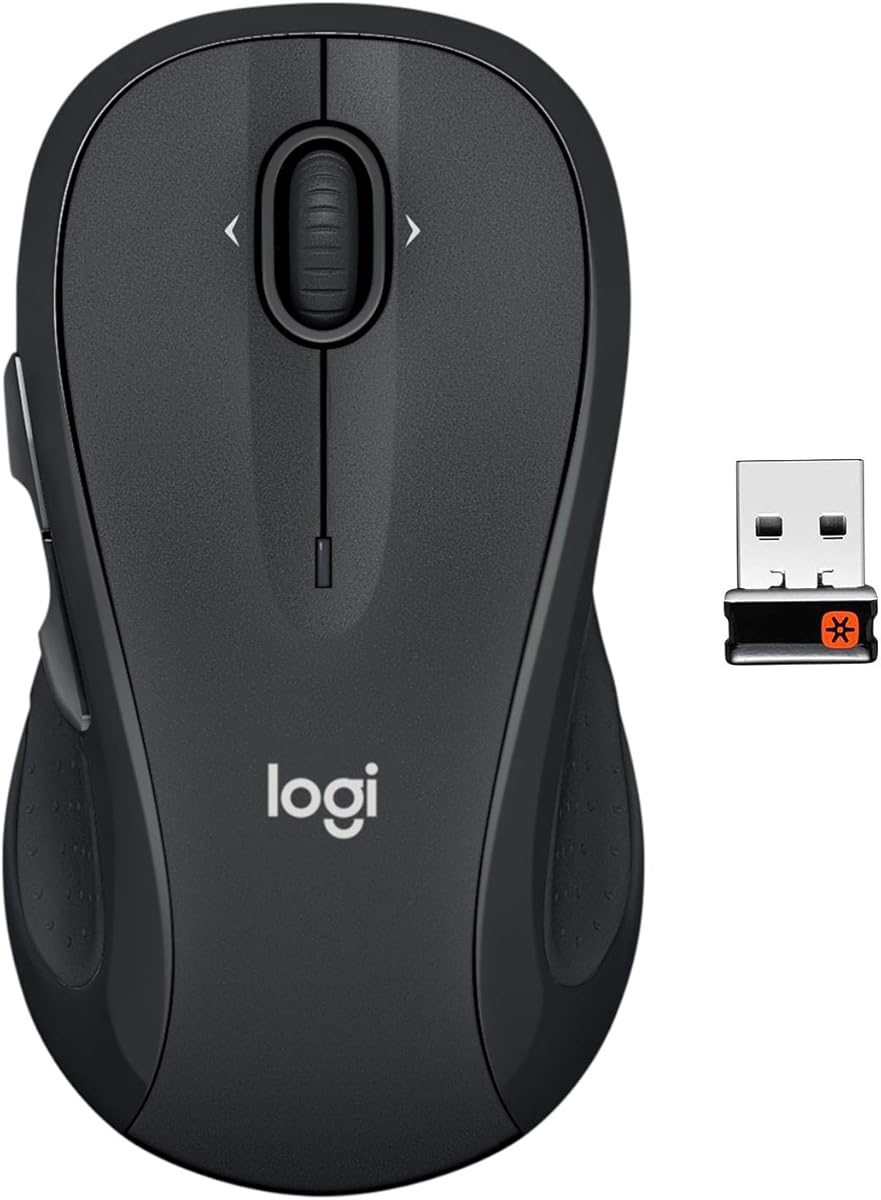
Rated 4.6 stars the Logitech M510 delivers premium comfort with contoured shapes and soft rubber grips for all-day use. Its full-size ambidextrous design supports both left and right-handed users making it versatile for shared workspaces.
We may earn a commission when you buy through this link, at no additional cost to you.
The standout feature is side-to-side scrolling enabling quick navigation through spreadsheets or maps with minimal effort. Two-year battery life reduces maintenance needs while the tiny Unifying receiver stays plugged in preventing loss during travel.
Its larger size may not suit users with small hands or limited desk space preferring compact options. Also software is needed to unlock programmable button features fully but core functionality works immediately out of the box.
Best for professionals seeking ergonomic support and productivity features this mouse excels in comfort and usability. It remains a top premium choice for Dell laptops where user health and efficiency are priorities.
Contoured grips reduce hand fatigue during long sessions supporting healthier computing habits.
Side scrolling and zoom functions streamline document review processes without extra tool usage.
We may earn a commission when you buy through this link, at no additional cost to you.
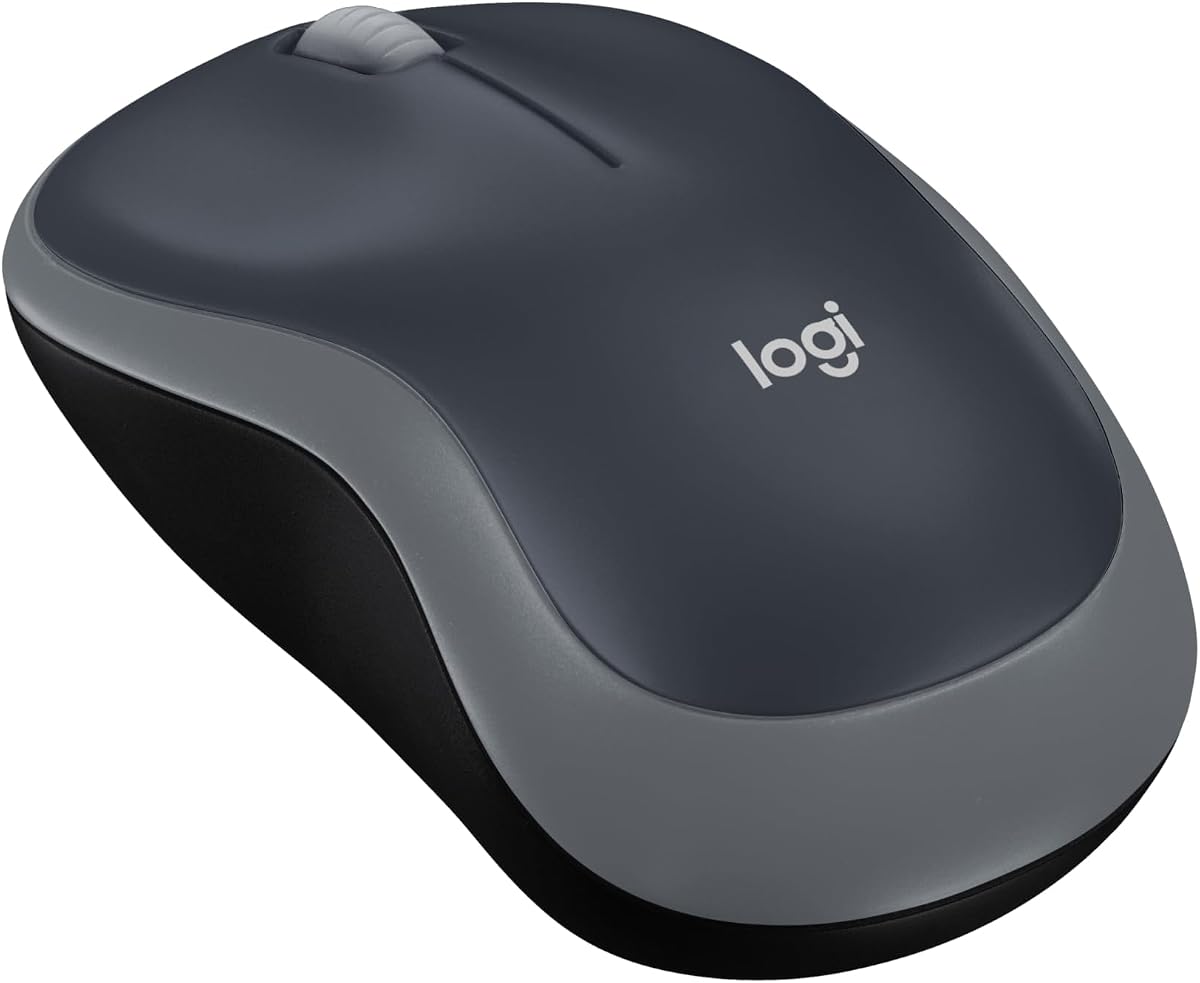
The Logitech M185 Compact scores 4.4 stars focusing on portability and ease of use for frequent travelers. Its small form factor fits easily into laptop bags while the included nano receiver connects instantly without setup hassles.
We may earn a commission when you buy through this link, at no additional cost to you.
With universal compatibility across Windows and Mac systems this mouse works seamlessly with any Dell device purchased today or in the future. Smart sleep mode ensures up to one year of battery life reducing maintenance needs during regular use.
It lacks advanced customization buttons which may limit power users needing more control. The compact size suits small to medium hands but might feel tight for those with larger palms seeking full ergonomic support.
Choose this mouse for quick laptop additions needing reliable basic functionality. Its portability and durability make it a strong option for mobile professionals or students traveling regularly.
Compact dimensions and robust connection ensure reliable performance even during frequent transit or outdoor use.
Recycled plastic components reduce environmental impact while maintaining structural integrity and performance quality.
We may earn a commission when you buy through this link, at no additional cost to you.
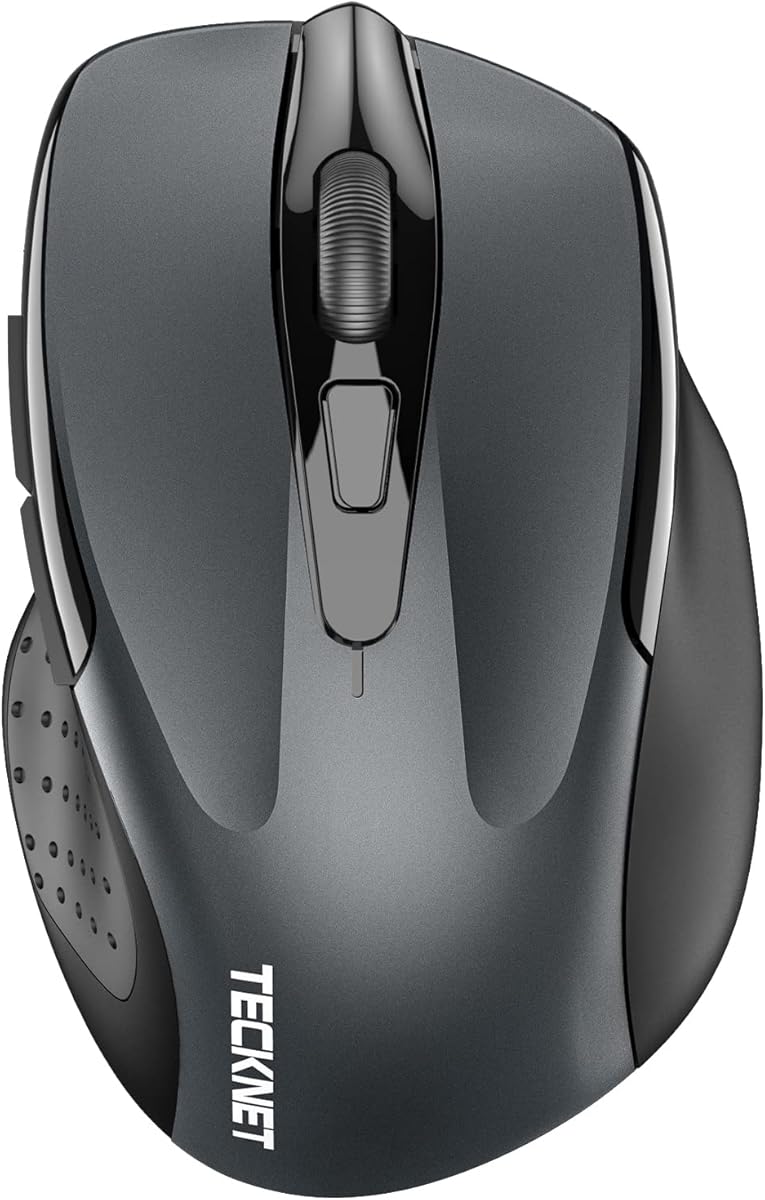
The TECKNET Compact Mouse earns 4.6 stars with its unique Mint Green color and tiny design suited for smaller hands. Three DPI levels offer flexibility for different tasks while silent clicks prevent disturbances in shared environments.
We may earn a commission when you buy through this link, at no additional cost to you.
With 49ft wireless range and 15-month battery life this mouse combines performance with convenience. USB receiver storage inside the back prevents loss during travel making it practical for students or casual users.
It lacks advanced features like rechargeability or high DPI but covers basic needs well. Users needing more customization or larger ergonomics may find it too limited compared to higher-tier options available.
Best for users wanting a budget-friendly portable option this mouse blends style with functionality. Its quiet operation and compact build make it ideal for lightweight daily use cases.
Compact size accommodates small to medium hands ensuring comfort during extended use without cramping.
Soft click feedback minimizes noise making it suitable for libraries or quiet office spaces.
We may earn a commission when you buy through this link, at no additional cost to you.
The Logitech M330 Silent Plus achieves 4.5 stars by reducing click noise by over 90% for quieter working environments. Contoured ergonomic grips provide comfort during long sessions while eighteen-month battery life minimizes interruptions.
We may earn a commission when you buy through this link, at no additional cost to you.
Its wireless range reaches 33 feet ensuring stable tracking on most surfaces without lag or signal drops. Plug-and-play setup works across multiple operating systems making installation effortless for any Dell laptop user.
This mouse is strictly right-handed which limits accessibility for left-handed users seeking similar performance. Also battery-dependent operation requires keeping spares on hand unlike rechargeable models offering continuous power without stops.
Ideal for office or library settings noise reduction makes this mouse a standout choice. It balances comfort silence and reliability for users prioritizing acoustic comfort over advanced gaming features.
SilentTouch design eliminates disruptive clicking sounds maintaining a peaceful focus environment for colleagues.
Ergonomic shape and soft grips reduce hand strain during extended daily work sessions.
We may earn a commission when you buy through this link, at no additional cost to you.
Rated 4.5 stars this TECKNET model offers versatile connectivity via Bluetooth 5.0 and USB 2.4G enabling seamless switching between two devices. Six adjustable DPI levels allow customization from precise work to fast browsing needs.
We may earn a commission when you buy through this link, at no additional cost to you.
Silent operation keeps click noise minimal while extended battery life supports continuous use over long periods. Compatible with Windows macOS Chrome and Linux it provides broad system support for diverse computing setups.
Side buttons do not work on macOS limiting functionality for Apple users relying on custom shortcuts. Also the compact design suits small to medium hands but may feel tight for larger palms.
Best for multi-device users needing flexibility this mouse offers strong performance and ease of use. It balances connectivity options and comfort well for hybrid computing environments.
Bluetooth and USB options provide flexibility for different host systems and connection preferences.
Six adjustable levels let users tailor sensitivity precisely for varying tasks and screen sizes.
We may earn a commission when you buy through this link, at no additional cost to you.
The TECKNET Rechargeable Mouse scores 4.6 stars offering eco-friendly power with USB charging in just 1.5 hours. Dual Bluetooth and USB connectivity enable switching between devices easily making it versatile for modern workflows.
We may earn a commission when you buy through this link, at no additional cost to you.
Silent operation and six DPI levels deliver comfort and precision across tasks. Three months of battery life on one charge reduces waste while cable inclusion simplifies recharging during daily use.
Users should note connection may become unstable when battery is low serving as an indicator to charge promptly. Compact design suits smaller hands but may not accommodate larger palms requiring more ergonomic space.
Best for users wanting sustainable tech this mouse combines performance with convenience. It stands out for eco-conscious buyers needing reliable multi-device functionality and quiet operation.
Rechargeable design eliminates need for disposable batteries reducing waste and ongoing costs over time.
Dual connections allow quick switching between work and personal devices without re-pairing hassle.
We may earn a commission when you buy through this link, at no additional cost to you.
Selecting the right external mouse for Dell laptop requires considering connectivity, ergonomics, battery life, and features tailored to your workflow. These factors ensure compatibility, comfort, and long-term reliability for daily use.
Connectivity determines how the mouse links to your Dell laptop. Wireless options like 2.4GHz or Bluetooth offer freedom from cables while wired mice provide stable zero-latency connections ideal for gaming or stationary setups.
Choose Bluetooth for modern ports without dongles or 2.4GHz for consistent performance. Wired is best when mobility isn't required and battery concerns exist.
Ergonomics affects comfort during extended use. Look for contoured shapes, soft grips, and sizes matching your hand to prevent strain. Ambidextrous mice suit shared users while right-handed shapes support natural wrist positioning.
Pick sizes fitting your palm comfortably. Larger hands benefit full-size designs while compact mice suit travel or smaller hands.
Battery life impacts maintenance needs. AA batteries offer long life but add weight. Rechargeable mice reduce waste but may have shorter runs. Check runtime claims and charging options for consistency.
Prioritize long runtime for office use or rechargeable for eco-conscious needs. AA options suit minimal users avoiding charging cables.
DPI determines cursor speed and precision. High DPI suits large screens and gaming while lower DPI aids precision work. Adjustable DPI lets users switch contexts easily without software changes.
Choose mice with adjustable DPI for versatility. Fixed DPI may limit adaptability across different tasks or screen setups.
Programmable buttons enhance productivity by mapping shortcuts to specific tasks. Some mice offer basic buttons while others support deep customization via software for workflows like spreadsheets or browsing.
Select mice with enough buttons for your needs. Basic users require two buttons while power users benefit multi-function layouts.
Compatibility ensures smooth integration with Dell hardware and software. Some mice include Dell-specific apps for tuning while others work universally via plug-and-play drivers for broad support.
Dell branded mice often offer better integration but universal options work well too. Check software support for advanced features if needed.
Noise matters in shared environments. Silent click technology reduces disturbance without sacrificing feedback. Look for silent models if working in libraries offices or during meetings.
Prioritize silent options for quiet settings. Regular clicks may annoy others if used frequently in open spaces.
Warranty coverage protects your investment. Dell offers Advanced Exchange Service for quick replacements while third-party brands vary. Check terms to ensure repair or replacement options during ownership.
Look for at least one-year warranty with responsive support. Dell's Exchange Service adds value for business users.
Connect your mouse by inserting the USB receiver or pairing via Bluetooth settings on your Dell laptop. Ensure the connection icon appears to confirm successful pairing before starting tasks.
Clean the sensor and exterior regularly with a soft cloth to maintain tracking accuracy. Avoid exposing the mouse to moisture or extreme temperatures that could damage internal components.
Replace or recharge batteries as needed to avoid sudden shutdowns. For wireless models, store in a cool dry place when not in use to preserve battery health.
Dell branded mice like the Advanced Wireless Compact Mouse offer native integration via Dell Display Manager. However third-party options like Logitech or TECKNET work seamlessly via plug-and-play without extra setup.
Most modern Dell laptops include Bluetooth 4.0 or higher supporting Bluetooth mice. Check your laptop specs to ensure Bluetooth is available before purchasing wireless Bluetooth models.
Enable sleep mode if available and turn off the mouse when not in use. Use high-quality batteries and keep firmware updated to optimize power consumption and performance.
Silent mice reduce click noise making them ideal for shared workspaces libraries or meetings. They provide similar precision to standard mice while minimizing distractions for colleagues.
1600 DPI is a balanced default for most users. Adjust higher for large screens or lower for detailed work depending on your comfort and screen resolution needs.
Basic functions work without software via plug-and-play. Advanced features like button customization or DPI presets require vendor apps such as Logitech SetPoint or Dell Peripheral Manager.
The Dell Advanced Wireless Compact Mouse leads our list with exceptional battery life and seamless Dell ecosystem integration. For budget needs the Wired Mouse MS116 offers simple reliable performance without complexity or recurring costs.
Prioritize ergonomics and connectivity based on your daily use. Wireless options suit mobility while wired provides stability. Consider silent or rechargeable models if noise and sustainability matter for your workspace environment.
Prices and availability may change over time so verify current details before purchase. Choosing the right external mouse enhances productivity and comfort significantly for any Dell laptop user today.