
TEWENE exFAT USB 3.0 Thumb Drive
4.3Editor score
Includes USB-C adapter
Clip design for portability
Fast 85MB/s read speed
This guide compares the top ten exfat USB flash drives for reliability, speed, and compatibility across Windows, Mac, and Linux systems.
Finding a reliable exfat USB flash drive ensures seamless data sharing across different operating systems. These drives support large file sizes and offer broad compatibility without extra formatting.
We evaluated ten top-rated models based on transfer speed, build quality, and universal support. Each pick balances performance with durability to meet diverse storage needs.
Every selection includes detailed specs and real-world use cases to help you decide. Prices fluctuate often, so verify current deals before purchasing your preferred drive.
4.3Editor score

4.7Editor score

4.6Editor score
Explore the side-by-side comparison of ten top exfat USB flash drives. This table highlights key specifications to help you choose the right storage solution.




This 64GB exFAT32 USB 3.0 flash drive delivers consistent performance with original A+ chips. It features a metal body for heat dissipation and includes a USB-C adapter.
We may earn a commission when you buy through this link, at no additional cost to you.
Read speeds reach up to 120MB/s, making transfers faster than USB 2.0. It supports Windows, Mac OS, and Linux systems effectively.
The drive requires formatting before use to avoid errors. While capacity is limited, it suits basic needs well.
It is ideal for students or office users needing reliable portable storage. This drive balances speed and durability affordably.
Transfer files quickly with read speeds up to 120MB/s, enhancing productivity for everyday tasks.
Works seamlessly with Windows, Mac OS, and Linux systems, ensuring broad device support without extra setup.
We may earn a commission when you buy through this link, at no additional cost to you.
The SANDISK 128GB Ultra Flair offers a sleek metal design with up to 150MB/s read speeds. It includes password protection for securing private files.
We may earn a commission when you buy through this link, at no additional cost to you.
Built for durability, the metal casing protects data effectively. Transferring movies is quick with these speeds.
Lack of USB-C limits modern device use. Mac users need to download SecureAccess software for encryption.
This drive fits well for those prioritizing durability and moderate speed. It is reliable for daily portable storage needs.
Protect sensitive data with built-in password protection using 128-bit AES encryption for enhanced security.
Experience fast data movement with read speeds up to 150MB/s, ideal for transferring large media files quickly.
We may earn a commission when you buy through this link, at no additional cost to you.
The SAMSUNG BAR Plus 3.1 delivers top-tier performance with read speeds up to 400MB/s. It features a rugged metal casing for excellent durability.
We may earn a commission when you buy through this link, at no additional cost to you.
Built to withstand water, shocks, and temperature changes, it ensures data safety. The integrated keyring prevents accidental loss.
Its price is higher than standard drives. USB-C compatibility often requires additional adapters for newer devices.
For users needing high speed and toughness, this drive excels. It is a robust choice for professional and creative work.
Survive harsh conditions with waterproof, shock-proof, and temperature-proof design, keeping data safe anywhere.
Transfer 4K videos in seconds with read speeds up to 400MB/s, significantly outperforming standard drives.
We may earn a commission when you buy through this link, at no additional cost to you.
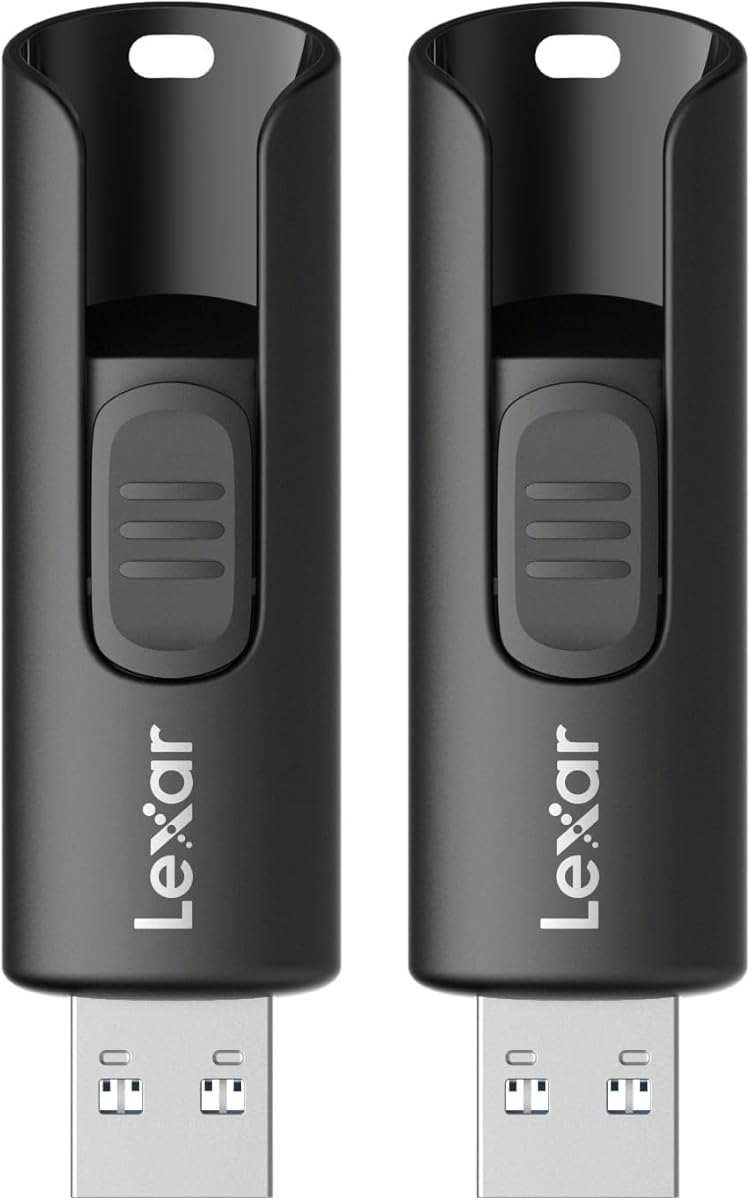
The Lexar A30E comes in a convenient two-pack with 128GB capacity each. It offers a lightweight design for easy transport.
We may earn a commission when you buy through this link, at no additional cost to you.
With read speeds up to 100MB/s, it handles daily files efficiently. DataShield security adds password protection for safe storage.
Speeds are standard compared to premium models. It lacks USB-C for modern devices.
This pack suits schools or offices needing multiple drives. It provides reliable storage at an affordable price point.
Create a password-protected safe with auto-encryption to securely store and manage sensitive files.
Weighing just 7.41 grams, this drive is incredibly light and easy to carry on the go.
We may earn a commission when you buy through this link, at no additional cost to you.
The Lexar D50E combines USB-A and USB-C connectors for versatile device use. It offers fast read speeds up to 400MB/s.
We may earn a commission when you buy through this link, at no additional cost to you.
A durable metal housing protects the connectors from damage. The free Lexar App helps backup photos on iOS and Android.
It does not support iCloud content backup yet. The cost is higher than single-connector drives.
Ideal for users switching between phone and laptop, this drive simplifies data transfer. It is a practical modern storage solution.
Connect seamlessly to both USB-A and USB-C devices without needing extra adapters or cables.
Use the Lexar App to easily backup and manage media on iOS and Android devices.
We may earn a commission when you buy through this link, at no additional cost to you.
This MOSDART pack offers two 128GB drives with USB 2.0 compatibility. It includes LED lights and lanyards for visibility and security.
We may earn a commission when you buy through this link, at no additional cost to you.
It supports almost all operating systems including Windows, Mac OS, and Linux. Default exFAT format ensures broad compatibility.
Speeds are slower than USB 3.0 standards. Plastic casing offers less protection than metal options.
Perfect for basic storage needs on a budget, it delivers solid value. Ideal for sharing data across older systems.
LED lights help locate the drive in dark settings or bags, ensuring you never misplace it.
Compatible with Windows, Mac OS, and Linux without extra drivers, making it versatile for all users.
We may earn a commission when you buy through this link, at no additional cost to you.
The SANDISK Extreme PRO Dual Drive offers peak performance with read speeds up to 1000MB/s. It features dual USB-A and USB-C ports.
We may earn a commission when you buy through this link, at no additional cost to you.
Built with premium metal design, it ensures resilience. Data encryption provides security for critical documents.
Its high price and bulk may deter casual users. It is overkill for simple file transfers.
For professionals handling large files, this drive delivers unmatched speed. It is the ultimate choice for high-performance needs.
Transfer massive files in seconds with read speeds up to 1000MB/s and write speeds up to 900MB/s.
Harness the Memory Zone app for swift auto backup, file management, and easy retrieval.
We may earn a commission when you buy through this link, at no additional cost to you.
The TEWENE exFAT USB 3.0 features an exclusive clip design for easy attachment. It comes with a USB-C adapter for broader compatibility.
We may earn a commission when you buy through this link, at no additional cost to you.
Read speeds up to 85MB/s ensure efficient transfers. The clip design makes it practical for daily use.
Storage is limited to 64GB. Build quality is functional but not rugged.
This drive is ideal for students or travelers needing basic storage. It offers great value for its low price.
The sturdy clip design securely clips to bags or laptops, reducing the risk of loss or damage.
Includes a USB-C adapter for use with modern devices, smartphones, and laptops.
We may earn a commission when you buy through this link, at no additional cost to you.
This SSK drive provides dual USB-C and USB-A ports for versatile connectivity. It reaches read speeds up to 550MB/s.
We may earn a commission when you buy through this link, at no additional cost to you.
Made of zinc alloy, it offers shock resistance and fast heat dissipation. Compatible with most systems including Android.
It is incompatible with Apple lightning ports. Slightly heavier than smaller drives.
Excellent for Android users and laptops needing dual connectivity. This drive balances speed and durability well.
Move high-resolution photos and videos quickly with read speeds up to 550MB/s.
Constructed with high-grade zinc alloy to resist abrasion and ensure long-lasting durability.
We may earn a commission when you buy through this link, at no additional cost to you.
The SAMSUNG FIT Plus is exceptionally compact for instant storage. It features a seamless design with a key ring to prevent loss.
We may earn a commission when you buy through this link, at no additional cost to you.
Built to last with waterproof and shock-proof reliability. It offers a 5-year limited warranty.
Lacks protective caps for connectors. USB-A only limits modern device compatibility.
Ideal for minimizing bulk in your pocket or bag. It is a reliable storage choice for minimalists.
The seamless fit ensures a low profile, making it nearly invisible when plugged into laptops or cars.
Backed by a 5-year limited warranty, ensuring peace of mind for long-term data storage needs.
We may earn a commission when you buy through this link, at no additional cost to you.
Selecting the right exfat USB flash drive requires understanding key factors like speed, capacity, and durability.
Capacity determines how many files you can store. For basic documents, 64GB to 128GB is often enough. Larger media files may need 256GB or more.
Assess your daily storage requirements to choose the optimal size.
Faster transfer speeds improve efficiency when moving large files. USB 3.0 offers better performance than USB 2.0. Look for read speeds above 100MB/s.
Prioritize speed if you work with video or high-resolution photos.
Build quality impacts longevity. Metal casings offer better heat dissipation and protection than plastic. Rugged drives may be waterproof or shock-proof.
Choose durable materials if you frequently carry your drive.
Ensure the drive matches your devices. USB-A works with older laptops, while USB-C is needed for newer models. Dual drives provide both options.
Verify device ports before purchasing to avoid adapter issues.
Security features like password protection and encryption safeguard sensitive data. Look for drives with AES encryption or proprietary software tools.
Enable security if you store private or business files.
exFAT format ensures compatibility with Windows, Mac, and Linux. Some drives require formatting before first use. Plug-and-play models reduce setup time.
Confirm OS compatibility to ensure seamless integration.
A good warranty protects against defects. Many drives offer 5-year or lifetime warranties. Responsive support teams help resolve issues quickly.
Check warranty terms to ensure long-term coverage.
Insert the drive into an available USB port. If prompted, allow the system to mount or format the drive.
Copy files by dragging them to the drive. Always eject the drive safely before unplugging to prevent data loss.
Store in a protective case to avoid scratches. Avoid extreme temperatures and moisture to extend its lifespan.
exFAT format allows compatibility with both Windows and Mac without the file size limits of FAT32. It supports large files and is ideal for cross-platform storage.
Most modern devices support exFAT including Windows, Mac, and Linux. However, some older TVs or car audio systems may require different formats.
USB 3.0 drives typically offer read speeds between 100MB/s and 400MB/s. Write speeds vary but are often slightly slower than reads.
Yes, exFAT is natively supported by Mac OS for both reading and writing. It avoids the need for extra software or formatting steps.
Most drives offer 100,000 write cycles and a 5-year warranty. Proper handling extends their lifespan significantly.
Choose USB-C for newer laptops and smartphones. USB-A is better for older devices. Dual drives offer the best flexibility for both.
The top picks cover budget, balanced, and premium options for every user. The SAMSUNG BAR Plus stands out for speed and durability.
Prioritize speed and compatibility based on your devices and usage habits. Consider security features if handling sensitive data.
Prices change frequently so verify current deals before buying. This guide helps you make an informed storage choice.