
Nulea M501 Wireless Trackball Mouse Ergonomic Thumb Control,4 DPI Levels
4.4Editor score
Rechargeable battery
Multi device connection
Smooth thumb control
This guide compares the top ergonomic trackball mice for comfort and precision, evaluating design, connectivity, and performance to help you choose the right
Ergonomic trackball mice offer a unique solution for users seeking reduced strain and enhanced comfort during long computer sessions. By allowing thumb control, these devices minimize wrist movement and promote a more natural hand posture.
We have carefully analyzed a wide range of models available in the current market to bring you this comprehensive roundup. Our selection process focused on user reviews, ergonomic certifications, and technical specifications to ensure quality.
Each pick in this list highlights key features and potential trade-offs to help you make an informed decision for your workspace. Please note that product availability and specific configurations may change over time.
4.4Editor score
4.5Editor score

4.4Editor score
This side by side comparison outlines the core specifications and design philosophies of the leading ergonomic trackball mice currently on the market.




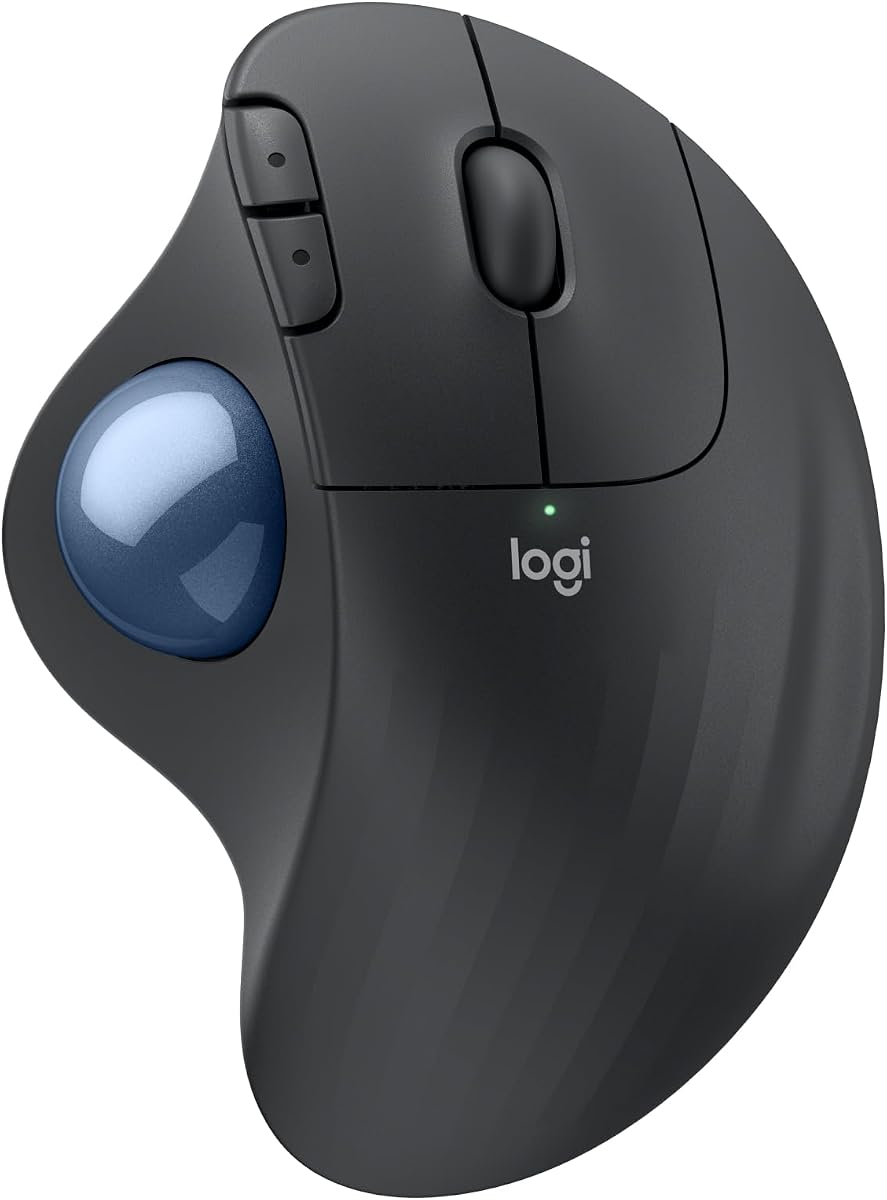
The Logitech Ergo M575S stands out as a top contender in the ergonomic trackball market with its focus on comfort and quiet operation. It has a high rating from users who appreciate the reduced forearm strain and smooth thumb control.
We may earn a commission when you buy through this link, at no additional cost to you.
This mouse features a sculpted shape certified by ergonomists to realign your forearm into a better posture. The quiet clicks are a significant upgrade for shared workspaces and the smart actions allow for productivity boosting shortcuts.
While the battery life is impressive at 18 months, it requires AA batteries rather than being rechargeable which might be a drawback for some users. The lack of adjustable tilt is another limitation compared to higher end models.
Anyone looking for a reliable and comfortable trackball mouse for daily office tasks should consider this model. It balances price and performance well making it a safe recommendation for most professionals.
The ergonomic shape supports your hand and realigns your forearm reducing strain significantly compared to standard mice.
Customizable buttons and Smart Actions via the Logi Options plus App allow you to automate frequent tasks efficiently.
We may earn a commission when you buy through this link, at no additional cost to you.
The Nulea M501 offers exceptional value for users seeking an ergonomic solution without breaking the bank. Its high rating reflects satisfaction with the smooth thumb control and comfortable design for all day use.
We may earn a commission when you buy through this link, at no additional cost to you.
This model features a rechargeable battery which eliminates the need for disposable cells and reduces long term costs. The adjustable DPI levels allow you to switch between precision and speed easily depending on your task.
Although the buttons are not programmable which limits customization options it covers the essential functions for most users. The multi device connectivity is a nice touch for those who work across multiple devices simultaneously.
Budget conscious buyers will find this trackball mouse to be a practical choice for their desk setup. It provides the core ergonomic benefits needed to reduce wrist strain at a very competitive price.
Connect up to three devices via Bluetooth or USB dongle and switch between them easily to improve your efficiency.
The smooth trackball provides precise cursor movement for exceptional accuracy on almost any surface including couches.
We may earn a commission when you buy through this link, at no additional cost to you.
The Logitech MX Ergo S is a high end option designed for users who demand the best in ergonomic performance and customization. It boasts a strong rating from professionals who value the advanced features and build quality.
We may earn a commission when you buy through this link, at no additional cost to you.
One of its standout features is the 20 degree tilt angle which significantly reduces muscle strain and improves forearm posture. The ability to switch between speed and high precision tracking with a button press enhances workflow efficiency.
The USB-C charging port allows for quick charging with one minute of charge providing 24 hours of use. However the premium price may be a barrier for some and the design is optimized for medium to large hands.
Power users and executives looking for a top tier trackball mouse should invest in this model. The combination of ergonomics connectivity and productivity features makes it a worthy upgrade for serious work environments.
The wireless ergonomic mouse features a tilt angle that reduces muscle strain by 27% for better comfort.
Enhanced control via the Logi Options plus App includes customizable buttons and smart actions for daily tasks.
We may earn a commission when you buy through this link, at no additional cost to you.
This variant of the M575S in black offers the same ergonomic benefits as the primary model but with a different aesthetic. Its high rating indicates strong user satisfaction with the comfort and ease of use it provides.
We may earn a commission when you buy through this link, at no additional cost to you.
The design supports improved forearm posture and allows you to keep your hand relaxed during long work sessions. It features a long battery life which minimizes interruptions and maintains productivity throughout the day.
While specific features are not detailed extensively in the provided data it shares the core benefits of the Ergo series. The lack of detailed spec lists might make it harder to compare against other models for some buyers.
Users who prefer a black finish and the proven reliability of the M575S should consider this option. It remains a solid choice for anyone needing a comfortable and efficient trackball mouse for office work.
The ergonomic shape of the mouse supports your hand and realigns your forearm into a better posture.
Enjoy up to 18 months of battery life to keep working without frequent interruptions for charging.
We may earn a commission when you buy through this link, at no additional cost to you.
The TECKNET Wireless Trackball Mouse distinguishes itself with a 16 degree vertical angle designed to reduce muscle strain by up to 50%. Its strong rating highlights user appreciation for the natural palm position it maintains.
We may earn a commission when you buy through this link, at no additional cost to you.
This model includes a 500mAh rechargeable battery that charges quickly to power a full day of use after just 15 minutes. The silent operation is a key feature for users who value a quiet environment during work.
While designed for larger hands and users may need one to two weeks to adapt fully to the trackball control. The 5 levels of adjustable DPI ensure you can tailor the sensitivity to your specific preferences easily.
Individuals looking for a vertical option at a mid range price point will find this mouse suitable for their needs. It effectively combines ergonomic design with modern connectivity to support comfortable daily work.
Featuring a unique 16 degree vertical angle this ergonomic wireless mouse promotes better forearm posture significantly.
Pair with up to three devices via Bluetooth or 2.4G and switch instantly with the tap of a button.
We may earn a commission when you buy through this link, at no additional cost to you.
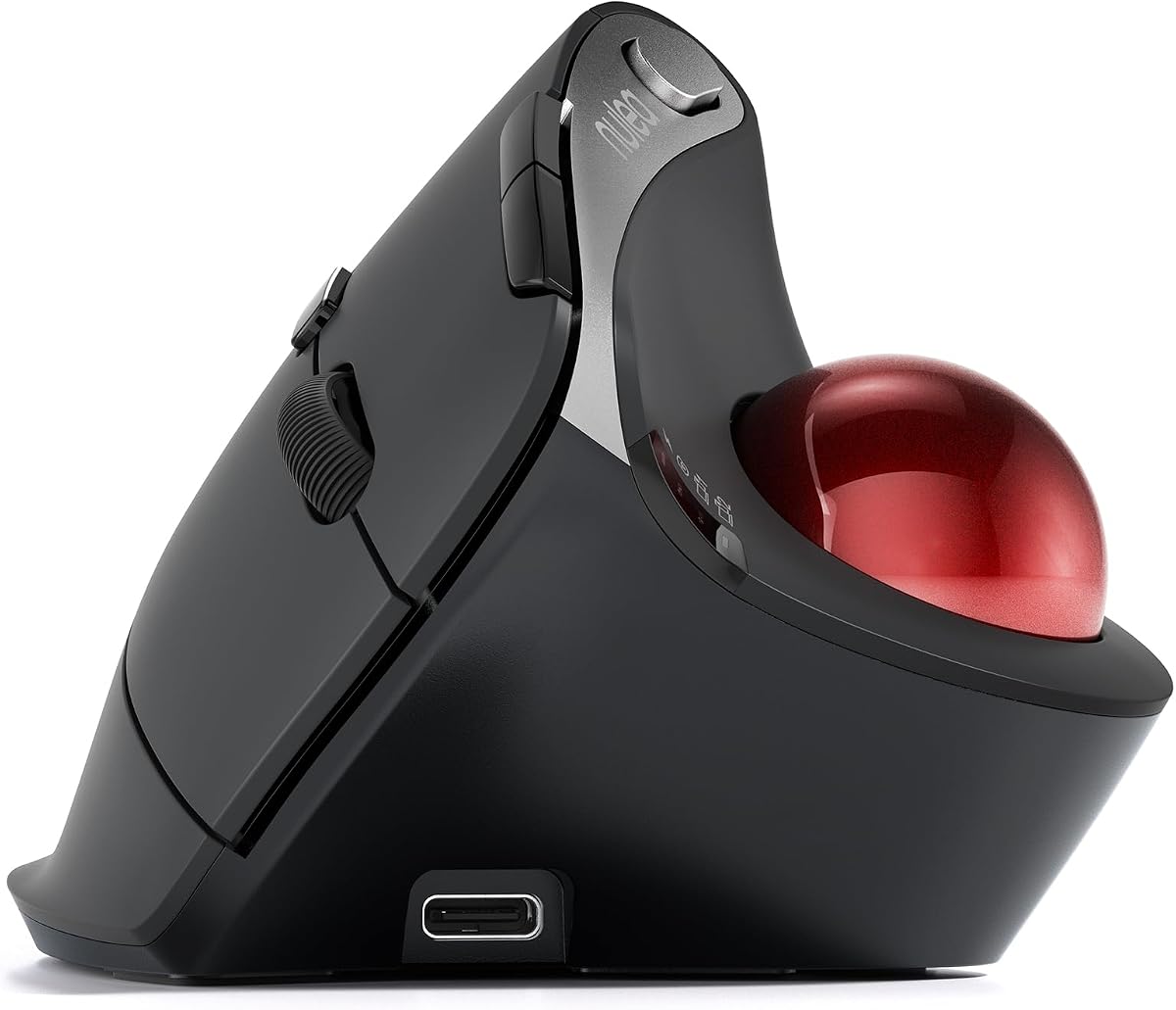
The Nulea M506 achieves the highest rating in this lineup thanks to its exceptional build quality and comfort features. The 54 degree vertical design keeps wrists and forearms in a natural relaxed position for hours of work.
We may earn a commission when you buy through this link, at no additional cost to you.
A unique feature is the detachable trackball which allows for easy cleaning without tools to ensure smooth operation over time. The textured palm surface offers a comfortable grip that helps prevent fatigue during extended use.
With a rechargeable battery that runs for up to 21 days on a single charge it minimizes maintenance requirements. The 4 adjustable DPI levels offer flexibility though some users might prefer more granular control.
Users seeking a highly rated and comfortable vertical trackball mouse should prioritize this model for their setup. It is particularly well suited for creative work and office tasks requiring sustained comfort and precision.
The 54 degree vertical structure keeps your wrists and forearms in natural relaxed positions for better health.
The trackball is removable for easy cleaning to clear dust and dirt for stable performance.
We may earn a commission when you buy through this link, at no additional cost to you.
The Nulea Wireless Ergonomic Vertical Trackball Mouse offers a 65 degree angle for maximum hand and arm relaxation. Users appreciate the infinite scroll wheel that simplifies navigation through long documents and web pages quickly.
We may earn a commission when you buy through this link, at no additional cost to you.
True silent control is another highlight ensuring that every button and scroll wheel action is noise free for quiet environments. The sculpted shape with wave textured surface fits the palm seamlessly for ultimate comfort throughout the day.
While it has a slightly lower rating the comfort it provides is significant for those with existing wrist discomfort. The multi device connection supports up to three devices ensuring you can switch workflows without interruption.
If you prioritize a high vertical angle and silent operation this mouse is a practical choice for office tasks. It is suitable for shared spaces where noise might be a distraction to colleagues.
The infinite scroll wheel automatically switches between precise and fast modes based on your scrolling speed.
Experience a completely noise free operation from the trackball to every button and scroll wheel.
We may earn a commission when you buy through this link, at no additional cost to you.
The Nulea Wireless Trackball Mouse with a 21.7 tilt stand provides a unique ergonomic solution for better wrist positioning. The elevated tilt helps fit your palm precisely and delivers a more comfortable grip than standard flat mice.
We may earn a commission when you buy through this link, at no additional cost to you.
It features a 6 button high performance layout that supports essential tasks including back and forward navigation. The silent control ensures that clicks do not disturb others making it ideal for late night work or quiet offices.
While the buttons are not programmable the core functionality remains robust for general computing tasks. The adjustable DPI levels allow for precise control drawing and editing on different screen resolutions easily.
Users looking for a dedicated tilt feature to improve posture may find this model offers good value and comfort. It balances simplicity with ergonomic design to support long hours of desk work effectively.
The ergonomic wireless mouse comes with a 21.7 tilt stand for a more natural wrist position.
Perfect for shared spaces or anyone who values total focus without distractions from noise.
We may earn a commission when you buy through this link, at no additional cost to you.
This business focused version of the Ergo M575 is designed for large scale deployment with remote monitoring capabilities via Logitech Sync. It is a strong choice for organizations looking to improve employee comfort and health standards efficiently.
We may earn a commission when you buy through this link, at no additional cost to you.
The ergonomic shape reduces muscle activity by 25% and is certified by US Ergonomics to ensure it meets professional standards. The sustainability aspect is highlighted by the use of 52% post consumer recycled plastic in its construction.
While it may lack some consumer focused features it offers robust reliability and support suitable for corporate environments. The 18 month battery life ensures minimal maintenance for IT departments managing large fleets of devices.
Business managers and IT professionals seeking a reliable and certified ergonomic mouse for employees should choose this model. It balances health benefits with practical management features for scalable deployment.
Enterprise grade wireless trackball mouse is ideal to deploy at scale for employees who want an ergonomic mouse.
The plastic parts include 52% post consumer recycled plastic aligning with environmental sustainability goals.
We may earn a commission when you buy through this link, at no additional cost to you.
The Logitech MX Ergo S Advanced variant emphasizes security with an encrypted dongle and advanced connectivity options. Its high rating reflects user satisfaction with the custom workflow capabilities and reliability it provides.
We may earn a commission when you buy through this link, at no additional cost to you.
With 6 programmable buttons you can create time-saving shortcuts that significantly boost your daily productivity and efficiency. The USB-C charging offers quick power ups and the 20 degree tilt angle ensures superior comfort during use.
While the setup may require some time to configure the buttons and app settings fully the result is a highly tailored tool. The encrypted dongle provides added security which is valuable for businesses handling sensitive data.
Professionals who need secure and highly customizable trackball mouse should consider this advanced version. It combines premium ergonomics with security features to meet the demands of modern work environments.
Includes an encrypted dongle alongside Bluetooth connectivity for secure wireless operation.
Experience enhanced control with 6 customizable buttons and smart actions for your daily tasks.
We may earn a commission when you buy through this link, at no additional cost to you.
Selecting the right ergonomic trackball mouse depends on several factors that affect comfort performance and usability.
The design of the mouse should support a natural hand position to reduce strain on your wrist and forearm. Look for models with a vertical angle or tilt to ensure the wrist stays relaxed during long sessions.
Choose a shape that fits your hand size comfortably to prevent discomfort and improve control over time.
Trackball mice allow you to move the cursor by rolling a ball with your thumb which reduces overall arm movement. Ensure the trackball is smooth and responsive for precise navigation across the screen.
A removable trackball can be beneficial for cleaning to maintain consistent performance over the long term.
Consider whether the mouse uses disposable batteries or is rechargeable. Rechargeable options reduce waste and cost while disposable ones offer convenience and longer continuous use between replacements.
Look for battery life ratings that match your usage patterns to avoid frequent interruptions during work.
Modern trackball mice support wireless connectivity through Bluetooth or USB receivers. Multi-device support is a valuable feature for users who switch between multiple computers or devices throughout the day.
Ensure compatibility with your operating system to avoid issues with drivers or connection stability.
Programmable buttons allow you to assign shortcuts and macros to enhance productivity and simplify complex tasks. Check if the mouse supports software customization to tailor the layout to your workflow.
Even if buttons are not programmable ensure the essential navigation buttons are placed conveniently for easy access.
High quality materials contribute to durability and long-term comfort. Look for models made with recycled plastics or sturdy components that can withstand daily use.
A soft rubber grip can improve comfort and prevent slipping during extended use for better control.
Silent click technology is ideal for shared workspaces or quiet environments. Check product descriptions for noise reduction features to ensure a distraction-free experience.
Quieter clicks also reduce acoustic distractions which can improve focus during deep work sessions.
Adjustable DPI settings let you switch between different sensitivities depending on the task at hand. This is particularly useful for design work or multitasking across large displays.
Choose a mouse that offers enough options to tailor the cursor speed to your preference easily.
Begin by placing the mouse in a comfortable position on your desk so that your hand rests naturally without twisting. Adjust the DPI settings to a level that feels intuitive for your workflow.
Clean the trackball regularly by removing it to clear dust and debris that may affect movement. Use a soft cloth to wipe the surface for smooth operation.
For best performance update any accompanying software to access custom buttons and shortcuts. Monitor battery levels to prevent unexpected interruptions during critical work.
A trackball mouse allows you to move the cursor without moving your wrist or arm. This reduces muscle strain and promotes a better forearm posture during long working hours.
Yes many modern trackball mice are designed with medium to large hand sizes in mind. Look for models with larger dimensions and comfortable grips for optimal ergonomics.
Yes because the trackball does not move you can use these mice on almost any surface including carpets or uneven desks. This makes them versatile for mobile work environments.
Many advanced models allow you to program buttons via software. Check the product details for compatibility with customization apps before buying.
Battery life varies by model but some last up to 18 months on a single charge while others offer rechargeable batteries lasting weeks per charge.
While trackball mice are designed for office tasks some gamers use them for precise cursor control. Ensure the DPI and responsiveness meet your gaming needs before purchase.
Most models allow you to remove the trackball by ejecting it from the cage. Wipe it gently with a soft cloth to remove dust and ensure smooth movement.
Vertical angle mice keep the wrist in a more natural handshake position reducing the risk of repetitive strain injuries significantly.
The Logitech Ergo M575S and Nulea M501 stand out as top choices balancing comfort and features for most users.
Prioritize ergonomics and connectivity based on your specific work environment and daily usage patterns for the best experience.
Always check current availability and features on product pages as updates and new models may be released regularly.