
HUANUO Printer Stand
4.5Editor score
Fits under most standard desks
Includes storage drawer and dividers
Locking wheels for stable placement
Discover the top computer printer drawers for organized offices. We compare storage capacity, mobility, and durability to help you choose the perfect fit.
Finding the right computer printer drawers can transform a cluttered workspace into a streamlined office environment. These versatile units combine storage with functionality to support your daily printing needs efficiently.
We evaluated ten top-rated models based on stability, storage options, and ease of movement. Our analysis focuses on real-world performance and user feedback to ensure reliability.
Each pick highlights unique features like charging ports or heavy-duty frames. Please note that prices and availability may change over time so check current listings before buying.
4.5Editor score

4.2Editor score

4.4Editor score
This side by side comparison highlights key specifications for all ten selected models. Use this table to quickly identify capacity dimensions and unique features.


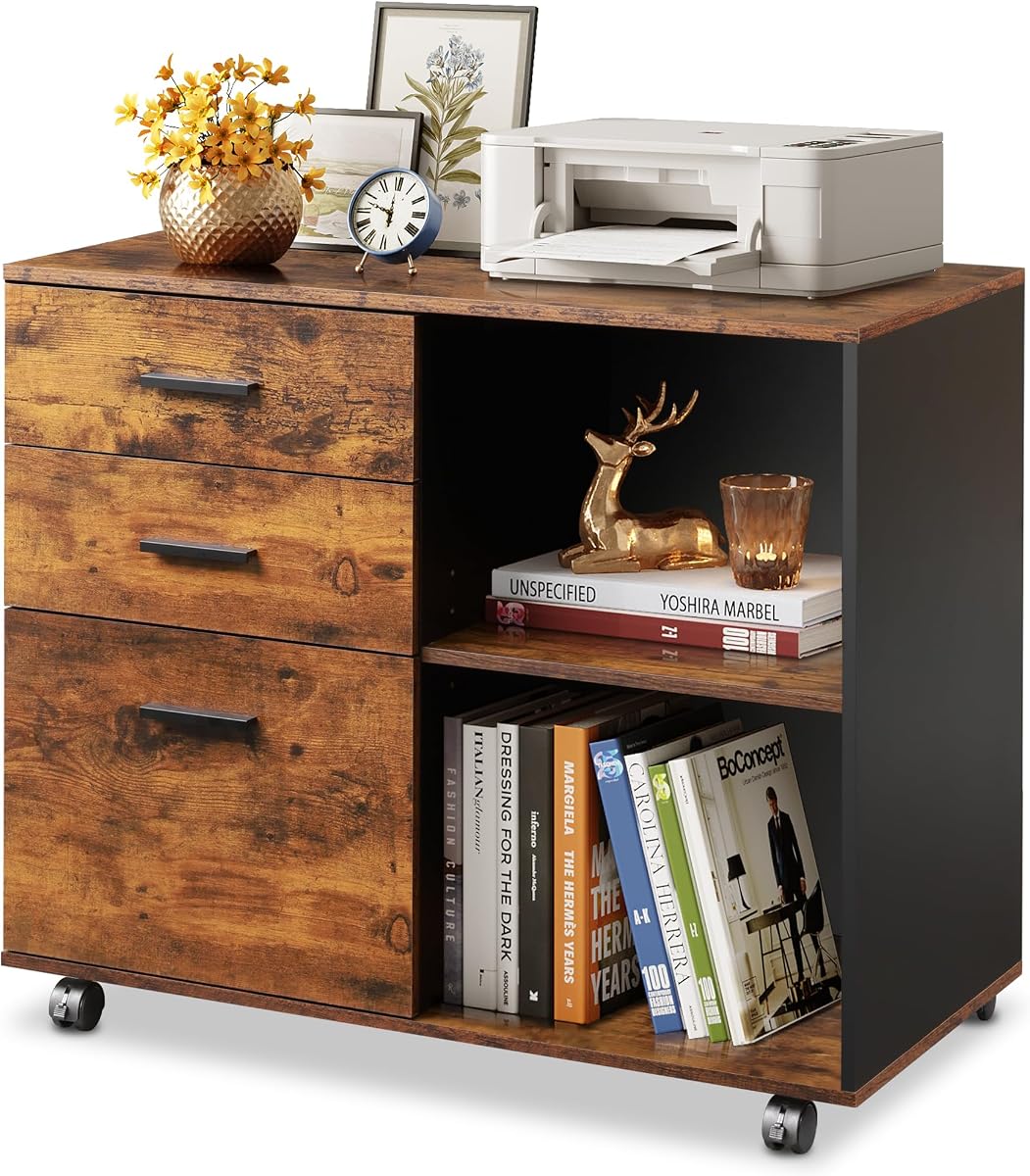
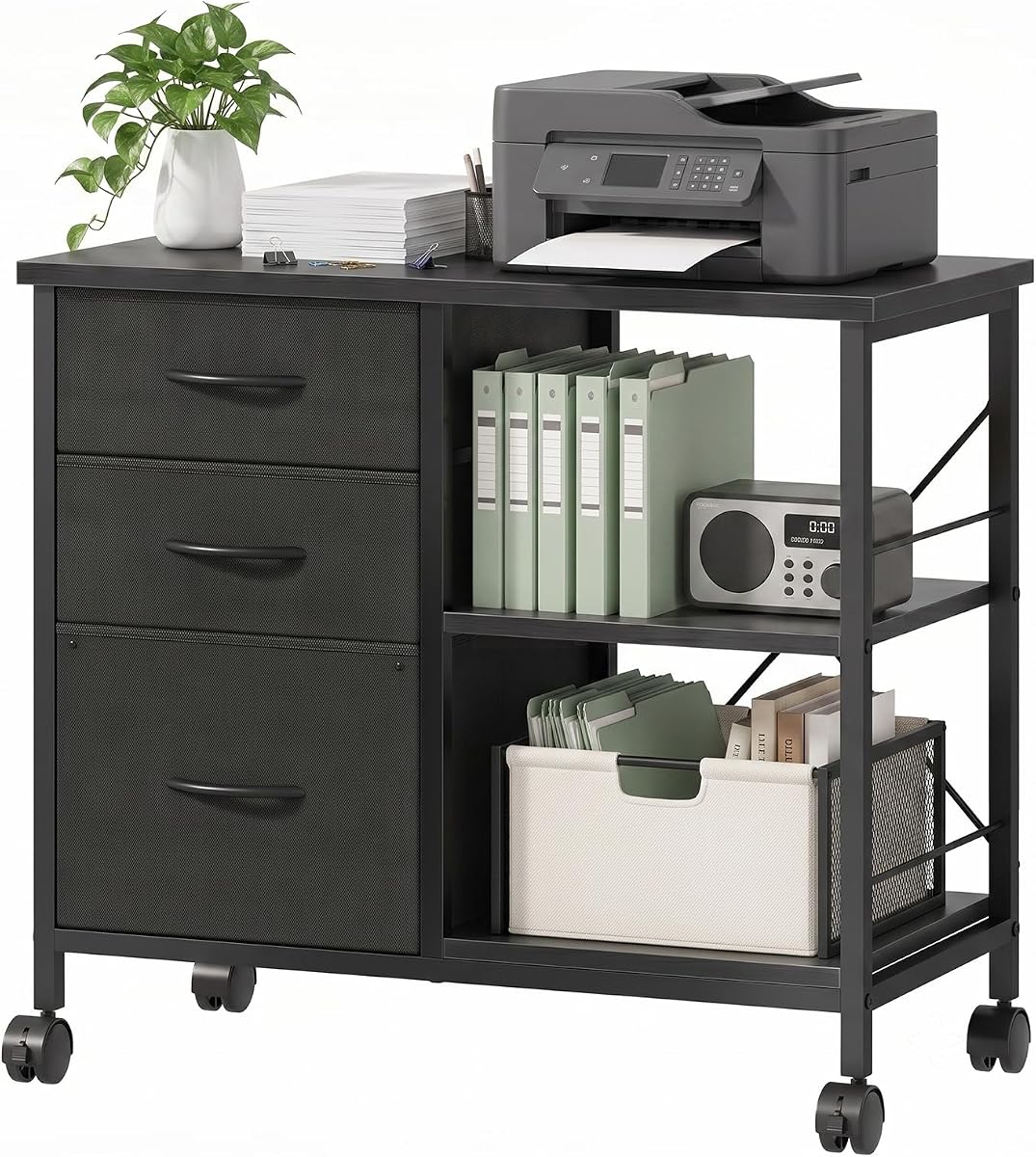
The GYIIYUO 2 Drawer File Cabinet stands out with its impressive 24 inch desktop designed to handle heavy office printers. It holds a rating of 4.2 stars and offers a robust solution for those needing extra stability and storage space in their workspace.
We may earn a commission when you buy through this link, at no additional cost to you.
Its dual support system allows you to switch between rolling casters and leveling feet in just 30 seconds. This flexibility means you can move the cabinet easily or lock it in place for a stationary workstation that does not wobble during use.
While the unit is sturdy and holds up to 120 pounds it does require some assembly time. The instructions are clear and parts are labeled so the process is manageable. The weight might make it harder to move alone compared to lighter options.
This model is ideal for accountants teachers or remote workers who need a dedicated spot for large devices. If you want a reliable printer stand that also serves as a stylish side table this cabinet delivers both form and function effectively.
The deep bottom drawer fits A4 folders and the side bag adds extra space for stationery or tablets keeping your area organized.
Built with a robust steel frame and wood grain finish this cabinet is designed to outlast competition and fit various decor styles.
We may earn a commission when you buy through this link, at no additional cost to you.
The MAHANCRIS File Cabinet combines storage with convenience by including a built in charging station with outlets and USB ports. Rated at 4.4 stars it solves the issue of distant outlets while keeping your printer and scanner powered up during work hours.
We may earn a commission when you buy through this link, at no additional cost to you.
You get three fabric drawers and two open shelves to organize documents and accessories efficiently. The industrial grade wheels allow for smooth movement and two of them lock to keep the unit steady when you are printing or accessing files.
Fabric drawers are lightweight and easy to pull but they might gather dust over time requiring occasional cleaning. The overall weight capacity is lower than solid wood models so it is best suited for standard home office printers not heavy industrial ones.
Choose this if you need a flexible workspace solution that keeps cords managed and devices charged. It is a great fit for small offices or home studios where space is limited and access to power is essential for daily tasks.
With a 59 inch power cord and multiple ports you can charge computers and printers simultaneously without hunting for wall outlets.
The adjustable hanging rods help you organize A4 and letter documents neatly while open shelves keep your printer easily accessible.
We may earn a commission when you buy through this link, at no additional cost to you.
The HUANUO Printer Stand is a budget friendly option that saves valuable desktop space by fitting under your desk. With a 4.5 star rating it is a popular choice for home offices needing a simple and efficient storage solution for printers and supplies.
We may earn a commission when you buy through this link, at no additional cost to you.
Its design allows for quick setup without tools thanks to a stackable construction. The storage drawer includes dividers for small office supplies and the bottom shelf is perfect for paper or reference books keeping everything within reach.
Since it is designed to fit under desks the surface area is smaller than larger stands. You should not move the stand while placing heavy items on top to avoid instability. The weight limit is moderate so check your printer specs.
This stand is perfect for small spaces where every inch counts. If you need a functional cart that keeps your floor clear and your printer at the right height this is a smart cost effective investment.
The two tier setup maximizes vertical space and lets you keep your main desk clear for work while storing your printer below.
Rolling caster wheels allow you to move the cart to different spots and lock them in place for safety during use.
We may earn a commission when you buy through this link, at no additional cost to you.
The DEVAISE 5-Drawer Wood Drawer Cabinet offers a classic look with plenty of storage space for your office needs. Rated at 4.4 stars this unit provides a spacious desktop for your printer and a large storage area for files and supplies.
We may earn a commission when you buy through this link, at no additional cost to you.
Crafted from durable particle board it features a water and scratch resistant surface that is easy to wipe clean. The five drawers can hold various document sizes and the open shelf section helps you organize larger items separately from small papers.
While the board is sturdy it can chip if struck hard so handle with care during assembly and use. The rolling casters make it easy to reposition but you may want to lock them if you have uneven floors to prevent sliding.
This cabinet is a great fit for study rooms or living offices where style matters. If you need a traditional chest of drawers that doubles as a printer stand this model blends function with a simple and clean aesthetic.
The desktop is wide enough to hold your printer and the internal shelving gives you flexibility to separate storage zones.
With a weight capacity of 100 pounds this unit can handle daily office tasks without bowing or becoming unstable over time.
We may earn a commission when you buy through this link, at no additional cost to you.
The DUMOS 3 Drawer Mobile File Cabinet is designed to handle heavy printers with a reinforced back support bar and strong top platform. It holds a 4.5 star rating and provides a compact solution for offices needing reliable storage and mobility.
We may earn a commission when you buy through this link, at no additional cost to you.
The top surface can hold up to 110 pounds while the drawers offer organized storage for files and supplies. Fabric drawers glide smoothly on rails and lockable casters let you move the unit easily and secure it when in use.
While the top is very strong the drawers have lower weight limits so avoid overstuffing them with heavy boxes. The assembly is tool free which saves time but ensure the frame is fully locked together before placing your printer on top.
This cabinet is perfect for small offices or rental apartments where space is tight. If you want a multifunctional table that supports a large printer and keeps your workspace tidy this model offers a lot of value.
The design combines a printer stand and filing cabinet so you save space and keep your work area neat with one purchase.
Built with a sturdy steel and wood frame this unit is made to last through daily office use without wobbling or breaking.
We may earn a commission when you buy through this link, at no additional cost to you.
The JUSTOGO Printer Stand offers an extra large file cabinet solution with three spacious open shelves for multi device use. It earns a 4.4 star rating and is built to support heavy duty printers and scanners simultaneously for busy workspaces.
We may earn a commission when you buy through this link, at no additional cost to you.
The industrial design with vintage wood grain and black metal frame adds style to your office while providing robust storage. With a 130 pound capacity and waterproof particleboard you can rest your equipment and documents on this unit without worry.
This unit is tall and wide so measure your area before buying to ensure it fits. The assembly is straightforward with labeled parts but it does require some time to put together properly to ensure stability.
Choose this if you have a studio or small business needing to store multiple devices and files. It is a premium choice for those who want a stylish yet functional centerpiece that organizes everything from printers to paper neatly.
The three large shelves allow you to place printers and scanners on different levels creating a clean and organized workspace.
Fabric and file drawers give you specific places for paper and folders reducing desktop clutter and boosting efficiency daily.
We may earn a commission when you buy through this link, at no additional cost to you.
The OLIXIS Mobile File Cabinet is a practical unit designed to organize letters and A4 files while acting as a printer stand. It boasts a high 4.8 star rating and offers a reliable mobile storage solution for home offices and classrooms.
We may earn a commission when you buy through this link, at no additional cost to you.
The bottom drawer is spacious enough for hanging folders and the top drawers hold smaller supplies like pens and notebooks. Its reinforced metal frame ensures stability and the compact size lets it fit beside or under most standard office tables.
While the top is durable for a printer the surface area is limited so keep bulky items off the sides. The locking wheels work well on both wood and carpet ensuring the unit stays in place when you need access to files.
This cabinet is ideal for classrooms or small workstations where organization is key. If you want a neat and efficient system to keep documents and your printer accessible this model offers great value and performance.
Three drawers provide smart storage for daily essentials and keep your workspace clean and efficient for daily tasks.
Four smooth rolling casters let you move the cabinet between spaces easily and lock them for safety when working.
We may earn a commission when you buy through this link, at no additional cost to you.
The VASAGLE 3-Drawer File Cabinet combines fabric steel and wood to create a balanced and stylish storage unit. With a 4.1 star rating it offers a spacious worktop for printers and a well designed system for organizing office supplies effectively.
We may earn a commission when you buy through this link, at no additional cost to you.
The 60 by 40 cm worktop is large enough to hold a full size printer and extra gear. Fabric drawers and a side pouch keep your papers and tools neatly organized while the lockable casters give you flexible layout options.
The mixed materials look great but fabric parts might gather dust and need wiping occasionally. Assembly is hassle free with numbered components and instructions but ensure all feet are adjusted to keep the unit stable on uneven surfaces.
This cabinet is a good fit for modern offices that value design and function. If you want a unit that looks beautiful yet works hard to keep your workspace clear this model is a strong contender.
The multi compartment design meets diverse storage needs so you can organize documents and supplies with ease in your office.
Lockable casters and adjustable feet let you move the cabinet or secure it in place for long term use.
We may earn a commission when you buy through this link, at no additional cost to you.
The DEVAISE 3-Drawer Mobile File Cabinet features a contemporary lateral design that adds style to any workspace. Rated at 4.2 stars it offers generous storage and a top surface suitable for placing a printer or other office devices.
We may earn a commission when you buy through this link, at no additional cost to you.
Smooth full extension slides make accessing files easy and quiet while the central caster helps prevent tipping when drawers are open. The scratch and stain resistant board can be wiped clean with a wet towel to maintain its look.
With a 150 pound capacity this unit is robust enough for heavy daily use. However assembly is required and might take time to get right so follow the instructions carefully to ensure safety and stability.
This cabinet is great for home offices or living rooms needing extra space. If you want a stylish unit that holds a lot of weight and keeps files organized this model is a practical and durable choice.
Eco friendly wood board ensures longevity and resists scratches so you can wipe it clean and keep it looking new.
Five casters allow smooth movement and locking front wheels keep the unit stable when you are printing or working.
We may earn a commission when you buy through this link, at no additional cost to you.
The 3-Drawer Lateral File Cabinet is a sturdy unit with a 110 pound load capacity and a thickened steel frame. It holds a 5.0 star rating and offers a practical storage solution with open shelves and fabric drawers for versatile organization.
We may earn a commission when you buy through this link, at no additional cost to you.
This vertical printer stand clears desktop clutter and fits neatly beside your desk for efficient workflow. The fabric drawers slide out smoothly to store stationery and notebooks while the steel frame provides stable support for heavy printers.
The simple design focuses on function so it might not match all decor styles perfectly. Ensure the drawers are not overloaded to maintain smooth operation and check all parts are tightened during assembly for maximum safety.
This model is ideal for home offices needing a reliable and affordable organizer. If you want a durable option that keeps your printer elevated and your supplies within reach this is a solid and highly rated choice.
A reinforced steel frame and scratch resistant panels help this printer stand stay stable during daily use and support heavy gear.
All parts are labeled with illustrated guides for fast setup so you can start organizing your workspace quickly.
We may earn a commission when you buy through this link, at no additional cost to you.
Selecting the right computer printer drawers depends on your space and workflow needs. Consider these factors to find the perfect match.
Check the maximum load the top surface can hold. Heavy printers need sturdy frames to avoid wobbling or damage over time.
Choose a unit that supports your printer weight plus any additional accessories you plan to place on top.
Measure your available floor space and desk clearance. Ensure the width and height fit your room layout comfortably.
Consider the depth to make sure your printer does not hang off the edge.
Decide if you need a stationary unit or a rolling one. Lockable casters allow movement while keeping the stand secure.
Look for models with two or more locking wheels for better stability.
Evaluate the number and size of drawers. Fabric drawers are light while wood ones are more durable for files.
Shelves and side pockets add extra space for supplies and books.
Some units come with clear instructions and labeled parts for quick setup. Others might need more time and tools.
Check reviews for ease of assembly before purchasing.
Pick a finish that matches your office style. Wood grain or black metal blends well in most settings.
Consider color to keep your workspace looking professional and neat.
Some models include charging stations or adjustable feet. These can add convenience and protect your floors.
Look for extra features if they match your daily workflow needs.
Choose materials that resist scratches and wear. Steel frames offer better longevity than thin wood panels.
Ensure the product has good user reviews on long term use.
Place your printer on the top surface ensuring it is centered and balanced to avoid tipping.
Use drawers to organize files and supplies keeping weight evenly distributed to maintain stability.
Clean the surface with a soft cloth and check wheels regularly for smooth operation and lock them when needed.
The ideal size depends on your printer dimensions. Look for a top at least two inches wider than your printer to prevent overheating and allow space for cables.
Most standard units handle home office printers but check weight limits for larger formats. Heavy duty models can support bigger devices but ensure stability.
Use felt pads on the wheels or choose models with rubber casters. This prevents scratches on hardwood floors and reduces noise when moving the unit.
Yes but opt for heavier duty models with higher weight capacities. Frequent use may require more durable materials to avoid wear and tear.
They are generally safe but ensure the drawers are not overloaded. Lock the wheels if children are playing nearby to prevent accidental movement or tipping.
Many models include rails or adjustable rods for hanging folders. Check the product specs to confirm compatibility with standard file types.
We reviewed ten top models ranging from budget friendly stands to premium storage units. The GYIIYUO stands out for its dual support system while the MAHANCRIS offers unique charging features.
Prioritize weight capacity and stability based on your printer size. Also consider storage needs and mobility to fit your specific workspace layout.
Prices and availability change so verify current listings before making a final decision. Choose a unit that brings both function and style to your office today.