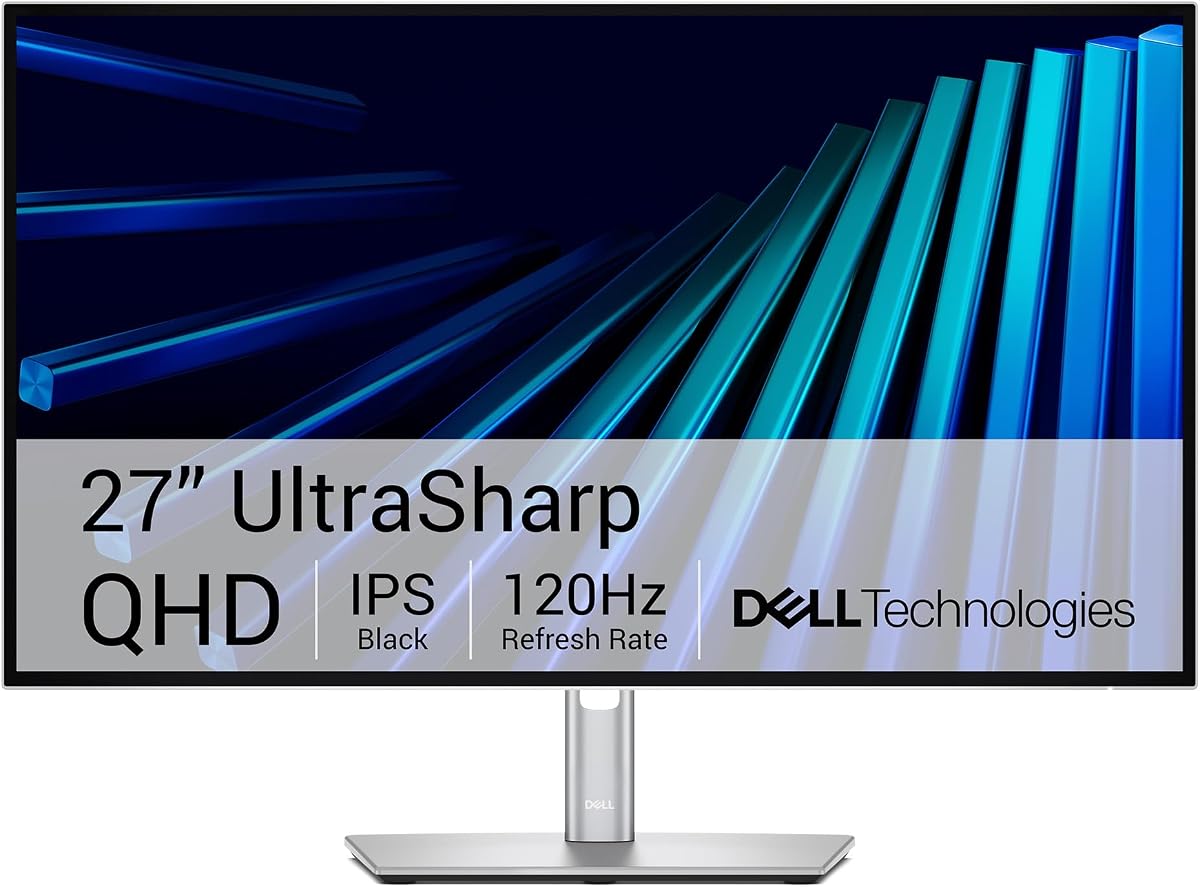
Dell UltraSharp 27 Thunderbolt Hub Monitor
5.0Editor score
98% Display P3 coverage
Thunderbolt connectivity
Built-in KVM switch
Choosing the right computer monitor for your MacBook Pro is essential for maximizing productivity and visual clarity. A high-quality display ensures accurate colors, sharp text, and a comfortable viewing experience for long work sessions.
We evaluated ten top-rated monitors based on resolution, color gamut, connectivity options, and ergonomic features. Each selection offers unique strengths tailored to different needs, from creative professionals to budget-conscious users.
This guide highlights the best options available today, detailing their pros and cons to help you decide. Remember that pricing fluctuates regularly, so check current listings before making your final purchase decision.
5.0Editor score

4.5Editor score

4.4Editor score
As an Amazon Associate we earn from qualifying purchases.
The following table provides a side-by-side overview of each monitor's key specifications to help you quickly compare options based on size, resolution, and special features.




This BenQ monitor stands out as a top choice for Mac users who prioritize color accuracy without needing external calibration tools. Its factory calibration ensures consistent tones across design work and video editing.
We may earn a commission when you buy through this link, at no additional cost to you.
The PD2706QN supports 95% P3 and 100% sRGB color spaces, which aligns well with macOS rendering. ICCSync technology matches color profiles between your Mac and the monitor automatically.
While it offers only 2K resolution, the pixel density remains sharp for most workflows. The anti-glare coating helps reduce reflections in bright environments, though matte textures can slightly soften fine details.
It is ideal for graphic designers and photographers who value color fidelity. The single-cable connectivity keeps your desk clean while delivering power and video seamlessly.
The factory-calibrated Delta E under 2 ensures that what you see on screen matches your prints and digital outputs closely.
Connect your MacBook with one cable to handle video, data, and 90W charging, eliminating the need for extra adapters.
We may earn a commission when you buy through this link, at no additional cost to you.
This Dell model delivers exceptional connectivity for Mac users who need to link multiple devices. The Thunderbolt hub integrates docking, display, and power into one sleek unit.
We may earn a commission when you buy through this link, at no additional cost to you.
Its 98% Display P3 coverage ensures vibrant colors suitable for professional video work. The KVM switch allows toggling between two computers with a single mouse and keyboard.
The premium price reflects its advanced features and build. While 4K might be expected at this tier, the sharpness remains adequate for general tasks and coding.
Choose this if you need a centralized hub for your Mac setup. It reduces cable clutter and enhances multitasking efficiency significantly.
Thunderbolt 4 support enables high-speed data transfer and daisy-chaining other displays for extended workspace setups.
Switch between your Mac and another PC using the built-in KVM to keep your desk organized and productive.
We may earn a commission when you buy through this link, at no additional cost to you.
This LG monitor offers an entry point into 4K displays without breaking the bank. It is ideal for users who want sharp text and detailed visuals on a budget.
We may earn a commission when you buy through this link, at no additional cost to you.
The IPS panel ensures consistent colors from various angles, and HDR10 support adds depth to media consumption. The borderless design makes it perfect for multi-monitor setups.
Note that it lacks USB-C power delivery, so you will need a separate adapter for charging. The stand offers tilt adjustment but not height, which might require a separate arm for ergonomics.
It is a strong pick for students and casual professionals. The combination of resolution and price makes it a standout value choice.
The 4K resolution delivers crisp text and high detail, making it excellent for coding, writing, and general productivity tasks.
HDR10 support enhances movies and shows by providing better contrast and more vivid colors during entertainment sessions.
We may earn a commission when you buy through this link, at no additional cost to you.
Designed specifically for Mac users, this BenQ monitor integrates seamlessly with macOS features. It offers hardware-level optimization to match Mac display colors accurately.
We may earn a commission when you buy through this link, at no additional cost to you.
The dual USB-C ports allow you to charge your device and iPad simultaneously. On-screen controls let you adjust brightness and volume directly from the keyboard.
While the price is higher than generic models, the ecosystem integration is valuable. It reduces friction for Mac-only workflows by aligning perfectly with system settings.
It suits Apple ecosystem users who want plug-and-play compatibility. The dedicated features justify the cost for those who rely heavily on Mac color fidelity.
Calibrated specifically for MacBook displays, it ensures visual consistency across your devices for accurate creative work.
Adjust volume and brightness using your MacBook keys, removing the need to reach for physical buttons on the monitor.
We may earn a commission when you buy through this link, at no additional cost to you.
This LG monitor brings HDR capabilities and smart features to your desk. It stands out for its ability to stream content directly without needing your computer.
We may earn a commission when you buy through this link, at no additional cost to you.
HDR 400 support adds depth to videos, while 95% DCI-P3 covers most creative needs. The Switch app lets you organize multiple windows efficiently.
Streaming apps can be distracting but offer convenience. The 90W USB-C ensures your Mac stays charged while handling data and display signals.
It is ideal for users who want an all-in-one entertainment and work station. The smart features add flexibility to how you use the monitor daily.
Built-in webOS lets you stream shows and movies directly on the monitor, freeing up your Mac for other tasks.
The Switch App divides the screen into sections, helping you manage multiple applications without clutter.
We may earn a commission when you buy through this link, at no additional cost to you.
This Dell monitor focuses on smooth visuals with a 120Hz refresh rate. It is a strong option for those who scroll frequently or play casual games.
We may earn a commission when you buy through this link, at no additional cost to you.
The 4K resolution ensures text is crisp, and 99% sRGB provides decent color accuracy. FreeSync Premium helps eliminate screen tearing during dynamic content.
While not fully calibrated for pro work, it handles general tasks well. The 65W USB-C power is sufficient for MacBook Pro models that do not need higher wattage.
Choose this for a balance of performance and price. It offers refresh rates uncommon at this price point, making it versatile.
The 120Hz refresh rate makes scrolling and animations look smoother, reducing motion blur for a more responsive feel.
FreeSync Premium ensures seamless visuals during gaming sessions, making it suitable for light gaming alongside work.
We may earn a commission when you buy through this link, at no additional cost to you.
This Dell model prioritizes speed and comfort over resolution. It is designed for those who need a fast refresh rate without spending much.
We may earn a commission when you buy through this link, at no additional cost to you.
The 144Hz rate makes motion extremely smooth, and TUV certification ensures low blue light. The stand supports pivot and tilt for better posture.
Text may not be as sharp as on 4K screens due to lower resolution. This is acceptable for users focused on applications that do not rely on high pixel density.
It is perfect for secondary setups or tight budgets. The high refresh rate gives it a competitive edge in its price segment.
Certified by TUV for low blue light, it helps reduce eye strain during long periods of screen usage.
The stand allows height, tilt, and pivot adjustments, helping you find a comfortable viewing angle easily.
We may earn a commission when you buy through this link, at no additional cost to you.
The Philips 241V8LB offers excellent contrast at a low price. Its VA panel provides deeper blacks compared to standard IPS screens.
We may earn a commission when you buy through this link, at no additional cost to you.
The bezel-free design makes it look premium and suits multi-monitor setups. It is flicker-free and reduces eye fatigue for reading documents.
It lacks USB-C connectivity, so you will need HDMI or DisplayPort. Text sharpness is limited by 1080p, but it is acceptable for general use.
This is a great choice for budget setups requiring multiple screens. The high contrast makes dark content look rich and engaging.
The VA panel delivers deeper blacks and higher contrast, making dark scenes in movies look more impactful.
With minimal bezels on three sides, these monitors align seamlessly for a wider viewing experience.
We may earn a commission when you buy through this link, at no additional cost to you.
This Samsung monitor provides a large screen for users who need extra workspace. The 32-inch size allows for comfortable multitasking.
We may earn a commission when you buy through this link, at no additional cost to you.
AMD FreeSync ensures smooth visuals during media playback. It includes eye care features to protect vision during extended sessions.
If the resolution is 1080p, text might look pixelated at 32 inches. Ensure you check the exact specs before buying to match your needs.
It is suitable for those who prioritize screen real estate over pixel density. The large format is excellent for spreadsheets or coding.
The 32-inch size gives you more room for applications and windows, reducing the need to switch screens frequently.
Eye Saver Mode minimizes blue light, helping you stay comfortable during long working hours.
We may earn a commission when you buy through this link, at no additional cost to you.
This LG monitor offers QHD resolution at a reasonable price. It is a solid choice for users seeking a step up from 1080p.
We may earn a commission when you buy through this link, at no additional cost to you.
The 100Hz refresh rate provides smooth motion, and HDR10 adds depth to media. The USB-C port allows basic connection with limited power delivery.
The 15W USB-C power is insufficient for charging laptops, requiring an external adapter. It works well as a dedicated display with a separate power setup.
It fits well for users seeking a balance between size and resolution. The price point makes it accessible for general office or home use.
QHD provides a good middle ground for sharpness and performance, ideal for productivity without demanding high hardware resources.
USB-C connectivity offers convenience for data and video, though external power is needed for device charging.
We may earn a commission when you buy through this link, at no additional cost to you.
Selecting the right monitor for your MacBook Pro involves balancing resolution, connectivity, and budget. This section details the key factors to consider.
Resolution dictates how sharp text and images appear. For MacBook Pro, 4K resolution matches the Retina display density well, while QHD is a cost-effective alternative. Screen size affects your workspace; 27 inches is standard for productivity.
Prioritize at least 27 inches with 4K if possible for best clarity.
For creative work, color accuracy is vital. Look for monitors with 90% or more DCI-P3 or sRGB coverage. Factory calibration ensures colors are accurate out of the box.
Choose displays with high P3 coverage for consistent design results.
MacBooks primarily use USB-C or Thunderbolt. Ensure the monitor supports USB-C with Power Delivery (PD) to charge your laptop via one cable. HDMI and DisplayPort provide extra versatility.
USB-C with PD simplifies your desk and improves mobility.
A higher refresh rate like 100Hz or 120Hz makes scrolling and motion smoother. While important for gaming, it also improves daily workflow fluidity and reduces eye fatigue.
Look for 100Hz or higher for a smoother visual experience.
Adjustable stands allow you to set the screen at eye level to prevent neck strain. Features like pivot and tilt are valuable for different working styles.
Adjustable height and tilt improve long-term comfort.
Some monitors offer HDR support or KVM switches to control multiple devices. These features add versatility but often increase the price significantly.
Evaluate if smart features justify the extra cost.
IPS panels offer better viewing angles and color consistency, which is ideal for creative work. VA panels have higher contrast but may shift colors at angles.
IPS is generally safer for professional color tasks.
Durability and design matter. Metal stands and low-profile bezels look professional and resist wear over time. Check warranty terms for added peace of mind.
Invest in solid build quality for longevity.
Connect your monitor to your MacBook Pro using a high-quality USB-C cable. Ensure the cable supports video and data transfer. Adjust macOS display settings to match the monitor's resolution.
Clean the screen regularly with a microfiber cloth to remove dust and fingerprints. Avoid harsh chemicals that might damage the coating. Place the monitor in a well-lit area to reduce glare.
Calibrate your display periodically to maintain color accuracy. Use built-in macOS tools or software like DisplayCAL. Turn off the monitor when not in use to extend its lifespan.
Yes, any HDMI or DisplayPort monitor works with macOS via adapters. Ensure the monitor supports the resolution you need for text clarity.
A 4K monitor ensures text matches the Retina display sharpness. It is ideal for reading and creative work but not mandatory for casual use.
USB-C Power Delivery charges your MacBook while transmitting video. It reduces cable clutter and keeps your laptop powered during use.
Mac-specific monitors often include optimized color profiles and controls. They simplify setup for Apple users but are not strictly necessary.
Adjust macOS scaling settings to fit the resolution. High resolutions like 4K help avoid scaling issues and keep text sharp.
4K resolution offers the most workspace and clarity. If budget is limited, QHD is a good balance between detail and cost.
We have reviewed ten monitors that excel in different areas, from the BenQ PD2706QN's accuracy to the Dell U2726DER's connectivity.
Focus on your primary needs like color accuracy or refresh rate before checking prices. Ergonomics and connectivity play a big role in daily satisfaction.
Always verify current prices and availability before purchasing. These monitors offer solid value and compatibility for your MacBook setup.