
2Pcs Nano V3.0 Board
4.5Editor score
ATmega328P CH340G Chip
USB C Port Included
Cost Effective Solution
This guide compares the top ten Arduino Nano Board options for makers and engineers looking for reliable microcontroller solutions in October 2026.
The Arduino Nano Board remains a cornerstone for electronics enthusiasts and professionals alike. Its compact form factor and robust capabilities make it ideal for embedded systems and DIY projects. Finding the right variant ensures your project runs smoothly without unnecessary complications or hardware failures during development.
We evaluated ten distinct Nano variants based on performance compatibility and value. Each option brings unique features like USB Type connectivity or enhanced memory. Our analysis focuses on real-world usability for beginners and advanced users who need consistent results across diverse applications and environments.
Every pick includes detailed specifications and honest assessments of strengths and limitations. Prices may fluctuate due to market demand and availability. Always verify the latest offers before purchasing to ensure you get the best value for your specific project needs and budget constraints today.
4.5Editor score
4.6Editor score

4.6Editor score
This table provides a side-by-side view of key specifications for all ten Nano boards. Use it to quickly identify the model that best matches your project requirements and technical needs.


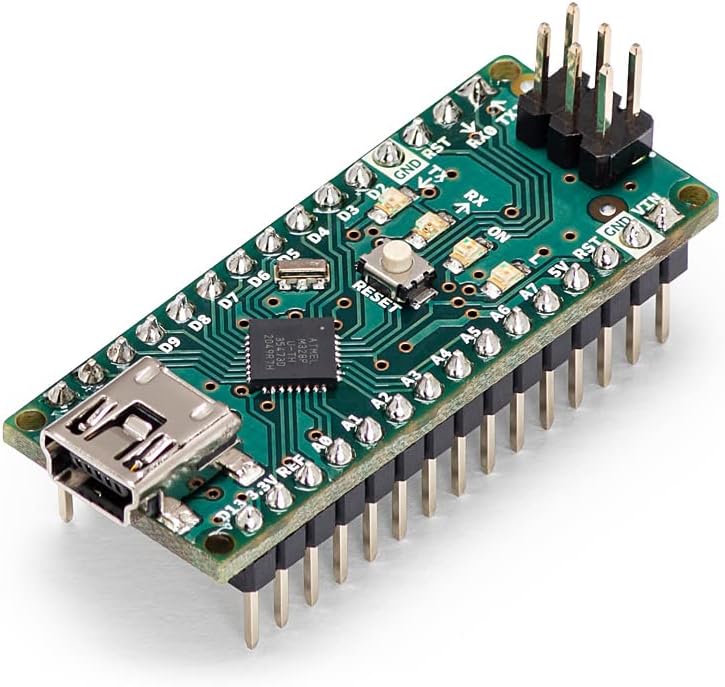
The Arduino Nano [A000005] stands out as the definitive choice for those seeking reliability and community support. With a 4.6 rating from verified users, this board delivers consistent performance for embedded systems and wearables.
We may earn a commission when you buy through this link, at no additional cost to you.
Its ATmega328P microcontroller ensures seamless integration with the Arduino IDE, making it accessible for beginners yet powerful enough for advanced engineers. The 14 digital I/O pins and 8 analog inputs provide versatile control for sensors and motors.
While the price is higher than generic clones, the assurance of genuine hardware reduces troubleshooting time significantly. The mini-USB port simplifies power and programming without needing extra components.
We recommend this board for professionals and students who need guaranteed compatibility and performance. It is the best starting point for critical projects where stability matters most.
Benefit from vast community resources and libraries specifically designed for the official Arduino Nano ecosystem.
High-quality components ensure long-term durability in demanding environmental conditions and continuous operation.
We may earn a commission when you buy through this link, at no additional cost to you.
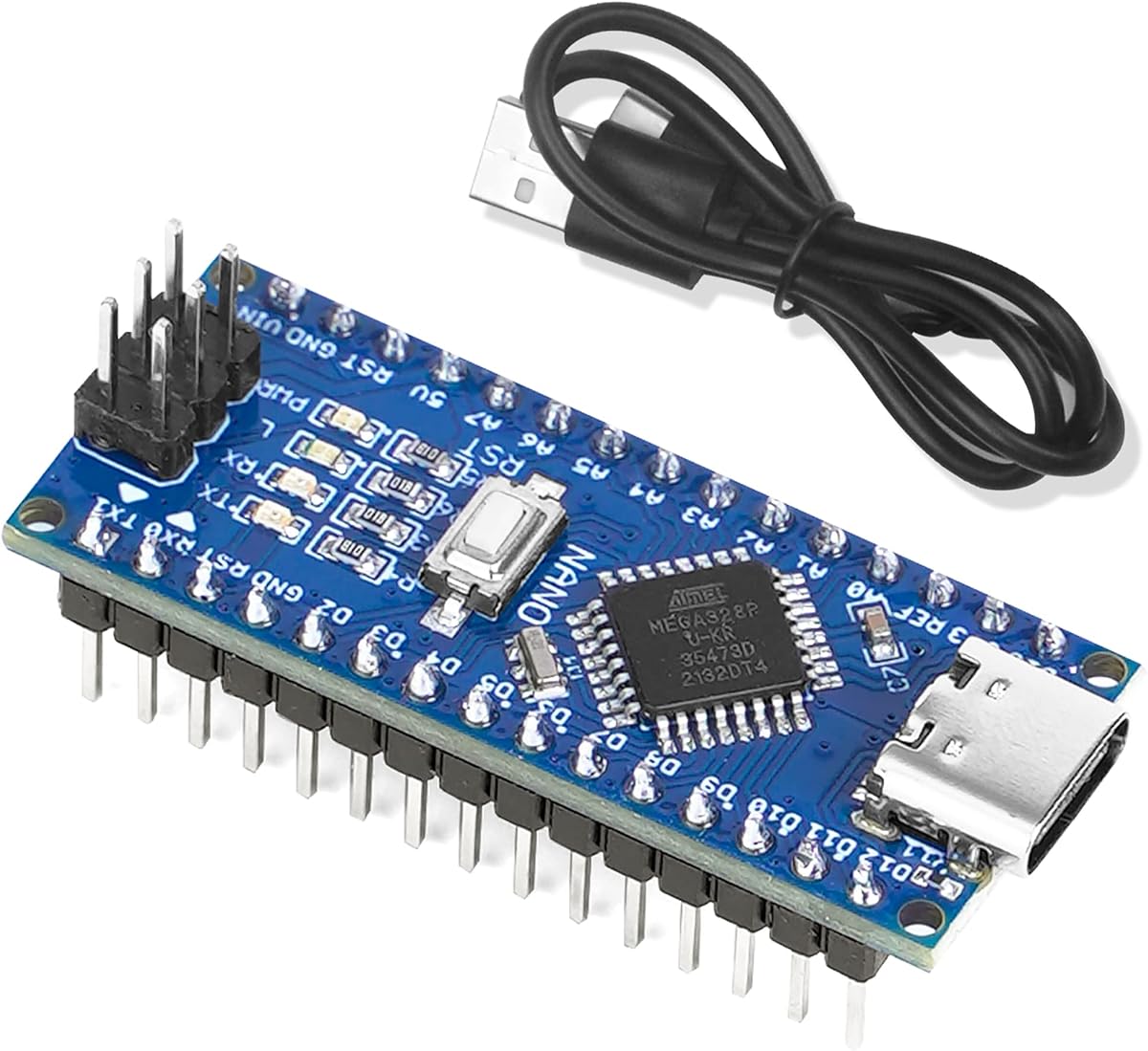
For those seeking an economical solution, the 2Pcs Nano V3.0 Board offers incredible value. This kit includes two boards and USB-C cables, making it perfect for experimenting without breaking the bank.
We may earn a commission when you buy through this link, at no additional cost to you.
The ATmega328P with CH340G chip ensures compatibility with the Arduino IDE and supports ISP and USB downloads. Users can easily integrate it into various projects thanks to its breadboard-friendly design.
Setup may require installing CH340 drivers on some systems, which is a minor hurdle compared to the savings. The inclusion of modern USB-C connections future proofs your setup against older cables.
This is the ideal pick for students or hobbyists needing multiple units for different prototypes. It balances cost and functionality effectively for non-critical applications.
Enjoy reversible connectivity and improved power delivery with the updated USB-C interface standard.
Get two boards in one purchase to prototype multiple designs or share with a team.
We may earn a commission when you buy through this link, at no additional cost to you.
The Arduino Nano ESP32 transforms the classic Nano form factor into a powerful wireless powerhouse. Featuring the ESP32-S3 chip, it supports Wi-Fi and Bluetooth for advanced IoT applications.
We may earn a commission when you buy through this link, at no additional cost to you.
Running at 240 MHz, this board handles real-time data processing and machine learning at the edge. Its support for MicroPython makes rapid prototyping accessible for those who prefer Python over C++.
While slightly more complex than standard N, the benefits of built-in connectivity outweigh the learning curve. HID support also allows it to act as keyboards or mice for specialized inputs.
We recommend this for advanced makers building smart home devices or remote sensors. It brings modern connectivity to the compact Nano size.
Seamless integration with cloud platforms and other smart devices via robust wireless protocols.
Utilize MicroPython for faster development cycles and easier scripting for complex tasks.
We may earn a commission when you buy through this link, at no additional cost to you.
ELEGOO provides a user-friendly experience with this presoldered Nano bundle. The headers are ready for immediate use, saving time on soldering for beginners.
We may earn a commission when you buy through this link, at no additional cost to you.
With a modern USB-C port and CH340G setup, programming is straightforward once drivers are installed. The three-pack allows for multiple projects without needing extra purchases.
The compact footprint fits perfectly on breadboards, supporting standard UART and SPI modules. It balances ease of use with classic Nano functionality effectively.
This is ideal for classrooms or hobbyists who want ready-to-use boards. The inclusion of cables and presoldered headers makes it very convenient.
Eliminate soldering steps with pre-installed headers that fit breadboards immediately out of the box.
The USB-C port ensures easier connections to modern computers and laptops.
We may earn a commission when you buy through this link, at no additional cost to you.
The Arduino Nano Every improves on the classic with the ATmega4809 microcontroller. This update brings 48KB of flash and 6KB of SRAM for more complex programs.
We may earn a commission when you buy through this link, at no additional cost to you.
Its USB-C port and 20 digital I/O pins offer expanded connectivity for various sensors. The board remains compatible with the Arduino IDE for smooth migration.
While performance is higher, the size remains ultra-compact for wearables and robotics. The efficiency gains help with power-sensitive projects significantly.
Choose this for projects needing more memory or faster processing than the classic Nano. It is a solid upgrade for existing developers.
Store larger code bases and data logs without running out of storage space quickly.
The USB-C port simplifies cabling and matches modern device standards.
We may earn a commission when you buy through this link, at no additional cost to you.
This bundle offers three boards with USB cables for cost-effective prototyping. The boards feature the CH340G chip and USB-C ports for modern connectivity.
We may earn a commission when you buy through this link, at no additional cost to you.
Power selection is automatic, switching to higher voltage sources without jumpers. This simplifies external power setups for motors or sensors.
With standard 14 digital pins and 6 analog inputs, it supports most classic Nano projects. It is great for classrooms or group projects.
Recommend this for users needing multiple units at a low cost. It provides value and convenience in a single package.
No jumpers required to switch between USB and external power sources.
Three units provide ample backups and spare boards for ongoing projects.
We may earn a commission when you buy through this link, at no additional cost to you.
The R4 introduces the Renesas RA4M1 with Qwiic connector for easy sensor expansion. It ships with pre-soldered headers for immediate breadboarding use.
We may earn a commission when you buy through this link, at no additional cost to you.
With 256KB flash and 32KB RAM, it handles complex data tasks better than standard N. The programmable RGB LED aids debugging directly on the board.
Castellated edges allow for direct mounting on custom PCBs. This makes it versatile for both prototyping and embedding.
Pick this for projects needing easy expansion and more memory. It bridges the gap between hobbyist and professional use.
Connect sensors without soldering using the standard Qwiic interface.
The onboard RGB LED provides immediate visual feedback for code testing.
We may earn a commission when you buy through this link, at no additional cost to you.
For custom designs, the unmounted R4 offers flexibility with loose header pins. You can solder headers or use castellated edges for PCB integration.
We may earn a commission when you buy through this link, at no additional cost to you.
It retains the full power of the RA4M1 microcontroller and Qwiic connector. The lower price point makes it accessible for custom manufacturing.
This option is best if you plan to mount the board into a larger device. It provides professional features at a reduced cost.
We recommend this for engineers needing compact, customizable hardware. It fits well in final product designs.
Use castellated edges for direct soldering onto custom PCBs.
Choose to solder headers or use bare edges based on project needs.
We may earn a commission when you buy through this link, at no additional cost to you.
LAFVIN offers a solid clone with the classic Mini USB port. This 3-pack is compatible with Windows, Mac, and Linux systems seamlessly.
We may earn a commission when you buy through this link, at no additional cost to you.
The improved CH340G chip ensures reliable USB downloads and power. It is fully compatible with standard Arduino IDE programming.
While it lacks USB-C, the stability and cost make it a strong choice. It works just like the original for most practical uses.
Buy this if you prefer the traditional Mini USB connection. It is a robust option for bulk purchasing.
Works across Windows, Mac, and Linux for universal developer access.
Retains the classic Mini USB style for legacy cable compatibility.
We may earn a commission when you buy through this link, at no additional cost to you.
The OSOYOO Nano provides a single unit with modern USB-C connectivity. It is tiny and ideal for compact projects requiring minimal space.
We may earn a commission when you buy through this link, at no additional cost to you.
Supporting USB downloads and ISP, it offers flexible programming options. The breadboard-friendly design makes integration simple for beginners.
This option is perfect for those needing just one board to test a concept. It balances price with the convenience of USB-C.
Choose this for small projects or as a spare unit. It is an efficient choice for budget-conscious makers.
Small footprint allows for embedding into tight enclosures or wearable tech.
Modern port type matches current device standards for easier connection.
We may earn a commission when you buy through this link, at no additional cost to you.
Selecting the right Nano board involves understanding your project's power memory and connectivity needs. This guide breaks down key factors to help you make an informed decision.
The microcontroller determines processing power and memory. Look for models like ATmega328P for standard tasks or ATmega4809 for higher performance. Newer chips like the ESP32-S3 offer wireless capabilities.
Check that the chip supports your required processing speed and memory limits.
Modern boards feature USB-C while older clones use Mini USB. USB-C is reversible and offers better power delivery. Ensure your cables match the port type you buy.
Choose USB-C for future proofing unless you already have Mini USB cables.
Flash and SRAM sizes affect how complex your code can be. Standard N offer 32KB flash and 2KB SRAM. Higher end boards provide more for data logging.
Review your code size before selecting a board to avoid memory constraints.
Consider how the board will be powered. USB provides 5V but external sources allow longer operation. Some boards switch between sources automatically for convenience.
Ensure your power source matches the board voltage to prevent damage.
Some boards offer I2C or Qwiic ports for easier sensor connections. Check if wireless support is needed for your project. Standard pins allow for various shield attachments.
Match connectivity options to your sensor and module requirements.
The Nano size is fixed but soldered headers affect usage. Presoldered headers save time while loose pins allow PCB mounting. Choose based on your prototyping speed.
Decide between breadboard use and custom PCB integration carefully.
Most clones use CH340 chips requiring driver installation. Official boards often work out of the box. Check your operating system support before buying.
Verify driver availability for Windows, Mac, or Linux before purchase.
Buying in packs offers cost savings and backups for multiple projects. A 3-pack provides spares for failed prototypes. Single units are cheaper for initial tests.
Consider your project volume to decide on single vs bulk purchase.
Connect the Nano to your computer via USB for power and programming. Install necessary drivers for CH340 chips if the port is not detected. Select the correct board in your IDE.
Upload sketches using the upload button in the software. Ensure the board is set to the correct COM port for successful communication. Check connections for shorts before powering on.
Store boards in dry anti-static bags to protect against damage. Avoid bending the pins repeatedly to maintain electrical integrity. Keep firmware updated for best performance and security.
Yes, if you use a clone with a CH340 chip, you must install drivers manually. Official boards usually work without extra software. Check your device manager if the port does not appear.
Yes, once you upload code, it can run independently on battery power. Ensure your power source matches the voltage requirements of the board. This is common for wearables and remote sensors.
The ATmega4809 offers higher performance and more memory. It is used in newer boards like the Nano Every. The 328P is the classic standard for most basic projects.
USB-C is more durable and reversible for modern devices. It provides better power delivery and future proofing. Most new boards now include USB-C for these advantages.
Official boards provide guaranteed quality and support but cost more. Clones offer affordability and often include modern features like USB-C. Choose based on your budget and project criticality.
Yes, especially models like the Nano ESP32 with built-in wireless. Standard boards can connect to Wi-Fi modules for similar results. Check connectivity options before starting your IoT project.
Our top picks highlight the versatility of the Nano family from budget clones to wireless variants. Each board serves a unique purpose depending on your technical requirements.
Prioritize connectivity and memory needs when selecting a model. Official boards ensure reliability while clones save budget for prototyping.
Remember to check current prices and stock before finalizing your purchase. Market fluctuations can affect availability and cost significantly.