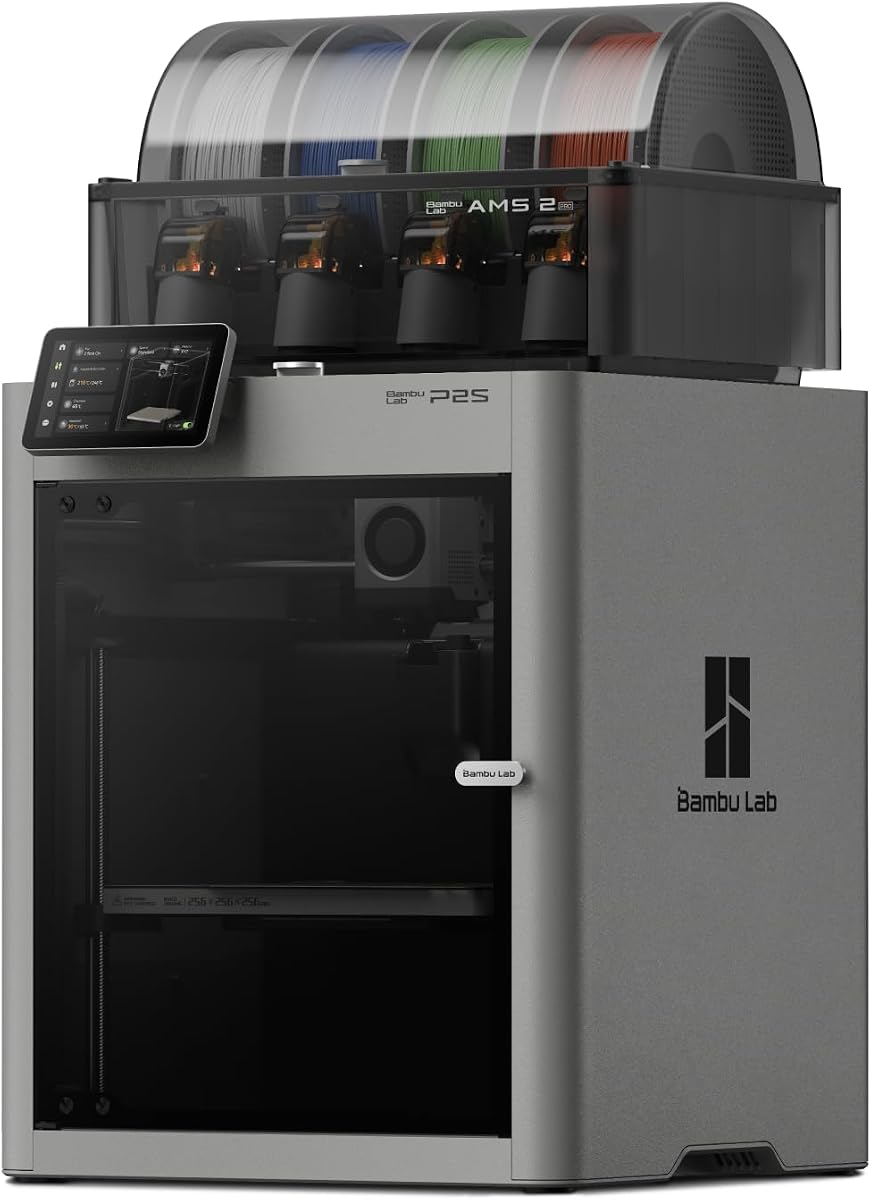
Bambu Lab P2S Combo, P2S 3D Printer & AMS 2 Pro, Multi-Color 3D Printing
4.7Editor score
High-Speed Precision
Ready to Print in 15 Minutes
Effortless Multi-Color Printing
This guide compares the top 3D printers for engineering prototypes based on build volume, material compatibility, speed, and precision for professional use.
Choosing the right 3D printer for engineering prototypes requires balancing speed, precision, and material versatility. Professionals need machines that handle complex geometries while delivering reliable results for functional testing and iterative design.
We evaluated ten leading models focusing on build volume, heated chamber capabilities, multi-material support, and motion stability. Each selection targets specific workflow needs from rapid prototyping to industrial-grade production runs.
Every pick highlights key strengths and trade-offs to help you match a printer to your specific engineering demands. Keep in mind that availability and pricing change frequently so always check current listings before purchasing.
4.7Editor score

3.5Editor score

4.4Editor score
This side-by-side comparison outlines the core specifications and capabilities of each selected 3D printer to help engineers identify the best fit for their prototyping workflows.




The Original Prusa XL stands out for engineering teams needing large-format multi-material capabilities. With a 14.17-inch cubic build volume and dual toolhead system it supports complex functional prototypes requiring soluble supports or over materials.
We may earn a commission when you buy through this link, at no additional cost to you.
Its segmented heated bed ensures even temperature distribution across large prints reducing warping risks common with industrial-grade materials like ASA or PETG. The CoreXY motion system maintains accuracy even during high-speed multi-material operations essential for rapid iteration.
While the initial setup requires installing separate fragile parts like the LCD and extruder assembly the process is straightforward. Users note a learning curve with tool switching calibration but the waste reduction benefits justify the time investment for frequent prototyping.
This machine suits studios and advanced makers requiring reliable industrial performance at scale. If your workflow demands large parts with varied material properties the Prusa XL delivers consistent results backed by lifetime technical assistance and community support.
Intelligent tool switching minimizes purge waste while maintaining high-quality transitions between materials saving both time and filament costs.
The CoreXY precision and speed system ensures accurate fast printing even during complex multi-material operations without sacrificing dimensional accuracy.
We may earn a commission when you buy through this link, at no additional cost to you.
The Bambu Lab P2S Combo offers high-speed precision at a accessible price point making it ideal for quick engineering iterations. With acceleration up to 600 mm/s and active flowrate compensation it delivers sharp consistent results for detailed parts.
We may earn a commission when you buy through this link, at no additional cost to you.
Setup takes only fifteen minutes thanks to automatic calibration and quick-swap nozzles. The included AMS 2 Pro enables multi-color printing with built-in filament drying which helps prevent moisture-related defects common with engineering resins like nylon or polycarbonate.
Users appreciate the adaptive airflow system that balances cooling and heat retention automatically. While the base printer doesn't support color without the AMS add-on the combo package provides a complete solution for teams needing both speed and visual differentiation in prototypes.
For beginners or small studios prioritizing speed and ease of use the P2S Combo delivers professional-grade performance. Its robust ecosystem including MakerWorld models and Bambu Studio integration ensures a smooth workflow from design to finished print.
With AI failure detection and automatic calibration users can start printing within fifteen minutes without complex manual adjustments.
The adaptive airflow system maintains a 50°C chamber for engineering materials ensuring crisp overhangs and stable thermal conditions.
We may earn a commission when you buy through this link, at no additional cost to you.
The QIDI Max4 Combo excels for printing large industrial parts without splitting. Its 390x390x340mm build volume combined with a 65°C active heated chamber supports high-temperature materials like PC and PPS-CF essential for end-use functional prototypes.
We may earn a commission when you buy through this link, at no additional cost to you.
Closed-loop motors on the X and Y axes ensure precision even at 800mm/s speeds while the hardened steel nozzle handles abrasive carbon fiber reinforced nylon. A built-in AI camera detects printing abnormalities like spaghetti failures and pauses instantly to save material.
The touch screen interface is intuitive for both professionals and enthusiasts. While the polar cooler must be purchased separately to maximize chamber performance the base unit already offers excellent thermal stability for most engineering thermoplastics and composites.
For teams needing to print complex molds or custom large prototypes in one go this machine provides unmatched capability. The expandable QIDI BOX connection enables sixteen-color multi-material workflows for advanced design validation and aesthetic testing.
Closed-loop motors on X and Y axes achieve maximum printing speeds of 800mm/s while maintaining exceptional surface quality and detail.
With a 65°C active heated chamber and hardened nozzle it supports abrasive industrial-grade materials including carbon fiber-reinforced nylon and PPS-CF.
We may earn a commission when you buy through this link, at no additional cost to you.
The Snapmaker U1 introduces a unique four-toolhead system enabling true multi-color and multi-material printing without manual swaps. Each toolhead holds preloaded preheated filament allowing seamless transitions between rigid flexible or soluble support materials in a single print.
We may earn a commission when you buy through this link, at no additional cost to you.
Tool changes happen in just five seconds reducing purge waste by up to five times compared to traditional systems. The rigid CoreXY motion system with carbon fiber rails supports speeds up to 500 mm/s while maintaining accuracy for detailed functional prototypes.
Automatic calibration handles offset and vibration compensation delivering dimensionally accurate prints with minimal setup. While the build volume is smaller at 270mm cube it excels for multi-material components requiring hinges inserts or varied hardnesses in one operation.
Ideal for creators needing rapid iteration on complex assemblies the U1 simplifies workflows with its open-source Orca slicing software. Its comprehensive warranty and remote app control make it accessible for both hobbyists and professional workshops.
Swapping toolheads instead of purging reduces filament waste by up to five times lowering operating costs and environmental impact.
Combine rigid flexible and soluble materials in one print enabling functional parts with integrated hinges and easy-to-remove supports.
We may earn a commission when you buy through this link, at no additional cost to you.
The Bambu Lab A1 brings high-speed precision to entry-level users with an impressive acceleration of 10,000 mm/s². While marketed for beginners its fast consistent output makes it suitable for simple engineering prototypes requiring rapid turnaround times.
We may earn a commission when you buy through this link, at no additional cost to you.
Full-auto calibration handles bed leveling and Z-offset eliminating manual hassles. Active flow rate compensation ensures smooth consistent extrusion for reliable part dimensions. The 1-Clip quick swap nozzle simplifies maintenance allowing quick changes without tools.
Its quiet operation thanks to active noise canceling makes it ideal for office environments. While it lacks a heated chamber limiting high-temp materials the included AMS lite support unlocks multi-color printing for visual prototype differentiation.
For small teams or students needing affordable reliable performance the A1 delivers professional quality prints with minimal setup. Its user-friendly interface and streamlined workflow ensure engineers can focus on design iteration rather than machine tuning.
The A1 takes care of all calibration processes automatically ensuring optimal performance for every print without manual intervention.
Active motor noise canceling and a simplified interface create a quiet workspace suitable for shared offices or classrooms.
We may earn a commission when you buy through this link, at no additional cost to you.
The FLASHFORGE Creator 5 Pro targets industrial engineering with four independent toolheads and a near-zero waste system. Unlike single nozzle multi-color solutions it switches nozzles without flushing eliminating massive purge waste and slashing material costs.
We may earn a commission when you buy through this link, at no additional cost to you.
Its fully enclosed frame maintains a 65°C active heated chamber preventing warping in advanced filaments like ABS and PA. The CoreXY motion structure ensures rapid 600mm/s printing without sacrificing accuracy or introducing mechanical vibrations.
Safety is prioritized with dual HEPA 13 and activated carbon filtration capturing ultrafine particles and fumes. A built-in HD chamber camera allows real-time monitoring and time-lapse generation for remote workflow oversight.
Teams needing robust industrial parts and multi-color aesthetics in one machine find exceptional value here. The combination of speed precision and safety makes it a compelling choice for production environments demanding both quality and efficiency.
Featuring four independent toolheads and a seven-second FlashSwap changer the system switches nozzles without flushing filament.
Dual HEPA 13 and activated carbon systems trap ultrafine particles maintaining a safe odorless thermally stable workspace.
We may earn a commission when you buy through this link, at no additional cost to you.
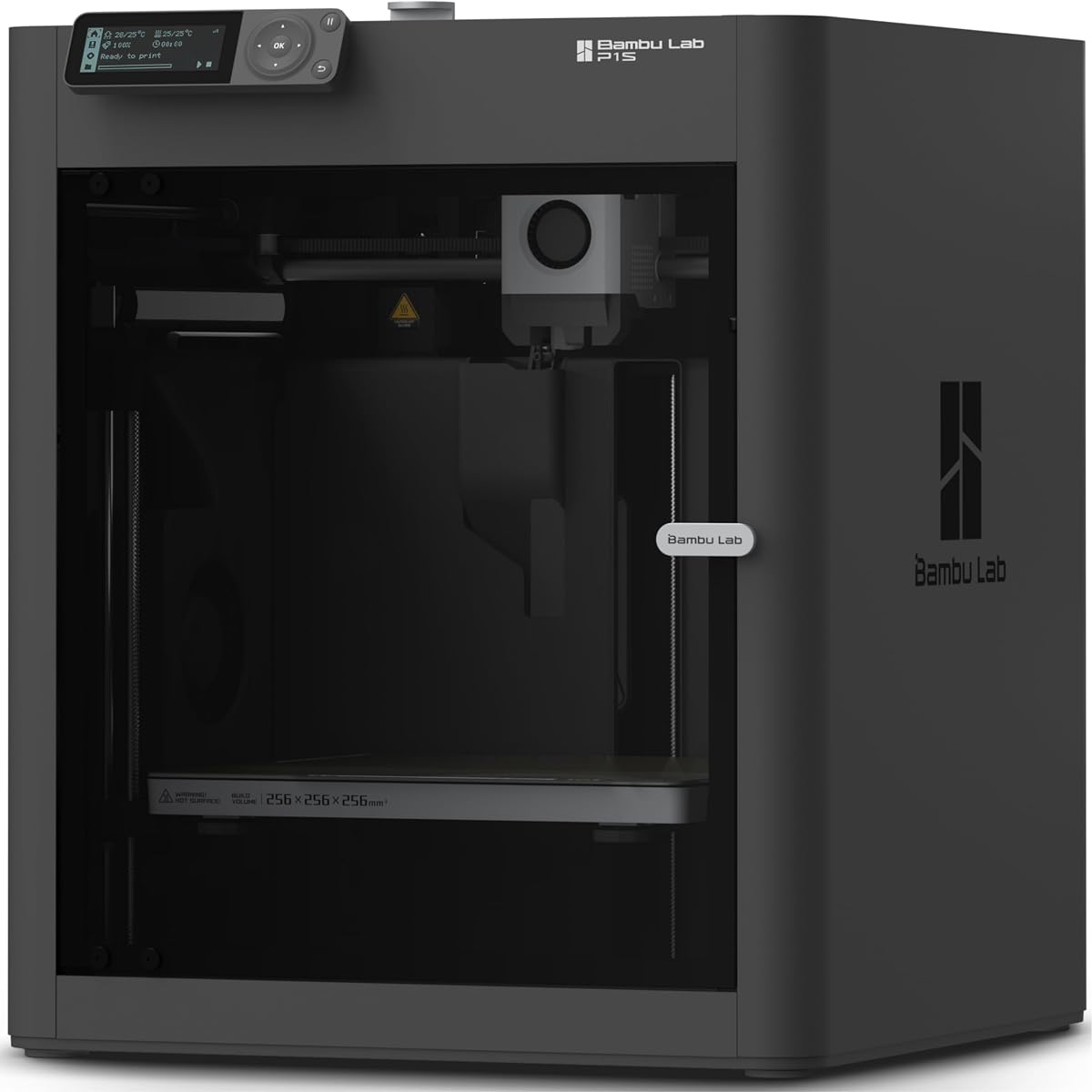
The Bambu Lab P1S offers a fully enclosed design optimized for advanced filaments like ABS and ASA. Its high-speed capability reaching 500mm/s with 20,000 mm/s² acceleration ensures rapid production of functional prototypes without sacrificing detail.
We may earn a commission when you buy through this link, at no additional cost to you.
Setup takes fifteen minutes with user-friendly design ensuring hassle-free assembly. Automatic bed leveling makes printing accessible for all skill levels while the AMS connection allows up to sixteen colors for vibrant multi-material outputs.
It balances performance and affordability making it a strong contender for mid-range engineering needs. While it does not recommend carbon fiber reinforced polymers it handles standard engineering thermoplastics reliably for most functional testing applications.
For professionals needing an enclosed reliable printer with multi-color capabilities the P1S delivers consistent results. Its ecosystem integration and rapid setup reduce downtime enabling continuous iteration cycles for design validation.
Fully enclosed body improves print performance for advanced filaments while enabling speeds up to 500mm/s for rapid prototyping.
Connecting the Bambu Lab AMS unlocks up to sixteen colors bringing designs to life with vibrant multi-material printing capabilities.
We may earn a commission when you buy through this link, at no additional cost to you.
The FLASHFORGE Adventurer 5M Pro leverages an all-metal CoreXY frame for speeds up to 600mm/s while maintaining surface precision. Integrated vibration compensation eliminates ghosting delivering smooth finishes for technical parts requiring dimensional accuracy.
We may earn a commission when you buy through this link, at no additional cost to you.
A 3-second quick-swap nozzle mechanism allows effortless changes across multiple sizes without tools. The dual filtration system and quiet enclosure make it suitable for shared workspaces ensuring clean air and minimal noise disruption.
With a 280°C extruder it reliably prints engineering materials like ABS ASA and PETG-CF. The built-in camera and Flash Studio app enable real-time monitoring and instant status alerts for remote project management.
Ideal for engineers needing fast reliable prints with minimal setup the 5M Pro balances speed with user-friendly features. Its mobile control and auto-leveling ensure consistent first layers while the high-temp nozzle expands material possibilities.
Features a tool-free quick-release nozzle mechanism for effortless three-second replacements across multiple nozzle sizes.
Built with a fully enclosed chamber and dual filtration system it operates quietly under fifty decibels for any environment.
We may earn a commission when you buy through this link, at no additional cost to you.
The Anycubic Kobra 3 Max offers an industry-leading build volume of 420x420x500mm enabling life-size prototypes or multiple parts in one go. It supports professional-grade precision at 600mm/s speeds using G-sensor vibration compensation to prevent layer shifts.
We may earn a commission when you buy through this link, at no additional cost to you.
Reliability is enhanced with a filament runout sensor and power loss resume function ensuring uninterrupted twenty-four-seven printing. The dual-sided PEI spring steel plate provides 100% adhesion reliability and effortless print removal for smooth post-processing.
While its software features are basic compared to competitors the hardware delivers exceptional value for large parts. The all-metal hotend supports 300°C temperatures enabling compatibility with high-performance materials needed for demanding engineering applications.
For businesses needing massive build capacity at an accessible price this model stands out. Its robust sensor suite and large build area make it ideal for production runs where size and uptime are prioritized over advanced software features.
Print life-size prototypes furniture components or multiple parts simultaneously on this extra-large 420x420x500mm build volume.
Built-in filament runout sensors and power loss resume ensure machine pauses automatically when filament ends or power fails.
We may earn a commission when you buy through this link, at no additional cost to you.
The FLASHFORGE Creator 5 Pro Industrial maintains stable 65°C chamber temperatures ensuring consistent interlayer adhesion across all seasons. Its active heating system minimizes warping when printing high-performance materials like ABS PC and Nylon.
We may earn a commission when you buy through this link, at no additional cost to you.
An adaptive air circulation system with HEPA13 filtration captures volatile particles ensuring safe printing in any environment. Four independent extruders switch colors instantly without purging significantly improving efficiency for multi-color engineering projects.
With 600mm/s print speed and 30,000 mm/s² acceleration it handles high-throughput projects effortlessly. The rigid all-metal frame and CoreXY architecture ensure vibration-free precision while automatic platform leveling guarantees flawless first layers.
Comprehensive safety monitoring tracks filament runout and tangles preventing failed prints. Its user-friendly touchscreen and tool-less changes under thirty seconds make this industrial-grade machine accessible for efficient professional production runs.
Active chamber heating maintains stable temperature up to sixty-five degrees Celsius regardless of season or room temperature.
Four independent extruders switch colors instantly without purging improving printing efficiency while ensuring pristine color separation.
We may earn a commission when you buy through this link, at no additional cost to you.
Selecting the right 3D printer for engineering prototypes involves evaluating build volume, material compatibility, speed, and precision to match your specific workflow needs.
Determine the maximum part size you need to print in a single run. Larger builds reduce assembly time but require more floor space and higher power consumption.
Choose a volume slightly larger than your largest prototype to allow for support structures and tolerance adjustments.
Engineering prototypes often require durable thermoplastics like ABS ASA PC or carbon fiber reinforced nylon. Ensure the printer supports these materials with appropriate nozzle temperatures and bed adhesion options.
Check if the machine can handle flexible filaments or water-soluble supports if your designs need complex geometries.
An enclosed heated chamber stabilizes ambient temperature around the print reducing warping for high-temperature materials. This is essential for consistent results with nylon or polycarbonate.
Look for active chamber heating with stable temperature control to maintain consistent interlayer adhesion throughout the print.
High speeds and accelerations reduce production time for multiple iterations. Fast CoreXY systems offer quick turnaround without sacrificing surface quality on detailed parts.
Prioritize models with vibration compensation to prevent ghosting or ringing when printing at maximum speeds.
Multi-tool systems or extruder setups allow combining rigid flexible or support materials in one print. This enables functional testing of moving parts and integrated hinges.
Evaluate whether the system uses separate toolheads or a single nozzle with multiple spools to minimize waste and downtime.
Dimensional accuracy is critical for functional prototypes to fit assembly constraints. Look for closed-loop motors and automatic calibration features to maintain consistency across prints.
Tools like bed leveling sensors and flow rate compensation ensure reliable first layers and consistent extrusion throughout the build.
Software ecosystems simplify slicing and remote monitoring. Features like auto-generated time-lapse and cloud control help track progress without manual supervision.
Choose a printer with intuitive touchscreen interfaces and open-source slicing compatibility for flexibility in your design process.
Engineering materials release fumes or particulates that impact air quality. HEPA and activated carbon filtration maintain safe working conditions especially in enclosed spaces.
Ensure the system includes safety features like thermal runaway protection and emergency stop mechanisms for uninterrupted operation.
Begin by installing and calibrating the printer according to the manufacturer's instructions. Ensure the build surface is clean and level before your first print to prevent adhesion issues.
Regularly maintain nozzles and fans to prevent clogs from high-temperature materials. Replace worn components like belts or gaskets to preserve print accuracy and machine lifespan.
Store filament properly in sealed containers with desiccants to prevent moisture absorption. Monitor environmental conditions such as humidity and temperature to ensure consistent printing results over time.
Engineering prototypes typically use durable thermoplastics like ABS ASA PETG PC or carbon fiber reinforced nylon. Flexible TPU and soluble PVA supports are also options for complex geometries requiring removable structures.
Yes, a heated chamber stabilizes temperature and prevents warping when printing ABS or similar high-temperature materials. Without it, the outer edges may cool too quickly and detach from the bed.
Use models with segmented heated beds and active airflow to maintain uniform temperature. Ensure bed adhesion is optimized with proper leveling and surface preparation to minimize warping risks.
Single toolhead printers switch colors by purging one nozzle while multi-toolhead systems use separate heads to eliminate waste. Multi-tool options are faster and cleaner for complex multi-material prototypes.
Yes, printers with proper material support like nylon or PETG produce durable functional parts. Ensure the design tolerances and mechanical properties match your testing requirements before production.
Speed reduces iteration time but must be balanced with precision. High acceleration models maintain quality at faster rates while vibration compensation prevents defects like ghosting on detailed parts.
Most multi-material printers use dedicated slicing software that manages color changes and tool switches. Ensure your CAD files export in formats compatible with the printer's recommended software.
Routine tasks include cleaning nozzles, checking belt tension, and replacing filters for air quality. Follow manufacturer guidelines for lubrication and calibration to ensure consistent performance.
The top picks for engineering prototypes include the Original Prusa XL for multi-material flexibility, the Bambu Lab P2S Combo for budget-friendly speed, and the QIDI Max4 Combo for large industrial output.
Prioritize build volume, material compatibility, and heating stability based on your specific prototype needs. Balancing performance with ease of use ensures efficient workflows for rapid design validation.
Prices and availability change frequently so verify current listings and warranty details before purchasing. Selecting the right machine will streamline your prototyping process and improve final product outcomes.