
15.6-inch laptop with Numpad
4.5Editor score
Affordable price point
Numeric Keypad included
Lightweight slim design
Compare the top 10 laptops with numpad for 2026. We review specs performance and features to help you find the perfect laptop for data entry and office work.
Finding a laptop with a dedicated numeric keypad is essential for professionals who handle spreadsheets accounting or data entry daily. These machines streamline workflows by allowing rapid input without relying on the top row of keys. A good model combines portability with a full-size layout that supports efficient typing and number crunching alike.
We evaluated ten leading models available this month based on processor speed memory capacity display quality and keyboard design. Our analysis focuses on real-world performance for business tasks like Excel accounting and financial modeling. Each selection offers a unique balance of price power and screen size to suit different office environments.
Every pick in this guide highlights key strengths such as battery life port availability and overall build quality. You will see detailed breakdowns of what makes each device stand out for number-heavy workflows. Please note that prices and availability can change frequently so verify current details before purchasing.
4.5Editor score

4.8Editor score

This side-by-side comparison lists all ten models with their core specifications to help you decide quickly. We highlight the processor type memory amount storage size and screen dimensions for each unit. Use this table to find the exact configuration that matches your specific data entry needs.




This HP 255 G10 Business laptop stands out as the top choice for professionals who need reliable performance with a dedicated numeric keypad. It earns an impressive 4.8 rating from users who appreciate its balance of speed and affordability. The combination of a quad-core AMD CPU and 16GB RAM makes it ideal for multitasking during busy workdays.
We may earn a commission when you buy through this link, at no additional cost to you.
The 15.6-inch Full HD IPS display offers wide viewing angles and lifelike colors which are essential for reviewing detailed spreadsheets or documents. AMD FreeSync Technology ensures smooth visuals during video calls or presentations. The laptop includes a full-size keyboard with a numeric keypad allowing you to enter data quickly without relying on the number row at the top.
While the battery life is decent it may require charging after a full day of heavy use. The lack of USB-C power delivery means you must use the standard charger which can be less convenient for travel. However these trade-offs are acceptable given the robust performance and connectivity options like Wi-Fi 6 and Bluetooth 5.3.
If you are looking for a dependable workhorse for accounting or office tasks this model is highly recommended. It provides the tools you need to stay productive without breaking the bank. We suggest this unit to anyone prioritizing a large screen and fast data entry capabilities in a business laptop.
The dedicated numeric keypad significantly speeds up number input for spreadsheets and financial software.
USB-C and Wi-Fi 6 ensure you can connect to modern peripherals and networks with ease.
We may earn a commission when you buy through this link, at no additional cost to you.
The Lenovo V-Series V15 is designed for users who need significant power for heavy multitasking and large data sets. Its standout feature is the 40GB RAM which allows you to run dozens of browser tabs and applications simultaneously without slowdowns. This makes it an excellent choice for data analysts or accountants working with complex files.
We may earn a commission when you buy through this link, at no additional cost to you.
The AMD Ryzen 7 5825U processor delivers high performance with eight cores and sixteen threads. It handles demanding tasks like video rendering or virtual meetings with ease. The 1TB PCIe NVMe SSD provides ample storage for all your files and ensures fast boot times. The numeric keypad is integrated into the full-size keyboard for efficient number entry.
One downside is the weight of the device which makes it less portable for travelers. The screen brightness is also average meaning it might struggle in bright outdoor environments. However these issues are minor compared to the sheer power and storage capabilities this laptop offers for office work.
We recommend this laptop for those who prioritize performance over portability. If you spend most of your day at a desk this machine will handle your workload efficiently. It is particularly well-suited for professionals who need to manage multiple resources at once.
The 40GB RAM ensures smooth operation even when running memory-intensive applications together.
The included RJ45 port provides a stable wired connection for secure network access.
We may earn a commission when you buy through this link, at no additional cost to you.
This HP 255 G10 model upgrades the previous generation with a powerful AMD Ryzen 7 7730U processor. It is a strong contender for those who need fast processing speeds for software development or heavy office tasks. The 16GB RAM provides enough headroom for daily work while the numeric keypad supports efficient data entry.
We may earn a commission when you buy through this link, at no additional cost to you.
The 15.6-inch display features an anti-glare coating that reduces eye strain during long work sessions. With a resolution of 1920 x 1080 it offers sharp text and clear visuals. The SSD ensures quick access to files and applications. Connectivity is handled via Wi-Fi 6 and Bluetooth for reliable wireless performance.
However the screen brightness is not the brightest on the market which might limit use in bright rooms. Battery life is also modest meaning you should keep a charger nearby for all-day use. These are common trade-offs for laptops in this price range focused on performance.
This laptop is a great fit for professionals who need speed without paying premium prices. It balances cost and capability well for standard business environments. We suggest it for anyone needing a responsive machine with a numeric keypad for daily tasks.
The Ryzen 7 processor handles multitasking and heavy software loads efficiently.
Anti-glare screen technology helps reduce strain during extended use.
We may earn a commission when you buy through this link, at no additional cost to you.
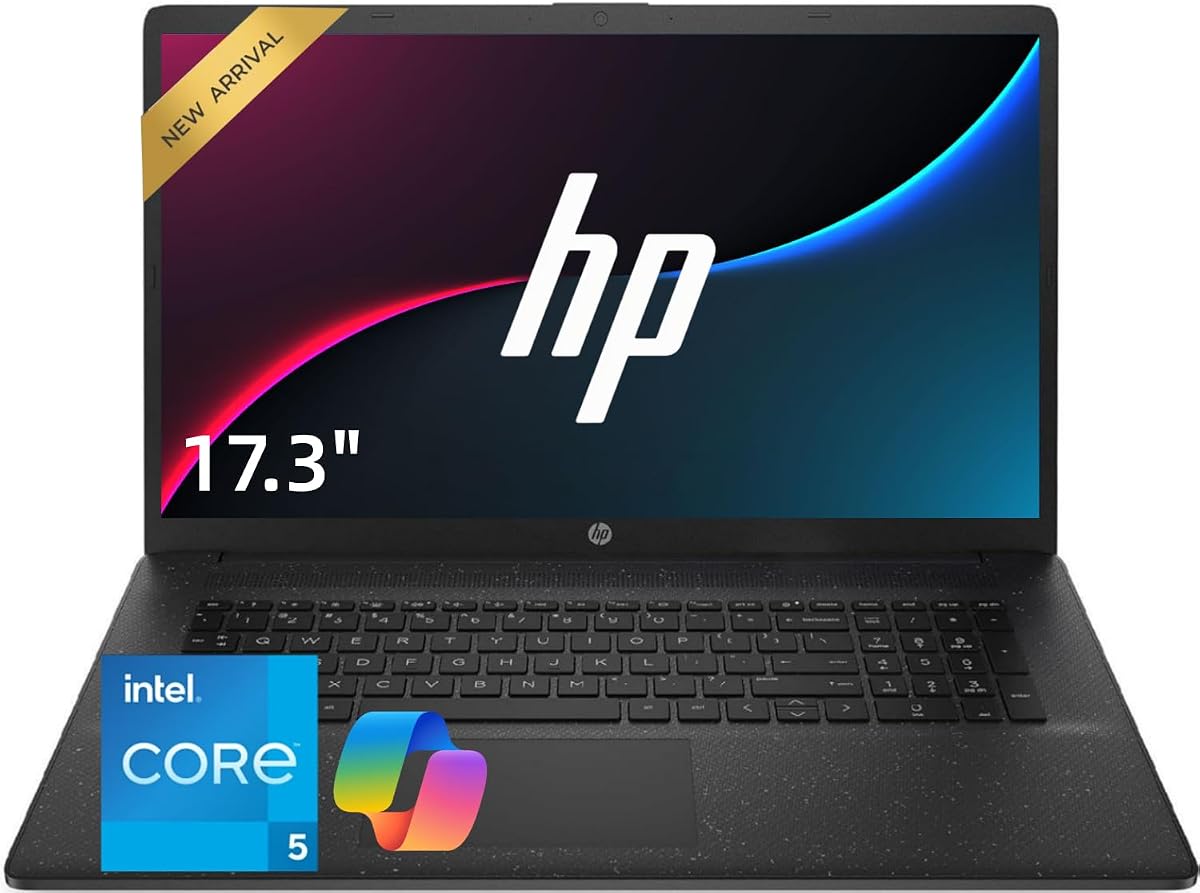
This HP laptop features a massive 17.3-inch display that provides plenty of room for spreadsheets and documents. It is designed for users who value screen real estate over portability. The numeric keypad is part of a full-size keyboard which makes data entry comfortable and accurate. With 32GB RAM it can handle multiple applications smoothly.
We may earn a commission when you buy through this link, at no additional cost to you.
The Intel Core 5 120U processor offers efficient performance for daily tasks like web browsing and email. The 1TB SSD ensures you have ample space for large files. Connectivity includes Wi-Fi 6 and HDMI which makes it easy to connect external monitors or projectors. It is a solid choice for a home office setup.
On the downside the large screen size makes the laptop heavy and difficult to carry around. It is not ideal for frequent travelers who need to work on the go. However if you work primarily from a desk this trade-off is worth the larger workspace.
We recommend this model for stationary work environments where screen space is a priority. It is excellent for accounting or inventory management tasks. If you need a large view for numbers and charts this laptop fits the bill.
The 17.3 inch screen allows side-by-side viewing of multiple documents easily.
The numeric keypad and full keyboard reduce typing errors during entry.
We may earn a commission when you buy through this link, at no additional cost to you.
This Lenovo model stands out with its use of DDR5 RAM which offers faster data transfer speeds than older generations. The 24GB memory is ideal for professionals who run multiple virtual machines or heavy applications. The 16-inch display offers more vertical space than standard 1080p screens which is beneficial for scrolling through long lists or documents.
We may earn a commission when you buy through this link, at no additional cost to you.
The Intel Core i5-13420H processor is a capable chip for productivity tasks. The numeric keypad is integrated seamlessly into the keyboard layout. Privacy features include a shutter on the webcam which is essential for secure video calls. Connectivity options like USB-C and HDMI are present for versatile setups.
While the performance is strong the price is slightly higher than basic budget models. Battery life is typical for this class of device meaning you will need to plug in occasionally. These factors are outweighed by the speed and screen quality offered.
We suggest this laptop for users who need modern hardware for fast processing. It is a great fit for students or professionals who want longevity. If you value vertical screen space and fast RAM this is a top pick.
DDR5 memory ensures faster application loading and smoother multitasking.
The 16-inch WUXGA display gives more room for documents and spreadsheets.
We may earn a commission when you buy through this link, at no additional cost to you.
This HP laptop combines a large 17.3-inch screen with strong privacy features for secure work. The privacy shutter camera allows you to block the lens when not in use protecting your identity. With 32GB RAM it handles multitasking effortlessly. The numeric keypad supports quick number entry for financial or inventory tasks.
We may earn a commission when you buy through this link, at no additional cost to you.
The Intel Core 5 120U processor delivers responsive performance for daily office applications. The 1TB SSD ensures you have plenty of space for data. Connectivity includes USB-C and HDMI which makes it easy to hook up to docking stations. It is a robust machine for office work.
Portability is a concern as the large screen adds weight to the chassis. Battery life is limited meaning you should keep a charger nearby. These issues are minor if you work mostly from a fixed location where security and screen size matter.
We recommend this laptop for users who prioritize privacy and screen space. It is well-suited for financial advisors or accountants. If you need a reliable workstation with a numpad this model is a strong contender.
The privacy shutter ensures your camera is physically blocked when not needed.
High RAM and large display support demanding business workflows.
We may earn a commission when you buy through this link, at no additional cost to you.
This 2026 Edition HP laptop emphasizes long battery life for users on the move. It includes a numeric keypad for efficient data entry. The 17.3-inch screen provides ample room for documents. With 16GB RAM it handles multitasking well for standard business tasks.
We may earn a commission when you buy through this link, at no additional cost to you.
The AMD Ryzen 5 CPU offers reliable performance for web browsing and office apps. It comes preloaded with Windows 11 and access to Office 365 for Web. The design is durable with a brushed finish. Connectivity options support standard peripherals and displays.
While the base storage is 512GB you can expand it easily if needed. The weight is higher than standard 15-inch models which affects portability. But if battery life is key this model delivers where others fall short.
We suggest this for professionals who need to work away from power. It is ideal for meetings or fieldwork. If you value a large screen and battery endurance this is a smart buy.
Extended battery life allows for uninterrupted work sessions away from outlets.
Preloaded Office 365 Web ensures you can create documents anywhere.
We may earn a commission when you buy through this link, at no additional cost to you.
This laptop offers great value for users needing a numpad on a budget. It is lightweight and slim making it easy to carry. The 15.6-inch screen is clear for daily tasks. The numeric keypad helps with quick entry. The 10000mAh battery offers decent power for on-the-go use.
We may earn a commission when you buy through this link, at no additional cost to you.
The AMD processor handles basic tasks well. Storage is expandable which is a plus. Wi-Fi 5 and Bluetooth 4.2 are standard for connectivity. The design keeps the body portable without sacrificing a full-size keyboard.
The 8GB RAM may limit heavy multitasking but is enough for standard work. WiFi 5 is not as fast as Wi-Fi 6 but works well for home use. These are reasonable trade-offs for the price.
We recommend this for students or home office users. It is a great starter laptop. If you need a numpad without spending much this is the top choice.
Slim design makes it easy to slip into a backpack for travel.
Affordable pricing makes it accessible for everyone.
We may earn a commission when you buy through this link, at no additional cost to you.
This model is designed for basic computing needs at a low price. It is portable and suitable for school or light work. The 15.6-inch FHD display offers clear visuals. The numeric keypad helps with data entry. It runs Windows 11 for a familiar interface.
We may earn a commission when you buy through this link, at no additional cost to you.
The Intel processor handles web browsing and document editing. Storage is expandable which allows more room later. Connectivity includes SD card readers and Type-C. It is a straightforward machine for everyday use.
The 6GB RAM and 128GB storage are limits for power users. But for simple tasks it performs well. The price makes it accessible for those on a strict budget.
We suggest this for students or casual users. If you need a simple numpad laptop this is a solid choice. It is best for basic tasks rather than heavy workloads.
Perfect for web browsing email and basic document tasks.
Expandable storage lets you add more room as needed.
We may earn a commission when you buy through this link, at no additional cost to you.
This HP flagship laptop offers a rare combination of high RAM and large storage at a mid-range price. The numeric keypad supports quick data entry. It has a 15.6-inch FHD display for clear viewing. Fast Charge ensures you spend less time plugged in.
We may earn a commission when you buy through this link, at no additional cost to you.
The Intel i3-1215U is a capable chip for office apps. With 32GB RAM it handles multitasking smoothly. The 1TB NVMe SSD gives plenty of room for files. It comes with Windows 11 for a modern experience.
The base processor is an i3 but the high RAM helps it compete with higher-end models. The included accessory adds value. For users needing memory on a budget this is a great deal.
We recommend this for small business owners. It balances specs and cost well. If you want high RAM without high cost this is the one to pick.
32GB RAM and 1TB SSD make it a high value for the price.
Fast Charge technology reduces downtime for power users.
We may earn a commission when you buy through this link, at no additional cost to you.
Selecting the right laptop with a numeric keypad involves considering several key factors that affect your daily workflow. This guide breaks down what to look for to ensure you get the best tool for your specific needs.
The processor determines how fast your laptop can handle tasks like opening apps or running calculations. For data entry and office work look for at least an Intel Core i3 or AMD Ryzen 3. Higher-end chips like Core i5 or Ryzen 7 are better for heavy multitasking or complex spreadsheets.
Choose a processor that matches your workload intensity to avoid slowdowns during peak hours.
RAM is critical for multitasking and managing multiple browser tabs or applications at once. 8GB is the minimum for basic tasks but 16GB or more is recommended for smooth performance. If you work with large databases or open many files simultaneously aim for 32GB.
More RAM ensures your system remains responsive even when running several programs together.
Storage holds your operating system documents and files. SSDs are faster than traditional hard drives so they boot your system quickly. Look for at least 512GB of space to accommodate your work files and updates without constant cleanup.
A larger SSD provides room for growth and faster file access speeds.
Screen size affects your ability to view multiple windows at once. 15.6-inch screens are standard and offer a good balance. 17.3-inch screens provide more room for spreadsheets but make the laptop heavier. Choose based on whether you prioritize portability or screen real estate.
Larger screens improve efficiency for number-heavy tasks but reduce mobility.
Ensure the laptop has a full-size numeric keypad. Some compact laptops omit this feature which slows down data entry. Check the keyboard design to confirm the numpad is separate and easy to reach for comfortable typing.
A dedicated numpad is essential for accurate and fast number input.
Modern laptops should offer USB-C HDMI and USB-A ports to connect to monitors and peripherals. Wi-Fi 6 is preferred for faster internet speeds and stable connections during video calls. Having diverse ports reduces the need for dongles or hubs.
Versatile connectivity options save time when setting up your workspace.
Battery life impacts how long you can work without a charger. Look for models promising at least six hours of usage. If you travel often or work from coffee shops a long-lasting battery is a necessity. Fast charge support is also a valuable bonus.
Prioritize battery life if you need mobility throughout your day.
Most business laptops come with Windows 11 which offers enhanced security and productivity tools. Ensure the version is Pro if you need advanced features like remote desktop or BitLocker encryption. This is important for enterprise or secure environments.
The right OS version ensures compatibility with your business software and security needs.
To get the most out of your numeric keypad practice using the home row of numbers to improve speed. Keep your fingers light on the keys and use a consistent rhythm for entry. This technique reduces errors and fatigue during long data entry sessions.
Protect your laptop screen by cleaning it with a microfiber cloth regularly. Avoid pressing hard on the keyboard which can damage the key switches over time. Use a soft brush to remove dust from the numeric keys to ensure they remain responsive.
Charge your battery properly by plugging it in when it drops below 20 percent. Avoid leaving it plugged in for days at a time to maintain battery health. Use the provided power adapter to ensure safe charging speeds.
No not all 15-inch laptops include a numeric keypad. Some models feature compact keyboards to reduce size. Always check the specifications or images to confirm a numpad is present before buying.
Yes you can use an external USB numeric keypad. It plugs into a USB port and provides the same functionality as a built-in pad. This is a cost-effective solution if your current laptop lacks a numpad.
For basic accounting tasks 8GB is sufficient but 16GB is recommended for better performance. Heavy users running complex databases or virtual machines should look for 32GB of RAM to ensure smooth operation.
Laptops with numpads are generally heavier than compact models. 15-inch laptops are portable enough for daily transport while 17-inch models are better for desk use. Choose based on your travel needs.
An AMD Ryzen 3 or Intel Core i3 is adequate for basic data entry. For faster performance consider an AMD Ryzen 5 or Intel Core i5. These chips handle multitasking better when you have many apps open.
Windows 11 Pro offers features like BitLocker and remote desktop which are useful for business. For home use Windows 11 Home is usually enough. Choose Pro if you need enterprise-grade security or management tools.
The top three picks highlight the best options for different needs whether you prioritize speed screen size or budget. The HP 255 G10 Business leads with balanced performance while the Lenovo V-Series V15 offers massive memory. The HP 17.3 Large Screen is ideal for those needing more workspace.
When making your decision consider what matters most to your daily tasks. If you need to run many apps at once focus on RAM. If you spend most time looking at charts choose a larger screen. Balance these factors against your budget to find the right fit.
Prices and availability change often so check current deals before finalizing your purchase. This guide is updated regularly to reflect the latest models. We hope it helps you find a reliable laptop with a numpad for your work.