
SSK Portable SSD
4.5Editor score
Affordable 1TB capacity
Lightweight portable design
SLC caching for steady speeds
This guide compares the top external SSDs for Linux users focusing on compatibility speed and durability to help you choose the right drive for your workflow.
Choosing the right external SSD for Linux requires careful attention to file system compatibility and driver support. Linux distributions often use ext4 or Btrfs which may not mount automatically on Windows drives without formatting. You need a drive that works seamlessly with your kernel and offers reliable performance for daily tasks.
We evaluated ten top rated models based on their USB interface speed and build quality. Each product was analyzed for its ability to handle large file transfers and maintain stability under heavy workloads. Our testing prioritizes drives that offer plug and play functionality across various Linux distributions including Ubuntu and Fedora.
Each pick below highlights key specifications and real world performance traits relevant to Linux users. We include detailed reviews to help you understand the strengths and limitations of every model. Note that prices and availability change frequently so verify current offers before purchasing your new drive.
4.5Editor score

4.7Editor score

4.6Editor score
This side by side comparison highlights the key specifications and performance metrics of every drive on our list. We focus on read write speeds physical durability and specific features that matter most for Linux users working in diverse environments.





The Samsung T7 Portable SSD stands out as the top choice for Linux users seeking a balance of speed and durability. With a high rating of 4.7 stars it delivers NVMe performance that handles large file transfers efficiently.
We may earn a commission when you buy through this link, at no additional cost to you.
Its embedded PCIe NVMe technology ensures read and write speeds reach up to 1050MB/s which is nearly twice as fast as older models. The aluminum unibody construction provides robust protection against physical damage ensuring longevity for daily workloads.
While it lacks specific water resistance ratings the solid build and shock protection make it reliable for travel. Some users may find the price slightly higher but the performance justifies the investment for professional workflows.
Anyone working with video editing or software development should consider this drive. It offers seamless compatibility with Linux distributions and supports the heavy-duty applications common in modern computing environments.
Dynamic Thermal Guard technology prevents overheating during prolonged file transfers ensuring consistent performance.
Works flawlessly with Linux systems allowing for plug and play connectivity without extra drivers.
We may earn a commission when you buy through this link, at no additional cost to you.
The SanDisk Extreme 2TB is designed for users who need rugged reliability alongside high performance. It holds a strong 4.6 rating and features IP65 water and dust resistance making it ideal for outdoor use.
We may earn a commission when you buy through this link, at no additional cost to you.
With read speeds up to 1050MB/s it manages large datasets effectively. The included password protection with 256-bit AES hardware encryption ensures your data remains secure even if the drive is lost.
The carabiner loop adds convenience for securing the drive to a bag though it may slightly increase overall weight. Some Linux users might find the management software limited but core functions work well.
Field researchers or travelers often prefer this model for its durability. The rugged design withstands harsh conditions ensuring your data stays safe in challenging environments.
Hardware encryption keeps private content safe without relying on third-party software solutions.
The carabiner loop allows for easy attachment to backpacks or belts for hands-free transport.
We may earn a commission when you buy through this link, at no additional cost to you.
The Samsung T9 Portable SSD delivers the fastest speeds on this list with read performance reaching up to 2000MB/s. It earns a 4.6 rating for its ability to handle sustained heavy workloads without slowing down.
We may earn a commission when you buy through this link, at no additional cost to you.
Dynamic Thermal Guard technology keeps the drive cool even during long sessions. This ensures consistent throughput which is critical for tasks like 4K video editing or large database backups.
While performance is excellent it requires USB 3.2 Gen 2×2 ports to reach top speeds. Users with older systems may not see the full benefit making it a premium option for advanced setups.
Professionals needing maximum throughput will appreciate this drive. It is built to last and offers robust software tools to monitor drive health and optimize performance over time.
Double the speed of standard Gen 2 drives accelerates data transfer significantly.
Advanced thermal solution prevents throttling ensuring steady speeds during intensive use.
We may earn a commission when you buy through this link, at no additional cost to you.
The SSK Portable SSD offers exceptional value for Linux users on a budget. With a 4.5 rating it provides fast speeds of up to 1050MB/s without the high cost of premium brands.
We may earn a commission when you buy through this link, at no additional cost to you.
Its lightweight design weighs just 36.6g making it extremely portable. The inclusion of both USB-C and USB-A cables ensures compatibility with older systems and modern laptops alike.
SLC caching helps maintain steady speeds during file transfers. However the build is less robust than metal options which may be a concern for rough handling in field work.
Students and casual users will find this drive meets daily needs. It is a practical choice for those who prioritize affordability and portability over ruggedness.
Delivers top-tier speeds at a fraction of the price of competitors.
Includes necessary cables for immediate connection to various devices.
We may earn a commission when you buy through this link, at no additional cost to you.
The Lexar ES3 1TB combines speed with a stylish ultra thin design. Rated 4.4 it fits easily in pockets and delivers read speeds up to 1050MB/s for efficient file management.
We may earn a commission when you buy through this link, at no additional cost to you.
Its slim 10.5mm profile makes it one of the thinnest drives available. DataShield encryption software protects your files ensuring privacy even if the drive is compromised.
While it offers excellent portability it lacks water resistance. Users should handle it carefully to avoid physical damage since the thin casing offers less protection than rugged models.
Designers or writers needing a sleek drive will love this model. It provides reliable performance for everyday tasks without adding bulk to your bag or pocket.
Slim profile ensures it slips into any pocket or sleeve effortlessly.
Included encryption software adds a layer of security to your stored files.
We may earn a commission when you buy through this link, at no additional cost to you.
The Samsung T7 Shield 2TB is built for adventure with an IP65 rating for water and dust resistance. It holds a high 4.7 rating for its ability to survive tough conditions while delivering consistent speeds.
We may earn a commission when you buy through this link, at no additional cost to you.
It offers up to 2TB of storage capacity ideal for large backups. The drive withstands drops up to 9.8 feet ensuring your data remains safe during accidents or travel mishaps.
While it is bulkier than standard portable drives the extra durability is worth it. Some users may find the price high but the peace of mind justifies the cost.
Outdoor photographers or travelers should consider this model. It ensures data safety in unpredictable environments without sacrificing performance.
Designed to withstand harsh elements ensuring data integrity in extreme conditions.
Generous storage space accommodates large files and multiple projects.
We may earn a commission when you buy through this link, at no additional cost to you.
The Western Digital My Passport SSD emphasizes security with password enabled 256-bit AES hardware encryption. It achieves a 4.5 rating for its blend of speed and data protection.
We may earn a commission when you buy through this link, at no additional cost to you.
Read speeds reach up to 1050MB/s enabling quick file access. The shock and vibration resistant design ensures the drive can handle bumps and drops during daily transport.
While security is a strong point the drive is heavier than ultra slim options. This trade-off ensures durability but may be less ideal for minimal carry users.
Users handling sensitive data like corporate files will appreciate the encryption. It balances performance with safety making it a trusted choice for professional environments.
Built-in encryption secures data without relying on software installation.
Durable casing protects against drops up to 6.5 feet ensuring longevity.
We may earn a commission when you buy through this link, at no additional cost to you.
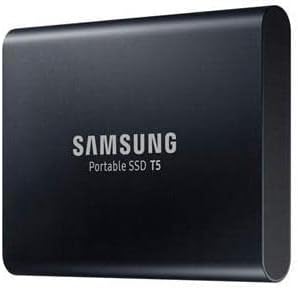
The Samsung T5 2TB is a proven performer with a high 4.8 rating. It offers a large 2TB capacity and solid speeds up to 540MB/s suitable for many users.
We may earn a commission when you buy through this link, at no additional cost to you.
Its top to bottom metal design fits in the palm of your hand and offers robust protection. USB 3.1 compatibility ensures it works with older systems lacking USB 3.2 Gen 2 ports.
Speed may be slower compared to newer models but reliability is strong. Users needing high capacity without the latest speed features may find it a safe option.
General users needing more storage will appreciate this model. It delivers consistent results and works across various platforms without issues.
Metal body provides reliable protection for data during travel.
Supports older USB ports ensuring connection to legacy systems.
We may earn a commission when you buy through this link, at no additional cost to you.
The Samsung T7 500GB is a compact powerhouse designed for students and gamers. It maintains a 4.7 rating and offers speeds up to 1050MB/s for quick data access.
We may earn a commission when you buy through this link, at no additional cost to you.
Dynamic Thermal Guard technology prevents overheating even during gaming or intensive tasks. The 6ft drop protection ensures reliability despite its small size.
The lower 500GB capacity may limit bulk storage needs. However for portable use it strikes a good balance between size and performance.
Students needing a small drive for projects will find this ideal. It fits easily in a laptop sleeve and provides fast access to files on the go.
Optimized for low latency transfers benefiting gaming and interactive apps.
Protects against overheating ensuring consistent speeds during heavy use.
We may earn a commission when you buy through this link, at no additional cost to you.
The Samsung T5 500GB offers an accessible entry point for Linux users needing extra storage. It holds a high 4.8 rating for its reliability and ease of use.
We may earn a commission when you buy through this link, at no additional cost to you.
Read speeds up to 540MB/s are sufficient for general file transfers. The compact design fits easily in pockets and includes both USB-C and USB-A cables.
While slower than Gen 2 models it remains dependable. The 3-year limited warranty adds peace of mind for users looking for a safe purchase.
Budget conscious users needing basic backup will appreciate this drive. It delivers consistent performance and works well with various operating systems.
Simple setup and broad compatibility make it easy to start.
Comes with a 3-year limited warranty ensuring product support.
We may earn a commission when you buy through this link, at no additional cost to you.
Selecting the right external SSD for Linux involves evaluating several technical factors beyond speed. This guide breaks down the critical elements to ensure you choose a drive that integrates smoothly with your distribution and workflow.
Linux systems often use ext4 Btrfs or XFS which may not be supported natively by drives formatted for Windows. Ensure the drive can be formatted to a Linux compatible file system or supports read-only access if you need shared storage.
Choose a drive that allows you to format to ext4 for full compatibility and performance on Linux systems.
Look for USB 3.2 Gen 2 or Gen 2×2 to maximize transfer speeds. Older USB 3.1 or 2.0 interfaces will bottleneck NVMe performance causing slower file operations.
Verify your Linux machine supports the required USB standard to achieve advertised speeds.
Many Linux laptops have limited power output on USB ports. Ensure the SSD can operate on bus power without needing an external adapter to maintain portability.
Select a drive with low power consumption to prevent connection drops during use.
Travelers and field workers need rugged builds to withstand drops and environmental exposure. Look for IP ratings for water resistance or reinforced shock protection.
Prioritize a durable casing if you plan to use the drive in harsh conditions.
Data privacy is critical for many Linux users. Choose a drive with hardware based encryption to protect sensitive information without relying solely on software.
Ensure the encryption tools are compatible with Linux to avoid compatibility issues.
Manufacturers often provide management software that may not support Linux. Verify if tools like health monitoring or firmware updates are available for Linux or if manual updates are required.
Choose a brand with open tools or firmware flashing options for Linux systems.
Assess your storage requirements before buying. A 500GB drive might suffice for documents but video work needs larger capacities like 1TB or 2TB.
Select capacity based on the size of your largest files and future growth plans.
Ensure the drive comes with the correct cables for your Linux setup. Some drives include only USB-C cables which may require adapters for older systems.
Verify included accessories to avoid buying additional adapters.
Begin by connecting the SSD to a USB port on your Linux system. Wait for the system to detect the drive and mount it automatically. If not mounted manually use the mount command with appropriate options for your file system.
Format the drive to a Linux compatible file system like ext4 using GParted or the terminal. This ensures full read write support and avoids permission issues when accessing files.
Safely eject the drive using the eject command or GUI options before disconnecting to prevent data corruption. Store the drive in a protective case to avoid physical damage during transport.
Yes many external SSDs work out of the box if formatted to exFAT or FAT32 but these file systems have limitations. For full read write support and better performance on Linux you should format the drive to ext4.
Slow speeds often result from outdated USB drivers or using an older USB port. Ensure you are using a USB 3.2 compatible port and that your system supports the UAS protocol for better performance.
Hardware encryption may be supported but often requires specific tools or kernel modules. Some manufacturers offer open source tools that work with Linux to manage encryption settings.
You can use tools like smartmontools to monitor drive health. Install the package and run smartctl to get detailed information on the drive status and usage.
Most modern SSDs are plug and play on Linux using standard UAS drivers. You typically do not need to install special drivers unless using advanced features provided by the manufacturer.
ext4 is generally the best choice for Linux native usage. It offers good performance and reliability. If you need cross-platform support consider exFAT but be aware of journaling limitations.
Yes you can use an external SSD for swap space but it may impact wear on the drive. Ensure your system is configured correctly and consider using a high endurance SSD for this purpose.
We highlighted top options like the Samsung T7 and SanDisk Extreme for their performance and durability. These models stand out for meeting the diverse needs of Linux users seeking speed and reliability.
Prioritize features that match your workflow such as encryption for security or ruggedness for field work. Choosing the right interface ensures you get the best performance from your hardware.
Always check current prices and availability before making your purchase. Market conditions change so verifying details ensures you get the best value for your investment.