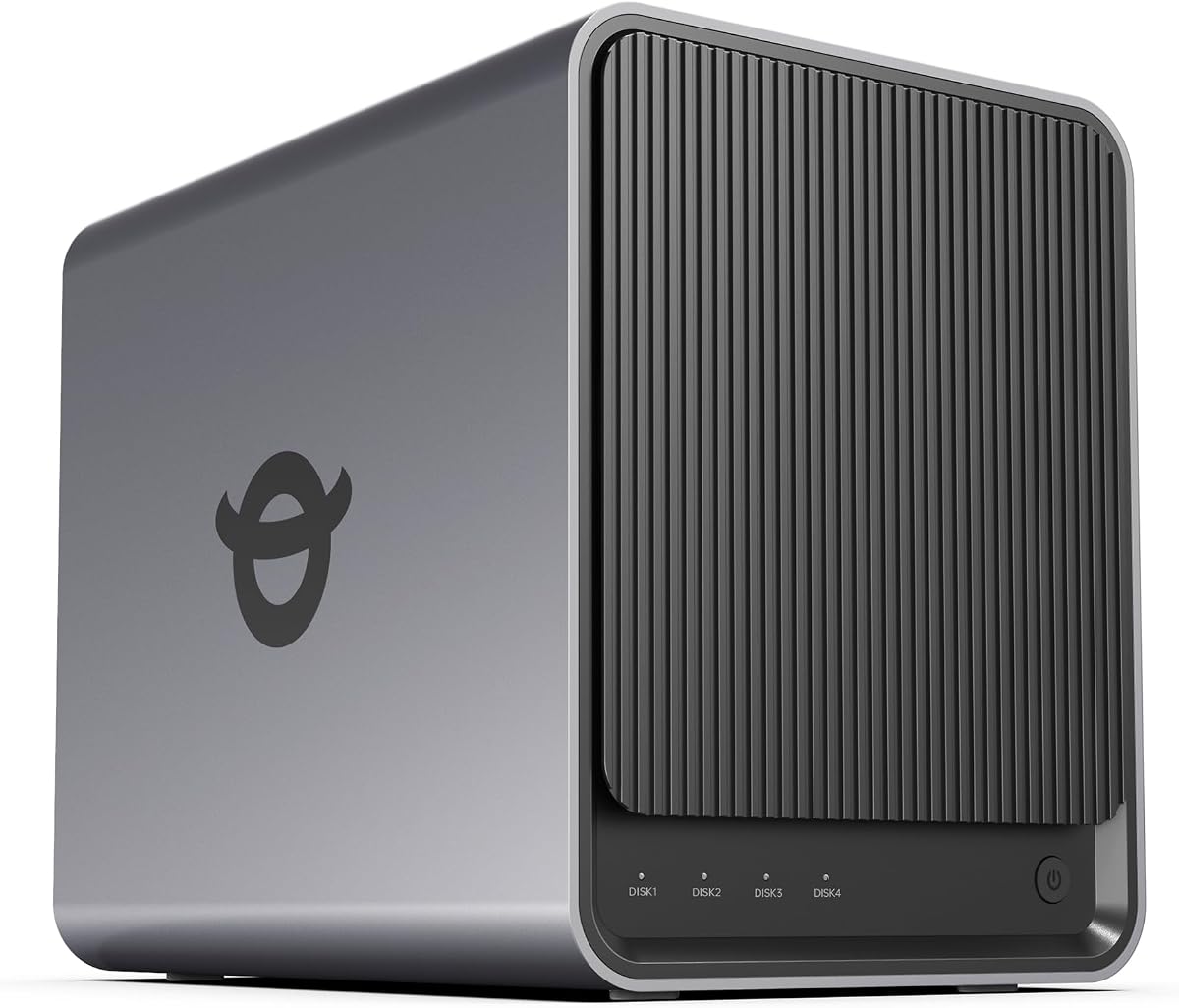
Yxk Zero1 Pro 4-Bay NAS
4.4Editor score
Intel N100 Processor
Up to 144TB Capacity
Dual 2.5GbE Ports
This guide compares the top 4 Bay NAS devices for 2026, evaluating performance, storage capacity, and security features to help you choose the right home or
Finding the right network attached storage device is crucial for modern data management. A 4 Bay NAS offers the perfect balance between capacity and cost, allowing you to store vast amounts of photos, videos, and documents securely without relying on expensive cloud subscriptions.
We have analyzed ten top-rated models based on processor power, network speeds, software ecosystems, and user feedback. Our comparison focuses on real-world performance for media streaming, file sharing, and data protection across home and small office environments.
Each pick highlights specific strengths like AI photo organization, surveillance support, or raw throughput. While prices fluctuate due to market demand, these models represent the current best value and performance available for building your private cloud storage system today.
4.4Editor score

4.6Editor score

4.4Editor score
The following table provides a side-by-side look at the key specifications and features of our top ten selected 4 Bay NAS units. This overview helps you quickly identify which model aligns with your specific performance needs and budget constraints.




The Yxk Zero1 Pro stands out as the most accessible entry point for home users wanting a private cloud without complexity. With a 4.4-star rating, it offers a reliable balance of performance and price for those new to network storage systems.
We may earn a commission when you buy through this link, at no additional cost to you.
Powered by the Intel N100 processor and 8GB RAM, this unit handles everyday file transfers and media streaming with ease. It supports up to 144TB of raw capacity, making it ideal for families accumulating large photo libraries and movie collections.
While the software lacks the polish of enterprise brands, it gets the job done efficiently for basic storage needs. The dual 2.5GbE ports ensure fast local transfers, and the 4K HDMI output allows direct playback on TVs without extra hardware.
This NAS is best suited for tech-savvy home users or small offices needing robust hardware at a low cost. If you prefer simplicity over advanced features, the Zero1 Pro delivers substantial value with room for future upgrades.
Unlike locked ecosystems, this model allows you to install third-party OS options like TrueNAS or Unraid if you desire more control over your storage environment.
The aluminum housing combined with dual-fan cooling ensures stable performance during long file transfers or overnight backups without overheating issues.
We may earn a commission when you buy through this link, at no additional cost to you.
The UGREEN DXP4800 Pro targets power users and professionals needing serious computing power within a storage unit. Its 4.4-star rating reflects strong performance in handling virtual machines and Docker containers alongside typical file storage tasks.
We may earn a commission when you buy through this link, at no additional cost to you.
Built around an Intel Core i3-1315U processor and fast DDR5 RAM, this system excels at multitasking. The dual network ports (10GbE and 2.5GbE) provide blazing fast data transfer speeds, perfect for editing high-resolution video directly from the NAS.
Security is paramount with features like granular permissions and certified privacy protection. The local AI photo album processes images on-device to maintain privacy while organizing massive libraries automatically without cloud dependency.
Choose this model if you run development environments or require enterprise-grade security in a compact form factor. While costly, the hardware longevity and expandability make it a worthy investment for demanding workflows.
The combination of 10GbE and 2.5GbE ports ensures you can saturate gigabit connections and achieve near-wireless speeds for large data migrations.
Facial and scene recognition happens locally on the device, ensuring your personal photos remain private and are not uploaded to external servers.
We may earn a commission when you buy through this link, at no additional cost to you.
Synology continues to dominate the NAS market with its intuitive software and reliable hardware design. The DS425+ earns the Editor's Choice award for its ability to serve both small businesses and home power users with equal ease.
We may earn a commission when you buy through this link, at no additional cost to you.
It supports high-speed data transfers up to 278 MB/s allowing multiple users to access files simultaneously without bottlenecks. The centralized repository features granular access controls to ensure company documents and media assets are securely managed.
Data protection is handled through multi-layered strategies including RAID redundancy and snapshot technology. This ensures that accidental deletions or ransomware attacks can be quickly mitigated by restoring previous file versions.
For teams needing a centralized repository with robust privacy, this model is the safest bet. The 3-year warranty and dedicated technical support further reinforce its status as a trustworthy long-term storage solution.
File sharing is streamlined with permission controls that allow you to safely share large assets with clients or colleagues without exposing the entire drive.
Built-in support for 30 IP cameras turns your storage device into a complete security recorder, saving you from buying a separate DVR.
We may earn a commission when you buy through this link, at no additional cost to you.
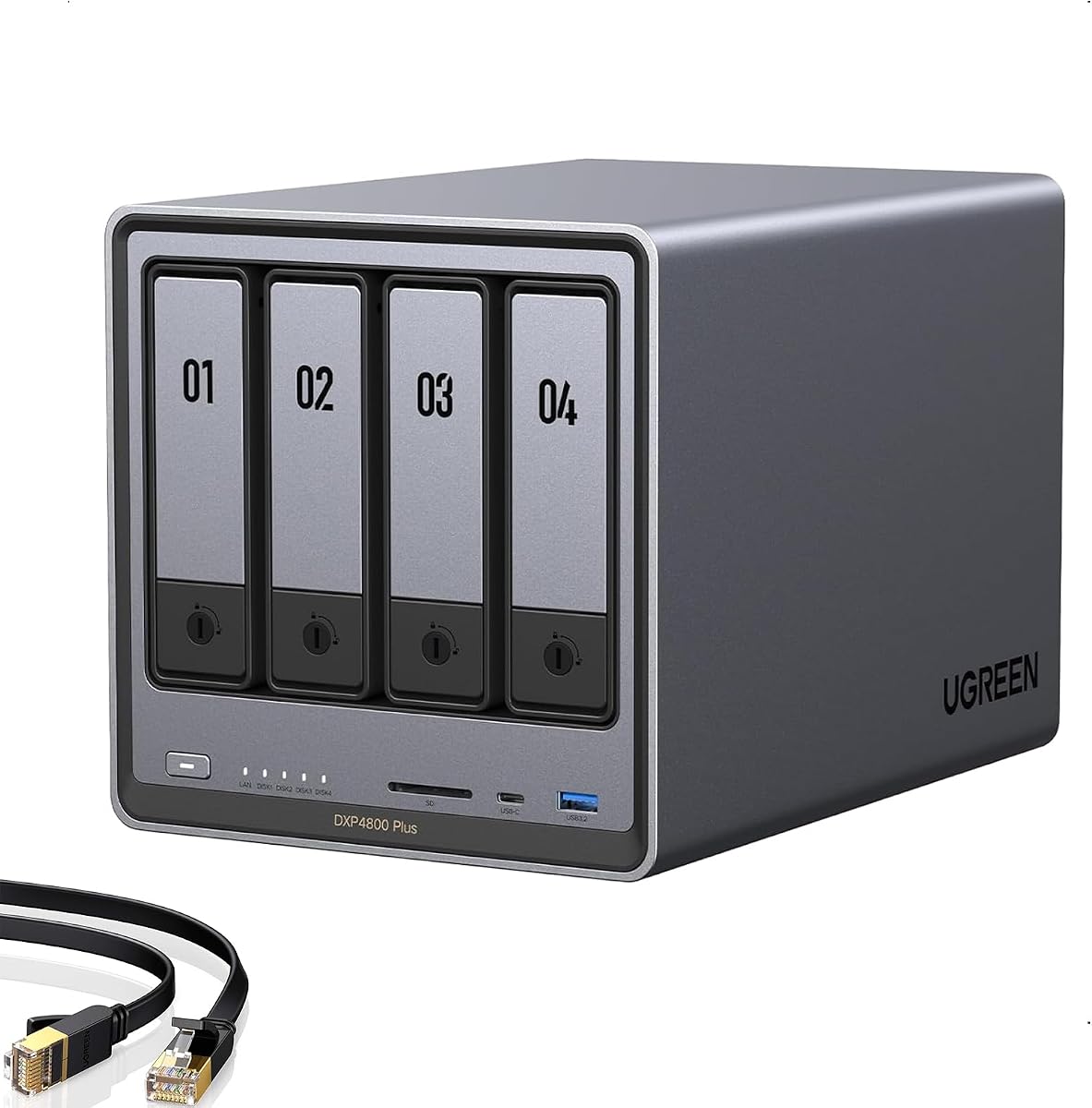
The DXP4800 Plus is designed to handle the heavy lifting of media workflows while remaining accessible for general home use. With a 4.6 rating, it is praised for its speed and ease of sharing files across different operating systems.
We may earn a commission when you buy through this link, at no additional cost to you.
It supports transfers at 10GbE speeds allowing you to back up gigabytes of data in seconds. The software includes an AI-powered album that organizes photos by faces and scenes, reducing clutter without manual tagging.
Security is maintained through advanced encryption and flexible permission management. This ensures your private data remains secure even when collaborating with others or accessing files remotely via mobile devices.
Small teams and creators will appreciate the massive capacity potential up to 144TB. While it requires a wired connection, the performance gains make it a superior choice for active workgroups needing reliable shared storage.
The system automatically sorts your digital library by identifying faces and locations, making it easy to find specific memories without browsing endless folders.
This model works seamlessly with major hard drive brands ensuring you can build your storage using parts you already have or find easily.
We may earn a commission when you buy through this link, at no additional cost to you.
This unit serves as an ideal entry point for households moving away from cloud subscriptions to a private local solution. The 4.2-star rating indicates solid reliability for basic media storage and family file sharing needs.
We may earn a commission when you buy through this link, at no additional cost to you.
It features smart photo backup that organizes memories by faces and locations automatically. This saves time and keeps your digital library tidy without requiring you to manually sort thousands of photos.
Security is a key focus with TRUSTe certification ensuring your data is handled with strict privacy standards. You retain full control over your information without relying on third-party servers that might scan your content.
Remote workers and families will find this NAS practical for daily backups and file access. While it lacks advanced virtualization features, its simplicity and cost-effectiveness make it a strong contender for casual users.
Certified by TUV SUD and TRUSTe, this NAS guarantees that your data stays local and private without hidden access by manufacturers.
Duplicate photo removal helps keep your storage organized, freeing up space while ensuring no meaningful memory is lost during cleanup.
We may earn a commission when you buy through this link, at no additional cost to you.
The DS925+ is optimized for environments requiring stable data transfers and robust virtualization support. It offers a balanced feature set that bridges the gap between home media servers and professional office storage.
We may earn a commission when you buy through this link, at no additional cost to you.
Dual 2.5GbE ports allow for faster network throughput compared to standard gigabit units. This ensures that multiple users can stream media or access files simultaneously without noticeable slowdowns in speed.
Data protection is reinforced by Synology's mature snapshot technology which helps recover from accidental changes quickly. The included 3-year warranty provides peace of mind for critical production data storage.
For small businesses needing reliable team productivity tools, this model delivers consistent performance. While the price is higher, the investment in a stable and secure environment pays off over time.
Dual Ethernet ports not only increase speed but also provide failover protection, ensuring your network remains connected even if one port fails.
Synology offers the widest range of compatible apps making it easy to customize the NAS for specific needs like media streaming or home automation.
We may earn a commission when you buy through this link, at no additional cost to you.
The F4-425 is engineered to be a silent and powerful media server for home entertainment setups. With 4.0-star ratings, it is appreciated by users who need hardware transcoding capabilities without constant noise interference.
We may earn a commission when you buy through this link, at no additional cost to you.
Its Intel processor supports 4K H.265 decoding enabling smooth video playback on connected devices. The 2.5GbE port ensures that high-bandwidth files transfer quickly, supporting concurrent access from multiple users effectively.
User convenience is enhanced by tool-free push-lock design allowing quick drive installation in just seconds. The TNAS mobile app gives you full control over initialization and backups directly from your smartphone.
Ideal for media enthusiasts seeking a quiet hub, this NAS excels in physical design and hardware specs. While the software is functional, the focus here is on raw performance and silent operation for living rooms.
Running at just 21dB this unit is nearly silent making it perfect for placement in bedrooms or home offices where noise levels matter.
TRAID arrays provide 30% more usable space than traditional RAID, giving you better efficiency without sacrificing data redundancy.
We may earn a commission when you buy through this link, at no additional cost to you.
Designed for creators and power users, the DXP4800 GT offers high-performance multitasking capabilities. With a strong 4.6 rating, it supports demanding tasks like media processing and multi-user workloads with stability.
We may earn a commission when you buy through this link, at no additional cost to you.
The AMD Ryzen processor and dual 10GbE ports provide incredible speed for large file transfers. This makes it suitable for editing video directly from the storage without needing to copy files to a local drive.
Surveillance center is built-in allowing you to manage IP cameras directly from the system. This consolidates your security footage storage and monitoring into one device saving you from needing separate hardware.
Tech enthusiasts will appreciate the high-speed connectivity and expansion options. Although initial setup for some apps requires manual configuration, the flexibility and power make it a top choice for advanced users.
Dual 10GbE ports offer theoretical speeds up to 2.5GB/s which is essential for modern high-bandwidth workflows involving 4K or 8K media.
The built-in surveillance center supports ONVIF cameras providing a unified platform to view live feeds and record footage locally.
We may earn a commission when you buy through this link, at no additional cost to you.
The DS423 is a balanced solution for families and small businesses needing reliable backup and sharing capabilities. Its 4.4-star rating reflects consistent performance in security and user-friendly data management features.
We may earn a commission when you buy through this link, at no additional cost to you.
Ransomware resistant backups ensure your critical data remains safe through immutable snapshots. This adds a vital layer of protection against malicious software that attempts to lock or encrypt your files.
Video surveillance is supported for up to 30 IP cameras allowing you to monitor property directly through the storage interface. This turns your NAS into a central hub for both file management and security monitoring.
For those prioritizing safety and ease of use this model is highly recommended. The secure private cloud features make remote access straightforward while keeping your sensitive information protected locally.
Immutable snapshots prevent unauthorized changes to your files ensuring that even if malware encrypts data you can restore to a clean state instantly.
Access your files securely from anywhere without exposing them to the public internet through encrypted and verified private cloud connections.
We may earn a commission when you buy through this link, at no additional cost to you.
This model is optimized for users who want enterprise-grade data protection without a high price tag. With a 4.0 rating, it is praised for its efficiency in handling daily backup and streaming tasks reliably.
We may earn a commission when you buy through this link, at no additional cost to you.
The 2.5GbE port upgrade significantly improves file transfer speeds compared to older gigabit models. This allows for smoother media streaming and faster backups for home users with large media collections.
Data protection is handled by Btrfs file system which supports enterprise-grade features like snapshots. Combined with WORM technology your documents remain immutable and safe from accidental deletion or modification.
For budget-conscious users needing solid reliability this NAS is a practical choice. While it has lower memory than premium models, it covers all essential cloud storage needs effectively.
WORM technology ensures critical documents cannot be changed or deleted once saved protecting them from accidental or malicious edits.
The 2.5GbE port upgrade provides significantly faster local transfers compared to standard 1GbE systems on the market.
We may earn a commission when you buy through this link, at no additional cost to you.
Selecting the right 4 Bay NAS involves evaluating several technical factors to ensure the device meets your storage and performance needs. This section breaks down the most critical aspects to consider before making a purchase.
The CPU determines how well your NAS handles multitasking such as running apps and file transcoding. A quad-core processor with at least 8GB of RAM ensures smooth operation for media streaming and virtual machine support.
Prioritize models with sufficient memory if you plan to run multiple services or Docker containers simultaneously.
Network speed impacts how fast you can transfer files and stream media. Look for 2.5GbE or 10GbE ports to avoid bottlenecks especially when multiple users access the device at once.
Dual Ethernet ports can also provide redundancy ensuring your connection remains stable even if one network cable fails.
Data safety should be a top priority so look for support for snapshots and RAID configurations that protect against drive failure. These features allow you to recover files quickly after accidental deletion or ransomware attacks.
Choose a system that offers flexible RAID options like RAID 5 or RAID 10 to balance storage capacity with redundancy.
The operating system controls how easy it is to manage files and access them remotely. A user-friendly interface with robust mobile apps simplifies setup and daily use for non-technical users.
Ensure the software supports your specific needs such as photo backup or media streaming without requiring complex configuration.
Future proofing your setup is important so check if the model allows for RAM upgrades or additional drive expansion units. Some systems support adding external enclosures to increase storage beyond the internal limit.
Look for models with M.2 slots for caching or NVMe SSDs to boost performance for demanding workloads.
If you plan to use the NAS as a media server ensure it supports hardware transcoding for 4K video. This reduces the load on your CPU and ensures smooth streaming to various devices like smart TVs.
Look for built-in graphics acceleration to handle multiple video streams simultaneously without performance drops.
For home security users a NAS with built-in support for IP cameras can consolidate storage and monitoring. This feature often includes motion detection and secure remote viewing for your cameras.
Check compatibility with major camera brands to ensure your existing security setup will work seamlessly with the new NAS.
A strong warranty and responsive customer support provide peace of mind for long term reliability. This ensures that any hardware issues are resolved quickly without disrupting your daily workflow.
Look for brands that offer extended warranty options or dedicated account management for business critical systems.
Begin by installing your hard drives into the tool-free trays if provided by the manufacturer. Power on the unit and follow the guided setup wizard on your computer to initialize the system and install the operating software.
Create user accounts with appropriate permissions to keep your data organized and secure. Set up automatic backups for your computers and mobile devices to ensure all your files are regularly synchronized with the central storage.
Regularly check the health of your drives and the system logs to prevent potential issues. Update the operating system and installed apps to patch security vulnerabilities and maintain optimal performance over time.
Yes, most units sold as diskless do not include internal hard drives. You must purchase compatible SATA or NVMe drives separately to store data. Always check the compatibility list to ensure the drives work reliably with your specific NAS model.
A NAS is a dedicated device connected to your network allowing multiple users to access files simultaneously. A traditional hard drive is usually connected to a single computer via USB and does not support network sharing without extra software setup.
Many models support Plex either natively or through Docker containers. For optimal performance look for a NAS with hardware transcoding capabilities to ensure smooth streaming of high-resolution video to various devices.
Modern NAS devices include encryption and password protection features to secure your data. However, enabling two-factor authentication and keeping your system updated are essential steps to maintain high security standards against threats.
RAID combines multiple drives to create a single logical volume that can withstand individual drive failures. If one drive fails data remains accessible and can be restored once the drive is replaced without losing information.
Yes, most NAS devices offer remote access features through secure cloud connections or tunneling. This allows you to manage files and backups from anywhere as long as you have an internet connection and proper login credentials.
We have reviewed ten top 4 Bay NAS options ranging from budget friendly models to powerful professional units. Whether you need simple family backup or complex virtualization support there is a model here suited for your specific workflow.
Prioritize features like network speed and software usability to ensure the device grows with your needs. Investing in a reliable system now saves time and money in the long run compared to relying on inconsistent cloud storage.
Before making a final decision verify the current availability and specifications as technology evolves quickly. Ensure you choose a device that aligns with your capacity requirements and performance expectations for the best results.