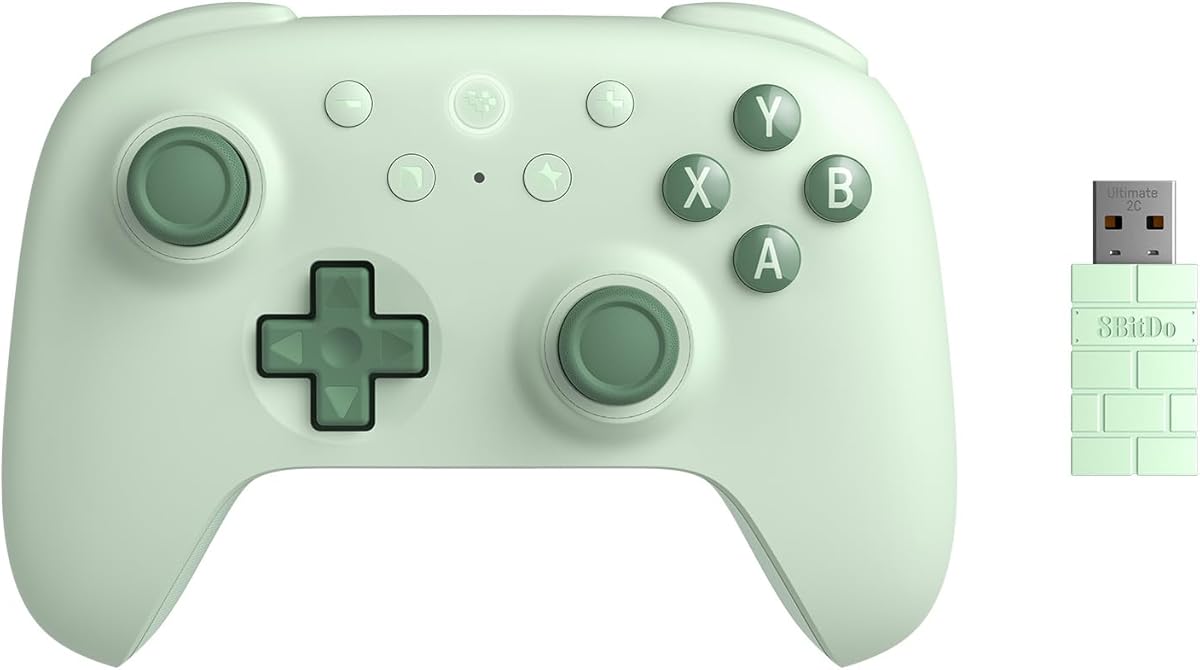
8Bitdo Ultimate 2C Wireless Controller
4.4Editor score
1000Hz Polling Rate
Hall Effect Joysticks
Remappable L4/R4 Bumpers
This guide compares the top gaming controllers for Windows PC, covering wired and wireless options with Hall Effect sticks, high polling rates, and ergonomic
Choosing the right gaming controller for Windows can transform your PC experience significantly. Modern controllers offer precise inputs, ergonomic designs, and wireless freedom that enhance immersion. Whether you play FPS or racing games, the right pad ensures comfort during long sessions.
We evaluated ten top models based on connectivity, build quality, and feature sets. Our analysis focuses on Hall Effect technology, polling rates, and compatibility across Windows and other platforms. Each pick addresses different needs from budget-conscious gamers to elite competitors seeking edge.
Every section highlights unique strengths and potential trade-offs for informed decisions. You will see detailed breakdowns of button layouts, battery life, and customization options. Note that prices and availability fluctuate, so verify current details before purchasing your next controller.
4.4Editor score
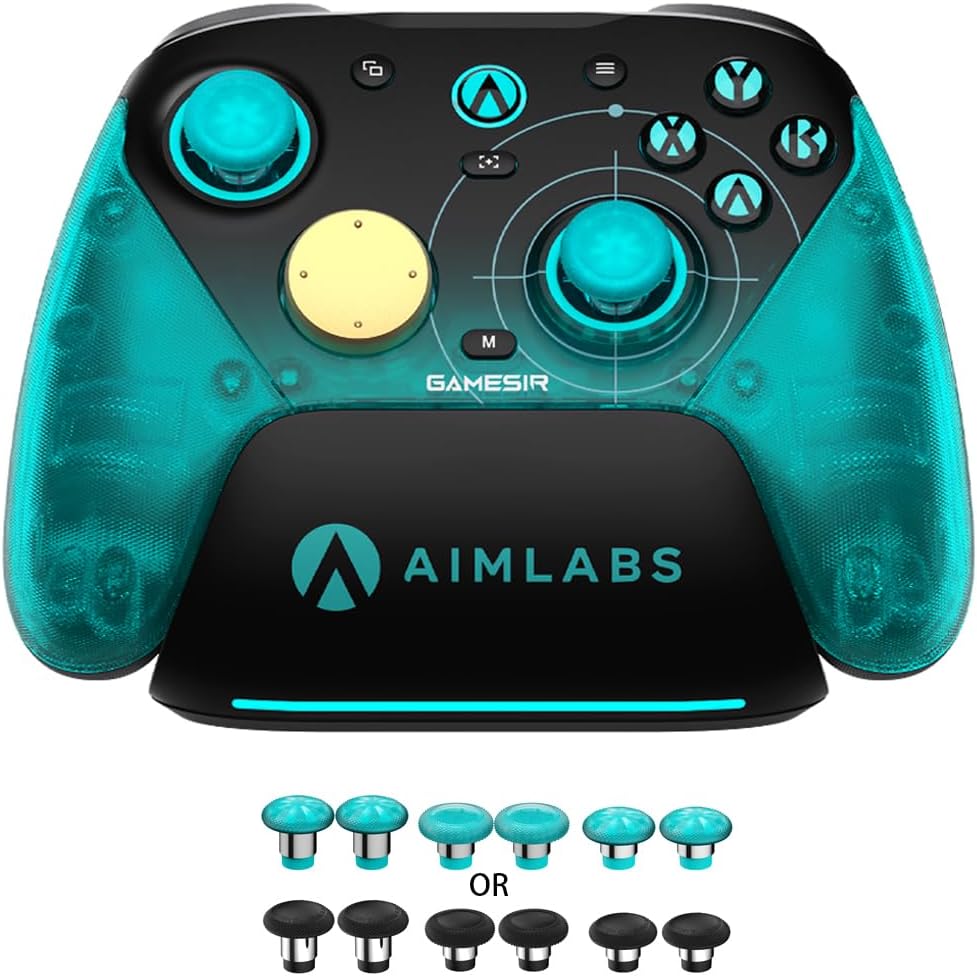
4.3Editor score
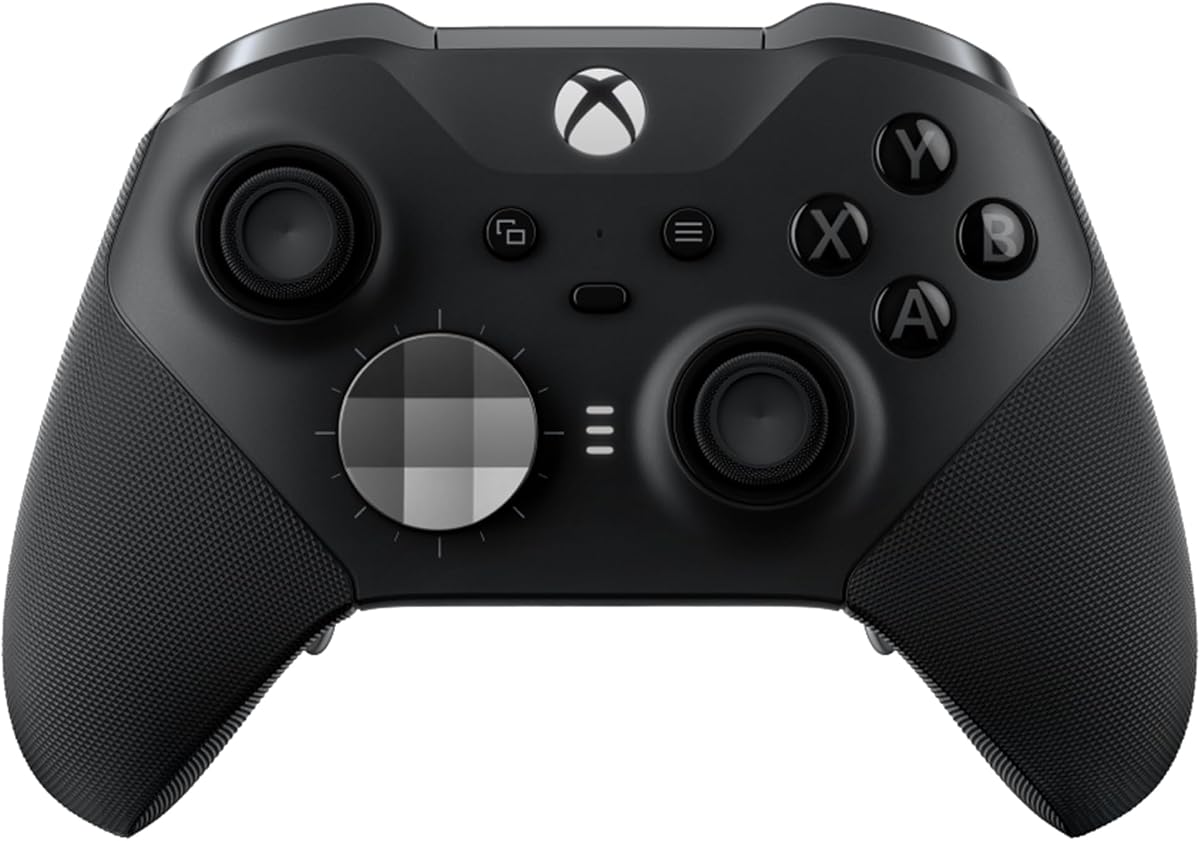
4.3Editor score
The following table provides a quick side-by-side overview of key specifications for all ten controllers. This helps you compare polling rates, connectivity types, and special features like Hall Effect sticks or extra buttons at a glance before diving into detailed reviews.


The 8Bitdo Ultimate 2C stands out as a top contender for budget-conscious gamers seeking reliable performance. With a 4.4 rating, it delivers essential features like Hall Effect technology without breaking the bank. This controller ensures precise inputs and durability for Windows and Android users.
We may earn a commission when you buy through this link, at no additional cost to you.
Its standout quality lies in the Hall Effect joysticks and triggers which eliminate drift concerns common in cheaper models. The 1000Hz polling rate provides responsive feedback essential for competitive play. Extra R4/L4 bumpers allow custom mapping without software, enhancing accessibility and versatility for various game genres.
Trade-offs include limited color options compared to premium brands and unspecified battery details. However, these do not detract from the core functionality which focuses on precision and comfort. The refined bumpers and D-pad offer a tactile experience that rivals more expensive alternatives significantly.
Ideal for students or casual gamers, this controller offers excellent value. Its compatibility across Windows and Android makes it a flexible choice for multi-device setups. We recommend it for those prioritizing performance per dollar over aesthetic customization options.
Hall Effect technology ensures long-term precision by using magnetic fields instead of physical contact for stick detection.
Remappable bumpers allow quick setup for shortcuts without needing to install extra software on your PC.
We may earn a commission when you buy through this link, at no additional cost to you.
The Xbox Wireless Controller remains a gold standard for PC gaming due to its seamless integration and versatility. With a 4.4 rating, it balances comfort and performance effectively. The included USB-C cable allows instant wired play on Windows without extra adapters.
We may earn a commission when you buy through this link, at no additional cost to you.
Its modernized design features sculpted surfaces and textured grips that prevent slipping during intense sessions. The hybrid D-pad offers improved accuracy for fighting games while maintaining comfort for general use. Up to 40 hours of battery life ensures extended gameplay without frequent interruptions or replacements.
While it lacks Hall Effect sticks which may lead to drift over time, the overall reliability remains high. Users must purchase AA batteries separately unless using a rechargeable kit. This is a minor trade-off given the widespread compatibility and ease of use across devices.
Best for general gamers and console owners transitioning to PC, this controller offers familiarity and comfort. Its ability to switch between devices easily makes it ideal for those with Xbox or cloud gaming subscriptions. We recommend it for universal compatibility needs.
Bluetooth and USB-C connectivity allow flexible connections across consoles, PCs, and mobile devices effortlessly.
Standard AA batteries provide up to 40 hours of play, reducing the need for frequent charging or replacements.
We may earn a commission when you buy through this link, at no additional cost to you.
The EasySMX X15 is a versatile option for gamers needing multi-platform support with Hall Effect precision. Rated 4.2, it offers a balanced mix of features at a competitive price. Its three connection modes ensure flexibility whether using PC, Switch, or mobile devices.
We may earn a commission when you buy through this link, at no additional cost to you.
Hall Effect precision delivers smooth inputs with no dead zones, crucial for FPS and racing games. Two programmable back buttons allow mapping combos and shortcuts for enhanced control. The 1000mAh battery provides up to 20 hours of playtime, supporting long sessions without frequent recharging.
Lack of a mic jack and gyro sensor limits its use for voice chat and motion aiming. However, these are acceptable trade-offs for the price point and core performance. The RGB lighting adds aesthetic value but can be turned off to save battery life during critical gaming.
Suitable for Switch and PC gamers seeking affordability with Hall Effect benefits, this controller meets basic needs well. The absence of extra features makes it a straightforward choice. We recommend it for those prioritizing drift-free sticks and wireless freedom.
Designed for Windows, Steam, Switch, Android, and iOS, ensuring broad compatibility across your gaming devices.
Hall Effect joysticks prevent physical wear and tear, maintaining accuracy over years of heavy usage.
We may earn a commission when you buy through this link, at no additional cost to you.
The GameSir G7 SE excels as a wired solution for Xbox and PC gamers seeking Hall Effect accuracy. With a 4.4 rating, it provides reliable performance without wireless latency. The plug-and-play design ensures instant setup on Windows without needing additional drivers or software.
We may earn a commission when you buy through this link, at no additional cost to you.
Hall Effect joysticks and triggers offer comfort and precision, vital for competitive gaming. Two custom back buttons eliminate false triggers and improve gameplay flow. The ergonomic handle with ultra-fine laser-engraved texture prevents slipping and enhances grip during marathon sessions.
Being wired restricts freedom compared to wireless options but guarantees consistent connection quality. The white finish may require more maintenance to stay clean over time. However, these do not impact the core performance which remains high for the intended use cases.
Best for competitive gamers prioritizing input speed and zero latency, this controller delivers steady results. The built-in audio jack supports headsets for immersive sound. We recommend it for desktop setups where cabling is acceptable for performance.
Wired USB connection ensures instant input registration which is crucial for competitive titles like shooters.
Laser-engraved texture on the handle provides a non-slip grip that reduces hand fatigue over long periods.
We may earn a commission when you buy through this link, at no additional cost to you.
The Logitech G F310 is a classic choice for users preferring a reliable wired controller with broad game support. Rated 4.4, it offers a familiar Xbox-style layout that requires no learning curve. This makes it ideal for those transitioning from console to PC gaming seamlessly.
We may earn a commission when you buy through this link, at no additional cost to you.
Profiler software allows custom programming for keyboard and mouse commands in games lacking native gamepad support. The unique floating D-pad rests on four switches for responsive directional changes. A six-foot cord provides comfortable distance from monitors without restricting movement.
While it lacks modern features like wireless connectivity or Hall Effect sticks, its durability and simplicity are assets. The build quality withstands heavy use despite its older aesthetic design. This controller serves well for retro games and titles without complex controller mappings.
Recommended for budget builds or secondary controllers, it ensures functionality without extra cost. The straightforward design appeals to casual gamers who do not need advanced customization. We suggest it for those valuing simplicity and reliability.
Uses the same button configuration as Xbox 360 controllers for instant recognition and ease of use.
Profiler software maps gamepad buttons to keyboard actions for games that do not support controllers natively.
We may earn a commission when you buy through this link, at no additional cost to you.
The Xbox Elite Series 2 offers elite performance with extensive customization for serious gamers. With a 4.3 rating, it includes over 30 ways to play like a pro. Adjustable thumbsticks and trigger locks enhance accuracy and reaction speed for competitive gameplay environments.
We may earn a commission when you buy through this link, at no additional cost to you.
Interchangeable components like paddles and D-pads allow tailoring to personal style. The controller saves up to three custom profiles that switch on the fly for different games. Rechargeable battery life supports up to 40 hours of wireless play sessions without frequent interruptions.
The high price point might be prohibitive for casual users but justified by build quality. Some find the weight substantial compared to standard controllers. However, these are acceptable trade-offs for the level of control and durability provided in this model.
Best for competitive players willing to invest in gear, this controller maximizes potential. Its comprehensive customization tools suit specific game needs perfectly. We recommend it for those prioritizing premium features and long-term performance.
Includes interchangeable thumbstick toppers, paddles, and D-pads to tailor fit and control to individual needs.
Dedicated profile button allows instant switching between saved setups for different games on the fly.
We may earn a commission when you buy through this link, at no additional cost to you.
The GameSir G7 Pro 8K is engineered exclusively for PC gamers needing esports-grade precision. With a 4.3 rating, it features an 8000Hz polling rate for near-zero latency. TMR joysticks eliminate stick drift ensuring consistent and smooth control over extended periods of use.
We may earn a commission when you buy through this link, at no additional cost to you.
Built-in 6-axis gyroscope enhances aiming accuracy and fine-tuned control for shooters. Dual-mode trigger stops allow switching between linear and clicky styles for any game type. Four remappable macro buttons support 32-step recording for complex combos without extra inputs.
PC-only compatibility limits console users but optimizes performance for Windows platforms. The higher price reflects advanced features like magnetic resistance and optical switches. These trade-offs are acceptable for competitive gamers seeking maximum responsiveness and customization options.
Ideal for FPS and fighting game enthusiasts, this controller delivers top-tier input speed. Its ergonomic design supports marathon sessions with comfort. We recommend it for those wanting the latest technology in PC gaming controllers.
8000Hz polling rate ensures every input is registered instantly for competitive advantage.
Built-in gyroscope allows gyro aiming which improves precision in shooters and action games.
We may earn a commission when you buy through this link, at no additional cost to you.
The ManbaOne Interactive Screen introduces a new era with a built-in display for controller settings. Rated 4.3, it allows visualization of configuration directly without apps. This makes adjusting sensitivity or macros intuitive and fast compared to traditional menus.
We may earn a commission when you buy through this link, at no additional cost to you.
Hall Effect joysticks ensure anti-drift reliability for accurate gameplay. Micro Switch buttons provide crisp tactile feedback for precise inputs. The 1800mAh battery with smart charging station ensures readiness and visual battery life tracking at all times.
Lack of Xbox compatibility limits console users but works well with Windows and Switch. The screen adds complexity which may not appeal to minimalists. However, for customization lovers, this visual interface offers unparalleled control over device behavior.
Best for gamers who prefer tweaking settings visually, this controller simplifies adjustments. The smart charging dock adds convenience for long-term use. We recommend it for those wanting modern features beyond standard inputs.
On-device screen allows immediate adjustment of controls without external software or app downloads.
Smart charging station with visual battery life indicators ensures controller is always ready for use.
We may earn a commission when you buy through this link, at no additional cost to you.
The FLYDIGI VADER 5S offers adjustable joystick tension for tailored game types. With a 4.2 rating, it delivers zero stick drift via Hall Effect sticks for precision. The controller allows switching trigger response instantly for FPS or racing genres on the fly.
We may earn a commission when you buy through this link, at no additional cost to you.
Four-motor vibration provides realistic feedback during combat and driving actions. In-game adjustments allow fine-tuning without pausing gameplay for competitive advantage. Extra rear buttons map quick actions keeping thumbs on sticks for faster reactions during intense matches.
Wired connection ensures stability but limits freedom compared to wireless alternatives. Advanced customization needs software which adds setup steps. However, plug-and-play defaults work instantly for standard use cases without extra configuration steps.
Best for Xbox and PC gamers wanting physical control adjustments, this model is strong. The ergonomic grip reduces fatigue during long sessions. We recommend it for those prioritizing tactile customization.
Physical knobs adjust joystick tension to suit fast aiming or smooth steering preferences.
Change volume or remap buttons during gameplay without interrupting matches for seamless adaptation.
We may earn a commission when you buy through this link, at no additional cost to you.
The GameSir Nova Lite 2 is a solid wireless option with Hall Effect reliability. With a 4.4 rating, it offers enhanced recentering and anti-drift capability. Multi-platform support ensures it works seamlessly across Switch, PC, Android, and iOS devices easily.
We may earn a commission when you buy through this link, at no additional cost to you.
Mechanical circular D-pad elevates directional accuracy for every game type. Two back buttons support mapping and macro recording for flexible gameplay customization. Software customization allows firmware upgrades and dead zone adjustments for refined control.
Limited advanced macro features compared to pro models and unspecified battery life are minor drawbacks. These do not affect core performance which remains responsive for competitive play. The design prioritizes comfort and standard features for broad users.
Ideal for multi-device gamers seeking wireless freedom, this controller balances features well. The anti-friction rings protect joystick longevity effectively. We recommend it for general use where compatibility and reliability are top priorities.
Compatible with Switch, PC, Android, and iOS for seamless switching across different gaming ecosystems.
Anti-friction rings reduce wear on joystick components extending the overall lifespan of the controller.
We may earn a commission when you buy through this link, at no additional cost to you.
Choosing the best gaming controller for Windows requires understanding key factors like connectivity, precision tech, and ergonomic fit. This guide breaks down essential elements to help you match a controller to your gaming style and budget efficiently.
Connectivity determines how you link the controller to your PC. Wired models offer zero latency for competitive play but restrict movement range. Wireless options provide freedom via Bluetooth or 2.4G dongles, though they introduce minimal latency. For desktop setups wired is stable, while wireless suits couch gaming.
Prioritize wired for esports and wireless for comfort unless you need zero latency specifically.
Hall Effect joysticks use magnetic fields instead of physical contact to detect movement. This eliminates stick drift caused by wear and tear common in traditional potentiometers. Controllers with this tech ensure consistent precision over years of heavy use.
Look for Hall Effect joysticks and triggers if long-term accuracy and durability are important.
Polling rate measures how often the controller sends input data to your PC. Standard rates are 1000Hz, while high-end models offer 8000Hz for near-zero latency. Higher rates improve responsiveness in fast-paced games like shooters or fighting titles.
Opt for 1000Hz minimum for standard play and higher rates for competitive scenarios.
Ergonomics affect comfort during extended gaming sessions. Look for textured grips, proper thumbstick height, and balanced weight distribution. Poor design leads to hand fatigue which impacts performance and enjoyment over time.
Choose models with textured grips and balanced weight for marathon gaming comfort.
Customization includes remappable buttons, adjustable thumbsticks, and macro support. Back paddles allow actions without removing thumbs from sticks, enhancing reaction speed. Software support enables profile switching for different games.
Check for back buttons and app support if you need complex control setups.
Battery life for wireless controllers typically ranges from 20 to 40 hours. Rechargeable batteries are cost-effective compared to AA replacements. Ensure charging is convenient via USB-C or included docks.
Prioritize 30+ hours of battery life for uninterrupted wireless gaming sessions.
Durability depends on materials and construction. Premium controllers often use reinforced plastic or metal components for longevity. Avoid models with known creaking or weak trigger mechanisms.
Invest in robust construction to avoid frequent replacements after heavy use.
Ensure the controller works with your specific PC setup and games. Some are PC-only while others support multiple platforms like Switch or Xbox. Compatibility ensures all buttons function correctly without custom mapping.
Verify platform support before purchase to avoid compatibility issues.
Always update your controller firmware via the manufacturer's app for optimal performance. This ensures compatibility with new games and patches. Proper installation prevents input lag or recognition issues.
Store controllers in a dry and cool place to prevent battery drain. Avoid exposing them to extreme temperatures or humidity. Use protective cases when transporting them to avoid physical damage to buttons or sticks.
Clean buttons and joysticks regularly with a soft cloth to remove dust. Compressed air can clear debris around triggers and pads. Regular maintenance ensures smooth operation and prolongs the lifespan of your device.
Wired controllers generally offer zero latency which is beneficial for competitive gaming. Wireless models have improved significantly and provide convenience. Choose based on your priority for speed versus freedom of movement.
Hall Effect uses magnetic sensors for input detection eliminating physical contact wear. This prevents stick drift and ensures consistent accuracy over time. It is a preferred feature for precision gaming on PC.
If drift occurs, try recalibrating via Steam or manufacturer software. Cleaning around the sticks may help. If persistent, consider a controller with Hall Effect tech for a permanent solution.
Yes, most modern Xbox controllers are natively supported on Windows. You can connect via USB or Bluetooth easily. This compatibility is why they are top recommendations for PC gamers.
Aim for at least 30 hours of playtime to avoid frequent recharging. Rechargeable batteries are more economical than disposable options. Some models offer fast charging for quick top-ups between sessions.
Back paddles allow actions without removing thumbs from sticks which improves speed. They are especially useful in shooters for jumping or reloading. If you play competitive games, they offer a significant advantage.
This guide highlights top controllers ranging from budget picks to premium options. Each offers unique strengths like Hall Effect precision or high polling rates for varied needs. Your choice depends on your gaming style and budget constraints.
Prioritize features that match your most played games whether it is durability or wireless freedom. Consider ergonomics for long sessions to prevent fatigue. The right controller enhances every aspect of your PC experience significantly.
Always check current prices and availability before buying as they change regularly. Verify compatibility with your specific games and OS for best results. Investing wisely ensures you get a reliable tool for years of gaming.