
KAMRUI Hyper H2
4.5Editor score
14th Gen i5-14500HX
Dual-Fan Cooling
Triple 4K Display
Discover the top Intel Core i5 Mini PC options for performance and efficiency. This guide compares ten leading models to help you find the perfect fit.
Finding the right compact computer requires careful consideration of performance and size. Intel Core i5 Mini PC models offer a balanced blend of power and portability for modern users.
We evaluated ten top-rated systems based on processing speed, connectivity, and build quality. Our analysis highlights standout features and potential trade-offs for each device.
Each entry includes detailed specs and real-world usage scenarios. Prices fluctuate often, so check current listings before making your final purchase decision.
4.5Editor score

4.5Editor score

4.2Editor score
This table provides a side-by-side look at every model in our lineup. Compare processors, memory, storage, and key ports to see which unit fits your needs.



The ASUS NUC 13 Pro stands out as a top-tier compact solution for professionals seeking reliable performance. With a 4.5 rating, it balances power and size effectively. Its 13th Gen processor handles demanding tasks smoothly while maintaining a small footprint.
We may earn a commission when you buy through this link, at no additional cost to you.
Key strengths include the powerful i5-1340P CPU and extensive connectivity options like Thunderbolt 4. Businesses benefit from the NUC Pro Software Suite which enables remote management and hardware alarm features. This makes it ideal for digital signage or office networks.
Trade-offs involve the premium cost compared to consumer alternatives. RAM and storage upgrades require opening the chassis which may void warranty if not done carefully. However the 3-year global warranty provides security for these investments.
Professionals needing robust compute power and enterprise tools should buy this. Its efficiency and reliability make it a smart long-term choice for workspaces demanding consistent uptime and performance.
Advanced features like hardware KVM and cloud-based manageability allow IT teams to control systems remotely without physical access.
Dual SO-DIMM slots and M.2 slots let users upgrade RAM up to 64GB and storage up to 4TB for future-proofing.
We may earn a commission when you buy through this link, at no additional cost to you.
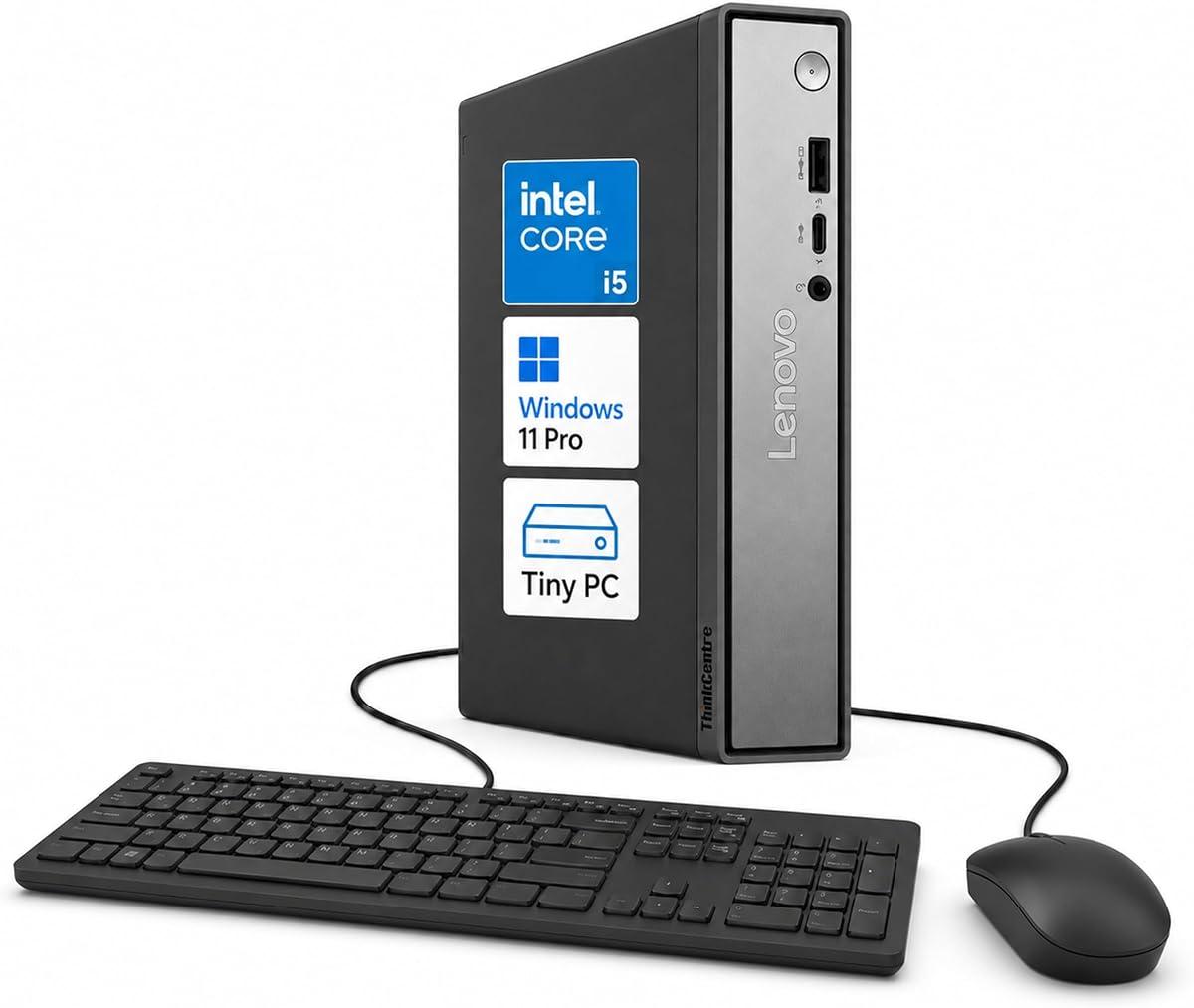
Lenovo ThinkCentre Neo 50q earns a perfect 5.0 rating from users who appreciate its reliability and performance. It features the 13th Gen i5-13420H processor tailored for office workloads and everyday multitasking with ease.
We may earn a commission when you buy through this link, at no additional cost to you.
Its standout feature is the ability to support three independent displays via two DisplayPorts and one HDMI port. This is perfect for trading, data analysis or creative workflows needing extended screen space without cluttering desks.
Some users note limited storage specifications in initial configs. While it offers flexible memory and storage choices extra drives must be added separately. This may require budget planning for larger file needs.
Buyers needing a compact yet powerful office desktop with triple monitor support should choose this model. It delivers responsive performance and essential business security features in a small form factor.
Connect up to three monitors using DisplayPort and HDMI outputs to maximize workspace efficiency and multitasking capabilities.
Built-in TPM 2.0 and Kensington Security Slot protect sensitive business data and prevent physical theft in shared environments.
We may earn a commission when you buy through this link, at no additional cost to you.
The MINISFORUM NAB5R offers a unique mix of high performance and IoT stability. Its 4.5 rating reflects user satisfaction with the 13500H CPU and powerful quad 4K video output capabilities for visual-heavy applications.
We may earn a commission when you buy through this link, at no additional cost to you.
With four HDMI and USB-C video outputs this unit enables massive productivity for traders or design teams. Dual 2.5Gb Ethernet ports provide reliable wired network options ideal for firewalls or NAS setups requiring fast data transfers.
Pre-installed Windows 11 IoT Enterprise ensures long-term support but may differ from standard Pro experience. Users should verify software compatibility before deploying in commercial environments like healthcare or retail.
Buyers requiring multiple displays and fast networking will find this model ideal. Its expandability and robust CPU make it suitable for both work and specialized industrial uses.
Simultaneous connection of up to four 4K monitors at 60Hz boosts productivity and provides ample workspace for complex projects.
Dual LAN ports enable link aggregation or separate network zones for enhanced speed and security in professional settings.
We may earn a commission when you buy through this link, at no additional cost to you.
HP Mini PC delivers reliable business performance at a competitive cost. With a 4.3 rating it serves general office needs well. The 6-core i5 processor handles multitasking efficiently alongside 16GB of RAM for smooth operation.
We may earn a commission when you buy through this link, at no additional cost to you.
Dual DisplayPort outputs allow flexible multi-monitor setups without adapters. This is useful for roles involving data entry or monitoring tasks. The chassis measures under 7 inches square making it easy to mount behind monitors.
Storage capacity is limited to 256GB which might require external drives for large files. The chipset is older but ensures stability for standard applications. Overall it is a dependable workhorse for routine tasks.
Organizations seeking budget-friendly yet capable systems should consider this. It offers essential business features and expandability without the premium cost of newer generations.
Dual DisplayPort 1.2 outputs support extended displays for improved workflow efficiency and screen real estate.
Measuring just 6.97 by 6.89 inches this PC fits easily in tight spaces or can be mounted behind monitors.
We may earn a commission when you buy through this link, at no additional cost to you.
GMKtec M3 offers high value with its generous storage and display capabilities. With a 4.4 rating users appreciate the 1TB SSD and flexible video outputs. It suits light gaming and media playback effectively for home offices.
We may earn a commission when you buy through this link, at no additional cost to you.
The included 16GB DDR4 and 1TB NVMe SSD reduce need for immediate upgrades. Triple display support via HDMI and USB-C allows for productive multi-screen setups. WiFi 6 ensures stable connectivity for streaming or conferencing.
Gaming performance is adequate for titles like League of Legends but not for AAA games. Power consumption is low at 45W making it energy efficient. Users looking for a balance of specs and price will like this model.
Buyers wanting extra storage without extra costs should pick this. It is a solid choice for media consumption and casual tasks where large file capacity matters.
1TB M.2 NVMe SSD provides ample space for games, media libraries, and large files without needing external drives.
2x HDMI and 1x USB-C allow three independent 4K screens for immersive viewing or productivity setups.
We may earn a commission when you buy through this link, at no additional cost to you.
Lenovo ThinkCentre M70q brings premium DDR5 performance in a tiny chassis. With a 4.2 rating it appeals to users needing modern speed. The 14th Gen i5-14400T processor handles complex workloads with efficiency and reliability.
We may earn a commission when you buy through this link, at no additional cost to you.
DDR5 RAM provides faster data processing than DDR4. This benefits data crunching and multitasking significantly. The unit includes AI business tools for productivity enhancements. Lenovo's 3-year warranty adds peace of mind for investments.
It is priced higher than some competitors. Some users may prefer Thunderbolt 4 for external drive speeds. However the overall performance and support package justify the cost for serious professionals.
Buyers wanting the latest memory tech and solid warranty support should choose this. It offers future-proofing and enterprise-level reliability for demanding business applications.
16GB DDR5 RAM delivers higher bandwidth for faster application loads and responsive multitasking experiences.
Integrated AI features assist with productivity and optimization for streamlined business operations.
We may earn a commission when you buy through this link, at no additional cost to you.
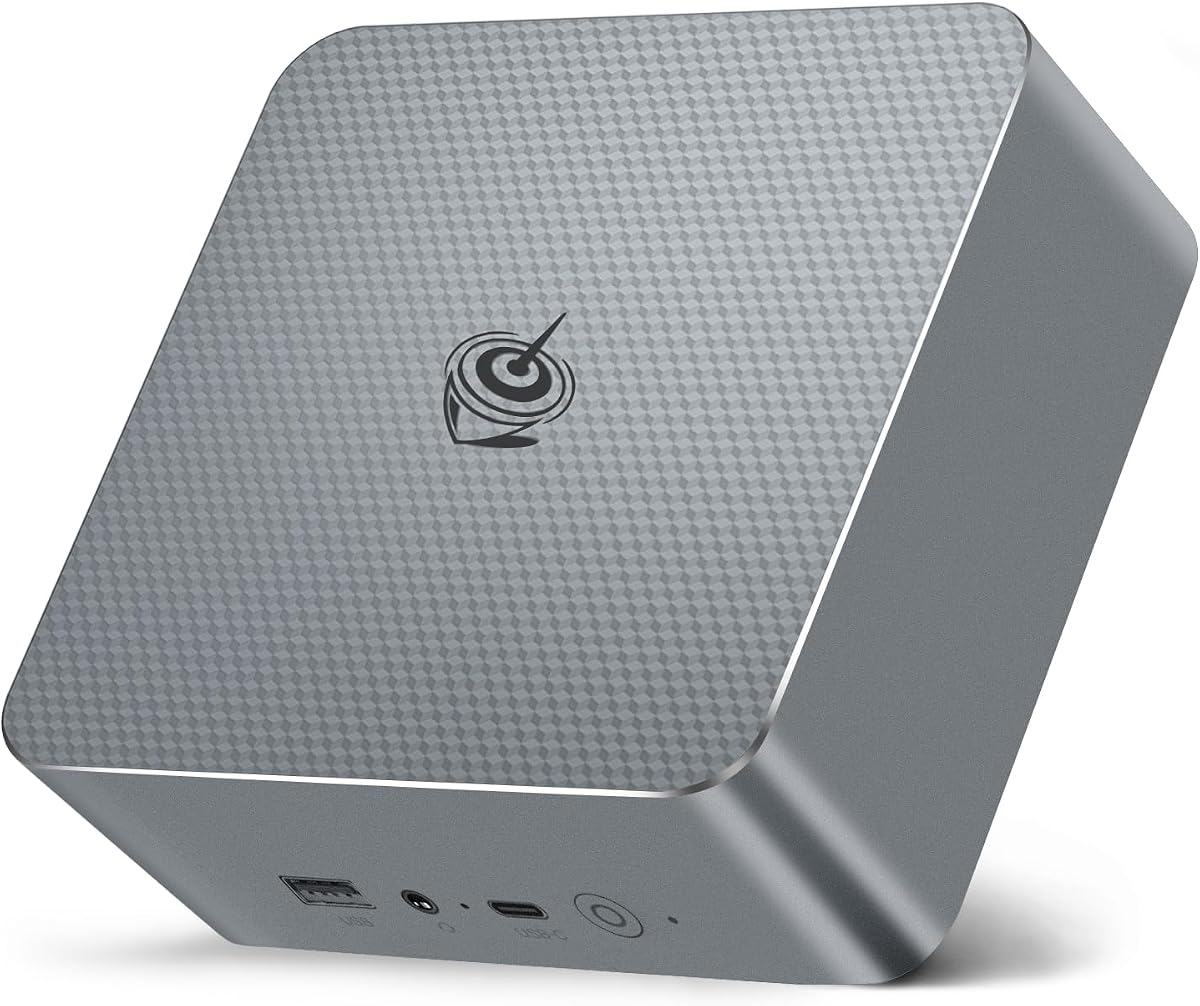
KAMRUI Hyper H2 delivers desktop-class 14th Gen power at a budget-friendly price. Its 4.5 rating highlights user satisfaction with performance. The i5-14500HX processor offers 14 cores and 20 threads for extreme multitasking.
We may earn a commission when you buy through this link, at no additional cost to you.
With dual fans and copper heat pipes it manages heat better than single-fan units. Triple 4K display support and 7 USB ports provide extensive connectivity. It handles large files and resource-heavy software smoothly.
Some users report higher fan noise under full CPU load. It uses DDR4 memory which is slower than DDR5. However the raw compute power and cooling make it a strong contender for budget-conscious buyers.
Buyers seeking maximum performance per dollar will find this unbeatable. Its cooling and ports make it ideal for power users who need a compact workstation.
The i5-14500HX chip brings 20 threads of performance usually found in larger desktop towers.
Premium thermal system with copper pipes prevents throttling during sustained 24/7 workloads.
We may earn a commission when you buy through this link, at no additional cost to you.
Intel NUC 13 Pro earns the highest rating in this guide at 4.6. Users praise its efficient hybrid architecture and crisp graphics capabilities. The compact design fits anywhere while delivering smooth performance for professional and home tasks.
We may earn a commission when you buy through this link, at no additional cost to you.
It supports up to four screens with 8K@60Hz output. This is excellent for high-res media playback. The unit measures just 4.6 inches square and includes VESA mounting. Thunderbolt 4 ports enable fast data and charging.
Storage expansion requires external drives or internal swapping. While this adds flexibility it also adds complexity for some users. The built-in fan keeps noise low during typical workloads effectively.
Buyers valuing sleek design and high-res video should choose this. It is a premium compact PC that balances power with minimal physical footprint perfectly.
Support for 8K@60Hz and 4K@120Hz ensures smooth playback for cinematic content and detailed graphics.
Measuring 4.6 by 4.4 inches it easily fits in crowded workstations or behind large TVs.
We may earn a commission when you buy through this link, at no additional cost to you.
Beelink EQI13 impresses with its built-in power supply and dual 2.5G LAN ports. Its 4.5 rating reflects solid value for money. The 13th Gen i5 processor provides responsive performance for office and home tasks efficiently.
We may earn a commission when you buy through this link, at no additional cost to you.
The built-in power brick means only one cable is needed for setup. This keeps desks tidy. Dual LAN ports support advanced networking like firewalls or failover. Dual 4K displays enhance productivity for traders or designers.
Its dimensions are slightly larger than tiny PCs. It lacks Thunderbolt 4 which may limit fast external storage speeds. However its cooling system runs quietly making it suitable for shared workspaces.
Buyers needing network redundancy or a clutter-free power setup should pick this. It is a smart choice for users valuing clean desk aesthetics and robust connectivity.
The internal 85W power design means you only need a single cable to run the PC.
Dual 2.5Gbps Ethernet ports provide faster wired speeds and redundancy for network setups.
We may earn a commission when you buy through this link, at no additional cost to you.
HP EliteDesk 800 G4 offers an affordable entry into Intel Core i5 computing. With a 4.0 rating it satisfies basic office needs. It comes renewed meaning it has been tested for performance but may show cosmetic wear.
We may earn a commission when you buy through this link, at no additional cost to you.
The 16GB RAM and 256GB SSD ensure smooth startup and multitasking for basic apps. Dual monitor support extends workspace utility. It is ideal for small businesses needing multiple units on a tight budget.
Older generation CPU limits performance for heavy tasks. Renewed units carry slight risk of minor wear though testing ensures functionality. For simple web browsing and document work it remains a strong choice.
Buyers needing a budget workstation for basic tasks should consider this. It balances cost and reliability effectively for light office duties.
Renewed quality ensures testing and reliability at a fraction of the cost of new units.
HDMI and DisplayPort outputs allow two displays for basic productivity workflows.
We may earn a commission when you buy through this link, at no additional cost to you.
Choosing a Mini PC requires evaluating several factors to match your specific needs. This guide outlines the most important aspects to consider before buying.
Modern Intel Core i5 processors come in various generations. Newer models like 13th or 14th Gen offer hybrid architectures with performance and efficiency cores. For heavy multitasking look for higher core counts and boost clocks.
Prioritize at least 13th Gen processors for future-proof performance in 2026. Higher core counts ensure smoother workflows.
16GB RAM is standard but consider models with upgradeable slots. Storage should be at least 512GB SSD for quick boot times. NVMe SSDs provide faster speeds than SATA options.
Ensure the unit has SO-DIMM slots for RAM upgrades. This allows extending memory capacity as needs grow.
Check video outputs like HDMI and DisplayPort. Models with Thunderbolt 4 support offer more flexible connectivity for high-res displays. Multiple ports allow multi-monitor setups.
Select units with at least two video outputs if you need extended desktops. Check resolutions supported for clarity.
USB ports vary by type and speed. Look for USB 3.2 Gen 2 for fast data transfers. Dual LAN ports or high-speed Ethernet improve networking reliability.
Ensure enough USB-A and USB-C ports for peripherals. Wireless features like WiFi 6E enhance connectivity.
Mini PCs range from 1L to larger box designs. VESA mounting capability saves desk space. Thermal design affects noise and longevity.
Opt for units with dual-fan cooling or heat pipes if running heavy workloads. This reduces throttling.
Most models include Windows 11 Pro. Some offer IoT Enterprise versions for stability. Warranty length varies from 1 to 3 years.
Choose models with longer warranties for business use. Check if software preinstallations match your needs.
Low-power chips reduce electricity costs. Built-in power supplies simplify setups. Energy efficient models suit 24/7 operation.
Check power adapter requirements. Lower wattage units are more portable and efficient.
Prices vary based on features and generation. Renewed units offer savings but check warranty details. Balance specs against price for best value.
Prioritize essential specs over extra features. This ensures cost-effective purchasing.
Place your Mini PC in a well-ventilated area to prevent overheating. Avoid blocking air vents if you use a desktop setup. Ensure at least two inches of clearance around the chassis for airflow.
Regularly update BIOS and drivers from the manufacturer website. This maintains system stability and security. Use disk cleanup tools to keep storage space optimized for performance.
Clean dust from ports and vents using compressed air every few months. Avoid liquid cleaners on surfaces. Regular maintenance extends the life of the device significantly.
Most models support upgrades via SO-DIMM slots and M.2 slots. However some designs require opening the chassis which may void warranty. Check manufacturer guidelines before attempting hardware changes.
ASUS now manufactures Intel NUC branded devices. They are essentially the same hardware with minor firmware differences. The NUC Pro Software Suite may differ slightly.
Basic gaming like League of Legends works well. AAA titles may struggle due to integrated graphics. Consider dedicated GPUs for heavy gaming needs.
Yes models with dual fans and stable OS like IoT Enterprise are designed for continuous use. Proper ventilation ensures reliability during long runs.
Seek at least two HDMI or DisplayPort outputs. Thunderbolt 4 allows more flexible display connections via adapters. Verify resolution support for your monitors.
Most professional units include Windows 11 Pro. Some IoT versions use Windows 11 IoT Enterprise. Always confirm OS version before purchasing.
Our top picks include the ASUS NUC 13 Pro for business, KAMRUI Hyper H2 for budget power, and Lenovo ThinkCentre M70q for premium features. Each offers distinct advantages for different user needs.
Prioritize processor generation and memory slots for future needs. Strong connectivity options like Thunderbolt or dual LAN ports enhance productivity significantly.
Always verify current prices and availability before buying. Technology prices fluctuate so checking listings ensures you get the best deal possible.