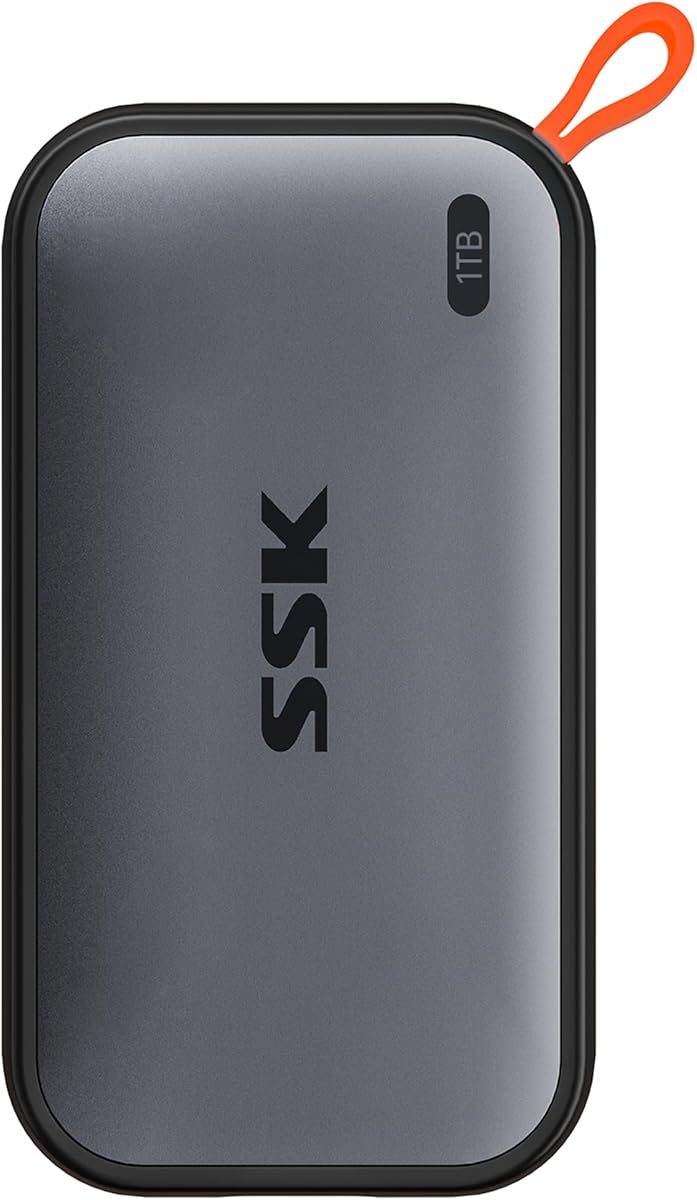
SSK Portable SSD 1TB External Solid State Hard Drive
4.5Editor score
Lightweight 36.6g design
Up to 1050MB/s read speed
Includes USB-C and USB-A cables
This guide compares the top external SSDs for Mac Mini M4, evaluating speed, capacity, durability, and compatibility to help you find the perfect storage
The Mac Mini M4 offers incredible performance but limited internal storage, making external SSDs essential for creators and professionals. Choosing the right drive ensures seamless workflow integration without compromising speed or reliability.
We evaluated ten top-rated external SSDs based on transfer speeds, build quality, compatibility with macOS, and real-world performance. Our analysis highlights models that excel in specific use cases from budget-friendly options to premium Thunderbolt solutions.
Each pick showcases key strengths and ideal users to help you decide quickly. Remember that stock and pricing fluctuate often, so verify current availability before purchasing to ensure you get the best deal today.
4.5Editor score

4.7Editor score

3.9Editor score
The following table provides a detailed side-by-side comparison of all ten selected external SSDs. It highlights key specifications such as interface type, read speeds, capacity options, and durability ratings to help you make an informed decision.


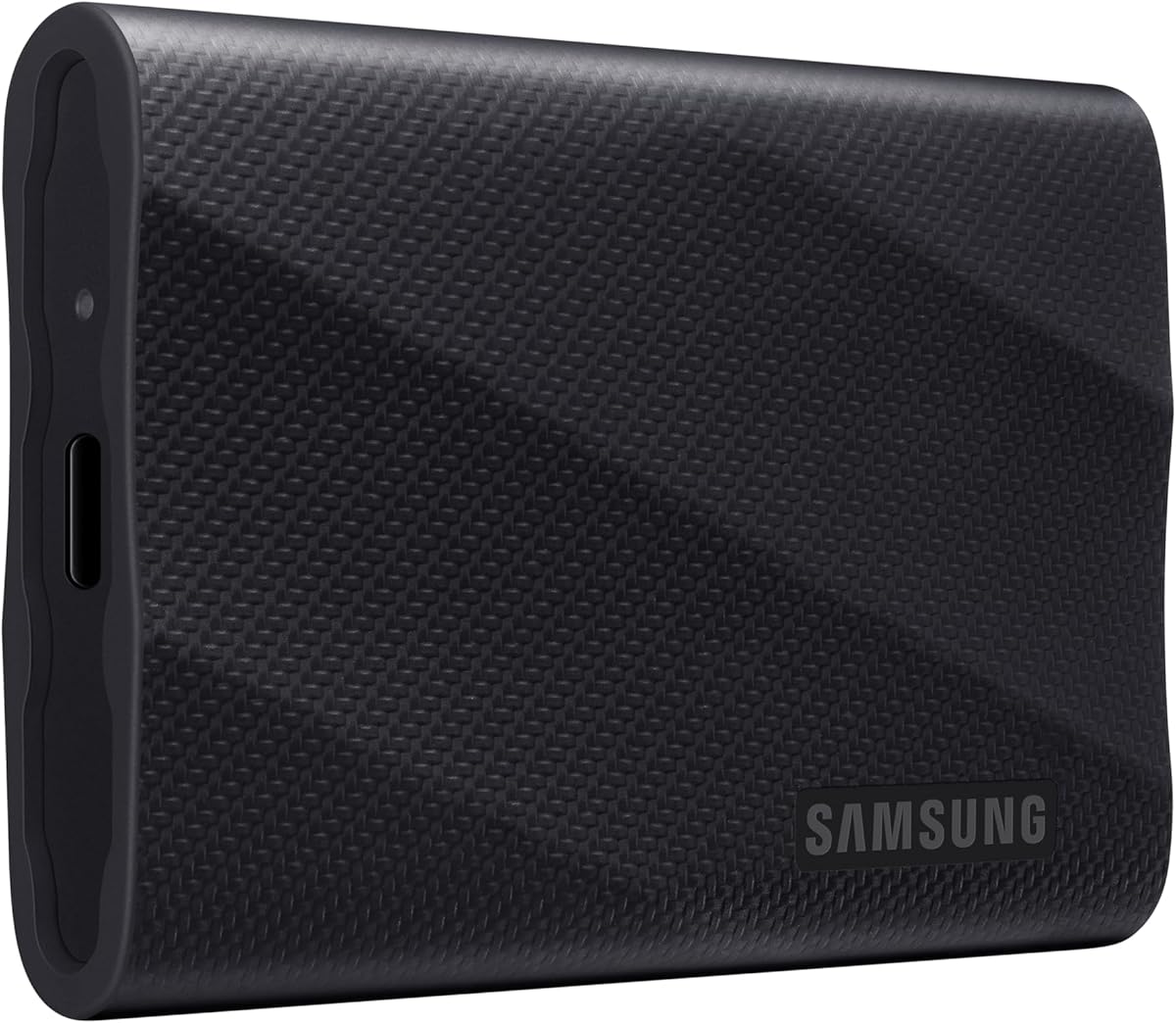

The Samsung T7 Portable SSD stands out as the top choice for Mac Mini M4 users needing reliable high-speed storage. With a rating of 4.7 stars, it delivers consistent performance for video editing and large file backups.
We may earn a commission when you buy through this link, at no additional cost to you.
Its PCIe NVMe technology ensures read speeds up to 1050MB/s, making it nearly twice as fast as previous generations. The solid aluminum unibody construction provides shock resistance up to six feet, protecting your data during travel.
While it lacks a Thunderbolt cable, the USB 3.2 Gen 2 connection is sufficient for most workflows. The price point is slightly higher than budget options, but the durability and speed justify the investment.
This drive is ideal for creators and professionals who prioritize speed and reliability. If you need a robust external drive that integrates seamlessly with macOS, the T7 is our strongest recommendation.
With read speeds up to 1050MB/s, the T7 handles large files and 4K video editing without lag.
The aluminum body and drop protection up to six feet ensure your drive survives accidental falls and daily use.
We may earn a commission when you buy through this link, at no additional cost to you.
The SSK Portable SSD offers exceptional value for Mac Mini M4 owners on a budget. With a 4.5-star rating, it provides fast data transfer and lightweight portability without breaking the bank.
We may earn a commission when you buy through this link, at no additional cost to you.
Featuring USB 3.2 Gen2 speeds up to 1050MB/s, this drive includes SLC caching to maintain consistent performance during large file transfers. Its aluminum alloy case effectively dissipates heat even during extended use.
The main trade-offs include a shorter warranty period and a more basic design compared to premium brands. However, the included USB-C and USB-A cables make it ready for various setups out of the box.
Choose this drive if you need reliable storage at an affordable price. It is perfect for students or casual users who want fast performance without extra cost.
At a lower price than competitors, the SSK delivers similar read speeds and reliable data access for everyday tasks.
Weighing just 36.6g, the drive is easy to carry while its aluminum case prevents overheating during heavy workloads.
We may earn a commission when you buy through this link, at no additional cost to you.
The SanDisk Professional 4TB PRO-G40 SSD is the ultimate solution for Mac Mini M4 users requiring extreme speed and durability. Despite a lower user rating, its professional-grade features make it ideal for demanding workflows.
We may earn a commission when you buy through this link, at no additional cost to you.
Featuring Thunderbolt 3 connectivity, it delivers read speeds up to 3000MB/s, capable of moving 50GB in one minute. The IP68 dust and water resistance, along with crush resistance, ensures reliability in harsh environments.
The high price and heavy build are significant considerations. However, for professionals who need massive capacity and rugged reliability, these costs are justified by the drive's capabilities.
Invest in this drive if you work with 8K video or large datasets. Its speed and durability make it a top-tier choice for demanding creative professionals.
With 4TB storage and 3000MB/s read speeds, this drive eliminates bottlenecks for large-scale creative projects and data archives.
IP68 rating and crush resistance protect the drive from water, dust, and physical damage, ensuring data safety anywhere.
We may earn a commission when you buy through this link, at no additional cost to you.
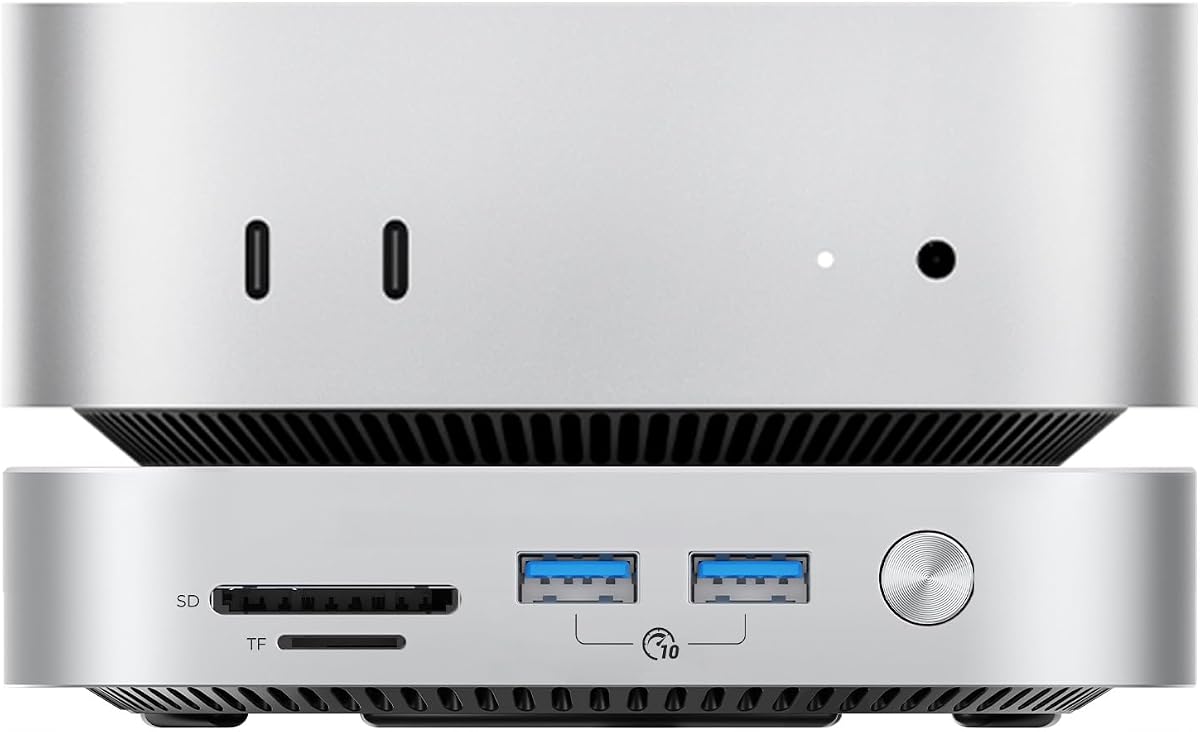
The ORICO 2TB External SSD offers a unique expansion bundle designed specifically for Mac Mini M4 users. It seamlessly attaches to the Mini with a 3200MB/s NVMe SSD, doubling your storage while maintaining desktop elegance.
We may earn a commission when you buy through this link, at no additional cost to you.
The device includes three USB 3.0 ports and an SD card reader, expanding connectivity for peripherals and footage transfers. Its aerospace-grade aluminum body with thermal channels sustains peak speeds during extended workloads.
A downside is that users may need to purchase the actual drives separately in some configurations. The complex setup might be challenging for beginners, though the bundle offers significant value for power users.
This drive is best for users needing integrated desktop expansion. If you want seamless connectivity and high-speed storage for your Mac Mini, this bundle is a powerful solution.
Optimized for macOS Sonoma and M-series chips, the ORICO bundle ensures plug-and-play setup and Time Machine compatibility.
Multiple USB ports and an SD card reader allow you to connect peripherals and transfer data without extra hubs.
We may earn a commission when you buy through this link, at no additional cost to you.
The Lexar 2TB ES3 External SSD provides fast transfers and robust protection for Mac Mini M4 users. With a 4.5-star rating, it offers reliable performance for everyday work and travel.
We may earn a commission when you buy through this link, at no additional cost to you.
Its double layer graphite sheets quickly conduct heat, ensuring the drive stays cool during blazing fast transfers. The drop resistance up to two meters makes it durable for office and outdoor use.
A potential drawback is that the included cable may vary, so always check the product details. While the design is sturdy, it lacks the premium features of Thunderbolt alternatives.
Choose this drive if you need dependable storage for daily tasks. Its balance of speed, durability, and price makes it a strong contender for most users.
The double layer graphite cooling keeps the drive cool during long transfers, preventing thermal throttling and maintaining speed.
Drop resistance up to two meters ensures your drive survives accidental drops, keeping your data safe in any setting.
We may earn a commission when you buy through this link, at no additional cost to you.
The Sandisk 1TB Extreme Portable SSD delivers near-dual speeds for Mac Mini M4 users needing quick transfers. With a 4.6-star rating, it offers high-speed storage with enhanced security features.
We may earn a commission when you buy through this link, at no additional cost to you.
Its transfer speeds reach up to 2000MB/s, allowing you to move 1000 high-res photos in under 60 seconds. The IP65 rating and 256-bit AES encryption provide protection against spills and data theft.
While it is more expensive than standard models, the speed and security features justify the cost. However, some users may find the power consumption high on mobile devices.
This drive is perfect for professionals needing rapid file access. If speed and security are your top priorities, the Extreme Portable SSD is an excellent choice.
With 2000MB/s speeds, you can transfer huge files and 4K video clips in seconds rather than minutes.
Password protection and IP65 resistance safeguard your data from theft and accidental water damage.
We may earn a commission when you buy through this link, at no additional cost to you.
The Lexar ES3 1TB Portable SSD is designed for users seeking minimal weight and maximum portability. With a 4.4-star rating, it offers solid performance for travel and everyday storage needs.
We may earn a commission when you buy through this link, at no additional cost to you.
Weighing just 42g and only 10.5mm thick, this drive fits easily into pockets without adding bulk. It supports speeds up to 1050MB/s and includes DataShield encryption for file safety.
Its compatibility is broad but excludes older iPhone models, which may limit mobile users. The thin design is convenient but requires careful handling to avoid damage.
Choose this drive if you need ultra-portable storage. It is ideal for travelers who want reliable speeds without carrying heavy equipment.
At just 42g, this drive is one of the lightest options available, perfect for users prioritizing minimal weight.
Lexar DataShield encryption software ensures your personal files remain protected and secure against unauthorized access.
We may earn a commission when you buy through this link, at no additional cost to you.
The Crucial X10 2TB Portable SSD offers fast speeds and durability for Mac Mini M4 users. With a 4.5-star rating, it is built to withstand travel while delivering high performance.
We may earn a commission when you buy through this link, at no additional cost to you.
Its read speeds reach up to 2100MB/s, significantly faster than traditional hard drives. The IP65 rating and drop resistance up to 9.8 feet ensure reliability in rough conditions.
While bonus software is included, it may require registration to activate. The functional design lacks the aesthetics of premium brands but excels in utility and reliability.
This drive is great for users needing reliability and speed. If you value durability and fast transfer rates, the X10 is a solid investment.
Read speeds up to 2100MB/s ensure rapid access to large files, perfect for gaming and creative work.
IP65 rating and drop protection up to 3 meters make this drive reliable for travel and outdoor use.
We may earn a commission when you buy through this link, at no additional cost to you.
The Samsung T9 Portable SSD delivers sustained speeds for Mac Mini M4 users needing high performance. With a 4.6-star rating, it maintains fast read and write speeds even during heavy use.
We may earn a commission when you buy through this link, at no additional cost to you.
Its Dynamic Thermal Guard technology keeps the drive cool during intense workloads, preventing throttling. The Magician software allows firmware updates and drive health monitoring for peace of mind.
To achieve top speeds, the host device must support USB 3.2 Gen 2×2, which older Macs may not. For M4 users this is usually not an issue, making it a top-tier choice.
This drive is ideal for professional creators needing sustained performance. If you work with large datasets or video editing, the T9 is a powerful solution.
The T9 maintains up to 2000MB/s speeds even during longer processes, ensuring consistent performance without slowdowns.
Samsung Magician software provides firmware updates and encryption, enhancing both security and drive longevity.
We may earn a commission when you buy through this link, at no additional cost to you.
The SABRENT Rocket Nano XTRM 2TB offers Thunderbolt 3 speeds ideal for Mac Mini M4 users needing maximum performance. With a 4.4-star rating, it provides reliable fast storage for demanding workflows.
We may earn a commission when you buy through this link, at no additional cost to you.
It delivers up to 2700MB/s over Thunderbolt 3, enabling uninterrupted 4K video editing and rapid file transfers. The compact aluminum chassis includes silicone sleeve protection and both Thunderbolt and USB cables.
While expensive, the drive's speed and reliability make it a worthy investment for pros. Ensure your Mac Mini has a Thunderbolt 3 port to utilize its full potential.
This drive is perfect for professional creatives and developers. If you need the fastest portable storage available, the Rocket Nano XTRM is an excellent choice.
With 2700MB/s speeds, this drive handles 4K and 6K video editing with ease, eliminating transfer bottlenecks.
Both Thunderbolt and USB cables are included, ensuring compatibility with a wide range of devices out of the box.
We may earn a commission when you buy through this link, at no additional cost to you.
Selecting the right external SSD for your Mac Mini M4 requires understanding key factors that impact performance and compatibility. This guide breaks down the essential considerations to help you find the ideal drive for your needs.
Your Mac Mini M4 features USB-C ports, but not all USB-C connections offer the same speeds. Look for drives supporting USB 3.2 Gen 2 (10Gbps) or Thunderbolt 3/4 (40Gbps) to maximize performance. Standard USB 2.0 or older USB 3.0 interfaces will bottleneck your SSD and reduce data transfer rates.
Always verify that the drive interface matches your Mac's ports for optimal speed. If you need maximum performance, choose a Thunderbolt compatible SSD to fully utilize your M4 chip's capabilities.
Transfer speeds directly impact workflow efficiency, especially for video editing and large file backups. Aim for drives with read speeds above 1000MB/s for general use, while professional needs may require 2000MB/s or more via Thunderbolt. Real-world performance can vary based on file size and connection type.
Prioritize models with consistent high-speed performance to avoid delays during data transfers. Check reviews for sustained speed ratings to ensure the drive does not slow down after large transfers.
Choose a capacity that aligns with your project sizes and backup needs. For casual use, 1TB is often sufficient, while professionals working with 4K video or large datasets should consider 2TB or 4TB options. Keep in mind that higher capacity often increases cost but may offer better value per gigabyte.
Assess your current storage usage to determine if you need a single large drive or multiple smaller ones. Future-proofing your setup with ample capacity can save money on upgrades later.
External drives are often subjected to travel and accidental drops, so durability is critical. Look for models with IP ratings for water and dust resistance and drop protection ratings measured in meters or feet. Aluminum bodies also help dissipate heat and offer better physical protection than plastic casings.
Select a drive with robust build quality if you plan to travel frequently. Protection features ensure your data remains safe from physical and environmental damage.
Ensure the drive is compatible with macOS and supports file systems like APFS or HFS+. Most modern SSDs are plug-and-play with macOS, but some may require reformatting for optimal performance. Compatibility also includes support for Time Machine backups and Apple Silicon chip optimizations.
Verify that the drive works seamlessly with your Mac Mini M4 without needing complex drivers. Native macOS support simplifies setup and ensures smooth integration with your existing workflow.
Bus-powered drives draw energy directly from your Mac Mini M4, which is convenient but can strain the port if the drive requires high power. Lower wattage drives are more portable and less likely to cause connection drops. Mobile usage may also be impacted by power draw on battery devices.
Choose a drive with efficient power usage to maintain portability and stability. This is especially important if you plan to use the drive with laptops or mobile devices.
Check what cables are included with the drive to avoid extra purchases. Some drives offer both USB-C to USB-C and USB-C to USB-A cables, enhancing compatibility. Ensure the cable length is sufficient for your workspace setup to prevent connection issues.
Having the right cables included saves time and money. It also ensures you can connect to various devices without hunting for adapters.
A robust warranty indicates manufacturer confidence and protects your investment. Look for drives offering at least three years of coverage, with some brands offering extensions. Reliable customer support helps resolve issues quickly, which is vital for data-driven workflows.
Select a brand with a strong reputation for warranty service. This provides peace of mind that your drive is protected against potential failures.
To use your external SSD, simply connect it to a USB-C port on your Mac Mini M4. The system will automatically detect the drive if it is formatted correctly. You can drag and drop files or use Time Machine to back up your system directly to the drive.
Proper care ensures longevity. Always eject the drive safely before disconnecting it to prevent data corruption. Avoid exposing the drive to extreme temperatures or direct sunlight, and keep it in a dry place to prevent moisture damage.
Regularly update your firmware using the manufacturer's software if available. This maintains performance and security. If you store the drive for long periods, check it occasionally to ensure data integrity and battery health if applicable.
Most modern external SSDs are bus-powered and do not require a separate power source. They draw power directly from the Mac Mini M4 USB-C port. However, high-end Thunderbolt drives may require a connected hub with power for optimal stability.
Yes, most drives support cross-platform compatibility. Ensure the drive is formatted to exFAT for dual use or APFS for Mac only. Check product specifications to confirm full support for both operating systems.
Thunderbolt 3 offers speeds up to 40Gbps, significantly faster than standard USB-C 10Gbps. This allows for much faster data transfers, ideal for video editing. Not all USB-C ports support Thunderbolt, so verify your Mac's port capabilities.
This is often due to how macOS and Windows calculate storage differently. Manufacturers use decimal calculations while macOS uses binary. The actual usable space may be slightly less, but it is not a defect.
Modern external SSDs usually last several years with normal use. Lifespan depends on write cycles and environmental factors. Choosing drives with a good warranty and proper care extends their life significantly.
Yes, it is safe to leave the drive connected. However, ejecting it when not in use saves power and reduces wear. Ensure the Mac sleeps or powers off properly to avoid data corruption during shutdown.
We highlighted ten top external SSDs tailored for Mac Mini M4 users, balancing speed durability and price. The Samsung T7 leads in overall performance while the SSK offers affordability and the PRO-G40 delivers pro-grade speed.
Prioritize interface compatibility and speed requirements based on your workflow. For most users standard USB 3.2 speeds suffice, but creatives should consider Thunderbolt options for maximum efficiency and faster transfers.
Always verify current stock and pricing before purchasing as deals fluctuate frequently. Checking the latest specifications ensures you get the best value for your specific storage needs and budget.