
Acer Nitro KG271U N3bmiipx
4.5Editor score
180Hz refresh rate
0.5ms response time
95 percent DCI P3 color
This guide compares the top 27 Inch WQHD 1440p Gaming Monitors available in October 2026 focusing on performance features and value for gamers.
Choosing the right display is crucial for immersive gaming experiences today. A 27 inch WQHD 1440p monitor offers the perfect balance of screen real estate and pixel density for sharp visuals without demanding excessive GPU power.
We evaluated ten top models based on refresh rates response times panel types and connectivity options. Each product was scrutinized for features like FreeSync G Sync compatibility and color accuracy to ensure they meet modern gaming standards.
This list highlights standout options for budget buyers enthusiasts and professionals alike. Please note that specific pricing fluctuates frequently so check current listings before purchasing to secure the best deal available right now.
4.5Editor score

4.6Editor score

4.6Editor score
The following table provides a side by side overview of key specifications for all ten selected monitors. This comparison helps you quickly identify which model best fits your specific needs regarding refresh rate connectivity and panel technology.


The Acer Nitro KG271U stands out as a top contender for budget conscious gamers seeking high performance. With a 4.5 rating from users it delivers solid visuals and smooth motion handling at an attractive price.
We may earn a commission when you buy through this link, at no additional cost to you.
Its 180Hz refresh rate and 0.5ms response time ensure competitive gaming feels responsive and smooth. The IPS panel supports 95 percent DCI P3 color which is impressive for this price bracket ensuring vibrant images.
While it lacks advanced ergonomic adjustments found in premium models the zero frame design maximizes screen space effectively. The trade off of a simpler stand is acceptable given the performance metrics and cost savings.
This monitor is ideal for students or casual gamers who need a reliable WQHD display without breaking the bank. We recommend it for those prioritizing refresh rate and color fidelity over extensive build features.
The 180Hz refresh rate coupled with AMD FreeSync eliminates screen tearing for fluid visuals.
Supporting 95 percent DCI P3 ensures accurate colors suitable for both gaming and creative work.
We may earn a commission when you buy through this link, at no additional cost to you.
The ASUS TUF Gaming VG27AQ3A earns our Editor's Choice award for its balanced feature set and performance. Users rate it 4.6 stars praising its ability to handle both competitive gaming and creative tasks.
We may earn a commission when you buy through this link, at no additional cost to you.
ASUS ELMB Sync technology allows simultaneous variable refresh rate and motion blur reduction which is rare in this segment. The Fast IPS panel offers 130 percent sRGB ensuring rich colors and wide viewing angles.
The inclusion of integrated speakers and a complimentary Adobe Creative Cloud subscription adds value beyond typical gaming monitors. However the menu system can be complex for new users and the price is higher than budget options.
We recommend this monitor for gamers who want premium features like G Sync compatibility without paying flagship prices. It is a strong choice for those who value color accuracy and motion clarity equally.
ELMB Sync reduces ghosting while maintaining adaptive sync for a tear free experience.
The free Adobe subscription makes this an excellent dual purpose monitor for work and play.
We may earn a commission when you buy through this link, at no additional cost to you.
For gamers seeking top tier performance the ASUS TUF VG27AQL1A delivers with its 170Hz overclock and G Sync compatibility. It holds a 4.6 rating reflecting user satisfaction with its premium build and visual fidelity.
We may earn a commission when you buy through this link, at no additional cost to you.
The HDR400 certification ensures better contrast in supported titles and the ELMB Sync technology minimizes motion blur effectively. This monitor is designed for professional gamers who demand precision and smoothness in competitive scenarios.
While the price is higher than many alternatives the build quality and feature set justify the investment. It requires a powerful GPU to fully utilize the high refresh rates at 1440p resolution but pays off in performance.
This model is best suited for dedicated gaming setups where budget is less of a concern than performance. We highly recommend it for players who want a future proof display with industry leading motion handling.
ELMB Sync combined with G Sync ensures the smoothest possible gameplay experience.
HDR400 certification brings brighter highlights and deeper shadows to compatible content.
We may earn a commission when you buy through this link, at no additional cost to you.
The Acer Nitro XV271U M3 offers a robust package with an ergonomic stand and high refresh capabilities. With a 4.5 rating it is praised for its flexibility and smooth performance in fast paced games.
We may earn a commission when you buy through this link, at no additional cost to you.
Its stand supports height pivot and swivel adjustments which are rare at this price point and improve user comfort significantly. The 0.5ms response time and 180Hz refresh rate ensure competitive play remains smooth and lag free.
The included cables and multiple port options simplify setup but the built in speakers are basic. While the stand is feature rich it does occupy some desk space which might be a consideration for smaller setups.
This monitor is ideal for users who prioritize ergonomics alongside gaming performance. We recommend it for those who need a versatile display for both work and gaming without needing a desk mount.
Full ergonomic adjustments reduce strain during long sessions with height pivot and swivel.
The 0.5ms response time minimizes ghosting for crisp images during rapid movement.
We may earn a commission when you buy through this link, at no additional cost to you.
The Samsung Odyssey G5 G51F stands out with its curved design and exceptional 4.7 user rating. It provides an immersive experience that wraps around your vision which is particularly effective for simulation and strategy games.
We may earn a commission when you buy through this link, at no additional cost to you.
Features like Black Equalizer help players spot enemies in dark areas which is a significant tactical advantage. The HDR10 support adds depth to scenes and the 180Hz refresh rate keeps motion smooth for action titles.
The curved screen might not appeal to everyone especially those who work with strict geometry tasks. Additionally the stand is functional but lacks advanced height adjustment which might require a separate mount for optimal positioning.
This monitor is perfect for gamers who value immersion and visual fidelity in a compact package. We recommend it for users who prefer a curved display and want strong performance without a high price tag.
The curved panel creates a more immersive field of view for better engagement.
Black Equalizer enhances visibility in dark corners giving you a tactical edge.
We may earn a commission when you buy through this link, at no additional cost to you.
The SANSUI 27 Inch WQHD offers impressive specifications like a 200Hz refresh rate at a competitive price. It has received a 4.4 rating from users who appreciate its high performance capabilities for the cost.
We may earn a commission when you buy through this link, at no additional cost to you.
With 120 percent sRGB color gamut and eye care technologies it balances gaming performance with visual comfort. The inclusion of multiple DisplayPort inputs provides flexibility for users with multiple systems or complex setups.
While the performance is strong some users report variations in build quality that may require careful selection. The lack of built-in speakers means you will need external audio solutions for a complete setup experience.
This monitor is best for budget focused gamers who need the highest refresh rate available. We recommend it for those willing to invest in external speakers for maximum value and performance.
The 200Hz refresh rate ensures ultra smooth motion for competitive shooters.
Anti flicker and low blue light technologies reduce strain during extended sessions.
We may earn a commission when you buy through this link, at no additional cost to you.
The SANSUI 27 Inch Fast IPS delivers a versatile package with a pivoting stand and high refresh capabilities. It holds a 4.4 rating and is popular among users seeking flexibility and performance in a single unit.
We may earn a commission when you buy through this link, at no additional cost to you.
The 200Hz refresh rate and 95 percent DCI P3 color ensure both speed and vibrancy for modern titles. The ergonomic stand allows for vertical and horizontal rotation which is great for multitasking and content creation.
While the stand is a major plus users should note that audio is not built in requiring external speakers. The warranty offers peace of mind with technical support but initial setup might need patience.
This model is ideal for users who want a multi functional display without spending heavily. We recommend it for those who need both gaming performance and productivity features like pivot capabilities.
Full pivot and swivel options make this great for vertical coding or content work.
200Hz and 95 percent DCI P3 combine speed with accurate and vibrant colors.
We may earn a commission when you buy through this link, at no additional cost to you.
The KOORUI 27 Inch G2721P offers a modern aesthetic with ultra thin bezels and strong performance. It features a 4.4 rating from users who appreciate its clean design and reliable gaming capabilities.
We may earn a commission when you buy through this link, at no additional cost to you.
With 200Hz refresh rate and HDR400 readiness it handles fast games and vivid visuals well. The minimalistic design fits well in modern setups while the VESA wall mount option adds installation flexibility.
However the stand is basic and lacks height adjustment which may require a separate arm for ergonomics. Audio is not built in so external speakers are necessary for a complete multimedia experience.
This monitor is perfect for users prioritizing design and performance over ergonomic features. We recommend it for those who want a clean look and high refresh rates at a reasonable price point.
The ultra thin body minimizes distractions and enhances the viewing experience.
HDR400 support adds visual depth to compatible content for richer scenes.
We may earn a commission when you buy through this link, at no additional cost to you.
The Acer Nitro EDA270U combines a curved screen with a zero frame design for a modern look. It holds a 4.4 rating and is favored by users seeking immersion and value in a single package.
We may earn a commission when you buy through this link, at no additional cost to you.
The 1500R curve wraps around your field of view enhancing immersion in supported titles. With 180Hz refresh rate and HDR readiness it delivers smooth and vibrant visuals suitable for various genres.
Lack of height adjustment limits ergonomic flexibility but the zero frame design maximizes screen space effectively. The built in speakers are basic so external audio is recommended for better sound quality.
This monitor is ideal for budget gamers wanting a curved screen experience. We recommend it for those who prioritize immersion and design over advanced stand features.
The thin bezels create an immersive look that expands the visual field.
The 1500R curve enhances depth perception for a more engaging experience.
We may earn a commission when you buy through this link, at no additional cost to you.
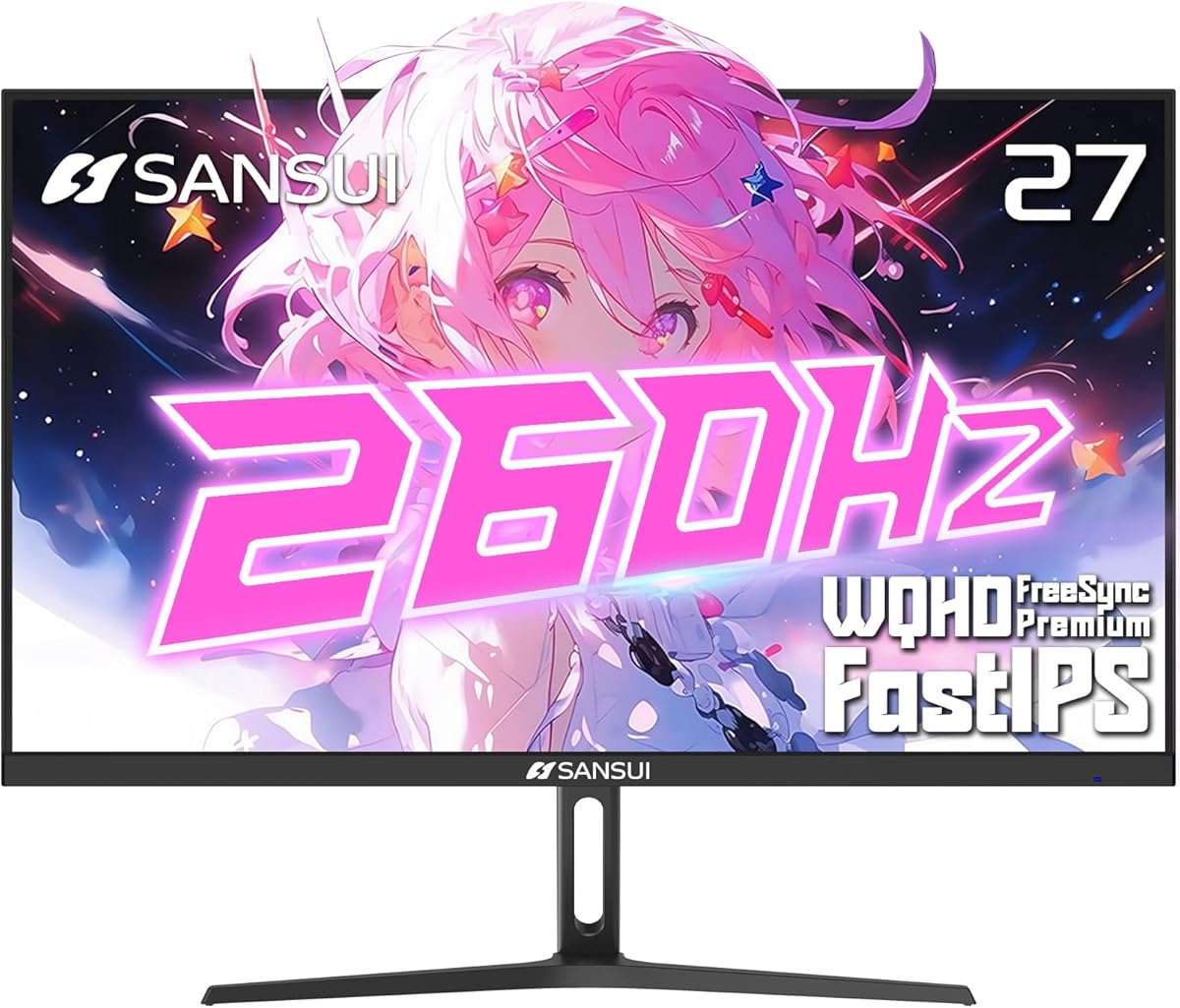
The SANSUI 27 Inch 260Hz offers an exceptional refresh rate of 260Hz for ultra smooth gameplay. With a 4.4 rating it is a top pick for competitive gamers needing the fastest possible response.
We may earn a commission when you buy through this link, at no additional cost to you.
The Fast IPS panel and 98 percent DCI P3 color ensure vibrant visuals even at these speeds. DP 1.4 inputs support these high rates making it future proof for next gen systems.
To fully utilize 260Hz you will need a powerful GPU which may be a barrier for some users. The basic stand lacks advanced ergonomics but performance for the price is hard to beat.
This monitor is best for competitive players who need every millisecond advantage. We recommend it for those with powerful rigs who want top tier speed without the flagship price.
The 260Hz refresh rate provides a distinct advantage in fast paced competitive games.
DP 1.4 ensures you can utilize the high refresh rates with modern graphics cards.
We may earn a commission when you buy through this link, at no additional cost to you.
Selecting the right monitor involves weighing several technical factors. This section breaks down the key aspects you should consider before making your purchase.
Refresh rate determines how many frames per second the monitor can display which directly impacts motion smoothness. For competitive gaming look for rates of 144Hz or higher to ensure fluid visuals.
Higher refresh rates like 180Hz or 200Hz provide a smoother experience especially in fast paced games where split second reactions matter.
Response time measures how quickly a pixel can change color which affects motion blur and ghosting. A lower response time results in clearer images during rapid movement.
Aim for monitors with 1ms or lower response times to minimize ghosting and ensure sharp visuals in action scenes.
IPS panels are popular for their wide viewing angles and accurate colors which are essential for gaming and creative work. They generally offer better color reproduction than VA or TN panels.
Choose an IPS panel if you prioritize color accuracy and viewing angles over maximum contrast or speed.
Adaptive Sync technologies like FreeSync and G Sync match the monitor refresh rate with the GPU frame rate to prevent screen tearing. This creates a seamless visual experience.
Ensure your monitor supports the sync technology compatible with your graphics card for the best performance.
Color accuracy is crucial for both gaming and content creation. Look for monitors with high sRGB or DCI P3 coverage to ensure vibrant and accurate colors.
Aim for 90 percent or higher DCI P3 coverage for professional grade color performance.
Multiple ports like HDMI and DisplayPort allow you to connect various devices simultaneously. Ensure the ports support your desired refresh rate and resolution.
DisplayPort is generally preferred for higher refresh rates and resolutions like 1440p at 144Hz.
Adjustable stands that support tilt height swivel and pivot reduce strain during long sessions. These features are vital for maintaining comfort and health.
Prioritize monitors with full ergonomic adjustments if you plan to use the display for extended periods.
HDR support enhances contrast and brightness in supported content making scenes look more realistic. It adds depth to games and movies.
Look for HDR400 or higher certification for noticeable improvements in visual quality.
To ensure optimal performance connect your graphics card to the DisplayPort for highest refresh rates and adjust settings in your control panel.
Regularly clean the screen with a microfiber cloth to avoid scratches and use a screen protector if you work in dusty environments.
Adjust the stand to your eye level to reduce neck strain and enable eye care features if available during long usage sessions.
Yes 1440p offers higher clarity and sharper images than 1080p. It requires more GPU power but provides a better visual experience on a 27 inch screen.
Yes reaching 260Hz requires a powerful GPU to maintain high frame rates. Lower end systems may not fully utilize the refresh rate effectively.
IPS panels provide superior color accuracy and wide viewing angles. They are ideal for both gaming and creative work requiring precise color reproduction.
Yes 27 inches is the ideal size for 1440p. It balances screen real estate and pixel density without looking pixelated or too small.
Many models in this list support HDR10 or HDR400. This enhances contrast and brightness for a more immersive viewing experience.
Yes several models offer accurate color gamuts suitable for design and photo editing. Check color specs to ensure they meet your professional needs.
Response time is critical for reducing ghosting in fast games. Aim for 1ms or lower to ensure smooth motion without blurring.
DisplayPort generally supports 144Hz and higher rates better than HDMI 2.0. Check your monitor manual for specific port capabilities.
We have explored ten top monitors that excel in performance and value. The Acer Nitro KG271U and ASUS TUF VG27AQ3A lead the pack for budget and mid-range users respectively.
Prioritize refresh rates and response times based on your gaming needs. If you value color accuracy for creative work look at models with high DCI P3 coverage.
Remember that prices change frequently so check current listings for the best deal available today. Your perfect monitor is within reach with the right research.