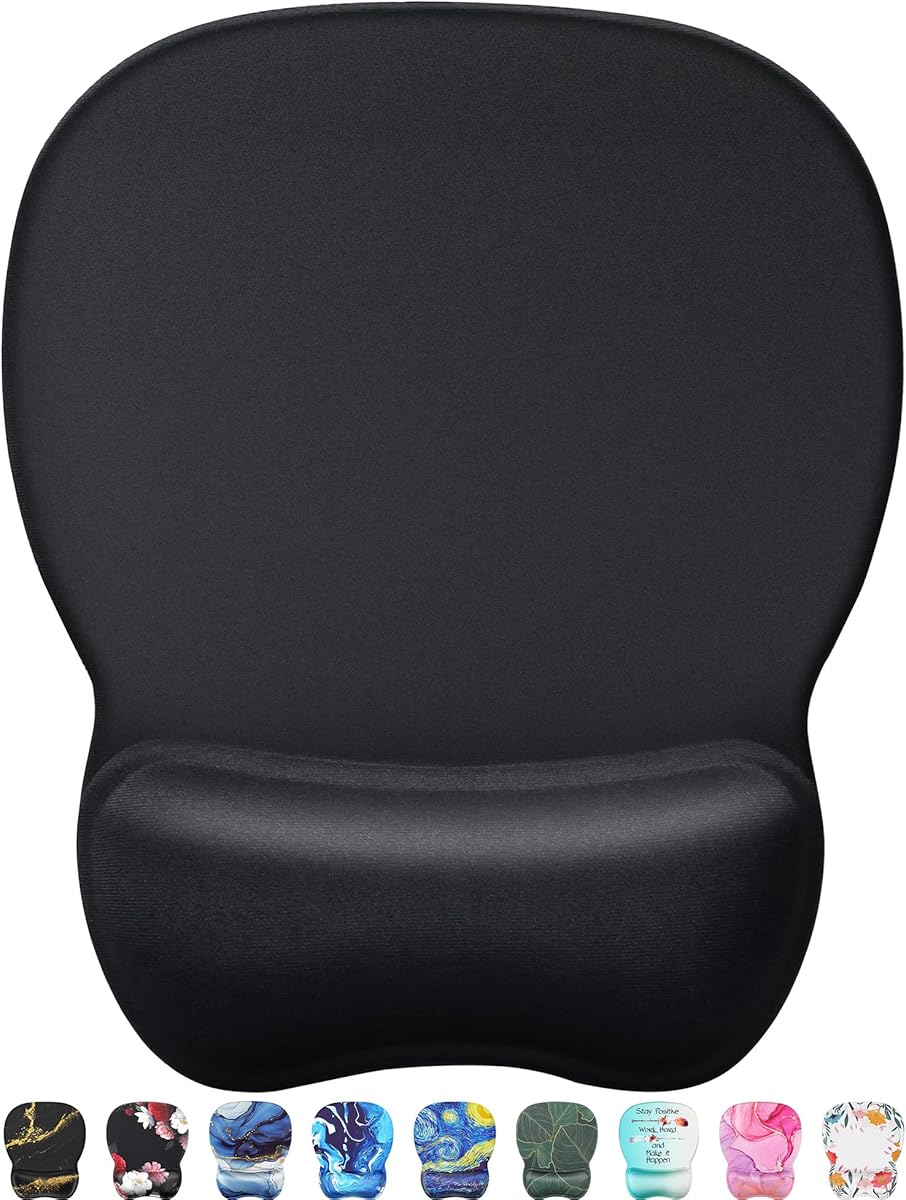
MROCO Ergonomic Mouse Pad with Gel Wrist Rest, 9.4 x 8.1 in, Black
4.6Editor score
Soft gel cushioning
Smooth Lycra surface
Non-skid PU base
Finding the right armrest mouse pad can transform your daily workflow by reducing strain on your wrists and elbows during long computing sessions. These specialized accessories provide crucial support that standard desk surfaces simply cannot offer for extended use.
We have carefully evaluated ten leading models based on ergonomic design, material quality, stability, and user feedback to compile this definitive list. Each product was analyzed for its ability to maintain proper posture and deliver consistent comfort throughout your workday.
Every selection below highlights unique features and potential limitations to help you make an informed decision. Please note that availability and pricing may fluctuate over time so checking current listings is always recommended before purchasing.
4.6Editor score
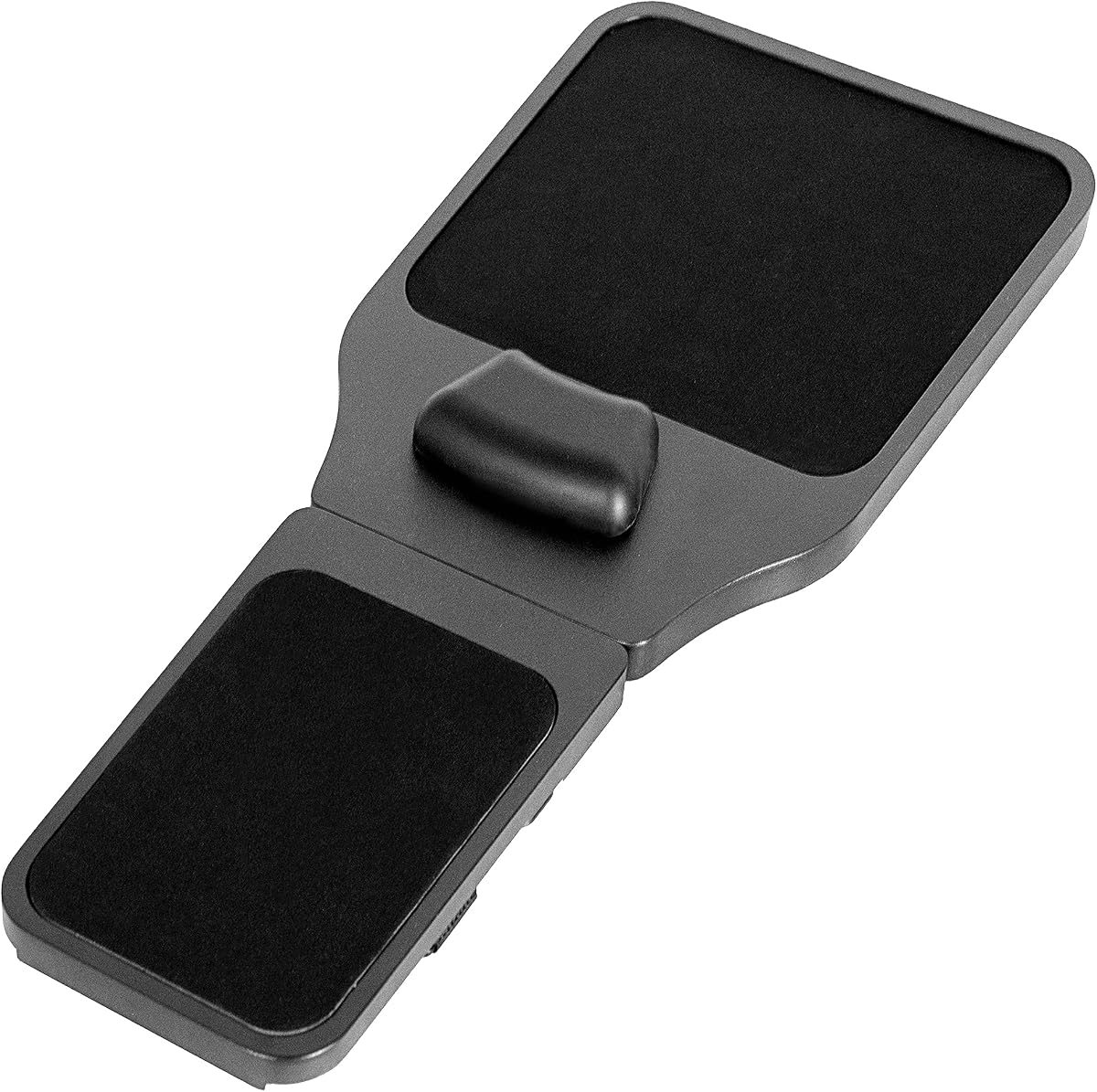
4.1Editor score

4.5Editor score
As an Amazon Associate we earn from qualifying purchases.
The following table presents a side-by-side comparison of all ten selected products highlighting their key specifications and unique selling points to facilitate easy decision making.
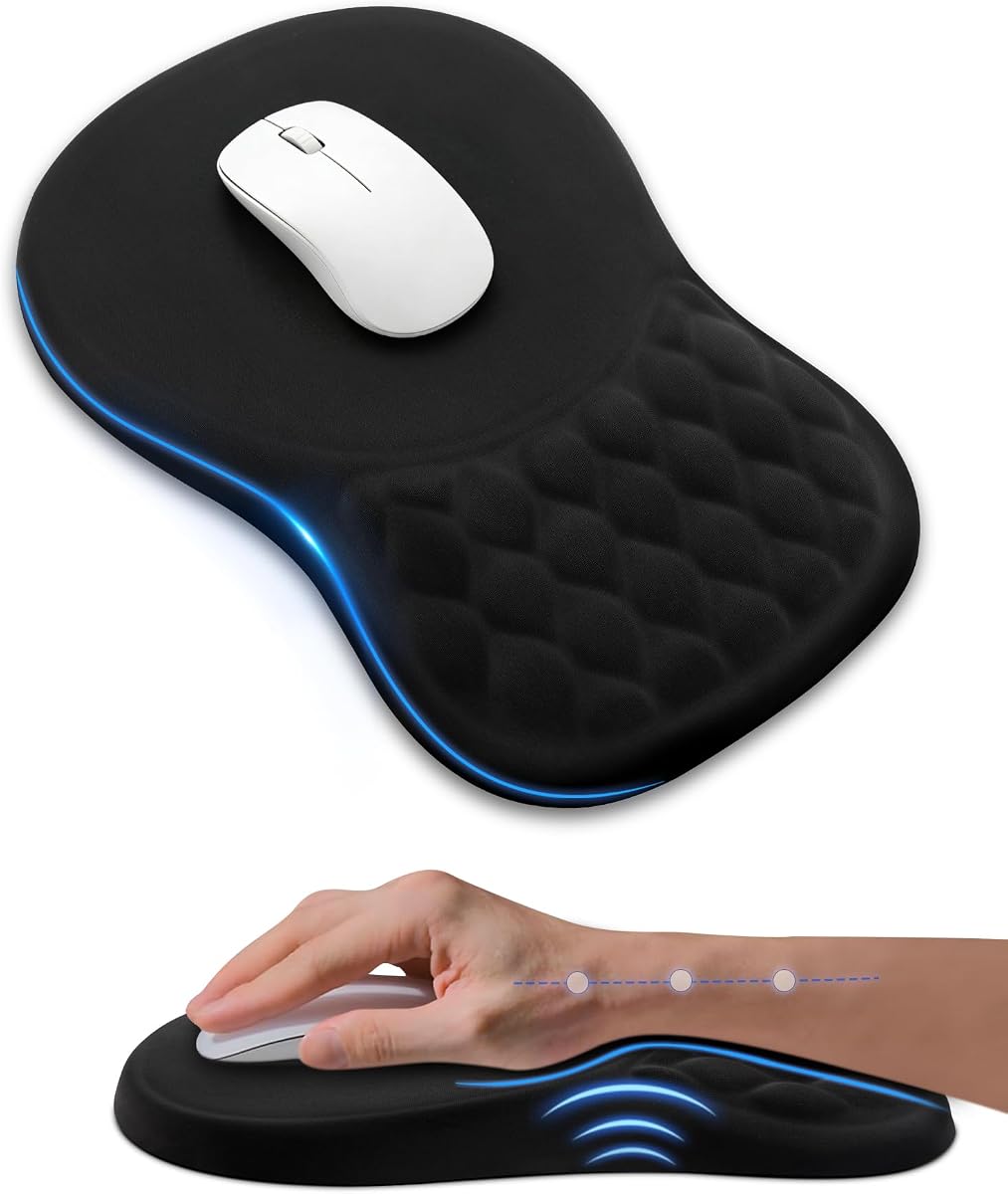

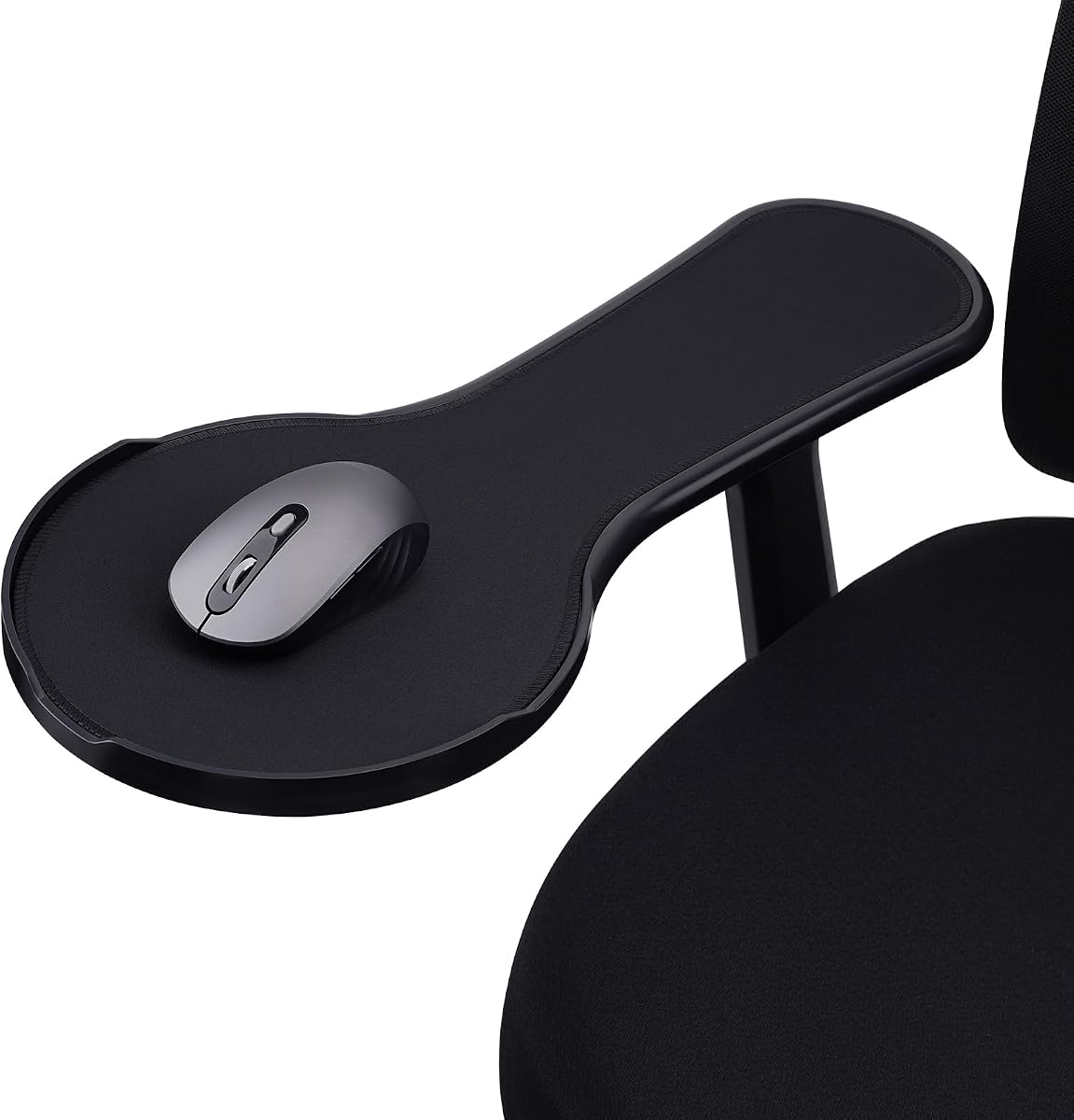


This VIVO model stands out as a robust solution for users needing dedicated arm support beyond standard desk limits. Its rating reflects strong satisfaction among those seeking stability and versatility in their workstation setup.
We may earn a commission when you buy through this link, at no additional cost to you.
The platform adjusts from nineteen to twenty-one point eight inches allowing it to fit various chair armrest circumferences securely. Memory foam padding ensures your wrist remains comfortable during extended sessions while the tray holds small essentials like keys.
While the wooden build adds weight which aids stability it may limit portability compared to lighter fabric options. The velcro straps work well but require a compatible chair armrest which not every workspace offers.
Ideal for office professionals with adjustable chairs this pad transforms your seat into an ergonomic workstation. We recommend it for anyone prioritizing long-term comfort and organization over portability.
The adjustable platform ensures optimal alignment for your arm reducing strain during long work hours.
A built-in tray keeps pens and phones organized reducing desk clutter effectively.
We may earn a commission when you buy through this link, at no additional cost to you.
MROCO offers a compelling budget-friendly option that does not compromise on essential ergonomic features. With a high rating it proves effective at reducing wrist strain for daily computer users seeking reliable support.
We may earn a commission when you buy through this link, at no additional cost to you.
The soft gel cushioning provides soothing comfort that helps prevent repetitive motion disorders. Encased in premium Lycra fabric the surface remains smooth and non-sticky ensuring consistent performance across wired and wireless mice.
Potential drawbacks include the fixed size which may not suit larger hands or desks. Gel leaks have been reported rarely but can occur with heavy use or age of the product.
Best for home office users or students on a tight budget this pad delivers solid performance. It is an excellent entry point for anyone new to ergonomic accessories without breaking the bank.
Lycra fabric ensures precise cursor control while maintaining a soft feel for your wrist.
The soft non-skid PU base keeps the pad firmly in place during vigorous mouse movements.
We may earn a commission when you buy through this link, at no additional cost to you.
This TECKNET model distinguishes itself with built-in massage beads designed to reduce arm fatigue during intense usage sessions. Its premium rating reflects strong user appreciation for its thoughtful ergonomic and comfort features.
We may earn a commission when you buy through this link, at no additional cost to you.
The eight-degree tilt is scientifically tested to optimize wrist alignment while the massage beads improve circulation and reduce tension. Crafted with high-quality memory foam and fabric this pad ensures durability and precise cursor control.
Some users may find the massage texture distracting depending on their sensitivity or preference. The price point is higher than standard models though the added features justify the cost for many professionals.
Perfect for gamers or creative professionals seeking extra comfort this pad offers a unique value proposition. We recommend it for those who appreciate innovative design elements alongside traditional ergonomic support.
Built-in beads reduce arm fatigue and improve air circulation keeping hands cool and fresh.
An eight-degree tilt provides optimal support for your palm and wrist naturally.
We may earn a commission when you buy through this link, at no additional cost to you.
Designed specifically for all-day comfort this mouse pad features a sloped wrist rest that maintains a natural hand angle. Its strong rating indicates reliable performance for office workers and students needing extended support.
We may earn a commission when you buy through this link, at no additional cost to you.
The sloped ergonomic design keeps your hand at a natural angle for smoother movement and lasting comfort. Built with premium memory foam it molds to your wrist shape offering gentle yet stable support during work or gaming.
Over time memory foam may lose some resilience requiring eventual replacement. The limited color options might not match diverse aesthetic preferences though functionality remains the primary focus here.
Ideal for anyone working long hours at a desk this pad promotes healthy positioning effectively. We recommend it for professionals prioritizing ergonomic health over flashy design elements.
The foam quickly rebounds after each use maintaining form for consistent comfort throughout the day.
Silky Lycra top creates a low-friction surface that enhances tracking accuracy for all mouse types.
We may earn a commission when you buy through this link, at no additional cost to you.
This model offers exceptional versatility by fitting most chair armrests securely via a combination of velcro and zip ties. Its rating highlights satisfaction among users needing a chair-exclusive workstation solution.
We may earn a commission when you buy through this link, at no additional cost to you.
The anti-slip baffle effectively prevents mice from falling off the tray during intense movement. Constructed from sturdy ABS material the tray provides ample space for standard and gaming mice alike.
Installation might require using zip ties as a backup which adds a slight complexity to setup. The baffle adds height which could be inconvenient for users with very low armrests.
Best for those with non-adjustable desks who need to utilize chair arms this pad turns seating into a hub. We recommend it for mobile workers or those with limited desk space.
A circular baffle prevents mouse drops ensuring no data loss during sudden movements.
Memory foam wrist cushion conforms to wrists relieves pressure and prevents hand strain.
We may earn a commission when you buy through this link, at no additional cost to you.
A straightforward solution for chair attachment this pad uses ABS material and versatile straps to secure comfortably. Its rating reflects good utility for users focused on function over form.
We may earn a commission when you buy through this link, at no additional cost to you.
The armrest mouse pad comes with two sizes of strap fastener fixing to different chair armrests. Zip ties included as a backup ensure a tight fit even on irregular surfaces.
Being designed only for chair use it lacks the flexibility of desktop models for other tasks. The minimal aesthetic might not appeal to users seeking a polished office look.
Ideal for home users needing quick ergonomic relief this pad supports arms effectively. We recommend it for practical setups where performance is the primary concern.
Fully support the arms to relax upper limbs and improve working conditions effectively.
All you need is to strap through the base and fasten it firmly with instructions included.
We may earn a commission when you buy through this link, at no additional cost to you.
This compact model offers a comfortable resting area with a contoured wrist cushion designed to follow your natural curve. Its high rating indicates exceptional user satisfaction regarding comfort and stability.
We may earn a commission when you buy through this link, at no additional cost to you.
The supportive gel cushion gently conforms to your wrist and returns to its original shape after use. Fine fabric top creates a smooth surface for easy mouse movement and consistent tracking across various environments.
Gel leakage remains a potential long-term risk for some users over extended periods. Lack of advanced features makes it less versatile than specialized ergonomic options available.
Best for users with limited desk space this pad delivers effective relief in a small footprint. We recommend it for casual users needing reliable support without clutter.
Contoured design follows natural wrist curve providing steady support during extended sessions.
Measuring 10 by 7 inches it fits neatly into most workspaces easily.
We may earn a commission when you buy through this link, at no additional cost to you.
An excellent entry-level option this pad uses memory foam to relieve pressure and fatigue effectively. Its strong rating reflects reliability for budget-conscious users needing daily ergonomic support.
We may earn a commission when you buy through this link, at no additional cost to you.
The denser texture helps track the mouse more accurately during working and gaming sessions. Double-layer design prevents wear and makes the mouse pad more durable than standard single-layer options.
Basic design options may limit appeal for users seeking aesthetic variety. Limited color choice might not match personal preferences though functionality remains effective.
Ideal for students or casual users this pad offers solid performance at a low cost. We recommend it for those prioritizing value and durability over premium features.
Denser texture makes the pad track the mouse more accurately during working and gaming.
Made of environmentally friendly materials with ROHS certificate to ensure safety.
We may earn a commission when you buy through this link, at no additional cost to you.
This model offers excellent durability and waterproof protection ensuring accidental spills do not damage the surface. Its rating highlights strong user confidence in long-term performance and customer service.
We may earn a commission when you buy through this link, at no additional cost to you.
Silk processed surface helps your mouse get accurate tracking and easy control while waterproof coating prevents accidental damage. Unique wave design on the rubber underside grips the desktop firmly with enhanced friction.
Surface coating may wear over time with heavy use reducing smoothness eventually. Basic black color might not match vibrant desk setups though it remains professional.
Best for users prone to spills this pad ensures longevity and reliability. We recommend it for those prioritizing durability and warranty support.
Waterproof mousepad coating prevents accidental damage from spilled liquid and is easy to clean.
Enjoy TECKNET 36 Months warranty and lifetime support for any problems in use.
We may earn a commission when you buy through this link, at no additional cost to you.
A trusted brand offers a gel pad matching the natural curve of wrist and hand for comfortable scrolling. Its rating reflects appreciation for quality construction and thoughtful ergonomic details.
We may earn a commission when you buy through this link, at no additional cost to you.
The gel pillow matches natural curve of wrist and hand for comfortable scrolling and clicking. Ventilation channel helps keep hands cool and dry during extended use reducing sweat and discomfort.
Higher price point may deter budget shoppers. Gel firmness varies by individual preference which can lead to subjective comfort differences.
Ideal for users seeking reliable cooling and support this pad combines quality with utility. We recommend it for those valuing brand reputation and hand comfort.
Ventilation channel helps keep hands cool and dry reducing discomfort and sweat.
Soft finish that is easy to wipe clean ensures hygienic maintenance.
We may earn a commission when you buy through this link, at no additional cost to you.
Selecting the right armrest mouse pad involves evaluating multiple ergonomic and practical factors to ensure long-term comfort.
Look for a model with contoured or sloped wrist rests that keep your hand in a natural alignment. Memory foam or gel materials provide varying levels of support and pressure relief.
Prioritize pads that maintain neutral wrist posture to prevent strain during extended work sessions.
Check for high-density foam or gel that resists flattening over time. Fabric surfaces should be tightly woven to prevent fraying and ensure smooth mouse tracking.
Choose durable materials that withstand daily wear without losing structural integrity.
Ensure the top surface offers low friction for precise cursor control compatible with your specific mouse type. Some surfaces may be optimized for optical or mechanical sensors.
Test or verify compatibility with your mouse to avoid tracking issues during use.
A secure non-slip base is essential to prevent shifting during intense movements. Rubber or PU bases provide reliable grip on various desk surfaces.
Select a model with a solid base to ensure stability and control.
Measure your available desk space to find a pad that fits comfortably without clutter. Larger surfaces offer more room for movement but require more space.
Choose a size that balances movement freedom with your available workspace.
If using a chair armrest model verify the strap system fits your armrest circumference. Adjustable straps and included zip ties add versatility for different chair types.
Confirm attachment options match your chair setup for reliable secure installation.
Consider extras like ventilation channels or massage beads if specific relief is needed. Storage trays on some models help reduce desk clutter significantly.
Weigh special features against core needs to determine true value.
Research customer reviews and warranty terms to gauge long-term satisfaction. Reputable brands often offer better customer service and replacement policies.
Choose brands with strong track records for reliable support and quality.
Position the pad so your wrist rests naturally on the cushion without bending. Align your arm so your elbow stays relaxed and your hand moves freely without strain.
Clean the fabric surface regularly with a damp cloth to remove dust and oils. Avoid harsh chemicals that could damage the gel or foam materials underneath.
Store the pad flat when not in use to maintain the shape of the cushion. Check attachment straps periodically to ensure they remain secure and functional.
An armrest mouse pad provides dedicated support for your wrist and elbow to improve posture. It helps reduce strain during long computing sessions by keeping your arm in a natural position.
While not a medical cure it can reduce wrist strain that exacerbates carpal tunnel symptoms. Proper alignment helps minimize pressure but consult a doctor for persistent pain.
Most pads work with optical wireless and mechanical mice. Ensure the surface is smooth enough for your specific sensor type to avoid tracking issues.
Chair models use straps and zip ties to wrap around the armrest. Adjust the straps to fit securely without damaging the chair's material.
Quality models are sealed to prevent leaks but extreme temperatures may degrade the material. Handle the pad gently to maintain its structural integrity for years.
Most fabric surfaces can be wiped clean with mild soap but the foam or gel should not be submerged. Avoid washing machines to protect the internal cushioning.
We have reviewed ten top options ranging from budget-friendly gel pads to premium adjustable chair mounts. Each model offers unique features to address specific ergonomic needs effectively.
Prioritize comfort and fit over price alone since proper support impacts your long-term health. Ensure the material and size match your daily usage habits.
Check current availability and specifications before purchasing to confirm compatibility with your workspace. Prices and offers may change so verify details on the retailer site.