GeeekPi EmbodiQ AI Starter Kit
3.7Editor score
Natural Language Hardware Control
AI Agent HAT Included
Sensor Suite and Servo
Discover the top Arduino Uno Q boards and kits for AI robotics and IoT in 2026 comparing hybrid processing Linux support and expansion options.
The Arduino Uno Q represents a significant leap forward in embedded development by combining traditional microcontroller simplicity with powerful single-board computer capabilities. This hybrid approach allows developers to run complex AI models alongside real-time control tasks on a single platform.
We evaluated ten distinct options including official boards starter kits and compatible alternatives to determine which solutions offer the best value for developers. Our analysis focuses on processing power connectivity options software support and the ease of integrating these boards into existing workflows.
Each selection highlights unique strengths ranging from budget-friendly entry points to premium kits with advanced sensors. Please note that product availability and pricing can change rapidly so verify details before purchasing your next development board or accessory kit.
3.7Editor score

4.4Editor score

4.8Editor score
This side-by-side comparison outlines the core specifications and capabilities of each board and kit to help you identify the right match for your project requirements and budget constraints.


The Arduino UNO Q 4GB stands out as the premier choice for developers needing both real-time control and AI capabilities. It combines a Qualcomm Dragonwing QRB2210 microprocessor with an STM32U585 microcontroller to deliver unmatched flexibility. This hybrid design ensures that heavy computational tasks run smoothly alongside critical timing operations.
We may earn a commission when you buy through this link, at no additional cost to you.
Running Linux Debian OS enables developers to write code in Python while still accessing the Arduino ecosystem. The board includes 4GB of LPDDR4 RAM and 32GB of eMMC storage which supports complex models and extensive logging. Connectivity is robust with dual-band Wi-Fi and Bluetooth supporting wireless integration effortlessly.
While the price is higher than traditional boards the performance justifies the investment for advanced robotics and IoT systems. The learning curve may be steeper for absolute beginners but the unified development experience simplifies long-term workflows. This platform empowers innovators to prototype sophisticated applications efficiently.
Developers working on voice recognition or object detection projects should prioritize this board. It offers the processing power needed for edge AI while maintaining compatibility with existing shields. For those ready to move beyond simple sketches the UNO Q provides a scalable solution for industrial and commercial use.
This unique architecture allows simultaneous execution of high-level OS tasks and real-time microcontroller operations.
Full Linux support unlocks a vast array of Python libraries and tools for advanced software development.
We may earn a commission when you buy through this link, at no additional cost to you.
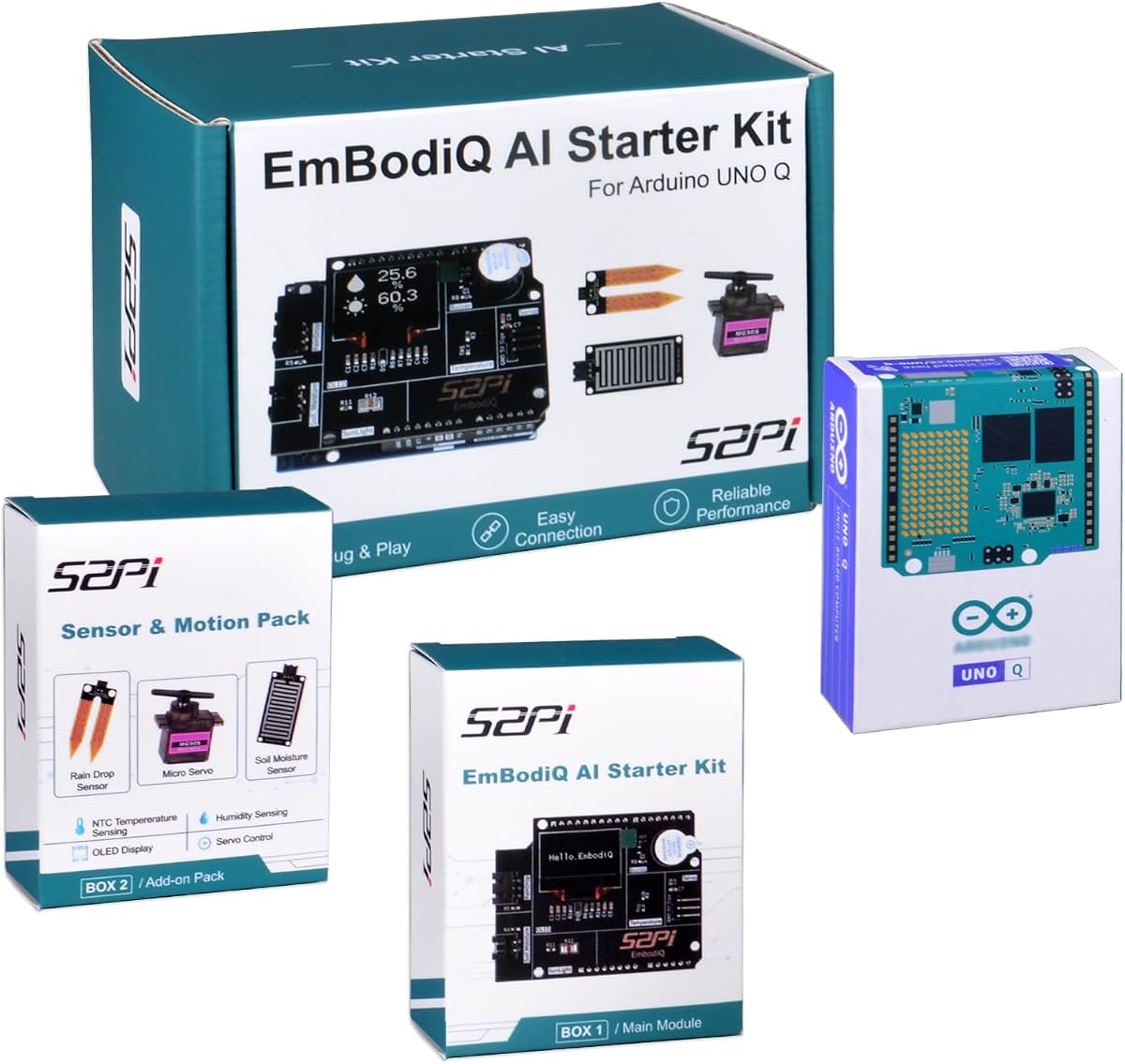
This kit transforms the Arduino UNO Q into an intelligent agent capable of responding to natural language commands. It removes the barrier of complex coding by allowing users to simply tell the hardware what they want to do. The included AI Agent HAT handles reasoning and conditional logic for seamless execution.
We may earn a commission when you buy through this link, at no additional cost to you.
The sensor suite includes soil moisture and raindrop sensors making it ideal for smart gardening or weather stations. Servo motors and OLED displays are integrated for immediate feedback and physical interaction. This setup is perfect for educators teaching AI concepts without deep programming knowledge.
The reliance on external APIs means consistent internet access is crucial for optimal performance. While flexible switching models requires some configuration through the web interface. The acrylic mount ensures a tidy assembly that protects components during testing and demonstration.
Makers interested in AI agents and automation will find this kit highly intuitive. It simplifies the interaction between software logic and physical hardware. For those seeking a plug-and-play experience with advanced reasoning capabilities this option delivers unique value in the current market.
Interact with sensors and motors using plain language instructions instead of writing lines of code manually.
Environmental sensors allow for responsive automation based on real-world conditions like moisture or rain.
We may earn a commission when you buy through this link, at no additional cost to you.
The GeeekPi Starter Kit provides everything needed to get the UNO Q up and running as a standalone single-board computer. It includes an aluminum case that protects against dust and static while aiding heat dissipation during heavy loads. The USB-C hub expands connectivity with Ethernet and HDMI outputs right out of the box.
We may earn a commission when you buy through this link, at no additional cost to you.
Users can operate the board independently with a monitor and keyboard or connect it to a PC via USB-C. This dual-mode flexibility supports both desktop computing workflows and embedded system development. The 2GB RAM and 16GB eMMC are sufficient for many embedded tasks though less than the base 4GB option.
The comprehensive nature of the kit reduces the need to purchase separate cables or power supplies. It is particularly useful for developers who need immediate connectivity options without hunting for adapters. The sturdy case ensures reliability in portable or field-deployed applications where protection is essential.
For those prioritizing convenience and readiness this kit offers a solid value proposition. It simplifies the initial setup process significantly. Developers looking to deploy the UNO Q as a compact Linux computer will appreciate the included peripherals and robust enclosure.
The housing provides physical protection and thermal management essential for stable performance under load.
Included cables and power supplies streamline the setup process for immediate project development.
We may earn a commission when you buy through this link, at no additional cost to you.
The Arduino Uno REV3 remains the gold standard for beginners and hobbyists due to its affordability and reliability. It features the ATmega328P microcontroller which has powered countless projects over the last decade. The USB connectivity makes programming straightforward and it works seamlessly with the standard Arduino IDE.
We may earn a commission when you buy through this link, at no additional cost to you.
With 14 digital I/O pins and 6 analog inputs there is ample flexibility for connecting sensors and actuators. The open-source ecosystem ensures that help and code examples are available for nearly any problem. Its compatibility with shields allows for easy expansion without complex wiring or soldering.
While it lacks the advanced processing of newer boards it excels at simple robotics and automation tasks. The low cost makes it ideal for classrooms or projects where multiple units are needed. Stability and consistent performance are key reasons it continues to be a top choice.
New makers should start with this board to learn the basics before upgrading to more complex systems. It provides a solid foundation for understanding electronics and programming principles. For projects not requiring AI or network connectivity this board offers the best value and longevity.
Thousands of tutorials and libraries exist for this platform ensuring help is always available.
Standard pin layouts ensure compatibility with a vast range of existing shields and accessories.
We may earn a commission when you buy through this link, at no additional cost to you.
This package includes the powerful UNO Q board alongside a dedicated 45W USB-C power supply. This ensures stable operation during heavy workloads which is critical for advanced AI applications. The board supports Linux and wireless connectivity making it suitable for complex robotics projects.
We may earn a commission when you buy through this link, at no additional cost to you.
Developers can rely on the included power adapter to prevent voltage drops during peak usage. The 4GB RAM enables multitasking and high-performance computing for edge AI. This makes it a practical choice for industrial IoT systems where reliability is non-negotiable.
While specific customer feedback varies the combination of hardware and power source adds significant value. It removes the uncertainty of finding a compatible high-wattage charger. The wireless capabilities allow for seamless integration into larger smart device ecosystems without cables.
Teams building scalable systems should consider this bundle for its completeness. It addresses both computing needs and power management in one transaction. For engineers focused on stability and performance this option provides a solid foundation for professional development.
Designed for complex computing tasks it handles multiple high-level processes simultaneously.
Regulated power ensures reliable operation during demanding tasks or heavy peripheral usage.
We may earn a commission when you buy through this link, at no additional cost to you.
The UNO R4 WiFi brings modern features like Wi-Fi Bluetooth and a dual-core architecture to the classic form factor. It uses a Renesas microcontroller alongside an ESP32-S3 chip for powerful processing and communication. The 12-bit DAC and OP AMP provide precise analog signal generation for audio or control.
We may earn a commission when you buy through this link, at no additional cost to you.
A built-in 12×8 LED matrix allows for visual feedback without external displays. CAN bus support enables reliable communication in industrial or automotive applications. USB-C connectivity improves power delivery and programming speed significantly compared to older models.
While it does not run Linux like the Q version it bridges the gap between simple microcontrollers and connected devices. It is excellent for IoT projects requiring wireless control and robust data processing. The Qwiic connector simplifies sensor connections for rapid prototyping.
Developers needing connectivity but not full OS capabilities will find this board ideal. It is a natural upgrade path for those familiar with the Uno R3. The combination of analog precision and wireless features makes it versatile for many advanced projects.
Integrated Wi-Fi and Bluetooth enable seamless connection to clouds or other devices.
CAN support ensures reliable real-time communication in industrial robotic or automotive systems.
We may earn a commission when you buy through this link, at no additional cost to you.
This kit focuses on education providing over twenty guided lessons to teach electronics basics. It includes a controller breadboard and various sensors to avoid soldering during initial learning. The components are well-organized making it easy to find parts for each project.
We may earn a commission when you buy through this link, at no additional cost to you.
Users can transition from following tutorials to creating their own projects once the concepts are clear. The kit supports learning about digital input analog sensing and motor control. It is designed to be approachable for younger learners or those new to hardware development.
While it lacks advanced features like Linux or AI it excels at building fundamental skills. The included PDF tutorials simplify the setup process significantly. For homeschool units or coding clubs this structured approach offers immense value for beginners.
Those looking to learn electronics fundamentals should choose this set over raw boards. It provides everything needed to start building immediately. The hands-on experience gained here prepares users for more complex boards like the UNO Q later.
Follow guided lessons to create visible projects like blinking LEDs or moving motors quickly.
A wide range of components allows for diverse learning experiences in one organized package.
We may earn a commission when you buy through this link, at no additional cost to you.
This single board offers the same core functionality as the official Uno at a lower price point. It includes the ATmega16U2 USB interface which provides a reliable connection for sketch uploads. A USB cable is included allowing users to start coding immediately upon arrival.
We may earn a commission when you buy through this link, at no additional cost to you.
The design mirrors the standard UNO layout ensuring compatibility with most shields and modules. It is a practical choice for maker desks where space or budget is limited. The USB interface simplifies the programming process compared to older serial adapters.
While it does not include sensors or tutorials it serves as a solid controller for custom projects. The clear labeling on headers helps simplify wiring for beginners. It is an efficient way to add more controllers to an existing lab or classroom.
Developers needing multiple boards for distributed projects will appreciate the cost efficiency. It maintains the ecosystem compatibility required for easy prototyping. For simple automation or control tasks this board delivers consistent performance without extra cost.
Connect via USB and upload your first sketch immediately with included cables.
Run from USB or external supply and add shields for data logging or robotics easily.
We may earn a commission when you buy through this link, at no additional cost to you.
This entry-level board focuses on core performance with a 16MHz ATmega328P microcontroller. It supports standard communication protocols like UART SPI and I2C for connecting peripherals easily. A USB cable is included to ensure immediate connection to a computer for testing.
We may earn a commission when you buy through this link, at no additional cost to you.
The board is designed for full compatibility with the standard Arduino IDE and shields. It provides a foundation for robotics and smart home projects without complex configuration. Clear documentation helps users setup and troubleshoot effectively when needed.
While it lacks advanced features the cost effectiveness makes it accessible for new learners. It allows users to experiment with digital and analog inputs without financial risk. The simplicity ensures that focus remains on learning logic and circuit design.
Beginners starting their electronics journey should consider this as a starting point. It offers the necessary capabilities to build functional prototypes. For projects requiring basic control or sensor reading this board provides a reliable and budget-friendly solution.
A 16MHz clock speed ensures adequate power for most basic to intermediate electronics projects.
Built-in interfaces allow seamless connection to a wide range of sensors and displays.
We may earn a commission when you buy through this link, at no additional cost to you.
This board offers a versatile platform for electronics projects with a user-friendly environment. It features a high-performance ATmega328P microcontroller with sufficient memory for most sketches. The design allows for customization through open-source resources and community libraries.
We may earn a commission when you buy through this link, at no additional cost to you.
With 14 digital I/O pins and 6 analog inputs it provides ample connectivity for standard components. The 7-12V input voltage range ensures stable power for various external devices. It is designed to integrate seamlessly with Raspberry Pi systems for hybrid applications.
While it is a budget option it maintains the essential functionality needed for prototyping. The USB cable ensures immediate setup without extra purchases. For hobbyists looking for reliability at a low price this board serves as a solid choice.
Developers on a tight budget can use this to test ideas before committing to expensive hardware. It offers the broad compatibility required for most DIY projects. For simple automation tasks this board provides an accessible entry point into electronics development.
Explore endless possibilities with a user-friendly development environment and standard pins.
Robust communication interfaces allow connecting with a wide range of devices easily.
We may earn a commission when you buy through this link, at no additional cost to you.
Selecting the right board requires balancing processing power budget and specific project needs.
The UNO Q features a dual-brain architecture combining a Qualcomm microprocessor and STM32 microcontroller. This allows for running Linux alongside real-time control which is essential for AI and robotics. When choosing consider how much RAM and storage your models will require to run efficiently.
Look for at least 4GB RAM if you plan to run complex Python scripts or ML models locally.
Unlike traditional boards the UNO Q runs Debian Linux enabling powerful software development. This flexibility allows you to use standard desktop tools and libraries alongside Arduino sketches. If your project requires complex networking or database integration a Linux-based board is necessary.
Ensure your project benefits from a full OS environment before choosing a hybrid board over a simple microcontroller.
Wireless communication is critical for IoT applications. Check if the board includes Wi-Fi and Bluetooth modules or if they must be added. The UNO Q includes Wi-Fi 5 and Bluetooth 5.1 ensuring robust connections for remote sensors and smart devices.
Verify that the connectivity matches your network requirements to avoid compatibility issues later.
Consider how you will connect sensors and actuators to the board. Headers connectors like Qwiic or CAN buses simplify wiring for industrial and advanced projects. The UNO Q maintains the classic form factor allowing compatibility with existing shields.
Choose a board that offers the specific connectors your sensors or motors require without extra adapters.
High-performance boards often require stable power sources. Kits that include a dedicated power adapter reduce the risk of voltage drops during heavy workloads. Ensure your choice includes sufficient wattage to handle peak loads without resetting.
Prioritize solutions with regulated power to maintain consistent performance during long operations.
Development kits with cases hubs and cables save time and money. A complete setup allows you to start coding immediately without hunting for accessories. For beginners ready with included tutorials or support documents is highly beneficial.
Look for bundles that provide immediate connectivity options like Ethernet or HDMI if needed.
A strong community ensures help is available when issues arise. Official boards typically have extensive documentation and libraries that simplify development. Third-party kits should also have active forums or support channels for troubleshooting.
Check user reviews and community activity to ensure long-term support for your chosen platform.
Advanced boards are more expensive than basic controllers but offer significantly more power. Weigh the cost against the capabilities you truly need for your application. Sometimes a standard board suffices while other times the hybrid power is essential.
Invest in the highest tier performance that matches your budget to avoid future hardware limitations.
Always start by connecting the board to a stable power source to ensure consistent performance. Use the USB-C connector for both power and data transfer to your computer.
Install the necessary drivers and software before uploading your first sketch to avoid connection issues.
Store the board in a dry environment away from direct sunlight to protect sensitive components from heat and humidity.
Yes the UNO Q runs Debian Linux which allows you to write and execute Python scripts directly. This opens up extensive libraries for AI and data processing beyond standard C++ code.
Yes the UNO Q retains the classic UNO form factor so most standard shields fit perfectly. This ensures you can use existing peripherals without needing custom adapters or wiring.
A microcontroller handles simple real-time tasks while an MPU runs full operating systems like Linux. The hybrid design allows both to work together for powerful and efficient development.
Official boards do not include a power supply but kits often do. Ensure you have a high-wattage USB-C power source for stable operation during heavy workloads.
Yes it is designed specifically for AI vision and voice tasks. The dedicated acceleration and Linux support make it ideal for edge AI and machine learning applications.
Any I2C or SPI sensor will work due to the robust headers. The Qwiic connector also simplifies connections for modules that use I2C protocols directly.
We have reviewed ten top options ranging from hybrid boards to complete starter kits. The UNO Q 4GB stands out for its powerful dual-brain architecture and Linux support for advanced AI and robotics tasks.
Consider your project requirements carefully before choosing between budget boards and comprehensive kits. If you need immediate connectivity look for kits that include hubs and power supplies.
Always verify current pricing and availability as these values can change quickly. Check our linked options for the latest deals on boards and accessories before making your final decision.