
Lenovo V15 Gen 4 Business Laptop
4.3Editor score
Intel Core i5 Processor
16GB RAM
Windows 11 Pro
Enscape is a powerful real-time rendering plugin that requires robust hardware to deliver smooth visualizations. Choosing the right laptop ensures your designs run efficiently without lag during client presentations or design iterations.
We evaluated ten laptops based on their processing power, graphics capabilities, display quality, and portability. Our selection focuses on devices that balance performance with affordability for professionals in architecture and design.
Each pick highlights specific strengths such as battery life, screen clarity, or raw compute power. Prices fluctuate frequently so verify current deals before purchasing to ensure you get the best value for your specific workflow needs.
4.3Editor score

4.1Editor score

4.4Editor score
As an Amazon Associate we earn from qualifying purchases.
Here is a side-by-side comparison of all ten laptops to help you quickly identify which model fits your rendering and design needs best.


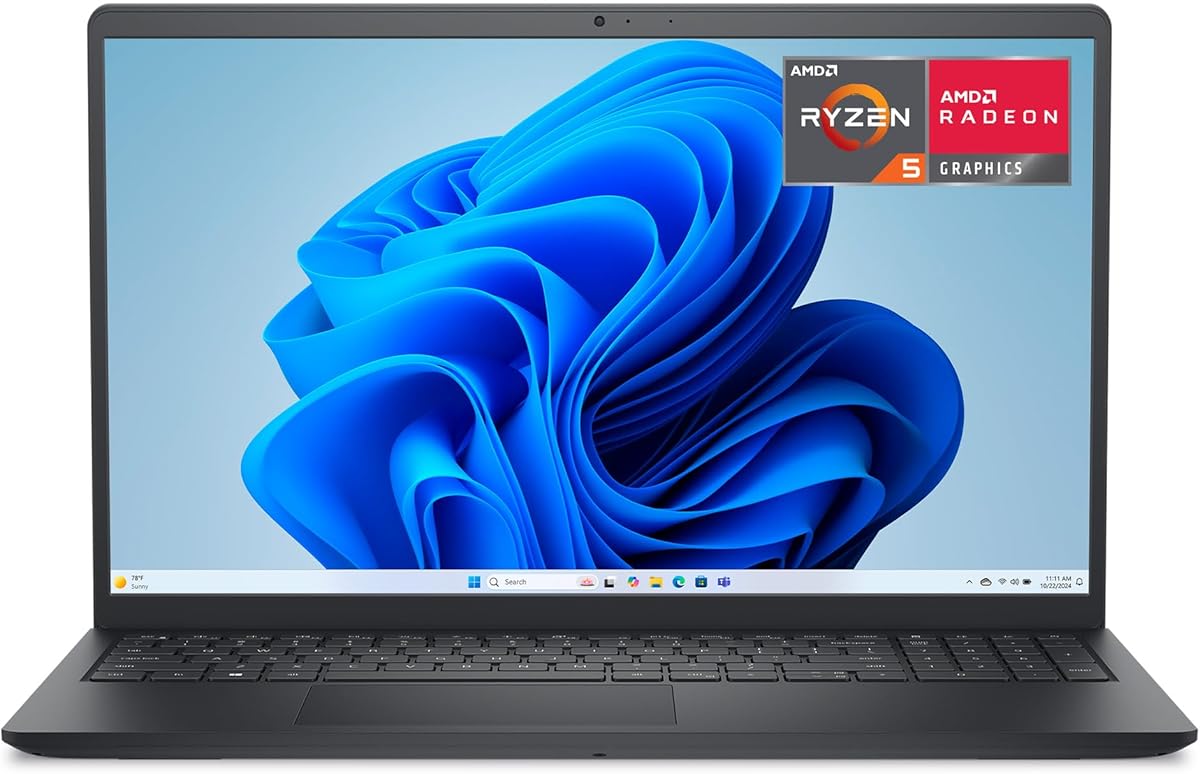

This HP laptop offers a robust platform for Enscape rendering on a budget. With a 17.3 inch display and 16GB RAM it handles multitasking well during design work.
We may earn a commission when you buy through this link, at no additional cost to you.
The AMD Ryzen 5 processor provides adequate power for moderate rendering tasks. The large screen real detail for checking textures and lighting without external monitors.
While it lacks a dedicated GPU the integrated graphics can manage lighter scenes. The numeric keypad is useful for CAD input and quick calculations.
Ideal for students or professionals needing a secondary work machine. It balances cost and performance effectively for basic architectural visualization needs.
The anti-glare FHD display ensures comfortable viewing during long design sessions with vivid colors.
A full-size keyboard with a numeric pad enhances productivity for data entry and modeling tasks.
We may earn a commission when you buy through this link, at no additional cost to you.
The KAIGERR light gaming laptop brings solid performance to a portable package. Its Ryzen 7 processor handles multitasking and lighter rendering tasks with ease.
We may earn a commission when you buy through this link, at no additional cost to you.
Fast storage and 16GB RAM ensure quick application loading and smooth workflows. The variety of ports allows easy connection to external displays or accessories.
While not built for heavy gaming the GPU supports basic visualization work. The thin bezel design maximizes screen real estate for detailed design views.
Recommended for users who need mobility without sacrificing too much power. It is a practical choice for on-the-go presentation and editing.
Multiple USB and HDMI ports ensure you can connect all your peripherals and projectors easily.
WiFi 6 and Bluetooth 5.2 provide reliable and fast connections for cloud syncing and peripherals.
We may earn a commission when you buy through this link, at no additional cost to you.
This compact HP laptop is ideal for basic office work and light design tasks. Its small footprint makes it easy to carry to client meetings.
We may earn a commission when you buy through this link, at no additional cost to you.
The Intel N150 processor handles everyday computing smoothly though it may struggle with heavy rendering. The included Office 365 adds value for professional documentation.
Storage is limited so external drives might be needed for large project files. The HD display is sufficient for browsing and editing but lacks high resolution.
Best suited for professionals who need a portable device for communication and light editing. It complements a primary workstation well for on-site use.
Its slim and light design makes it perfect for travel and working from various locations.
AI noise reduction and HD camera ensure clear video calls with clients and team members.
We may earn a commission when you buy through this link, at no additional cost to you.
The HP OmniBook 3 stands out with its vivid OLED screen and incredible battery endurance. It is perfect for mobile professionals who prioritize display quality.
We may earn a commission when you buy through this link, at no additional cost to you.
The Snapdragon processor offers efficient performance for daily tasks and moderate visualization work. AI features help manage notes and meetings automatically saving valuable time.
While the storage is modest the speed of the SSD ensures responsive performance. The display accuracy is excellent for color-critical design reviews.
Choose this if you value portability and screen beauty over raw rendering power. It excels in presentation settings where battery life matters.
The 2K OLED panel delivers deep blacks and vibrant colors ideal for showcasing design work.
Built-in AI tools streamline meeting notes and task organization for a smoother workflow.
We may earn a commission when you buy through this link, at no additional cost to you.
Lenovo V15 Gen 4 delivers strong performance with its Intel Core i5 processor and generous RAM. It handles multitasking and light rendering tasks effectively.
We may earn a commission when you buy through this link, at no additional cost to you.
Windows 11 Pro provides enhanced security and management features for business users. The numeric keypad and Ethernet port make it versatile for office environments.
While not a powerhouse for high-end rendering it serves well for standard design work. The build quality is robust ensuring longevity in daily use.
Ideal for businesses needing reliable machines at a reasonable cost. It balances performance and practicality for professional environments.
The i5 processor with 12 threads ensures smooth operation for complex spreadsheet and design applications.
Ethernet and HDMI ports guarantee stable network connections and easy projector integration.
We may earn a commission when you buy through this link, at no additional cost to you.
This HP model offers exceptional memory and storage for heavy multitasking. The 32GB RAM allows you to run multiple design apps simultaneously without slowdown.
We may earn a commission when you buy through this link, at no additional cost to you.
With 1.5TB of storage you can keep all your project files locally. The included portable SSD adds extra convenience for backups and transfers.
The large 17.3 inch screen is great for detailed design work. However the integrated GPU might struggle with very complex scenes.
Best for users who need a stationary workstation replacement. It provides plenty of room for data and applications.
With 32GB RAM you can run design software alongside many browser tabs without any performance drop.
The bundle includes a portable SSD for easy file transfer and secure backups of your projects.
We may earn a commission when you buy through this link, at no additional cost to you.
The 16 inch OmniBook offers a vibrant 2K touchscreen for interactive design reviews. The high resolution makes visuals sharp and clear.
We may earn a commission when you buy through this link, at no additional cost to you.
AI noise reduction ensures clear communication during client calls. Battery life supports all day work without needing a charger constantly.
With 8GB RAM it handles standard tasks well but may lag with heavy rendering. The touch capability adds flexibility for reviewing sketches or plans.
Choose this for a modern laptop with excellent visuals. It suits professionals who value screen clarity and interaction.
The 2K touchscreen allows direct manipulation of designs and easy zooming for detailed reviews.
Up to 14 hours of battery life keeps you productive throughout long workdays or travel.
We may earn a commission when you buy through this link, at no additional cost to you.
Dell focuses on comfort with ergonomic hinges and a sturdy build. The Ryzen 5 processor supports everyday rendering and multitasking tasks.
We may earn a commission when you buy through this link, at no additional cost to you.
Adaptive thermals keep the system running cool and quiet. The included Onsite Service gives peace of mind for professional users.
While the screen is decent it is not the brightest for outdoor use. The design is sleek and fits well in modern offices.
Ideal for users who prioritize keyboard comfort and support. It is a reliable choice for consistent daily work.
Ergonomic hinges reduce wrist strain and Onsite service ensures quick help if hardware issues arise.
Adaptive thermals adjust power to keep performance stable even during extended rendering sessions.
We may earn a commission when you buy through this link, at no additional cost to you.
This Dell laptop offers a premium experience with its Core 7 processor and large display. ComfortView Plus reduces blue light for eye comfort during long sessions.
We may earn a commission when you buy through this link, at no additional cost to you.
The 16 inch screen provides ample workspace for design applications. Build quality feels robust and suitable for daily professional use.
While not a dedicated graphics card the integrated GPU handles standard visualization. The battery and performance balance is solid for business travel.
Recommended for professionals needing a high-quality daily driver. It delivers reliability and screen comfort effectively.
ComfortView Plus technology reduces blue light to prevent eye strain during long working hours.
The Core 7 processor delivers fast performance while the premium chassis looks professional in any setting.
We may earn a commission when you buy through this link, at no additional cost to you.
This HP OmniBook provides a large 17.3 inch display for expansive workspaces. It is suitable for viewing detailed plans without scrolling.
We may earn a commission when you buy through this link, at no additional cost to you.
Battery life is strong allowing long periods away from a power outlet. The display brightness ensures clear visibility even in bright rooms.
With 8GB RAM multitasking is possible but may slow with heavy apps. The size makes it less portable than smaller models.
Best for users who prioritize screen size over weight. It is a great desk replacement for visualization tasks.
The 17.3 inch display gives plenty of room for side by side application windows and design views.
Up to 14 hours of battery life allows flexible working from various locations without constant charging.
We may earn a commission when you buy through this link, at no additional cost to you.
Selecting the right laptop for Enscape requires balancing performance, display quality, and portability to meet your professional needs.
The CPU is central to rendering speed and multitasking. Look for multi-core processors like Intel Core i5 or AMD Ryzen 5 and above to handle complex scenes efficiently.
Prioritize higher clock speeds and core counts for smoother real-time visualization.
While Enscape supports integrated graphics a dedicated GPU offers better performance for high-resolution renders. Ensure the GPU meets the minimum requirements for your workflow.
Integrated GPUs are sufficient for lighter tasks but dedicated cards improve rendering fidelity.
A high-resolution display is crucial for accurate color and detail. Aim for at least 1920×1080 resolution with good brightness and color accuracy.
IPS panels and OLED displays provide better viewing angles and color consistency.
16GB of RAM is recommended for smooth multitasking and handling large files. Storage should be fast SSDs to ensure quick boot and application loading times.
More RAM allows for running multiple design tools simultaneously without slowdowns.
If you travel frequently choose a laptop with a lighter chassis and good battery life. Larger screens offer more workspace but add weight.
Balance screen size with weight to ensure comfortable carrying during commutes.
Long battery life is essential for working away from power outlets. Look for models offering at least 8 hours of real-world usage.
Efficient processors and optimized power settings help extend battery life significantly.
Ensure the laptop has sufficient ports for external displays and peripherals. USB-C, HDMI, and Ethernet ports are valuable for professional setups.
Versatile connectivity supports seamless integration with monitors and printers.
A sturdy chassis protects your investment during travel and daily use. Materials like aluminum or high-quality plastics increase longevity.
Durability ensures the laptop withstands frequent movement and varied environments.
Ensure your laptop stays cool during rendering tasks to prevent throttling. Use a cooling pad if needed and avoid blocking air vents to maintain performance.
Keep your operating system and drivers updated to ensure compatibility with the latest software features. Regular updates fix security issues and improve stability.
Store your project files on external drives or cloud services to back up your work. Protecting data ensures your designs are safe from hardware failures.
Enscape requires a relatively modern processor with at least 4 cores and 8GB of RAM. A dedicated GPU with Vulkan support is recommended for optimal performance, though integrated graphics can handle simpler scenes.
While integrated graphics can run Enscape for basic tasks a dedicated GPU significantly improves rendering speed and visual fidelity. For professional work, a dedicated card is highly recommended to avoid lag.
Display resolution is critical for seeing fine details in your designs. A 1080p resolution is the minimum, but higher resolutions like 1440p or 4K provide sharper visuals and more workspace.
Yes, budget laptops with modern integrated graphics can run Enscape for light rendering. However, expect slower performance with complex scenes and limit your workflow to basic visualization tasks.
Solid State Drives (SSDs) are the best choice for design files due to their fast read and write speeds. NVMe SSDs offer the quickest performance, ensuring faster application loading and file transfers.
For field work, aim for a battery life of at least 8 hours to cover full workdays without charging. Efficiency features like power-saving modes can help extend usage time significantly.
We have highlighted ten strong options ranging from budget-friendly models to high-performance machines. Each laptop offers unique strengths tailored to different needs and budgets.
Prioritize display quality and processing power if rendering is your primary task. For portability and battery life consider models with efficient processors and lighter designs.
Remember to check current prices and promotions before purchasing to get the best deal. Your ideal machine will depend on your specific workflow and daily requirements.