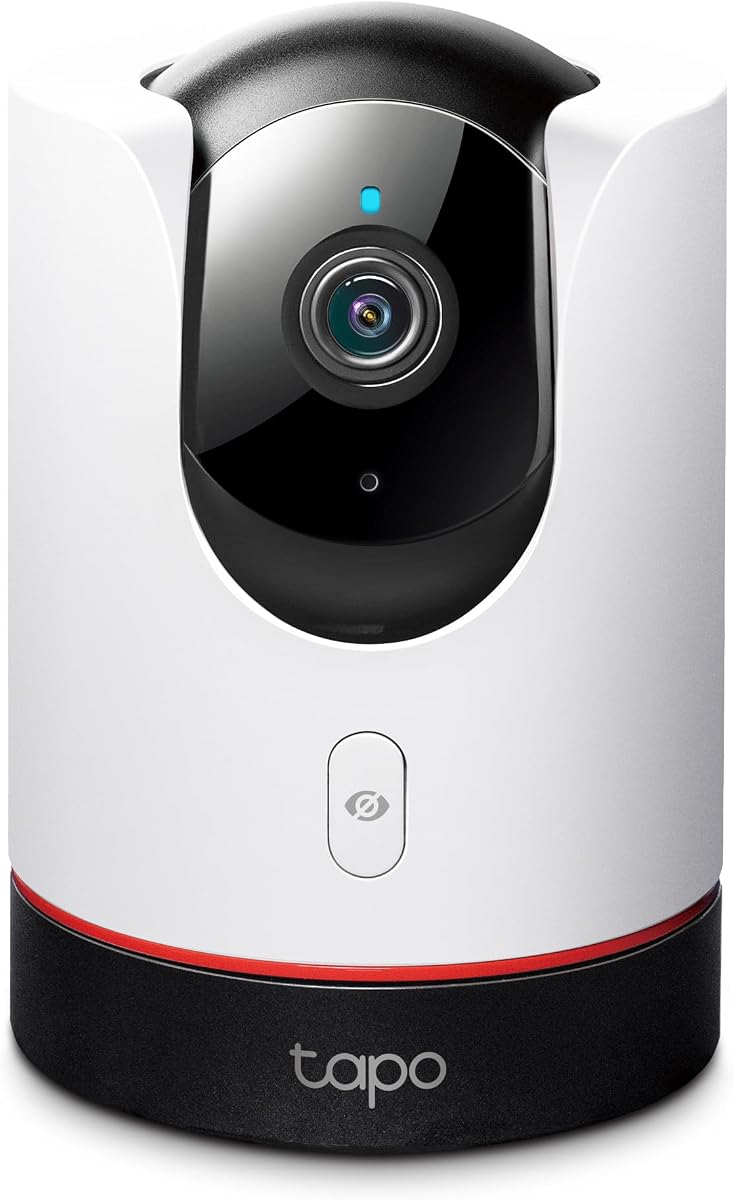
TP-Link Tapo 2K+ Pan/Tilt Security Camera Apple HomeKit C225
4.5Editor score
360-Degree Pan/Tilt View
2K QHD Live View
Physical Privacy Mode
Compare the top Apple Homekit Security Cameras for October 2026. We review features, privacy, and compatibility to help you choose the best smart home monitor.
Securing your home with smart technology requires cameras that integrate seamlessly with your existing ecosystem. Apple Homekit Security Cameras offer end-to-end encryption and local processing, ensuring your video feeds remain private while providing instant alerts on your devices.
We evaluated ten top-rated models based on resolution, night vision, smart detection capabilities, and storage options. Our analysis focuses on how well each device supports Homekit Secure Video and performs in real-world indoor and outdoor environments.
Each pick highlights key strengths and potential limitations to guide your decision. Note that pricing and availability fluctuate frequently, so verify the latest details before purchasing to ensure you get the best value for your needs.
4.5Editor score
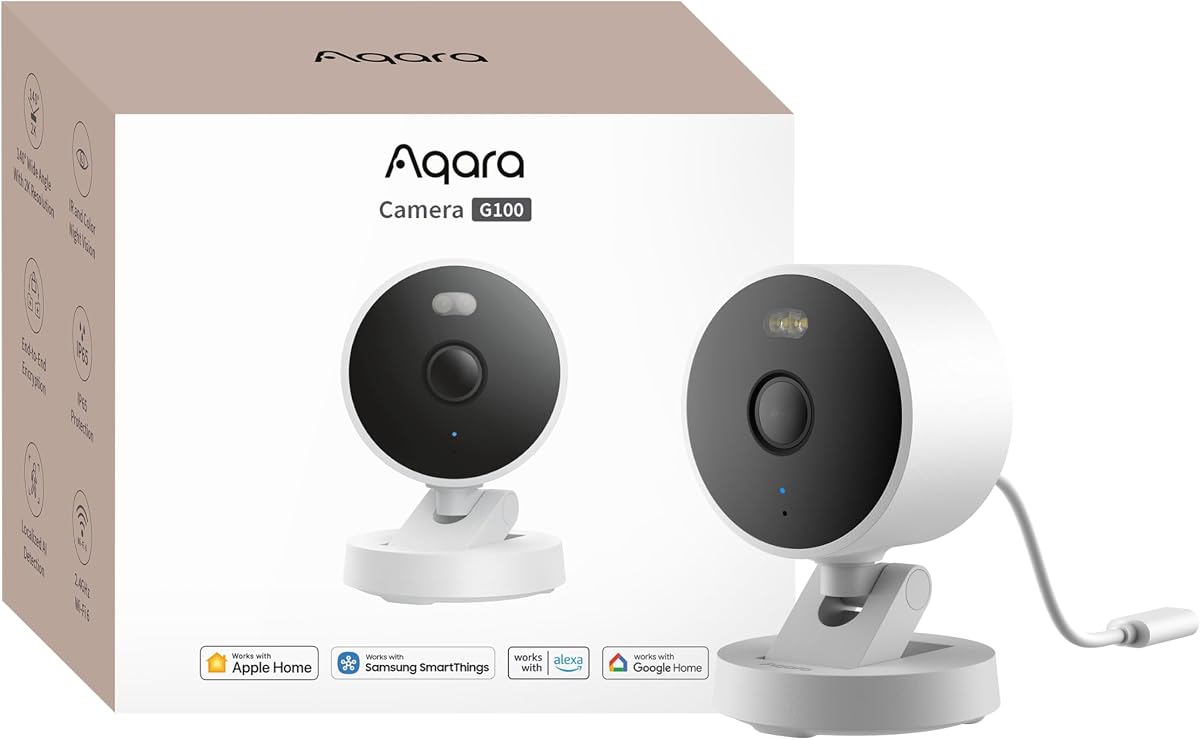
4.2Editor score
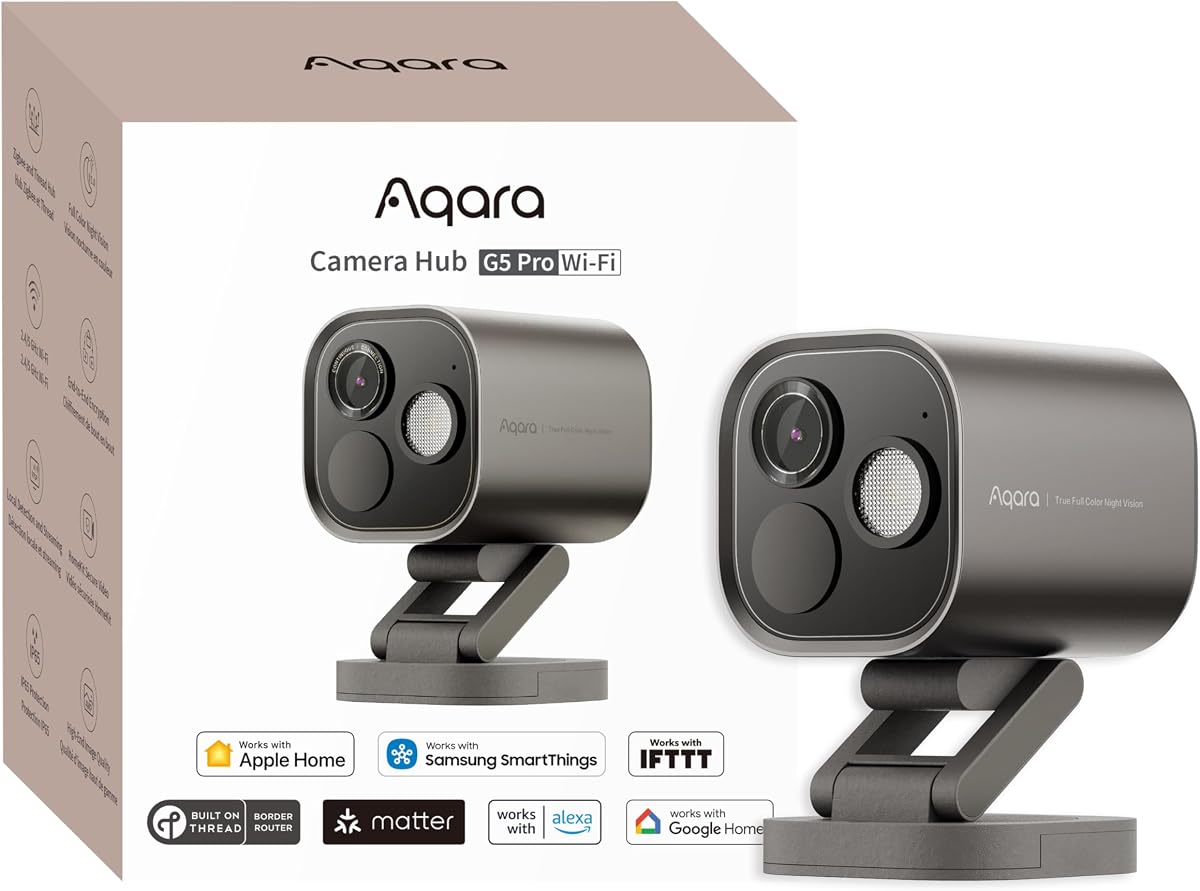
4.3Editor score
This side-by-side comparison highlights the core specifications of each camera to help you find the right fit for your smart home setup.



The Aqara G100 stands out as a top contender for Apple Homekit security cameras, offering a balance of resolution and smart features. With a 4.2 rating, it delivers 2K clarity for both day and night recording, making it a reliable choice for monitoring your property.
We may earn a commission when you buy through this link, at no additional cost to you.
Its dual night vision modes, including spotlight and infrared, ensure visibility in various lighting conditions. The camera supports local and cloud AI detection, allowing for precise identification of people, pets, and packages without constant manual review.
While the HomeKit integration caps resolution at 1080p, the G100 maintains high fidelity in its native app. Users should note that night vision modes require manual enabling, which might be a slight inconvenience for automated workflows.
This camera is ideal for homeowners seeking flexibility without compromising on privacy. Its IP65 rating and compatibility with multiple platforms make it a robust addition to any smart home ecosystem.
The G100 captures detailed footage with a 2304×1296 resolution and wide-angle lens for comprehensive coverage.
End-to-end encryption and local processing options ensure your data remains secure and private.
We may earn a commission when you buy through this link, at no additional cost to you.
The Eve Cam is designed exclusively for Apple Homekit Secure Video, prioritizing privacy above all else. With a rating of 3.6, it appeals to users who demand strict control over their data and want to avoid cloud storage entirely.
We may earn a commission when you buy through this link, at no additional cost to you.
Video analysis happens locally on the device, ensuring personal data never leaves your home. This approach supports smart motion detection and automation, allowing the camera to react to people and pets without external processing.
However, the Eve Cam is strictly an indoor device and requires an iCloud+ subscription for full functionality. While its security features are top-notch, the lack of outdoor versatility may limit its appeal for comprehensive home monitoring.
For privacy-conscious users within the Apple ecosystem, this camera offers unparalleled peace of mind. It serves as a dedicated monitor for indoor spaces where data sovereignty is paramount.
Built from the ground up for HomeKit, it ensures the highest privacy standards and seamless integration.
All video analysis occurs in your home, keeping your personal data private and under your control.
We may earn a commission when you buy through this link, at no additional cost to you.
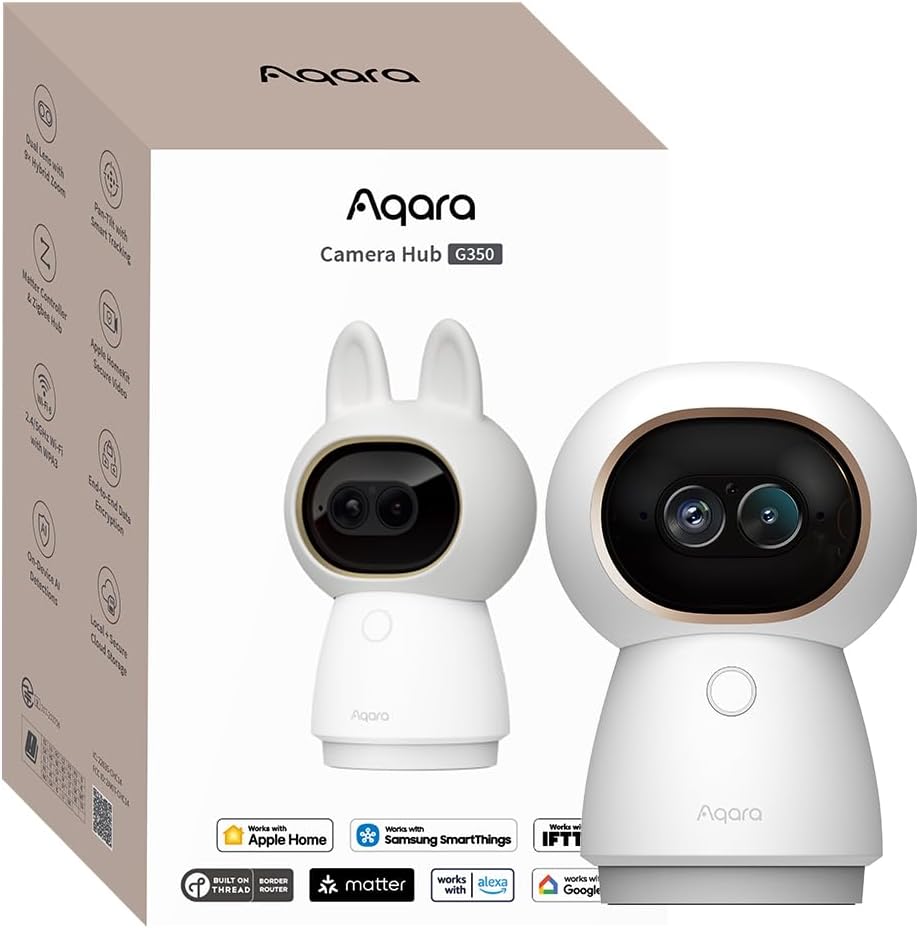
The Aqara G350 delivers exceptional detail with its 4K dual-lens system, combining wide-angle and telephoto views. Rated at 4.3, it is a premium option for those who need to monitor large rooms or capture distant details clearly.
We may earn a commission when you buy through this link, at no additional cost to you.
Its AI auto-tracking and gesture recognition add a layer of interactivity, allowing you to trigger scenes with simple hand signals. The camera also acts as a Matter bridge, connecting up to 80 Zigbee devices for a unified smart home experience.
While the advanced features are configurable primarily through the Aqara Home app, the physical privacy mode ensures you can visually disable the lens when needed. This mix of high resolution and smart hub functionality justifies its premium positioning.
Ideal for tech enthusiasts wanting comprehensive control and clarity, the G350 excels in indoor settings. It is a versatile tool for both security and home automation management.
A 4K wide-angle and telephoto lens combine to offer sweeping views and detailed zoom without losing clarity.
As a bridge, it supports Matter and Zigbee protocols, integrating multiple devices into one ecosystem.
We may earn a commission when you buy through this link, at no additional cost to you.
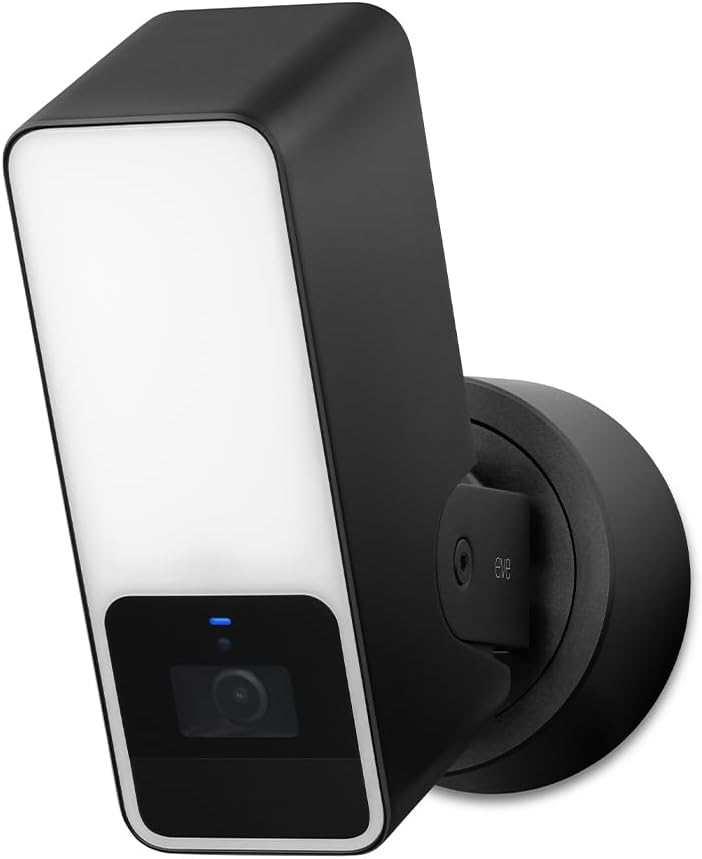
The Eve Outdoor Cam is a secure floodlight camera designed exclusively for Apple Homekit Secure Video. With a rating of 3.5, it emphasizes privacy and local intelligence, ensuring no data is tracked or exposed to external servers.
We may earn a commission when you buy through this link, at no additional cost to you.
Its powerful dimmable floodlight serves as both an illumination source and a deterrent, paired with a wide field of view for comprehensive coverage. The camera requires a neutral wire, which may limit installation to existing outdoor wiring setups.
Despite the higher cost, the device offers robust privacy features and a dedicated HomeKit experience. Users benefit from direct communication between accessories and their home hub without relying on bridges or cloud services.
This camera is suitable for homeowners prioritizing security and privacy in outdoor areas. It provides a reliable, high-quality solution for monitoring entrances and pathways.
A powerful floodlight and motion sensor combine to deter intruders and capture clear footage.
No Eve cloud ensures your data stays secure, with encryption handling all video streams locally.
We may earn a commission when you buy through this link, at no additional cost to you.
The TP-Link C225 offers an affordable entry into the Homekit ecosystem with a strong 4.5 rating. Its 360-degree pan and tilt movement ensure no corner of a room is left unmonitored, making it a versatile choice for indoor security.
We may earn a commission when you buy through this link, at no additional cost to you.
Designed with a physical privacy mode, the lens can be mechanically blocked when not in use, providing visual assurance of privacy. The camera also features a starlight sensor for superior image quality in low-light conditions.
While HomeKit may limit resolution to 1080p, the native 2K QHD live view in the Tapo app remains sharp. Users can choose between local microSD storage or a subscription for cloud backups, offering flexibility for different needs.
This model is perfect for budget-conscious buyers seeking full coverage and smart features. It delivers excellent value without compromising on essential security functions.
A 360-degree view allows you to check every corner of your room from any angle.
Physical privacy mode blocks the lens completely, ensuring your space remains private at all times.
We may earn a commission when you buy through this link, at no additional cost to you.
The Aqara G5 Pro WiFi combines high-resolution imaging with hub capabilities, rated at 4.3 for its advanced features. It supports True Color Night Vision, using a large aperture to identify intruders even in low-light conditions.
We may earn a commission when you buy through this link, at no additional cost to you.
As a hub, it connects up to 80 Zigbee devices and supports Matter protocols, allowing for seamless integration with broader smart home ecosystems. The camera processes visual and sound detection locally, ensuring fast and private responses.
Dual-band Wi-Fi support enhances connectivity in congested networks, though the device requires a constant power source. Its 4MP resolution offers detailed footage, ideal for identifying facial features or package details.
This camera suits users wanting a central control point for security and automation. It is a robust solution for comprehensive home monitoring.
Integrates Zigbee and Thread devices, acting as a bridge for third-party Matter platforms.
Large aperture and spotlight enable color video recording even in dark environments.
We may earn a commission when you buy through this link, at no additional cost to you.
The Logitech Circle View is a weatherproof camera built for outdoor durability and privacy, rated at 3.4 for its focused feature set. It uses TrueView video technology to deliver sharp 1080p footage across a wide 180-degree field of view.
We may earn a commission when you buy through this link, at no additional cost to you.
Its design includes a metal base and a cable that blends seamlessly with home aesthetics. The camera allows physical privacy by tilting down or pressing a button, ensuring you control when it records.
While it lacks advanced AI detection, its focus on privacy and build quality makes it a reliable option for exterior monitoring. It works exclusively with HomeKit, providing end-to-end encryption for all video streams.
This camera is best for those prioritizing privacy and weather resistance. It offers a straightforward, secure solution for outdoor security needs.
A 180-degree angle captures more of your property, reducing blind spots around doors and paths.
IP64-rated housing ensures durability against rain and dust for outdoor installation.
We may earn a commission when you buy through this link, at no additional cost to you.
The Aqara E1 brings 2K clarity to indoor monitoring with a 360-degree pan/tilt motor for comprehensive room coverage. Rated at 4.2, it supports HomeKit Secure Video, ensuring your footage remains private through end-to-end encryption.
We may earn a commission when you buy through this link, at no additional cost to you.
Advanced Wi-Fi 6 connectivity ensures smoother live views and lower latency even in congested networks. The camera's local AI processing allows for motion filtering and automation triggers, keeping your smart home responsive.
Storage flexibility is a highlight, with options for microSD cards and cloud services. However, users must provide a separate USB-C power supply, which is not included in the box.
This camera is ideal for indoor spaces requiring flexible viewing angles and privacy. It balances smart features with reliable performance for daily home monitoring.
Pan/tilt mechanics allow the camera to rotate fully, ensuring no angle is left unwatched.
Local NPU processing enables quick automation triggers without relying on cloud servers.
We may earn a commission when you buy through this link, at no additional cost to you.
The eufy E30 is a pet-focused indoor camera rated at 4.5, offering 4K resolution for crystal-clear recording of family and pets. Its AI tracking feature automatically follows movement, providing a complete view of activity without manual input.
We may earn a commission when you buy through this link, at no additional cost to you.
With no monthly fees required for basic functions, users save on recurring costs while still getting smart detection for humans and pets. The integrated spotlight enables color night vision, ensuring visibility even in dark rooms.
Although HomeKit limits the resolution to 1080p, the native app provides full 4K playback. Local storage via microSD card ensures your data stays on your premises, avoiding the need for cloud subscriptions.
This camera is perfect for pet owners who want high detail and smart tracking. It delivers excellent value with flexible storage options.
AI automatically tracks movement of people and pets, keeping them framed in the video.
Local microSD storage avoids cloud fees and keeps footage under your direct control.
We may earn a commission when you buy through this link, at no additional cost to you.
The Aqara G5 Pro PoE simplifies outdoor setup with Power over Ethernet, delivering both power and data through one cable. With a 4.5 rating, it offers 4MP resolution and True Color Night Vision for detailed, colorful footage at night.
We may earn a commission when you buy through this link, at no additional cost to you.
As a hub, it bridges Zigbee and Thread devices, integrating with broader home automation systems. The built-in encrypted storage ensures data security, while local AI processing handles detection even during internet outages.
While a PoE switch must be purchased separately, the streamlined installation is a significant advantage for permanent setups. The camera supports RTSP for 24/7 recording, offering a robust solution for continuous monitoring.
This camera is ideal for users seeking a reliable, wired security solution. It combines high-quality imaging with powerful smart home integration.
Power over Ethernet reduces cabling needs, making installation cleaner and more reliable.
4MP resolution ensures crisp details, helping identify faces and objects clearly.
We may earn a commission when you buy through this link, at no additional cost to you.
Selecting the right Homekit security camera involves weighing several key factors to ensure compatibility and performance.
Ensure the camera fully supports HomeKit Secure Video for end-to-end encryption. This feature allows you to store recordings in iCloud without viewing them directly on Apple servers, enhancing privacy.
Check if the camera requires an Apple Home hub and an active iCloud+ subscription. These prerequisites are necessary for seamless integration and storage of video events.
Higher resolutions like 2K or 4K provide clearer images for identifying details. However, note that HomeKit often caps video streams at 1080p for compatibility, so check native app capabilities.
Night vision is essential for round-the-clock monitoring. Look for models with True Color Night Vision or strong infrared capabilities to ensure visibility in low-light conditions.
Indoor cameras prioritize design and pan/tilt features, while outdoor cameras require weatherproofing ratings like IP65. Always verify the device's intended environment to avoid damage from moisture or dust.
For outdoor use, consider power options such as wired connections or battery backups. Some models require specific wiring like neutral wires, which can affect installation feasibility.
Local storage via microSD cards or NAS devices offers control over your data and avoids subscription fees. This is ideal for users concerned about recurring costs.
Cloud storage through HomeKit Secure Video or brand-specific plans provides convenience and access from anywhere. Evaluate the trade-offs between privacy and accessibility when choosing a storage method.
Advanced AI detection can distinguish between people, pets, and vehicles, reducing false alarms. Local processing ensures these features work even without an internet connection.
Look for additional features like sound detection or gesture control to enhance automation. These capabilities can trigger lights or locks when specific events occur.
Some cameras act as hubs for other smart devices, supporting protocols like Zigbee or Thread. This allows a single camera to manage multiple sensors or lights.
Ensure the camera is compatible with other systems you use, such as Alexa or Google Home if you use mixed ecosystems. Broad compatibility adds flexibility to your home setup.
Physical privacy modes, where the lens blocks or retracts, provide visual confirmation that recording has stopped. This is crucial for monitoring private indoor spaces like bedrooms.
Check if the device supports end-to-end encryption for both live and recorded streams. Encryption ensures that even if data is intercepted, it remains unreadable to unauthorized parties.
Set up your camera by connecting it to your Home network and pairing it via the Apple Home app. Ensure you have a HomePod or Apple TV set as a hub for remote access and automation.
Regularly check firmware updates through the manufacturer's app to maintain security and performance. Clear the lens of dust or cobwebs periodically to ensure optimal image quality.
Adjust motion sensitivity and notification settings based on your environment to avoid alert fatigue. Review recorded clips to confirm that detection zones are optimized for your needs.
No, HomeKit Secure Video is included with your iCloud+ subscription. If you already have iCloud+, you can add compatible cameras without extra costs, though storage limits apply based on your plan.
HomeKit cameras are designed for the Apple ecosystem. While some brands offer their own apps for Android, HomeKit Secure Video features like end-to-end encryption are exclusive to Apple devices.
Many cameras continue to record locally to microSD cards even during outages. Automations based on local processing will also work without an internet connection if configured properly.
You can use larger microSD cards if the model supports them. Alternatively, enable HomeKit Secure Video to store footage in iCloud or link to a Network Attached Storage device.
Most indoor models are plug-and-play, but outdoor units may require hardwiring or specific mounting. Always check installation requirements like power sources and wiring before purchasing.
Moving a camera requires re-pairing it to your HomeKit account. Ensure the new location has strong Wi-Fi signal coverage to maintain performance.
The Aqara G100, TP-Link C225, and Aqara G5 Pro WiFi stand out for their balance of features and integration within the HomeKit ecosystem. Each offers unique strengths tailored to different needs.
Prioritize privacy and resolution when selecting a model. Consider whether you need indoor flexibility or outdoor durability, and verify storage options to match your data management preferences.
Always verify current pricing and availability as market conditions change. By choosing a camera that aligns with your smart home goals, you ensure a secure and efficient monitoring solution.