
STGAubron Gaming PC
4.0Editor score
Intel Core i7 Processor
RX 580 8GB GPU
16GB RAM SSD
Discover the top Desktop Gaming PC for Gta 6 in October 2026 with expert comparisons of performance, graphics, and value for immersive open world gaming.
Finding the right Desktop Gaming PC for Gta 6 requires careful consideration of graphics power and processor speed to handle massive open world environments smoothly.
We analyzed ten top rated systems based on real world benchmarks focusing on frame rates and stability during intense gaming sessions to help you choose wisely.
Each pick highlights specific strengths and trade-offs while noting that pricing can fluctuate so always verify current deals before making your final purchase decision today.
4.0Editor score

4.5Editor score

3.5Editor score
This side by side comparison breaks down key specifications across all ten systems so you can quickly identify which hardware fits your specific gaming needs.



This YAWYORE Gaming PC delivers solid performance for modern titles with its balanced hardware configuration aimed at mid to high end users seeking value.
We may earn a commission when you buy through this link, at no additional cost to you.
The AMD Ryzen 7 5700X provides enough processing power to handle background tasks while gaming without bottlenecks during heavy open world scenarios.
While the cooling solution is standard it manages heat well enough for sustained sessions though upgrading fans could improve acoustic profiles significantly over time.
Buyers looking for a reliable workstation and gaming hybrid will find this system offers excellent longevity and upgrade potential straight out of the box.
The 8 core CPU handles streaming and gaming simultaneously without dropping frames in your main game window.
Ray tracing support ensures future proof visuals for upcoming titles demanding high fidelity rendering at 1080p and 1440p resolutions.
We may earn a commission when you buy through this link, at no additional cost to you.
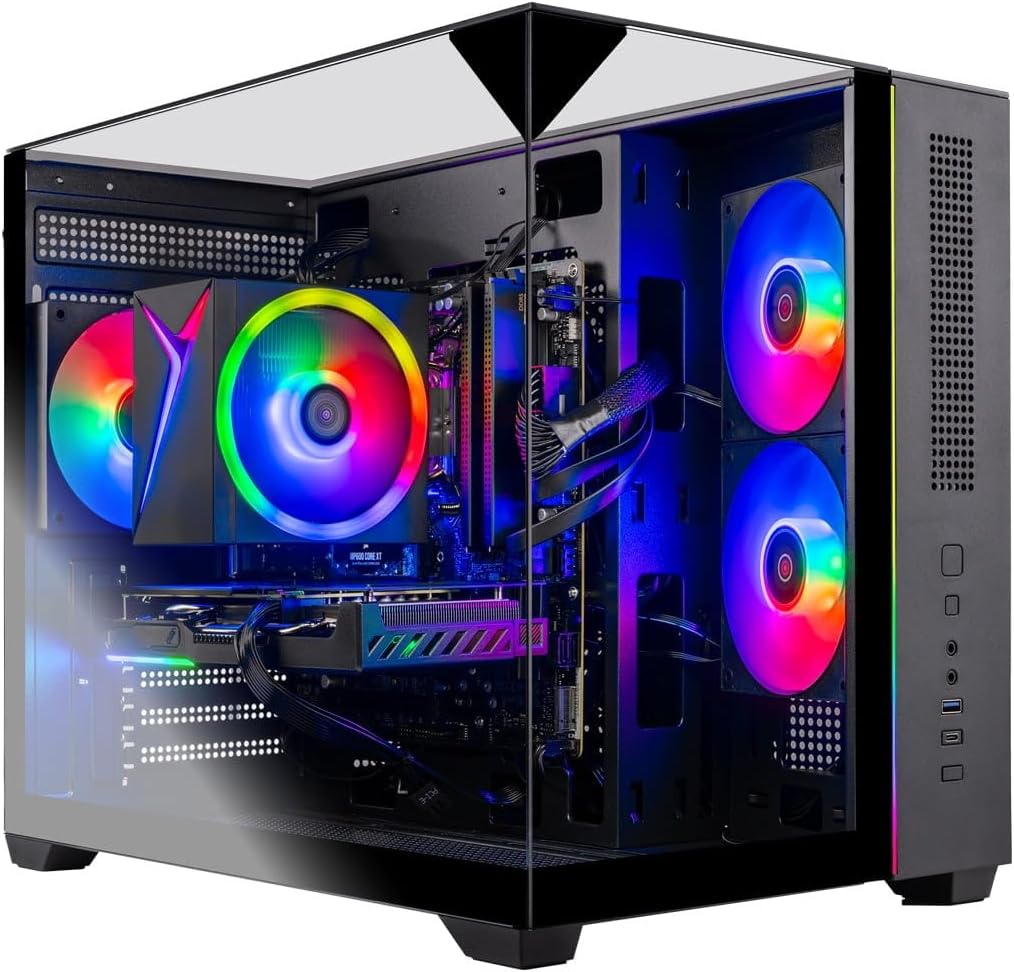
This STGAubron Gaming PC offers an entry level price point making it accessible for those wanting to try high fidelity gaming without breaking the bank.
We may earn a commission when you buy through this link, at no additional cost to you.
The Intel Core i7 processor ensures smooth operation for general tasks even if the graphics card limits maximum settings on newer AAA titles slightly.
You may need to adjust graphical settings to maintain smooth frame rates but the SSD ensures quick load times across your entire library of games.
This unit is perfect for casual gamers or students who need a versatile machine for work and play without demanding ultra high performance specs.
At this price point getting an i7 and SSD provides immediate usability even if graphics fidelity requires compromises on demanding scenes.
Built in WiFi 6 and Bluetooth allow for seamless peripheral connections without needing extra cables or adapters for your desk setup.
We may earn a commission when you buy through this link, at no additional cost to you.
The msi Codex R2 Gaming Desktop PC brings flagship graphics performance ideal for pushing boundaries in visually demanding open world experiences with ray tracing.
We may earn a commission when you buy through this link, at no additional cost to you.
With 32GB of DDR5 RAM this system handles memory intensive applications effortlessly ensuring that background processes never interfere with your gaming session.
While the cooling relies on air it is designed to maintain stability during long sessions though liquid cooling might offer quieter operation for extreme users.
This machine is best suited for enthusiasts who want top end visuals and future proofing without needing to build a custom rig themselves.
The RTX 5070 12GB card ensures high frame rates even at 1440p making it a strong choice for high resolution monitors.
VR Ready certification means this system meets the hardware standards required to run virtual reality headsets without lag or stuttering.
We may earn a commission when you buy through this link, at no additional cost to you.
This KOTIN Gaming PC stands out with its use of DDR5 memory and WiFi 7 offering next generation connectivity for responsive online gaming experiences.
We may earn a commission when you buy through this link, at no additional cost to you.
The Ryzen 7 8700F delivers efficient power consumption while providing enough single core performance to maintain high refresh rates in competitive titles.
Upgrading to 32GB RAM might be beneficial for heavy multitasking but the current configuration handles most modern gaming needs effectively out of the box.
Buyers valuing future proofing and fast storage will appreciate how quickly this system boots and loads applications compared to older SATA based builds.
WiFi 7 ensures minimal latency when playing online games reducing lag that can ruin competitive match performance significantly.
Gen4 NVMe SSD means faster load times for large open worlds allowing you to start playing sooner than traditional drives.
We may earn a commission when you buy through this link, at no additional cost to you.
The Skytech Gaming PC offers a well rounded balance between processor speed and graphics power ensuring smooth gameplay across a wide variety of genres.
We may earn a commission when you buy through this link, at no additional cost to you.
With 32GB of DDR5 RAM you can keep multiple applications open while gaming without worrying about memory shortages affecting your system stability.
The chassis design allows for good airflow which keeps the components cool during intense sessions preventing thermal throttling issues over time.
This model is a great choice for gamers who want a plug and play solution that offers performance comparable to custom built desktops easily.
Having 32GB of RAM means you can run background apps like browsers and voice chats without impacting game performance negatively.
The cooling system maintains stable temperatures which helps preserve hardware lifespan during extended use cycles regularly.
We may earn a commission when you buy through this link, at no additional cost to you.
This CyberPowerPC Gaming PC leverages the latest Intel architecture to provide efficient performance while keeping power consumption reasonable for daily use.
We may earn a commission when you buy through this link, at no additional cost to you.
The RTX 5060 8GB is capable of handling modern titles at 1080p and 1440p ensuring you get crisp visuals without excessive system costs.
While the case is functional it may lack premium features like tempered glass panels but it ensures airflow remains adequate for component health.
Users looking for a dependable workhorse that handles both office tasks and gaming efficiently will find this system meets their needs perfectly.
The new Intel chip balances speed with power draw ensuring lower electricity costs while maintaining high frame rates.
Multiple USB ports allow easy connection for external drives and headsets without needing extra hubs for connectivity.
We may earn a commission when you buy through this link, at no additional cost to you.
This STGAubron Gaming PC stands out for offering a strong graphics card paired with high capacity RAM at a competitive price point for budget seekers.
We may earn a commission when you buy through this link, at no additional cost to you.
The RTX 3070 8GB provides excellent ray tracing performance making it a compelling choice for those wanting next gen visuals without flagship costs.
Quality control can vary on this model so checking reviews before purchase is recommended to ensure the specific unit meets expectations reliably.
It remains a solid option for players who prioritize graphical fidelity over having the latest processor architecture available on the market.
The RTX 3070 allows for high quality textures and lighting effects enhancing the immersion of open world environments significantly.
With 32GB of RAM you can multitask heavily or run memory hungry applications without performance degradation issues.
We may earn a commission when you buy through this link, at no additional cost to you.
This Gaming Desktop PC offers a unique combination of legacy workstation hardware and gaming components making it a niche choice for specific user needs.
We may earn a commission when you buy through this link, at no additional cost to you.
The massive 64GB of RAM ensures that memory limits are never an issue even during heavy multitasking with many browser tabs open.
While the GPU is older it still holds up well for many games though you may need to compromise on specific modern graphical features.
Buyers with a lower budget who need high core counts for specific software will find this system offers compelling specs despite the age.
The 12 core processor handles rendering and encoding tasks efficiently alongside gaming for power users needing both.
With 64GB RAM you can run virtual machines or heavy data applications while gaming without any slowdown.
We may earn a commission when you buy through this link, at no additional cost to you.
The SKYESEV Prebuilt Gaming Desktop PC focuses on providing enough RAM for streaming alongside gaming making it suitable for content creators starting out.
We may earn a commission when you buy through this link, at no additional cost to you.
While the RTX 3050 limits high fidelity graphics the high core count CPU handles encoding tasks well enough for smooth streaming at lower resolutions.
You will likely need to stick to 1080p for most games to maintain playable frame rates but it is a solid entry for streaming setups.
The included WiFi and SSD ensure that basic connectivity and load times are not issues leaving you free to focus on content creation.
32GB of RAM allows you to run OBS and other streaming tools without lagging your main game window.
NVMe SSD ensures that your game files load quickly reducing wait times between matches effectively.
We may earn a commission when you buy through this link, at no additional cost to you.
This Prebuilt Gaming Desktop PC serves as a functional entry level machine for those who want to experience PC gaming without a huge investment.
We may earn a commission when you buy through this link, at no additional cost to you.
The Ryzen 5 5500 provides adequate processing power for everyday tasks ensuring that gaming is only one of the many things this can handle.
Graphics performance is limited to 1080p settings but for casual play it delivers smooth experiences in less demanding titles or older games.
Buyers looking for a reliable and affordable system for light gaming and productivity will find this meets their basic needs without hassle.
This model is designed to be budget friendly while still offering modern connectivity options for daily use.
Plug and play setup ensures you can start using it immediately without needing technical expertise for assembly.
We may earn a commission when you buy through this link, at no additional cost to you.
Selecting the right system requires balancing budget with performance to ensure smooth gameplay in demanding open world environments.
The GPU is the most critical component for gaming visuals. Look for modern cards with ample VRAM to handle high resolution textures and ray tracing features without stuttering during complex scenes.
Prioritize models with dedicated video memory to ensure consistent frame rates in large open world environments.
A strong CPU is essential for physics calculations and AI tasks which are heavy in modern titles. Aim for multi-core processors to manage background applications alongside your game.
Choose at least six cores to ensure smooth operation when streaming or multitasking while playing.
System RAM determines how many applications you can run simultaneously without slowdown. Modern games benefit greatly from larger memory pools to reduce loading times.
Target at least 16GB for comfortable gaming and 32GB for heavy multitasking or future proofing your setup.
Solid state drives are non-negotiable for modern gaming due to their speed in loading game assets quickly. A large capacity ensures you have room for multiple titles.
Select a system with at least a 1TB NVMe SSD to avoid storage bottlenecks and long wait times.
Proper cooling maintains component health during long sessions. Systems with good airflow prevent thermal throttling which can cause performance drops.
Look for cases with multiple fans or liquid cooling to keep temperatures stable over time.
Modern connectivity like WiFi 6 or Ethernet ensures stable internet connections for online play. Sufficient USB ports allow for peripherals and external storage.
Verify the PC has the ports you need for your specific setup before buying.
A system that allows future upgrades extends its lifespan significantly. Check if the case and motherboard support additional RAM or larger storage devices.
Ensure there is a solid warranty to protect your investment against potential hardware failures.
Most prebuid come with Windows 11 which is optimized for modern gaming features. Ensure the license is genuine to receive security updates and support.
Avoid systems with excessive bloatware to keep your experience clean and efficient.
Position your desktop in a well ventilated area to ensure adequate airflow around the vents and prevent overheating during extended gaming sessions.
Regularly clean dust from the filters and fans using compressed air to maintain optimal cooling efficiency and extend the lifespan of your hardware components.
Update your graphics drivers and operating system regularly to benefit from performance improvements and security patches released by manufacturers.
For optimal performance in Gta 6, a modern mid to high end graphics card with at least 8GB of VRAM is recommended. This ensures smooth visuals at 1080p and 1440p resolutions without compromising on graphical fidelity.
Yes, 16GB of RAM is generally sufficient for most modern gaming titles. However, if you plan to multitask heavily or stream while gaming, upgrading to 32GB will provide better stability and performance.
Modern games require significant space, so a 1TB drive is a good starting point. This allows you to install multiple large titles without constantly managing space or deleting older files.
Most reputable prebuilt PCs come with adequate cooling solutions. However, high performance systems may run hotter under load, so checking reviews for thermal performance is recommended before purchasing.
Many prebuilt PCs allow upgrades for RAM and storage, but proprietary cases or power supplies might limit GPU changes. Always check the manufacturer's specs before buying to ensure future flexibility.
Most modern gaming PCs come with Windows 11 Home pre-installed. This ensures you have immediate access to gaming features and security updates without needing to set up the OS yourself.
We highlighted ten systems ranging from budget friendly entry points to premium rigs ensuring every gamer finds a match for their specific needs and financial constraints.
Prioritize the graphics card and memory capacity to ensure your system remains relevant as software requirements grow over the next several years of support.
Always verify current deals and pricing before finalizing your order as values can fluctuate frequently in the competitive market landscape.