
Raywego 49 Inch Curved Ultrawide Gaming Monitor
4.6Editor score
165Hz refresh rate
1500R curvature
DQHD resolution
Finding the right display for sim racing transforms your virtual driving experience significantly. A 49 inch ultrawide monitor provides an immersive field of view that mimics real cockpit surroundings perfectly.
We evaluated ten leading models based on their curvature, refresh rates, and response times. Each selection offers unique strengths for different racing simulators and budget levels today.
Every pick highlights key features, pros, and cons to help you decide. Prices and availability change frequently so verify current details before purchasing your new monitor.
4.6Editor score

4.2Editor score

4.3Editor score
As an Amazon Associate we earn from qualifying purchases.
This side-by-side comparison highlights key specifications across all ten models to help you identify the best fit for your racing simulation needs and setup.





The Raywego 49 Inch monitor offers excellent value for sim racers entering the ultrawide market. Its high rating reflects solid performance in delivering immersion without breaking the bank.
We may earn a commission when you buy through this link, at no additional cost to you.
A 165Hz refresh rate and 1ms response time ensure smooth visuals during high-speed racing. The 1500R curve wraps content nicely around your field of view enhancing depth perception.
Trade-offs include lower peak brightness than premium models and basic HDR support. These are acceptable given the price point and core gaming performance it provides consistently.
Buyers seeking a budget friendly option should consider this model. It balances specs and cost effectively for entry level sim racing setups today.
The 32:9 aspect ratio provides a seamless panoramic view replacing dual monitor setups effectively.
Adaptive Sync reduces tearing and stuttering during intense racing sessions for a cleaner visual experience.
We may earn a commission when you buy through this link, at no additional cost to you.
Samsung's QD-OLED model delivers unmatched visual fidelity with true blacks and vibrant colors. Its high rating indicates users appreciate the near-instant pixel response times.
We may earn a commission when you buy through this link, at no additional cost to you.
The 0.03ms response time eliminates ghosting during rapid turns and collisions. HDR performance shines in night racing scenarios with deep shadows and bright highlights.
Consider burn-in protection features and the higher cost before buying. These trade-offs are typical for OLED technology and manageable with proper settings.
Enthusiasts seeking the best visual quality should prioritize this OLED model. It sets a new standard for image clarity in sim racing.
The near-instant reaction time ensures no motion blur even at extreme speeds and tight corners.
Infinite contrast ratio reveals detail in dark tracks and lighting conditions without light bleed.
We may earn a commission when you buy through this link, at no additional cost to you.
The INNOCN 49C1R stands out with versatile connectivity and solid build quality. Its rating reflects a well-rounded experience for both gaming and workstation use.
We may earn a commission when you buy through this link, at no additional cost to you.
USB-C power delivery simplifies setup by reducing cable clutter. The 1800R curve offers a natural viewing angle that minimizes eye strain during long sessions.
Trade-offs include a 120Hz refresh rate which is slightly below the top tier. This is acceptable for casual racers prioritizing flexibility over raw speed.
Buyers valuing convenience and clean desk setups should choose this monitor. It delivers reliable performance across diverse use cases easily.
USB-C allows single cable video and power delivery for compatible laptops and workstations.
Height tilt and swivel adjustments ensure optimal viewing angles for extended use.
We may earn a commission when you buy through this link, at no additional cost to you.
This Samsung model excels in speed and visual intensity with its 240Hz rate and 1000R curve. Users praise its ability to keep pace with competitive racing demands.
We may earn a commission when you buy through this link, at no additional cost to you.
The high refresh rate ensures fluid motion during rapid steering inputs. HDR1000 brightness enhances visibility of track details even in bright lighting conditions.
The aggressive curve may feel too intense for some users compared to 1500R options. It also requires a strong graphics card to fully utilize its specs.
Competitive racers should choose this model if they need maximum speed. It delivers a highly responsive experience for serious sim racing.
The 240Hz rate eliminates motion blur for sharp visuals during high speed cornering.
The 1000R curve wraps content tightly around your eyes for maximum focus.
We may earn a commission when you buy through this link, at no additional cost to you.
The G91F model offers a modern take on ultrawide gaming with reliable performance. Its rating highlights satisfaction with smooth motion and connectivity features.
We may earn a commission when you buy through this link, at no additional cost to you.
Auto Source Switch allows quick transitions between devices without manual input selection. The 144Hz rate ensures fluid gameplay while balancing GPU load effectively.
The 1000R curve may require desk space and adjustment time. Color depth is sufficient but not exceptional for color critical work.
Buyers seeking a modern Samsung display should consider this option. It provides reliable performance for racing and general use.
Auto Source Switch detects active devices instantly for seamless workflow changes.
144Hz refresh rate delivers fluid action with reduced tearing and blur.
We may earn a commission when you buy through this link, at no additional cost to you.
The CRUA 49 inch monitor delivers dependable performance for gaming and multitasking. Its rating indicates consistent quality and good value for the price.
We may earn a commission when you buy through this link, at no additional cost to you.
165Hz refresh rate keeps motion smooth during fast driving. The 1500R curve balances immersion and comfort for long sessions.
It lacks USB-C and built-in audio which limits desk simplification. These are minor trade-offs for a focused gaming monitor.
Gamers seeking a straightforward curved display should choose this model. It offers reliable features without unnecessary complexity.
AMD FreeSync ensures smooth motion without tearing across compatible graphics cards.
VESA compatibility allows flexible mounting for various desk setups.
We may earn a commission when you buy through this link, at no additional cost to you.
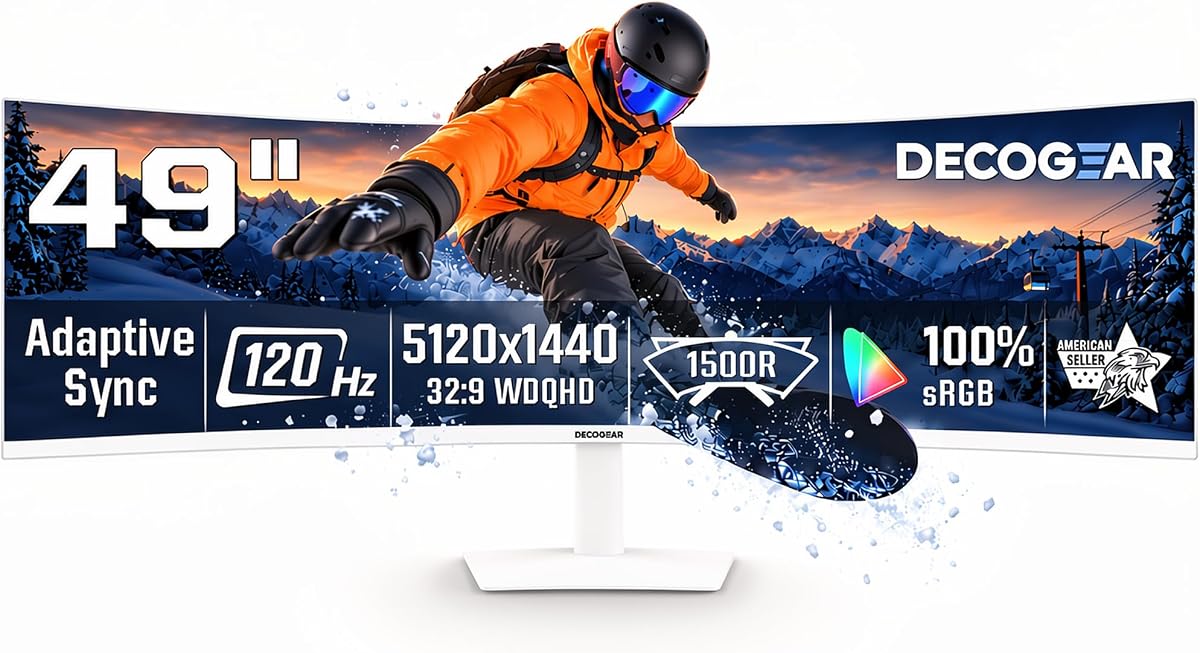
The Deco Gear monitor is versatile for gaming and productivity tasks. Its rating highlights appreciation for practical features like KVM and USB-C.
We may earn a commission when you buy through this link, at no additional cost to you.
KVM support lets you control multiple devices with one keyboard and mouse. The wide screen allows easy multitasking between racing software and other apps.
The 120Hz refresh rate is lower than top models but sufficient for casual racing. Color calibration is good but may need tweaking for exact accuracy.
Users needing both work and play features should consider this unit. It simplifies multi device workflows effectively.
KVM switch enables seamless control across multiple computers without hardware switches.
USB-C provides video and power for laptops reducing desk cable clutter.
We may earn a commission when you buy through this link, at no additional cost to you.
The ASUS ROG XG49VQ provides reliable performance for budget conscious buyers. Its high rating reflects trust in the brand and solid gaming features.
We may earn a commission when you buy through this link, at no additional cost to you.
144Hz refresh rate ensures smooth motion during races. The 1800R curve reduces eye strain while providing a wide view.
Resolution is lower than DQHD which may show more pixels. Older design lacks newer connectivity features like USB-C.
Buyers seeking a trusted brand should consider this model. It balances cost and performance well.
144Hz refresh rate and FreeSync 2 deliver fluid visuals with reduced artifacts.
Flicker-free and blue light filters help reduce eye fatigue during use.
We may earn a commission when you buy through this link, at no additional cost to you.
The Z-Edge monitor offers competitive specs at an accessible price. Its rating indicates strong satisfaction with performance and color fidelity.
We may earn a commission when you buy through this link, at no additional cost to you.
240Hz refresh rate provides excellent motion clarity for competitive racing. DQHD resolution ensures sharp track details without heavy pixelation.
Brand reputation is newer so long term reliability may vary. Quality control can be inconsistent compared to larger manufacturers.
Racers seeking high refresh rates on a budget should try this. It offers strong specs for the investment.
240Hz ensures rapid updates for crisp visuals during intense racing moments.
99% sRGB coverage ensures accurate and vibrant color reproduction.
We may earn a commission when you buy through this link, at no additional cost to you.
This Samsung OLED model offers high quality visuals with impressive speed. Its rating reflects appreciation for the immersive display features.
We may earn a commission when you buy through this link, at no additional cost to you.
240Hz refresh rate and instant response time support competitive gameplay. OLED technology delivers infinite contrast and true blacks in dark scenes.
Higher price point and burn-in risk are main considerations. Using pixel shift and saving tools can mitigate these risks.
Buyers wanting top visual quality should consider this OLED display. It provides exceptional clarity and speed.
OLED pixels turn off completely for perfect black levels and deep shadows.
240Hz refresh and instant response eliminate motion blur and input lag.
We may earn a commission when you buy through this link, at no additional cost to you.
Selecting the ideal monitor depends on balancing resolution, refresh rate, and curvature for your racing needs and budget.
A higher refresh rate like 165Hz or 240Hz ensures smooth visuals during fast steering and collisions. Fast response times minimize motion blur for better depth perception.
Look for at least 144Hz refresh rate and under 5ms response for competitive racing.
Curvature measured in R affects immersion. 1000R wraps tightly but can strain some users. 1500R or 1800R offers a balanced wrap around your field of view.
Choose curvature based on desk space and personal comfort preferences for long sessions.
DQHD 5120×1440 provides sharp track details while DFHD 3840×1080 is less demanding on GPU. Higher pixel density ensures crisp text and track signage.
Ensure your graphics card supports the desired resolution at your target refresh rate.
VA panels offer deep contrast and colors while OLED provides true blacks and speed. HDR support enhances visibility in dark and bright racing conditions.
Prioritize HDR600 or above for better brightness and contrast performance in games.
HDMI and DisplayPort are essential for PC and console support. USB-C with power delivery simplifies docking for laptops.
Verify port versions support your desired resolution and refresh rate for full performance.
Adjustable stands and VESA mounts allow positioning for comfort. Look for tilt swivel and height adjustments to reduce neck strain.
Ensure your desk or mount can support the monitor size and weight safely.
G-Sync or FreeSync reduces screen tearing and stuttering. This ensures smoother gameplay especially when frame rates fluctuate.
Choose a monitor that matches your graphics card technology for best results.
Features like KVM, built-in speakers, or auto-source switching add convenience. These are optional but can improve desk organization and workflow.
Consider which extras align with your specific workflow needs and setup constraints.
Position the monitor at a distance where the curvature wraps comfortably around your eyes without causing strain. Adjust height to align the center with eye level.
Use adaptive sync settings in your graphics panel to match the monitor refresh rate. This ensures smooth motion and prevents visual tearing during racing.
Keep the screen clean with a soft microfiber cloth and avoid harsh chemicals. Adjust brightness settings for different ambient lighting conditions to protect eyes.
Yes, it provides an immersive field of view that enhances depth perception and situational awareness. The wide aspect ratio replaces dual monitors without distracting bezels between.
A refresh rate of 165Hz or higher is ideal for smooth motion. This minimizes blur and helps track fast movements accurately during high speed laps.
1000R wraps tightly but may be too aggressive for some setups. 1500R or 1800R offers a balanced immersion while maintaining comfortable viewing angles.
Many models support HDMI 2.1 for next-gen consoles. Check port specs to ensure resolution and refresh rate compatibility for console racing titles.
OLED offers better contrast and response time but costs more. VA provides good immersion and color at a lower price for most racers.
Use built-in blue light filters and adjust brightness to ambient light. Take regular breaks and ensure the screen is at eye level to reduce fatigue.
A high-end GPU like RTX 4080 or higher is recommended for DQHD at 240Hz. Mid range cards may struggle with maximum settings at high refresh rates.
Most models support standard VESA 100×100 mounts. This allows flexible desk setups using wall arms or desk clamps for better positioning.
The best monitors combine high refresh rates and immersive curvature for seamless racing. Each pick offers unique strengths depending on your budget and priorities today.
Prioritize refresh rate and response time if competitive performance matters most. For immersive visuals and dark scenes OLED panels deliver unmatched clarity.
Prices and availability fluctuate so verify current details before purchasing. Investing in the right display elevates your sim racing experience significantly.