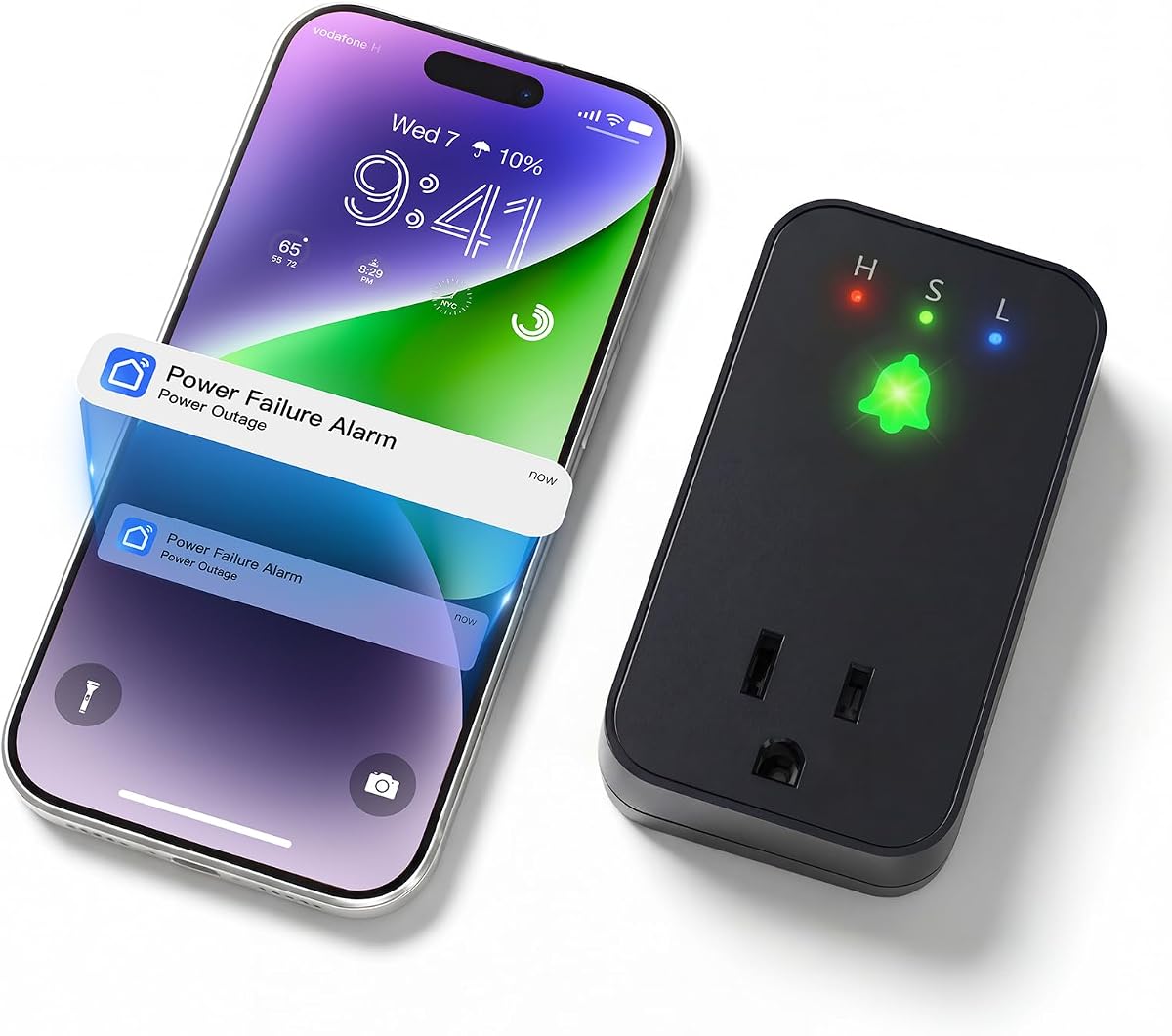
Power Failure Alarm WiFi
4.4Editor score
Affordable Smart Life app support
Extended socket for extra outlets
Three adjustable volume levels
Compare the top power outage notification devices for home and business. This guide reviews alarms, smart plugs, and sensors to keep you informed.
Power outages can disrupt daily life and damage sensitive equipment. A reliable notification device ensures you know immediately when electricity fails or returns. These tools provide peace of mind for homes, businesses, and critical systems like freezers or medical devices.
We compared ten leading devices based on alert speed, connectivity options, and ease of use. Each product was evaluated for its ability to send text, email, or app notifications during outages. Our analysis focuses on real-world reliability and user feedback.
Every pick highlights key features, pros, cons, and ideal use cases. While prices may vary over time, the performance metrics remain consistent. Use this guide to find the right solution for your specific monitoring needs and budget constraints.
4.4Editor score

4.4Editor score

4.5Editor score
This side-by-side table compares all ten devices across key specifications like alert types, battery life, and socket design. Use it to quickly identify which model fits your needs.




This device stands out as the top choice for reliable power outage monitoring. With a 4.4 star rating, it offers direct SMS and email alerts without relying on apps. Its engineered reliability and no subscription model make it ideal for critical monitoring.
We may earn a commission when you buy through this link, at no additional cost to you.
The detection speed is impressive, identifying power failures in as little as three seconds. It sends alerts for both outages and restorations, ensuring you stay informed. The backup battery lasts over five years, reducing maintenance needs significantly.
While it requires a 2.4GHz WiFi network, this is standard for most routers. The lack of subscription fees is a major advantage over competitors. However, users should ensure their network settings are compatible before purchase.
Buyers seeking dependable alerts without ongoing costs should choose this model. It protects assets like freezers and medical devices effectively. The combination of speed, simplicity, and durability makes it a standout option.
Unlike app-only devices, this sends SMS texts directly to your phone. This ensures you receive alerts even if app notifications are disabled.
The five year backup battery means you rarely need to replace it. This reduces long term costs and ensures continuous protection.
We may earn a commission when you buy through this link, at no additional cost to you.
This alarm is a solid choice for those already using Smart Life or Tuya ecosystems. It connects easily via 2.4GHz WiFi and offers free app notifications. The extended socket is a practical design feature for limited outlets.
We may earn a commission when you buy through this link, at no additional cost to you.
The 110dB alarm ensures you hear it even from another room. Its 12-hour alert duration provides ample time to respond during extended outages. The built-in battery eliminates the need for immediate replacements.
However, SMS and email alerts require a subscription, which may limit accessibility. The setup process depends on downloading the correct app as instructed. Users should verify app compatibility before purchasing to avoid confusion.
Ideal for smart home enthusiasts looking for budget-friendly monitoring. It balances features like volume adjustment with practical design. Check subscription costs if text alerts are critical for your needs.
Works with Smart Life and Tuya apps for unified home control. This simplifies management if you already use these platforms.
Adjustable volume levels let you customize the alarm loudness. This prevents excessive noise while ensuring alerts are heard.
We may earn a commission when you buy through this link, at no additional cost to you.
Offering excellent value, this device is perfect for budget-conscious buyers. It provides free app notifications via Smart Life or Tuya without hidden costs. The mini size ensures it doesn't block other outlets in your home.
We may earn a commission when you buy through this link, at no additional cost to you.
The 110dB alarm with adjustable volume offers flexibility for different environments. Its 12-hour battery backup ensures alerts persist during power loss. The extended socket allows you to plug in another device simultaneously.
Like many budget models, text alerts require a subscription upgrade. The setup relies on following app instructions carefully to avoid errors. This may be a minor hurdle for less tech-savvy users.
Best for those needing basic app alerts without monthly fees. It suits monitoring freezers or aquariums on a budget. Verify subscription needs if SMS alerts are essential for your workflow.
The mini profile prevents blocking adjacent outlets. This is useful in kitchens or rooms with limited socket space.
Free app notifications keep initial costs low. This makes it accessible for casual users without extra expenses.
We may earn a commission when you buy through this link, at no additional cost to you.
This model adds unique remote cancellation features to prevent false alarms. It allows you to stop alerts from your phone, which is helpful when away from home. The two sockets provide extra convenience for connecting multiple appliances.
We may earn a commission when you buy through this link, at no additional cost to you.
You can choose from three siren sounds and adjust volume to suit your needs. The 10-hour alert duration is slightly shorter than others but still sufficient for most outages. The rechargeable battery reduces replacement hassles.
The 10-hour limit may be a drawback for extended events. App reliance means setup requires download and configuration steps. Subscription fees apply if you want SMS or email notifications instead of app push.
Ideal for households with kids or pets who may be startled by alarms. The remote control feature adds safety and convenience. Consider the battery duration if you face long outages frequently.
Cancel alerts directly from your smartphone app. This prevents unnecessary noise if you know the issue is resolved.
The two sockets allow daisy chaining devices safely. This maximizes outlet space in areas with limited electrical access.
We may earn a commission when you buy through this link, at no additional cost to you.
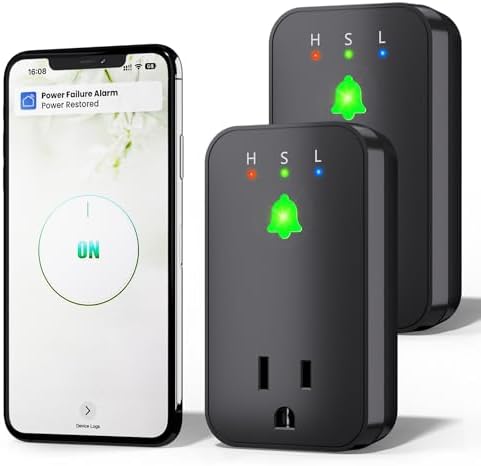
This 2-pack offers exceptional value for protecting multiple zones like a fridge and sump pump. Both units connect via 2.4GHz WiFi to the Smart Life or Tuya app. Having two devices allows comprehensive coverage without buying separately.
We may earn a commission when you buy through this link, at no additional cost to you.
Each alarm features a 110dB sound and extended socket for convenience. The 12-hour battery ensures reliable alerts during power loss. Users benefit from the ability to monitor different rooms simultaneously.
Text and email notifications require a subscription, which may apply per device. Setup involves downloading the app and connecting each unit individually. Ensure your network can handle two devices without signal issues.
Perfect for homes needing redundant protection or monitoring multiple assets. It balances cost efficiency with essential alarm features. Check subscription terms if you need text alerts for both units.
Two units let you cover fridge and basement simultaneously. This reduces risk of missed alerts in different areas.
Buying a pack is cheaper than single units. This saves money for users needing widespread monitoring coverage.
We may earn a commission when you buy through this link, at no additional cost to you.
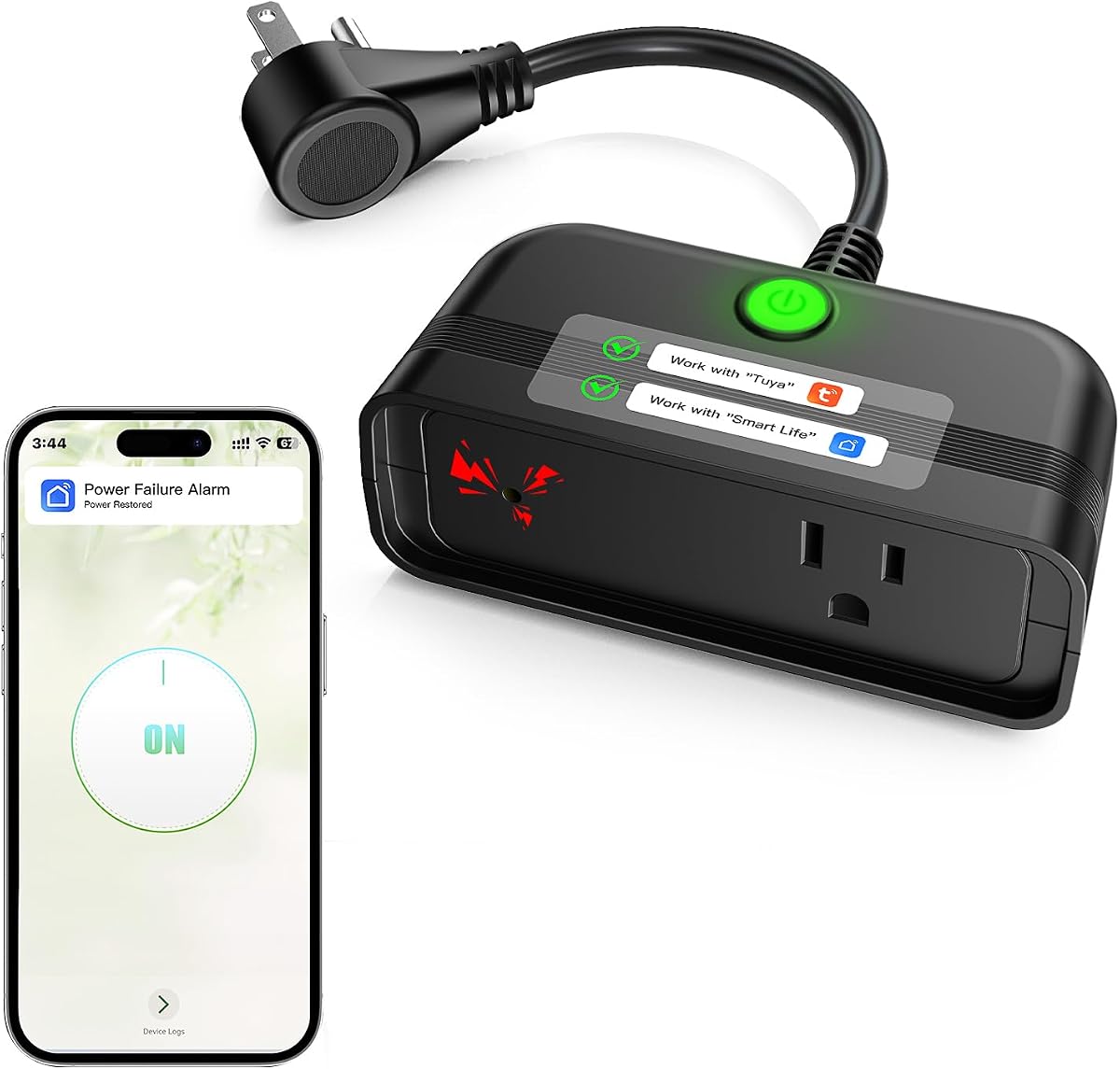
This weatherproof alarm is unique for monitoring outdoor assets like irrigation or lighting. Its design allows wall mounting, keeping it secure and tidy. The 110dB alarm ensures you hear it even with outdoor noise.
We may earn a commission when you buy through this link, at no additional cost to you.
The 12-hour battery ensures alerts continue during extended outages. It sends app notifications to your phone for remote monitoring. This is vital for preventing damage to pumps or pool systems.
Unlike indoor models, this lacks SMS or email without subscription. The setup requires following app instructions to connect via WiFi. Verify waterproof ratings before exposing it to heavy rain.
Ideal for anyone managing outdoor power-dependent equipment. It fills a niche for weather-resistant monitoring. Check compatibility with your outdoor power supply before installation.
The weatherproof design protects against elements. This ensures reliable performance in harsh outdoor conditions.
A built-in hole allows wall hanging easily. This prevents the device from sitting on wet or dirty floors.
We may earn a commission when you buy through this link, at no additional cost to you.
This device simplifies monitoring by eliminating the need for an app. It sends text or email notifications directly when power fails. The compact design fits any outlet without blocking space for other items.
We may earn a commission when you buy through this link, at no additional cost to you.
It works as a standalone monitor, even without connected equipment. This makes it versatile for monitoring a specific location like a workshop. The service team offers support for any technical issues you may encounter.
The 3.5 rating suggests some users found limitations in features. It lacks the adjustable alarm volume of competitors. Ensure you are comfortable with a simpler interface before choosing this option.
Best for those who prefer minimal app dependencies and ease of use. It provides essential alerts without complex configurations. Consider other options if you need louder local alarms.
No app required for initial configuration. This reduces barriers for users who dislike smart home apps.
It monitors power within the location independently. This allows you to track general power status anywhere.
We may earn a commission when you buy through this link, at no additional cost to you.
With a 4.5 star rating, this alarm is highly trusted for freezer protection. It alerts via app when power fails, preventing food spoilage. The extended socket lets you monitor another device simultaneously without clutter.
We may earn a commission when you buy through this link, at no additional cost to you.
The 110dB alarm with three volume settings ensures alerts are audible. Its 12-hour battery provides reliable backup during outages. This gives you peace of mind when traveling or away from home.
Text and email alerts require a subscription upgrade. Setup depends on downloading the correct app from the store. Users should ensure their phone is compatible with the required app version.
Ideal for households with deep freezers or refrigerators. It balances high ratings with practical features. Check subscription costs if you prefer text over app alerts.
Designed specifically to safeguard food in freezers. This minimizes waste and loss during unexpected outages.
The 4.5 rating reflects strong user trust. This suggests consistent performance in critical monitoring scenarios.
We may earn a commission when you buy through this link, at no additional cost to you.
This premium model offers dual warnings with a 110dB siren and LED. The 12-hour battery ensures alerts persist even after power loss. It requires no hub, connecting directly to your WiFi network easily.
We may earn a commission when you buy through this link, at no additional cost to you.
The LED visual warning adds a layer of safety for nearby people. It prevents alarm dismissal by requiring a manual reset. This ensures every outage is acknowledged properly by someone present.
Resetting manually can be a slight inconvenience after restoration. SMS and email notifications require a subscription fee. Ensure your router stays online to receive push notifications during outages.
Best for users wanting maximum security and alert redundancy. It balances local and remote notifications effectively. Check subscription details if text alerts are essential.
Combines audio and visual alerts for safety. This ensures you notice outages even in noisy environments.
Manual reset ensures alarms are not ignored. This adds accountability to your monitoring workflow.
We may earn a commission when you buy through this link, at no additional cost to you.
This alarm supports high power loads like furnaces and ovens up to 15A. It offers voltage monitoring to track electrical conditions. The 12-hour battery and LED flashes ensure alerts are noticed locally.
We may earn a commission when you buy through this link, at no additional cost to you.
Its design allows plugging devices directly into it without issues. The app sends real-time alerts for outages. This is crucial for critical devices like oxygen concentrators or humidifiers.
The manual cancel feature ensures you acknowledge alerts properly. SMS and email require a subscription fee. Ensure your router has a UPS to receive alerts during outages.
Ideal for high power equipment monitoring. It combines safety with practical socket design. Verify load limits before connecting large appliances.
Handles 15A current for heavy appliances. This prevents overload and extends monitoring versatility.
Real-time voltage monitoring detects issues early. This helps prevent damage from electrical fluctuations.
We may earn a commission when you buy through this link, at no additional cost to you.
Selecting the right device depends on your specific needs and technical setup. Consider these factors to find the perfect fit for your home or business.
Look for devices that offer SMS, email, or app notifications. SMS is most reliable if you lack mobile data during outages. Check if subscriptions are needed for text alerts.
A longer backup ensures alerts continue during extended outages. Many devices offer 12 hours, but some have up to five years. Consider how long you might be away from home.
Ensure your WiFi router matches the device's needs. Most require 2.4GHz networks. If your router is 5GHz only, you will need to change settings for compatibility.
A loud siren is vital if you are near the device. Look for 100dB to 110dB volume with adjustable settings. This ensures you hear it even if notifications are missed.
Some devices include an extended socket to plug in another appliance. This saves outlets and simplifies setup. Check if the design blocks adjacent sockets on the wall.
If monitoring outdoor equipment, choose a weatherproof model. Standard indoor devices may fail in rain. Look for outdoor-specific ratings to ensure durability.
Check compatibility with existing systems like Smart Life or Tuya. This lets you manage alerts within your current ecosystem. Ensure the app works with your smartphone OS.
Simple plug-and-play setup saves time and frustration. Devices requiring complex hubs might be difficult to install. Look for those with clear instructions and minimal steps.
Start by plugging the device into a reliable outlet. Connect it to your 2.4GHz WiFi network via the required app. Ensure you receive a test notification before relying on it.
Place the device near critical appliances like freezers or medical equipment. Ensure the alarm siren is audible from your main living area. If using an extended socket, plug your appliance into the device.
Test the battery by unplugging power briefly after setup. Verify that alerts trigger correctly. Periodically check that the device remains connected to your network and update the app as needed.
Yes, most include a backup battery to send alerts when power fails. The battery powers the alarm and connectivity for several hours. Ensure your router also has power to receive notifications.
Many budget models charge a fee for SMS or email. Some higher-end devices include direct SMS without subscription. Check the product description carefully before purchasing.
Most devices only support 2.4GHz WiFi, not 5GHz. You may need to configure your router to enable this band. Contact your ISP or router manual for assistance with settings.
Some allow remote silencing via app to prevent disturbances. Others require a manual button press to stop the alarm. Check if the model offers remote control features.
Battery backup varies from 12 hours to several years. Internal batteries may last five years but still need periodic checks. Always verify the exact duration in specs.
Some models come in 2-packs for multiple locations. Others have an extended socket for daisy-chaining a single device. Consider buying separate units for comprehensive coverage.
Many integrate with Smart Life or Tuya apps for unified control. Others are standalone without ecosystem dependencies. Choose based on your existing smart home setup.
Yes, these are designed for continuous monitoring. Ensure the outlet is protected by a surge protector if possible. Regularly check for any signs of overheating or damage.
We compared ten top devices ranging from budget apps to premium dual warnings. The Risinglink detector stands out for direct SMS without subscriptions. For those on a budget, the free app alarms offer solid protection.
Prioritize alert speed and battery life when making your choice. If you monitor outdoor equipment, weatherproof options are essential. Ensure your WiFi network supports the required 2.4GHz frequency.
Prices may change over time, so verify current deals before buying. Check for any hidden subscription fees that may affect long-term costs. These devices provide essential security for homes and businesses.