
OMTech K40+ 45W Desktop CO2 Laser Engraver & Cutter
4.4Editor score
45W laser power
Compact 12×8 workspace
Supports LightBurn software
This guide compares the top ten CO2 Laser Cutters for precision cutting and engraving across various budgets and project scales.
CO2 laser cutters offer powerful tools for crafting intricate designs on non-metal materials like wood and acrylic. Choosing the right machine depends on your workspace size and production needs.
We evaluated ten top models based on laser power, working area, safety features, and software compatibility. Our analysis highlights performance differences between entry-level and industrial machines.
Each pick details specific strengths and trade-offs to help you decide. Note that prices and availability change frequently so verify current offers before purchasing your equipment.
4.4Editor score

4.5Editor score

The following table provides a side-by-side comparison of specifications for all ten selected CO2 laser cutter models to assist with your selection process.



The xTool P3 80W stands out as a flagship model combining industrial-grade power with intelligent automation features for professional workflows.
We may earn a commission when you buy through this link, at no additional cost to you.
Its 80W laser power effortlessly cuts thick wood and acrylic while dual HD cameras ensure precision alignment for complex projects.
The automated creation system simplifies setup significantly though the cost may be higher than standard machines available in the market.
This machine is ideal for businesses needing high volume production with minimal manual intervention and safety compliance.
The ACS integrates LiDAR ranging and dual cameras to automate focus and positioning without user input.
Connect to conveyor feeders and rotary systems for unlimited length projects and high throughput capabilities.
We may earn a commission when you buy through this link, at no additional cost to you.
The OMTech K40+ 45W offers an accessible entry point for hobbyists needing reliable cutting and engraving on common materials.
We may earn a commission when you buy through this link, at no additional cost to you.
With upgraded 45W power it handles acrylic and wood efficiently while supporting popular software like LightBurn and LaserGRBL.
Its compact footprint fits easily in home workshops though large projects may require frequent material repositioning.
Choose this model for DIY tasks and small business starters looking for value without compromising basic performance.
Full support for LightBurn allows seamless control and precise execution whether you are a beginner or expert user.
Door interlocks and emergency stops prioritize user safety during operation with flame-retardant panels included.
We may earn a commission when you buy through this link, at no additional cost to you.
VEVOR 100W model provides a spacious workspace ideal for larger designs and batch production tasks without constant manual adjustments.
We may earn a commission when you buy through this link, at no additional cost to you.
It delivers up to 19.7 ips cutting speed on various non-metal materials and features a digital panel compatible with major software.
Pass-through doors accommodate long items but users should ensure adequate room around the machine for optimal airflow.
This cutter is suitable for growing businesses needing increased capacity while maintaining reasonable operational costs.
The 24×35 inch area offers generous room for diverse projects including large format engraving.
Intuitive digital interface works with Windows Linux and macOS for versatile file transfer and control.
We may earn a commission when you buy through this link, at no additional cost to you.
The OMTech Maker 90W bundles a water chiller for consistent cooling during extended engraving sessions to maintain performance stability.
We may earn a commission when you buy through this link, at no additional cost to you.
Its Yongli H2 tube delivers 90W of power for deep cuts on wood and acrylic while reducing heat stress on the machine.
Four-way pass-through doors allow easy handling of large items making it practical for various industrial applications.
Select this unit for commercial use where reliable cooling and high power are critical for daily operations.
The bundled water chiller keeps the laser tube cool during prolonged use extending its operational lifespan.
Flame retardant viewing window and automatic beam cutoff ensure safe operation during high power usage.
We may earn a commission when you buy through this link, at no additional cost to you.
The OMTech Maker 60W comes with LightBurn software and a water chiller to provide a complete setup out of the box.
We may earn a commission when you buy through this link, at no additional cost to you.
Its autofocus feature simplifies setup by automatically finding the right focal distance for different material thicknesses.
With a 20×28 workspace it handles standard projects efficiently while the air assist keeps lens clean and cuts sharp.
Ideal for makers seeking convenience and safety features without needing additional accessory purchases for basic use.
Adjust the bed height at the touch of a button and the preinstalled autofocus handles the rest.
Flame retardant windows and air assist ensure a clean and safe workspace for every project.
We may earn a commission when you buy through this link, at no additional cost to you.
This version of the OMTech K40+ emphasizes local care and global support with 2 years of comprehensive service for peace of mind.
We may earn a commission when you buy through this link, at no additional cost to you.
It delivers 300 mm/s engraving speeds ideal for complex designs and bulk orders while maintaining precision for DIY makers.
The compact 12×8 workspace suits smaller environments though optional rotary axes can expand creative potential.
Choose this model if reliable technical support and quick local service are priority factors for your purchase.
Expert assistance and local demos by appointment ensure you receive help wherever you are located.
Get more done in less time with speeds that meet needs of both small businesses and hobbyists.
We may earn a commission when you buy through this link, at no additional cost to you.
The OMTech Pronto 100W offers unmatched efficiency with speeds up to 39.4 ips to transform creative visions into reality quickly.
We may earn a commission when you buy through this link, at no additional cost to you.
Its 40×24 workspace accommodates large items and the autofocus technology ensures consistent results with minimal effort.
Powerful airflow systems reduce material burn and deliver clean cuts essential for professional finishing quality.
This unit suits high throughput industrial applications where speed and precision are paramount for competitive edge.
Experience revolutionary engraving speeds that are 37% faster than traditional models for rapid production.
Equipped with powerful air pumps your cuts will be precise and clean to reduce material burn.
We may earn a commission when you buy through this link, at no additional cost to you.
The OMTech Pronto 130W provides a massive 51×35 workspace and high power for engraving deep into various nonmetallic materials.
We may earn a commission when you buy through this link, at no additional cost to you.
With speeds up to 1000 mm/s it transforms artistic visions into realities that draw attention while maintaining consistent quality.
Autofocus technology simplifies setup and local support ensures peace of mind for any location globally.
Select this model for large-scale commercial projects demanding high capacity and robust performance capabilities.
24/7 global support team ensures you receive personalized care and technical guidance anytime.
High-performance laser tubes deliver power for up to 12000 hours of usage with extended lifespan.
We may earn a commission when you buy through this link, at no additional cost to you.
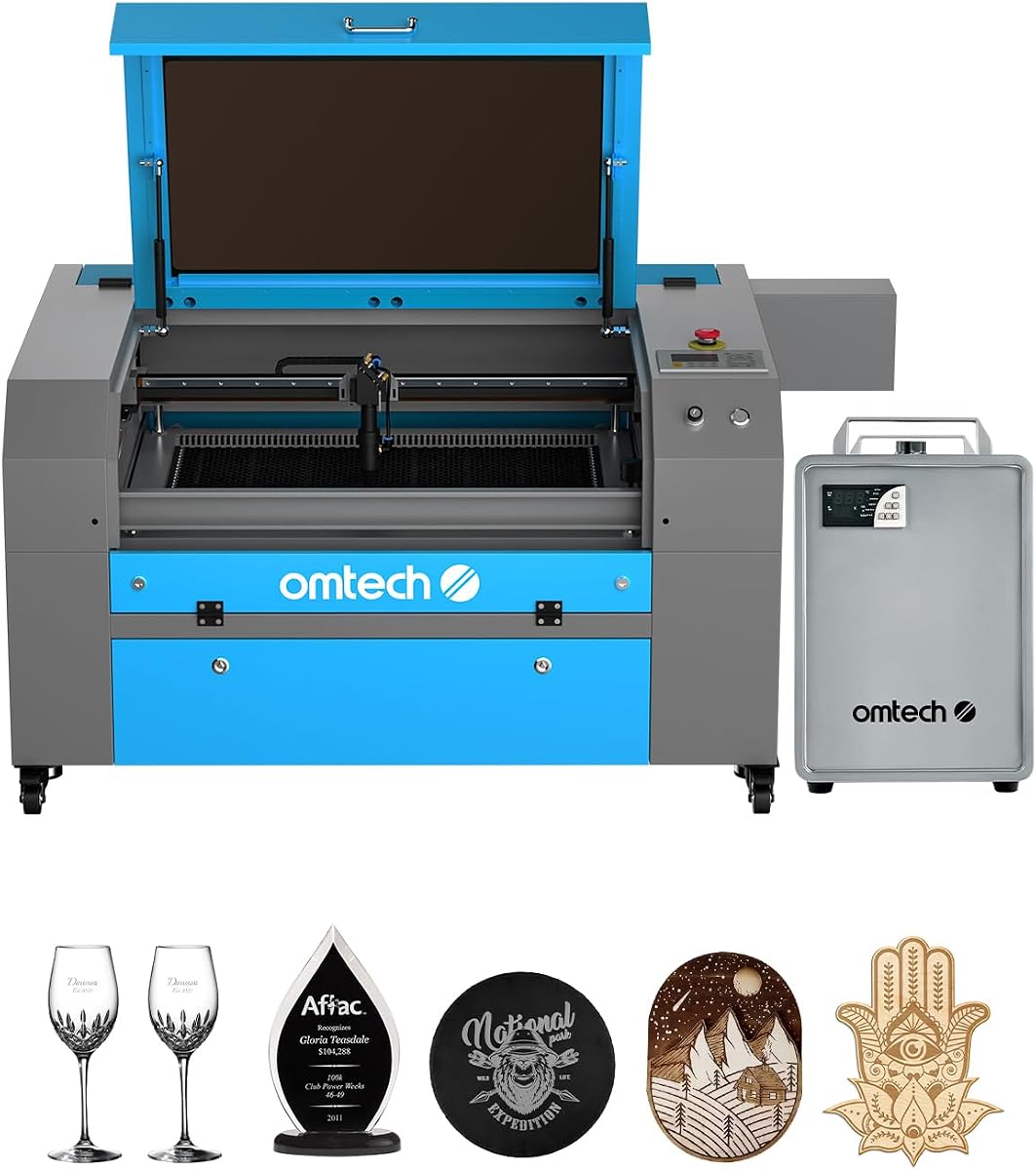
This OMTech K40+ model offers a compact desktop solution with safety compliance suitable for home office environments.
We may earn a commission when you buy through this link, at no additional cost to you.
While basic in features it provides reliable performance for smaller projects and entry-level users seeking value.
Safety features include door protection and emergency stops ensuring safe use without complex setup.
Consider this unit for occasional hobby work where space savings and safety are primary concerns.
Laser Class 2 safety compliance ensures safe operation during typical desktop usage environments.
Compact design allows easy integration into small workspaces without sacrificing essential capabilities.
We may earn a commission when you buy through this link, at no additional cost to you.
The OMTech Pro 130W stands as the premium industrial choice with built-in chiller and servo motors for precise rapid engraving.
We may earn a commission when you buy through this link, at no additional cost to you.
It handles professional needs within a massive 35×55 workspace and features futuristic design with tri-color status lights.
WiFi connectivity and touchscreen control simplify operation while pass-through doors accommodate larger materials easily.
This cutter is recommended for professional industrial users seeking top-tier performance and advanced automation features.
Upgraded ball-bearing guide rails and X and Y-axis servo motors ensure precise and rapid engraving.
Effortlessly control using Ruida touchscreen and enjoy WiFi connectivity for enhanced remote access.
We may earn a commission when you buy through this link, at no additional cost to you.
Selecting the ideal CO2 laser cutter involves weighing multiple factors to ensure the machine fits your specific workflow and production goals.
Laser power determines the thickness and density of materials you can cut effectively. Higher wattage allows for faster cutting speeds and deeper engraving on tough materials.
Look for power that matches your intended materials and avoid underpowered machines for thick production needs.
The working area defines the maximum size of materials you can engrave or cut in a single operation. Consider future projects when selecting size.
Ensure the bed dimensions fit your standard material sizes to avoid unnecessary repositioning or cutting limitations.
Safety features like interlocks emergency stops and proper ratings are vital for protecting users during operation. Class ratings define laser safety standards.
Prioritize machines with robust safety interlocks and emergency stop buttons to ensure a secure working environment.
Compatible software controls the machine and determines how easily you can import and edit designs. Check support for industry standards.
Choose units that support LightBurn or similar software to streamline your workflow and avoid compatibility issues.
Laser tubes require cooling to maintain performance and extend lifespan. Water chillers provide consistent temperature control during long runs.
Opt for machines with built-in or bundled chillers if you plan on extended engraving sessions regularly.
Automation like autofocus and cameras reduces setup time and human error. These features improve efficiency significantly.
Invest in models with autofocus or vision systems if you need high precision and rapid setup times.
Budget impacts which features you can access with high-end models offering automation and high power at premium prices.
Balance cost with essential needs to avoid overspending while ensuring the machine meets your production goals.
Manufacturer warranty and support teams ensure you get help when issues arise. Local or global support reduces downtime.
Check warranty terms and availability of technical support before purchasing to safeguard your investment.
Begin by preparing your design in compatible software and transferring it to the machine. Ensure file formats match the machine requirements.
Securely mount your material on the bed and adjust focus carefully. Always verify laser height and safety settings before starting.
Regularly clean lenses and mirrors to maintain optical clarity. Perform scheduled maintenance on cooling systems and rails for longevity.
CO2 laser cutters can cut wood acrylic leather fabric cardboard and many other non-metallic materials. Avoid cutting metals or PVC due to harmful fumes.
Clean lenses and mirrors regularly to ensure precision. Check alignment and lubricate guide rails periodically. Ensure cooling systems function correctly to protect the tube.
With proper ventilation and safety features like interlocks it is safe. Always keep safety goggles and ensure smoke extraction is adequate to protect health.
Autofocus automatically adjusts the beam height for different material thicknesses. This reduces manual setup time and ensures consistent focal distance for accurate cuts.
A water chiller keeps the laser tube cool to prevent overheating. It ensures stable performance and extends tube lifespan especially during prolonged usage.
Larger workspace allows bigger materials without moving them. Small areas fit on benches but limit project size. Choose based on your typical material dimensions.
LightBurn is popular for its ease of use and support. LaserGRBL offers free options for basic control. Ensure software matches machine firmware.
CO2 lasers make operational noise but generally less than mechanical printers. Cooling pumps and fans can add to the sound profile during active use.
The top picks including the xTool P3 80W and OMTech K40+ 45W cover a range of budgets and professional needs effectively.
Prioritize power and workspace size based on your typical material volume to ensure your machine meets your project scale.
Always verify current pricing and availability before purchasing since offers change frequently and models may update over time.