
Kingwin 80mm Silent Fan
4.5Editor score
Affordable silent operation
Universal 80mm fit
Optimized blade design
This guide compares the top ten exhaust fans for PC cases to help you find the right cooling solution for your build based on airflow and noise.
Finding the right exhaust fan for PC builds is essential for maintaining optimal system temperatures. Proper airflow ensures that heat generated by components dissipates efficiently. Without adequate ventilation your hardware can throttle performance or even suffer permanent damage over time.
We have evaluated ten highly rated options based on airflow performance noise levels and build quality. Our comparison focuses on practical features like bearing types PWM control and ease of installation. This list covers various sizes and price points to suit different budget and performance needs.
Each pick highlights specific strengths such as silent operation or high static pressure for radiators. You will find detailed breakdowns of technical specifications and real-world use cases. Keep in mind that availability and pricing can change so always verify current details before purchasing your next component.
4.5Editor score

4.8Editor score

4.7Editor score
The following table provides a side-by-side look at the key specifications and features of each top-rated exhaust fan for PC. Use this overview to quickly identify models that match your specific case size and cooling requirements.




The Noctua NF-P12 redux-1700 PWM stands out as the top choice for users seeking a balance of performance and silence. With a 4.8 rating from verified users it delivers consistent cooling without overwhelming noise. This fan is engineered for high static pressure making it ideal for radiators or dusty environments.
We may earn a commission when you buy through this link, at no additional cost to you.
Its pressure-optimised blade design ensures strong airflow even when pushing through dense heatsink fins. The 4-pin PWM interface allows automatic speed control based on system temperature. Users appreciate the 150000 hour MTTF which promises years of reliable operation without maintenance.
While it lacks the extra silicone mounts found in the premium line the redux version offers proven quality at a better value. The 1700 RPM speed provides ample airflow for most mid-tower cases. The trade-off is a simpler accessory package but performance remains unmatched in this class.
This fan is perfect for silent workstations or gaming rigs where noise matters. If you need a dependable exhaust that blends into any build without flashing lights this is the one. We recommend it for anyone prioritizing long-term reliability and quiet operation over RGB features.
The blade shape is optimized to push air through restricted spaces like radiators or dense filters.
Connects directly to motherboard headers for automatic speed adjustments based on real-time thermal loads.
We may earn a commission when you buy through this link, at no additional cost to you.
The Kingwin 80mm Silent Fan is an excellent choice for smaller cases or budget builds where space is limited. It receives a 4.5 rating for its ability to move air quietly within tight constraints. This fan is specifically designed for quiet operation making it suitable for office PCs and home servers.
We may earn a commission when you buy through this link, at no additional cost to you.
Its optimized blade design delivers efficient ventilation to reduce system heat buildup without excessive noise. The long life bearing ensures consistent performance over time. Users in mining rigs appreciate the durability and airflow consistency during high load operations.
The main limitation is the size as 80mm fans move less air than 120mm models. However for its price point it offers surprising performance and reliability. The simple black frame fits standard mounts easily without requiring extra tools or adapters.
Buy this if you need a replacement for an old small fan or need to cool a specific component. It is ideal for compact ITX builds or as an intake near drives. We suggest it for anyone looking for a no-frills reliable cooling solution at the lowest cost.
Fits into smaller slots on cases or CPU coolers where larger fans simply cannot be mounted.
A long life bearing ensures it keeps running quietly without needing frequent replacements or maintenance.
We may earn a commission when you buy through this link, at no additional cost to you.
The Thermalright 5 Pack TL-C12C-S offers a premium package for users wanting both performance and style. With a 4.7 rating it delivers strong cooling with soft ARGB lighting effects. The 4-pin PWM control and S-FDB bearings ensure stability and quiet operation even at higher speeds.
We may earn a commission when you buy through this link, at no additional cost to you.
Its high-brightness LED blades reflect light effectively for a smoother visual experience. The 55cm cable allows flexible routing across the case. The 1550 RPM speed provides significant airflow while keeping noise below 25.6 dBA. This makes it a strong fit for gaming rigs.
The main consideration is managing the extra cables and light controllers. However the price for five fans is very competitive. The S-FDB bearing solves blade shaking issues common in cheaper models. You get both silent cooling and visual flair in one bundle.
This pack is ideal for full tower cases needing multiple exhausts and fans. If you want a synchronized look across your setup without spending a fortune this is a smart choice. We recommend it for enthusiasts who value aesthetics alongside reliable thermal performance.
These bearings reduce blade vibration to minimize noise and increase the lifespan of the fan unit.
The LED blades create a soft glow that matches well with modern case lighting setups.
We may earn a commission when you buy through this link, at no additional cost to you.
This computer fan with AC Plug is designed for setups that need external power without motherboard control. It holds a 4.4 rating for its variable speed flexibility and direct outlet connectivity. The controller lets you adjust speed manually to balance noise and cooling needs on the fly.
We may earn a commission when you buy through this link, at no additional cost to you.
With 95.8 CFM airflow it moves substantial air through cabinets or server racks. The dual ball bearings ensure a 50000 hour lifespan. Its ability to handle 110V to 220V makes it versatile for different regions. This is excellent for ventilation in specialized enclosures.
The trade-off is needing a wall outlet nearby which limits placement. But for open cases or DIY builds this is often preferred. The noise stays under 41dB even at full speed. You gain direct control without relying on BIOS settings or system headers.
Purchase this for open bench tests or cases without headers. It is best for cooling small appliances or receivers alongside PCs. We suggest it for anyone needing a standalone fan that can be tuned quickly without software intervention.
A dedicated controller allows manual tuning without opening your PC case or accessing BIOS menus.
This fan handles 110V and 220V so it works internationally without extra adapters.
We may earn a commission when you buy through this link, at no additional cost to you.
The be quiet! Pure Wings 3 focuses on silent performance for users who prioritize silence above all. It earns a 4.7 rating for its ability to run at very low minimum RPM without noise. The 7 airflow-optimized blades reduce turbulence while maintaining strong airflow for demanding configs.
We may earn a commission when you buy through this link, at no additional cost to you.
The rifle bearing design guarantees an 80000 hour operating lifetime. This is ideal for workstations that run for long hours continuously. The optimized frame ensures peak performance on radiators or case exhausts. It is built to deliver German quality in every spin.
While it lacks RGB or advanced features it excels where it counts. The noise profile is extremely clean and steady. For those who want a no-gimmick silent solution this is the clear choice. You get reliable cooling without any distracting lights or extra software.
This fan suits professional workstations or quiet home offices. If your main goal is eliminating coil whine and fan drone this fits perfectly. We recommend it for users seeking proven silent engineering without paying premium brand costs.
The frame shape is engineered to reduce vibration and maximize performance on radiators.
The bearing technology ensures long life and minimal noise even under heavy continuous loads.
We may earn a commission when you buy through this link, at no additional cost to you.
The DARKROCK 3-Pack provides three 120mm fans in one purchase for full case coverage. With a 4.6 rating it offers good cooling with low noise via hydraulic bearings. Each fan features nine blades to reach 1200 RPM and includes soft silicone cushions for vibration absorption.
We may earn a commission when you buy through this link, at no additional cost to you.
The hydraulic bearing design allows stable rotation and extends service life up to 30000 hours. PBT material ensures heat resistance and durability over time. The silicone pads help keep the environment quiet even during high speed operation. This makes it great for budget builds.
The downside is simpler connectors and no included controllers. But you get consistent performance across all three units. The noise stays around 32.1 dBA which is very acceptable for most users. You can set up a balanced intake and exhaust easily.
Buy this if you need multiple fans without paying extra for each. It is ideal for standard cases needing full airflow coverage. We recommend it for builders wanting a solid value bundle with reliable performance and easy installation.
These bearings reduce friction to keep rotation smooth and extend the overall lifespan of the fan.
Soft silicone cushions absorb vibration at high speeds to keep noise levels low.
We may earn a commission when you buy through this link, at no additional cost to you.
The X1 USB Cooling Fan is perfect for portable cooling outside the case. With a 4.4 rating it delivers rapid cooling at only 18dB which is whisper quiet. It works with USB ports making it easy to use with mini PCs gaming consoles or streaming devices.
We may earn a commission when you buy through this link, at no additional cost to you.
This fan drops device temperatures by 20% quickly. The 9-blade design ensures airflow while keeping noise below library silence. Scratch-proof protection and shock pads make it safe for delicate surfaces. It fits tight spaces and avoids extra wires with a built-in cable.
The main limitation is it cannot be mounted inside a standard case. But for external devices this is a top choice. It handles routers or receivers that overheat without noise. The eco-friendly ABS build ensures long-term durability on desks.
Get this for cooling external boxes or laptops next to your PC. It is best for setups where you cannot open the case. We suggest it for anyone needing flexible silent cooling for digital electronics or mini systems.
Use any USB port or power bank to run it without needing a wall outlet or internal wiring.
At 18dB it runs quieter than most library sounds so it won’t disturb your work.
We may earn a commission when you buy through this link, at no additional cost to you.
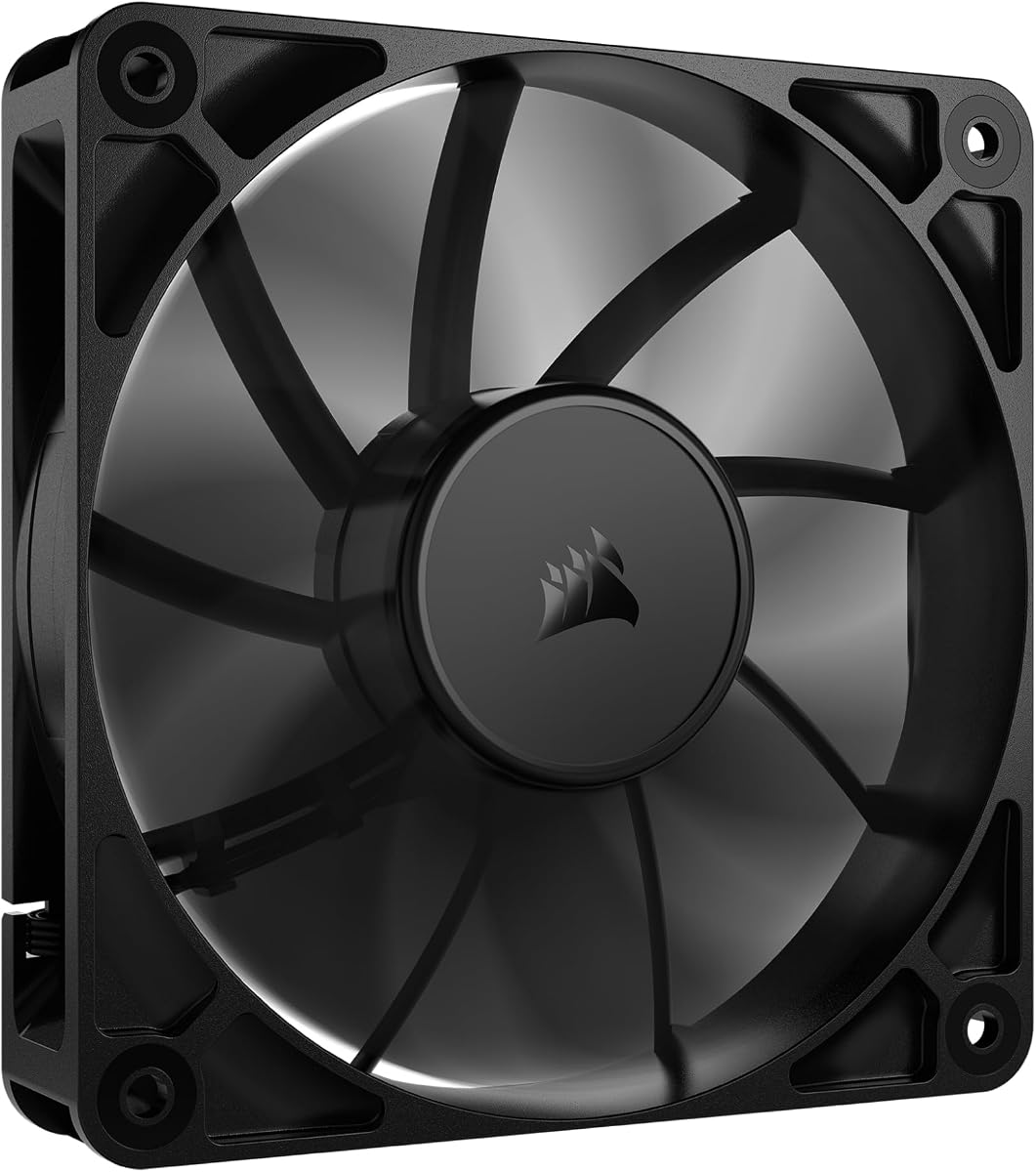
The CORSAIR RS120 stands out with daisy-chain connectivity for easy multi-fan setups. With a 4.6 rating it delivers high static pressure ideal for radiators. The magnetic dome bearing minimizes noise and friction for greater longevity. It supports speeds up to 2100 RPM for strong airflow.
We may earn a commission when you buy through this link, at no additional cost to you.
AirGuide technology directs airflow at components using anti-vortex vanes. This improves cooling efficiency where it matters most. The streamlined connection reduces cable clutter significantly. Users value the quiet operation despite high speeds and robust construction.
The trade-off is needing multiple units for full coverage which adds cost. But each unit performs exceptionally well under pressure. This fan is built for serious thermal management needs. The 72.8 CFM provides plenty of air for heavy workloads.
Choose this for liquid cooling loops or high heat builds. It suits users needing reliable performance with reduced cable complexity. We recommend it for advanced builders who want a cohesive fan network without clutter.
Link multiple fans to a single PWM connector to simplify routing and reduce motherboard header usage.
This bearing design lowers friction to extend life and reduce noise during high speed operation.
We may earn a commission when you buy through this link, at no additional cost to you.
The Wathai 12038 PWM delivers maximum airflow for projects needing extreme ventilation. With a 4.5 rating it moves 230 CFM at 5300 RPM. The dual ball bearings offer 67000 hours of lifespan. This thick 38mm design fits specific setups where others fail.
We may earn a commission when you buy through this link, at no additional cost to you.
Its high static pressure allows it to push through dense obstructions like filters. The 4PIN connector supports intelligent speed regulation via BIOS. Users in mining rigs appreciate the raw power for heat dissipation. The noise is higher but performance is unmatched.
The main trade-off is noise at full speed which can exceed 60dB. But you can throttle it via PWM for balanced use. This fan suits open frames or industrial cases where loudness is acceptable. The thick profile provides stronger airflow than thin units.
Buy this for miners or high-density server builds. It is best when maximum air volume is the top priority. We suggest it for users who need serious cooling and can handle the noise.
Moves massive amounts of air to cool heavy heat loads quickly even under resistance.
Enter BIOS to set trigger temperatures so fan speed adjusts automatically to thermal needs.
We may earn a commission when you buy through this link, at no additional cost to you.
The Thermalright TL-C12C-S X3 offers three fans with ARGB at a strong value. With a 4.7 rating it delivers silent cooling under 25.6 dBA. The high-brightness LED blades reflect light softly for perfect case matches. S-FDB bearings solve blade shaking for stable long-term use.
We may earn a commission when you buy through this link, at no additional cost to you.
Automatic speed control via 4PIN PWM ensures cooling matches motherboard temperature. The 55cm cable allows easy series control. Each fan reaches 1550 RPM for solid airflow. This is ideal for cases needing balanced cooling and aesthetic flair.
The trade-off is needing separate RGB control if your board lacks headers. But you get three units for the price of two elsewhere. The airflow of 66 CFM is higher than standard. You get a quiet reliable setup without extra cost.
Get this for multi-fan cases needing style and performance. It suits users wanting ARGB without premium pricing. We recommend it for gamers wanting a polished look with silent reliable cooling.
LED blades reflect light smoothly to create a softer visual effect than harsh lighting.
A 55cm cable allows connecting multiple fans easily for series PWM speed control.
We may earn a commission when you buy through this link, at no additional cost to you.
Selecting the right exhaust fan involves checking size bearing type and control options.
Ensure the fan matches your case mounts such as 120mm or 80mm. Mismatched sizes prevent installation and reduce airflow efficiency.
Check your case manual for supported sizes before purchasing to avoid fit issues.
Bearing types like fluid dynamic or ball bearings affect lifespan and noise. Fluid dynamic bearings offer silence while ball bearings offer durability.
Choose based on whether you prioritize quiet operation or years of continuous use.
PWM fans connect to 4-pin headers for automatic speed control. DC fans use 3-pin connectors and run at fixed speeds.
Use PWM for intelligent cooling that adjusts to system temperature and reduces noise.
High airflow moves more air for open cases while high static pressure pushes through radiators. Choose based on your build layout.
Use static pressure fans for radiators and airflow fans for case exhausts.
Noise is measured in decibels. Lower numbers mean quieter fans. Aim for under 30dB for silent builds.
Check dB ratings in specs to ensure the fan matches your noise tolerance.
RGB fans add visual appeal but may need extra controllers. Non-RGB fans are simpler and cheaper.
Decide if lighting matters more than cost and simplicity.
Multi-packs offer better value for multiple fans. Single units suit small upgrades.
Buy in packs if you need full case coverage to save money.
Check MTTF ratings and warranty terms. Higher MTTF means longer expected lifespan.
Choose brands with solid support for long-term reliability.
Connect the fan to the 4-pin PWM header on your motherboard. This allows automatic speed control based on thermal loads and reduces noise.
Position the exhaust fan at the rear or top of your case to pull hot air out. Maintain a slight positive pressure with more intake than exhaust.
Clean dust regularly from the fan blades and filters. Dust buildup can imbalance fans and cause rattling or increased noise levels.
The most common size is 120mm for standard cases. Smaller 80mm fans are used in compact builds. Larger 140mm fans reduce noise by spinning slower but may not fit all cases.
PWM is better because it allows automatic speed adjustment via motherboard settings. This keeps noise low during idle and ramps up only when cooling is needed.
One rear exhaust is standard for most builds. High-performance systems may use a second exhaust at the top to assist with GPU or CPU heat removal.
Fluid Dynamic Bearings (FDB) and Ceramic bearings often last the longest. Ball bearings are durable for continuous high speed but may be louder.
Higher speeds increase air turbulence and vibration. This is normal but you can reduce noise by adjusting the PWM curve in BIOS to lower RPMs when cooling demand is low.
Yes and it is common to have more intake fans than exhaust for positive pressure. This prevents dust from entering through unfiltered case gaps.
RGB lighting adds minimal weight but does not change airflow or noise. Choose based on aesthetics since performance depends mostly on blade design and motor speed.
Power down and unplug your PC. Use compressed air to blow dust from the blades. Avoid spinning the blades with air as it may damage the motor bearings.
We covered ten top-rated exhaust fans for PC ranging from silent options to high performance. Each offers unique benefits depending on your build needs and budget.
Prioritize bearing type and PWM control for reliability. Consider whether you need extra features like ARGB or high CFM based on your setup.
Always check current prices and availability before purchasing as deals change often. Select the one that balances performance noise and value best.