
TP-Link AXE5400 Tri-Band
4.3Editor score
6 GHz band for near-zero latency
Tri-Band WiFi 6E support
EasyMesh-compatible for range
This guide compares the top low latency WiFi routers for gaming and streaming, evaluating speed, coverage, and features to help you choose the best network
Finding a router that minimizes lag is crucial for modern gaming and video calls. Low latency ensures your actions are transmitted instantly without frustrating delays. We analyzed the latest models to identify top performers that deliver smooth connectivity.
We evaluated each router based on Wi-Fi standards, processor power, and antenna design. Our comparison focuses on real-world performance metrics that matter most to gamers and streamers. This list covers diverse options to fit different home network needs.
Each pick highlights key strengths and potential trade-offs for informed decisions. We included detailed specs and user feedback to guide your selection process. Please note that availability and features may change over time as models update.
4.3Editor score

4.6Editor score
4.3Editor score
This side-by-side comparison highlights the technical specifications and unique features of each router to help you find the perfect match for your network requirements.
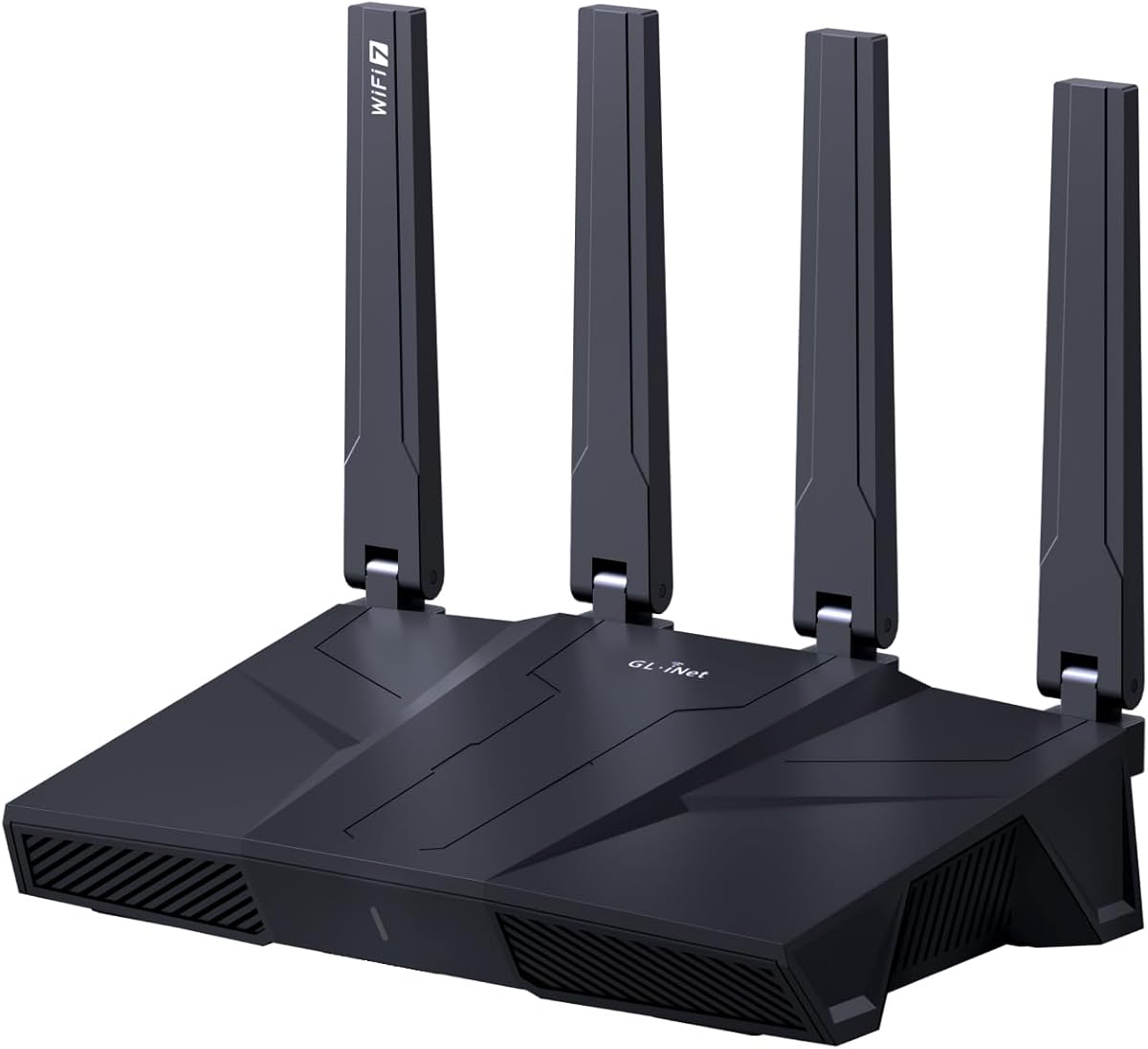



The GL.iNet GL-MT6000 Flint 2 stands out as a top choice for minimizing lag. It earned a high rating for its ability to handle streaming and gaming simultaneously without interruption. The Wi-Fi 6 standard ensures fast throughput across your network.
We may earn a commission when you buy through this link, at no additional cost to you.
Its dual 2.5G ports provide massive bandwidth for wired connections. The router supports OpenVPN and WireGuard with impressive speeds up to 900 Mbps. This is perfect for users who need secure connections without sacrificing performance.
Some users noted that initial setup requires a firmware update for best performance. While the web admin panel is accessible via Ethernet, the interface might be less intuitive than consumer brands. However, this power is worth the effort for DIY users.
Buy this if you want a router that balances raw speed with security features. It is ideal for households with many connected devices or those who run VPNs frequently. The stable connections make it reliable for critical gaming sessions.
This model uses 8-stream Wi-Fi 6 to deliver blazing speeds. This architecture reduces congestion and ensures your packets move quickly to the server.
With higher storage capacity it caters to over a hundred devices. This prevents bottlenecks when multiple users stream video or game at once.
We may earn a commission when you buy through this link, at no additional cost to you.
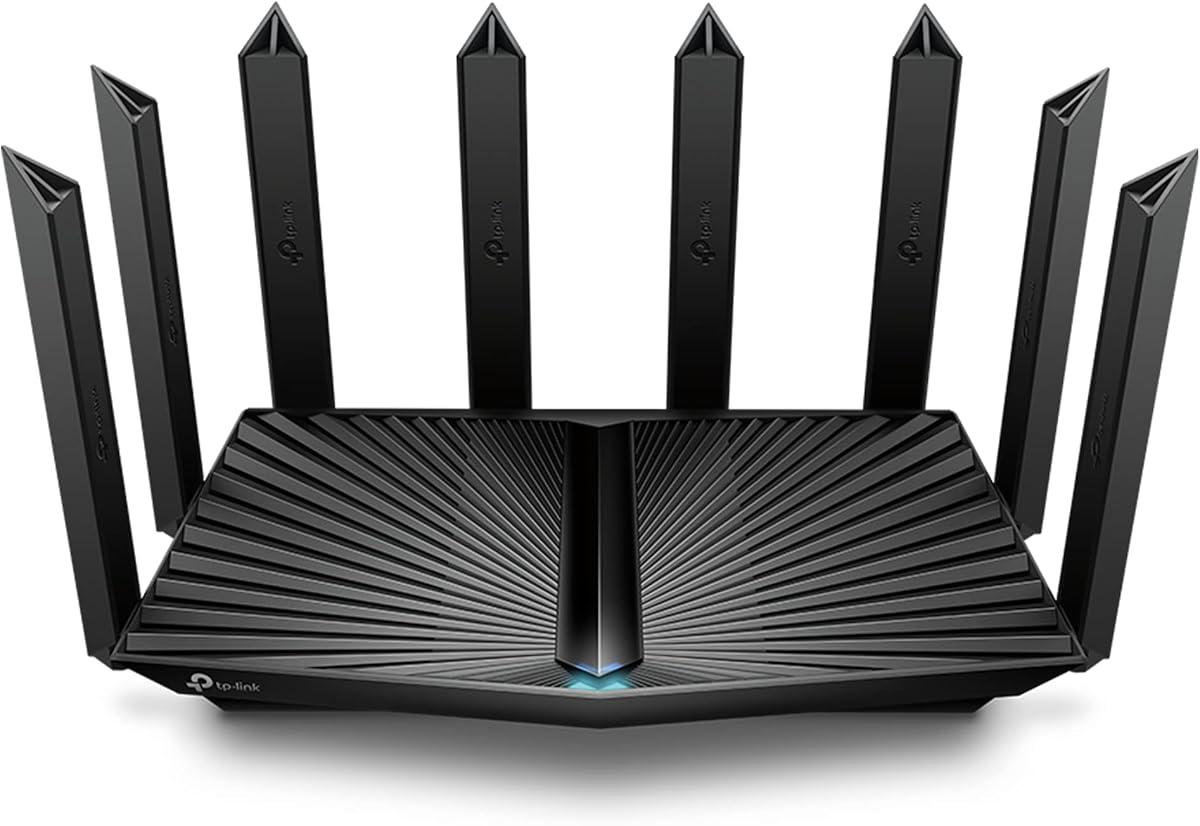
The TP-Link AXE5400 offers a budget-friendly entry into Wi-Fi 6E technology. Its 6 GHz band brings near-zero latency for responsive gaming and video chatting. This makes it a strong contender for affordable high-performance networking.
We may earn a commission when you buy through this link, at no additional cost to you.
It supports True Tri-Band and OFDMA to increase capacity by four times. This means more devices can connect simultaneously without slowing down your network. The unique housing design also helps with heat dissipation for long-term reliability.
While the price is attractive, you need devices that support 6 GHz to get full benefits. You may also need to set a modem to bridge mode depending on your ISP. These minor steps ensure the router performs at its best speed.
Choose this if you want the latest tech without breaking the bank. It suits small to medium homes looking to upgrade from older standards. The ability to extend with EasyMesh adds flexibility for larger spaces.
The 6 GHz band brings more bandwidth and faster speeds. It enables more responsive gaming by reducing interference from older signals.
EasyMesh compatibility lets you add extenders to eliminate dead zones. This ensures you stay connected lag-free as you move across your home.
We may earn a commission when you buy through this link, at no additional cost to you.
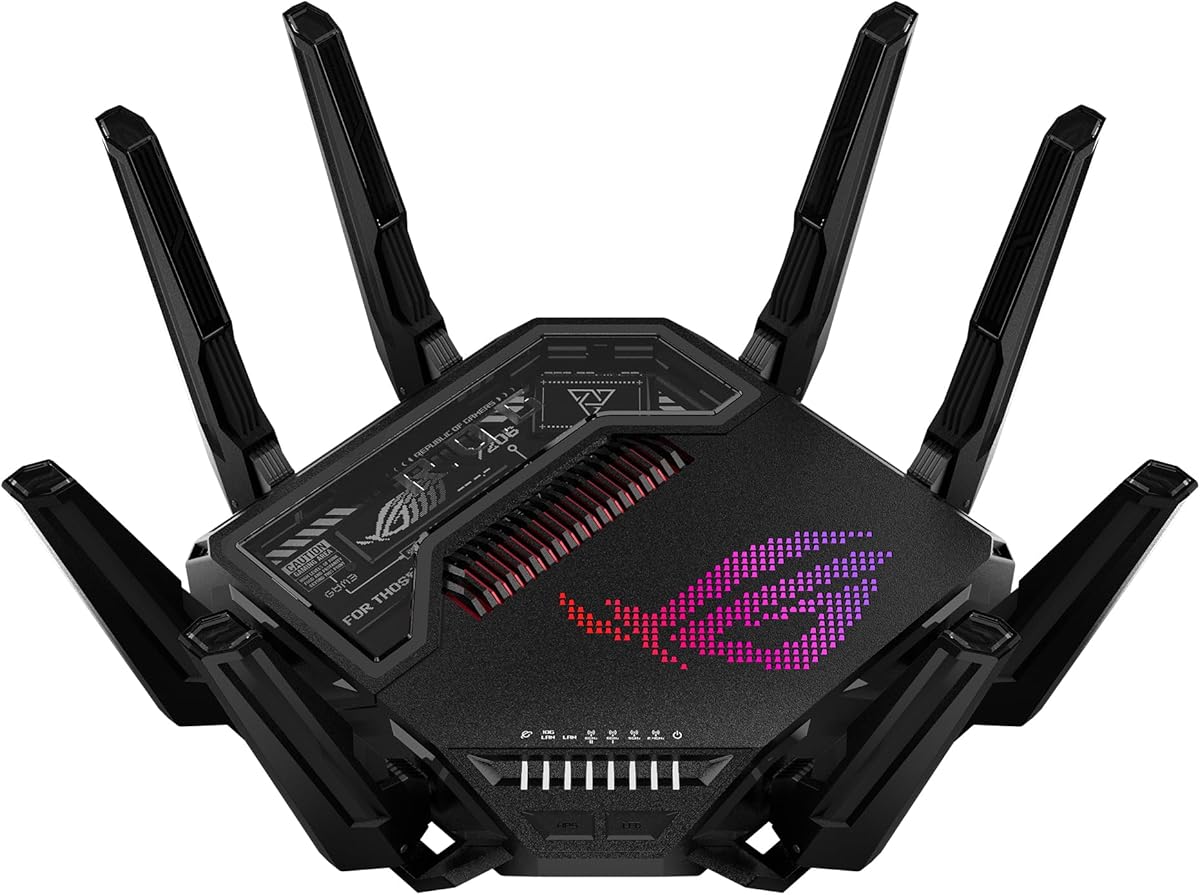
The ASUS ROG Rapture GT-BE98 Pro is an absolute powerhouse for serious gamers. It pushes speeds up to 30 Gbps with Wi-Fi 7 and 320MHz channels. This hardware ensures that lag is virtually eliminated even in dense networks.
We may earn a commission when you buy through this link, at no additional cost to you.
It features Triple-Level Game Acceleration that boosts traffic every step to the server. The dual 10G ports allow wired devices to use full multi-gig speeds without throttling. External antennas also enhance signal strength significantly.
The premium price might be hard to justify for casual users. It is also packed with features that require technical knowledge to fully utilize. However, the performance gains are unmatched for competitive gaming environments.
This router is for those who demand the absolute best performance available. If you have a high-speed internet plan and high-end devices it maximizes that investment. The reliability and speed make it a top choice for enthusiasts.
New 320MHz channels in the 6 GHz band increase capacity. This significantly increases network throughput for your fastest devices.
With dual 10G and quad 2.5G ports you get wired speed. This ensures your PC gaming traffic always has a clear path.
We may earn a commission when you buy through this link, at no additional cost to you.
The NETGEAR Nighthawk WiFi 7 delivers fast and reliable coverage for large spaces. It offers up to 9.3 Gbps across three bands ensuring your home stays connected. The dedicated 6 GHz band gives your fastest devices their own lane.
We may earn a commission when you buy through this link, at no additional cost to you.
It includes a 2.5 Gig WAN port to unlock multi-gig internet plans. The Nighthawk app makes setup easy so you can manage devices from anywhere. This convenience is great for non-technical users who want high performance.
While the coverage is strong larger or multi-story homes may still need a mesh system. The price reflects its high-end capabilities but is justified by the speed. Security features like Armor are added to keep your data safe.
Buy this if you want a powerful router that is easy to manage. It suits homes with many devices and high-speed internet needs. The reliability ensures you maintain smooth connections even during heavy usage.
A dedicated third high-speed band handles demanding devices. This keeps up as your connected home grows with smart home gear.
The free Nighthawk app allows you to pause devices easily. You can run speed tests or set guest networks from anywhere.
We may earn a commission when you buy through this link, at no additional cost to you.
The NETGEAR Nighthawk RS90 brings Wi-Fi 7 technology at a more accessible price. It delivers up to 3.6 Gbps which is significantly faster than older models. This makes it a great upgrade for homes needing better performance without top-tier cost.
We may earn a commission when you buy through this link, at no additional cost to you.
It supports up to 50 devices simultaneously with MU-MIMO and OFDMA. The 2.5 Gig WAN port ensures your wired connections keep up with your plan. Security features are enabled out of the box to protect your family.
Since it is dual-band it may have slightly less capacity than tri-band models. Larger homes might also benefit from the Orbi mesh system for full coverage. However for average homes it delivers strong reliability and speed.
Choose this if you want Wi-Fi 7 benefits without the highest price tag. It fits well with existing modems and offers easy management. The app allows you to control your network effectively from your phone.
This router is 1.2x faster than WiFi 6 across two bands. MU-MIMO and OFDMA let multiple devices send data simultaneously.
NETGEAR Armor adds a layer of protection for every device. It guards against hackers and malware at home or on the go.
We may earn a commission when you buy through this link, at no additional cost to you.
The TP-Link Archer BE230 is a solid entry point into Wi-Fi 7 networking. It delivers faster speeds with Multi-Link Operation and 4K QAM. This makes it future-proof for upcoming smart home and gaming needs.
We may earn a commission when you buy through this link, at no additional cost to you.
It includes two 2.5G ports for maxing out gigabit plus internet plans. The processor handles high throughput with minimal latency even during heavy transmissions. Voice control adds convenience for smart home routines.
This router does not support the 6 GHz band as it is dual-band only. For most users this is acceptable but power users may want more spectrum. The price remains reasonable for the features offered here.
Buy this if you want a reliable router that can handle modern traffic. It is great for users who want to upgrade from older standards easily. The support for EasyMesh helps extend your network range when needed.
Powered by Wi-Fi 7 technology enjoy faster speeds and reliability. 4K-QAM delivers enhanced performance for all your connected devices.
Maximize Gigabit plus internet with 2.5G WAN and LAN ports. Break the 1G barrier for seamless high-speed connectivity.
We may earn a commission when you buy through this link, at no additional cost to you.
The GL.iNet GL-BE6500 Flint 3e combines security with ultra-low latency Wi-Fi 7. It supports OpenVPN and WireGuard speeds up to 1100 Mbps which is exceptional. This makes it perfect for privacy-focused gamers who need speed.
We may earn a commission when you buy through this link, at no additional cost to you.
It covers up to 2500 square feet with reliable signal strength. AdGuard Home is supported to filter digital ads and block tracking easily. Parents can use integrated Bark tools to manage screen time safely.
The setup process involves following a video tutorial or using Ethernet. Users might find the admin panel more technical than standard routers. However the security features and performance justify the extra effort for power users.
Choose this if you prioritize security alongside network speed and stability. It fits well for households that need strong filtering or parental controls. The reliability ensures you enjoy a clutter-free browsing environment at home.
Wireguard and OpenVPN deliver up to 1100 Mbps speeds. You get complete control over your gaming and streaming bandwidth securely.
This model uses MLO and 4K-QAM for reduced latency. It improves connectivity in high-density environments with innovation.
We may earn a commission when you buy through this link, at no additional cost to you.
The GL.iNet GL-BE9300 Flint 3 offers tri-band Wi-Fi 7 with impressive speeds. It delivers up to 9 Gbps for smoother 8K streaming and gaming. The MLO technology significantly reduces latency for responsive connections.
We may earn a commission when you buy through this link, at no additional cost to you.
It features five 2.5G ports which is rare in most routers. This allows multiple wired devices to maintain high-speed connections simultaneously. Users can also install plugins to customize their network experience further.
Connecting for the first time requires an Ethernet cable to access the panel. You must update the firmware to get the best performance from the device. These steps ensure the router performs reliably and securely for all users.
Buy this if you need extensive wired connectivity and tri-band wireless power. It is great for homes with many smart devices and high bandwidth needs. The stability supports a wide range of digital needs effectively.
This router delivers ultra-fast speeds with MLO innovation. It improves connectivity in high-density environments significantly.
Experience seamless Wi-Fi coverage across up to 2000 sq ft. This delivers strong signal strength for modern connectivity.
We may earn a commission when you buy through this link, at no additional cost to you.
The TP-Link AX6000 AX80 provides strong performance with Wi-Fi 6 technology. It supports up to 4804 Mbps on 5 GHz for fast speeds. MU-MIMO and OFDMA boost efficiency to connect more devices with lower latency.
We may earn a commission when you buy through this link, at no additional cost to you.
Its 2.5G Multi-Gigabit port ensures you do not bottleneck your internet. Eight high-gain antennas with beamforming ensure vast coverage throughout your home. Security features via HomeShield keep your network safe from threats.
While it lacks Wi-Fi 7 it is still a robust choice for most homes. You can expand coverage using OneMesh compatible extenders easily. The price is reasonable for the range of features it offers here.
Choose this if you want proven reliability and future-proofed wired connections. It suits homes that need strong coverage and security features. The support for OneMesh adds value for expanding your network later.
OFDMA enables sharing a single data stream between multiple devices. This further enhances the efficiency of each data stream.
Eight high-gain antennas equipped with beamforming ensure vast coverage. This reaches even further across your home efficiently.
We may earn a commission when you buy through this link, at no additional cost to you.
The ASUS ROG Rapture GT-AXE11000 is one of the first tri-band Wi-Fi 6E routers. It boosts speeds up to 11 Gbps using the wider 6GHz channels. This leads to higher performance and less interference for your gaming.
We may earn a commission when you buy through this link, at no additional cost to you.
A 2.5G LAN/WAN port gives all traffic through it top priority. The quad-core CPU processor and optimized antenna design bring computational capability to the next level. This ensures your game traffic gets accelerated every step of the way.
While Wi-Fi 7 is newer this model still delivers excellent speeds. The price might be hard to justify unless you need the specific features. It suits users who want a robust dedicated gaming environment at home.
Buy this if you need a dedicated gaming router with strong wired options. It fits well for serious players who need stable low latency links. The engine guarantees you get maximum performance from your connection.
6GHz spectrum available offers wider channels and higher capacity. This delivers higher performance and less interference effectively.
Triple-level Game Acceleration accelerates game traffic every step. From device to game server this keeps your link clear.
We may earn a commission when you buy through this link, at no additional cost to you.
Choosing a router for low latency involves understanding key specs that impact speed and stability.
Wi-Fi 7 and Wi-Fi 6E offer the lowest latency due to newer protocols and wider channels. These standards reduce interference and improve throughput significantly for real-time applications.
Look for routers explicitly mentioning ultra-low latency or newer standards for best results.
A powerful CPU and ample RAM help process data quickly without bottlenecks. This prevents lag when many devices are active at the same time.
Ensure the router has a high-speed multi-core processor for stable performance.
Ethernet ports like 2.5G or 10G allow for faster connections to gaming rigs. Wired connections generally offer lower latency than wireless for critical devices.
Check that the WAN and LAN ports support your internet plan speeds.
Tri-band routers with 6 GHz support provide dedicated lanes for high-speed traffic. This reduces congestion and keeps latency low during peak hours.
Choose a router with 6 GHz if your devices support it for best performance.
Strong signal strength across your home prevents packet loss and retransmissions. Look for models with beamforming and multiple antennas for better range.
Consider mesh systems if you need to cover a large area seamlessly.
Quality of Service settings prioritize traffic like gaming over other downloads. This ensures your packets get sent first for a smoother experience.
Select a router with specific game modes to optimize traffic flow effectively.
Built-in security prevents malware from slowing down your network. Protection against intruders keeps your connection stable and private.
Look for models with automatic firmware updates and firewall protection.
User-friendly apps and guides help you configure your network quickly. Complex setups can lead to misconfigurations that affect latency.
Prioritize routers with intuitive mobile apps for easier management.
Place your router in a central elevated location to maximize signal coverage. Avoid placing it inside cabinets or near thick walls that block signals.
Run a firmware update immediately after setup to ensure the latest performance patches are applied. Check for new updates regularly to maintain optimal speed.
Use wired Ethernet cables for stationary gaming devices to reduce latency further. This minimizes interference and provides a direct stable connection to the internet.
Low latency refers to the delay between sending a data packet and receiving it. In gaming it means your commands reach the server faster for a responsive experience. This is critical for avoiding lag spikes during play.
You can reduce latency by using a modern router like Wi-Fi 7 or 6E. Prioritize gaming traffic with QoS settings and connect devices via Ethernet when possible. Ensure your firmware is always updated.
Yes Wi-Fi 7 supports MLO and wider channels which significantly lower latency. It reduces congestion and handles multiple streams better than older standards. For serious gaming it offers the best performance available.
A mesh system can help if your home is large or has dead zones. It ensures your devices stay connected to a strong signal which reduces latency. For small homes a single powerful router is usually enough.
The 6 GHz band has less interference from older devices. This provides a clear path for data so your packets move faster. It is ideal for high-speed applications like gaming.
A new router can improve speed if your old one is outdated. It ensures your local network is not the bottleneck. However check your internet plan first to see if the connection itself is slow.
MLO allows devices to connect to multiple bands at once for reliability. This helps maintain stable connections and reduces latency in busy networks. It is a key feature in Wi-Fi 7 routers.
Gaming routers often have better QoS and hardware for stable speeds. If you play competitive games they can be worth the investment. For casual users a standard modern router may suffice.
The top picks like the GL.iNet Flint 2 and TP-Link AXE5400 offer excellent value for low latency needs. Each router brings unique strengths from VPN speeds to tri-band power.
Prioritize Wi-Fi standards and port speeds that match your internet plan for best results. Consider mesh options if you need whole-home coverage without dead spots.
Remember that technology evolves quickly so always check current models and specs before buying. Your ideal router will depend on your specific home layout and usage habits.