
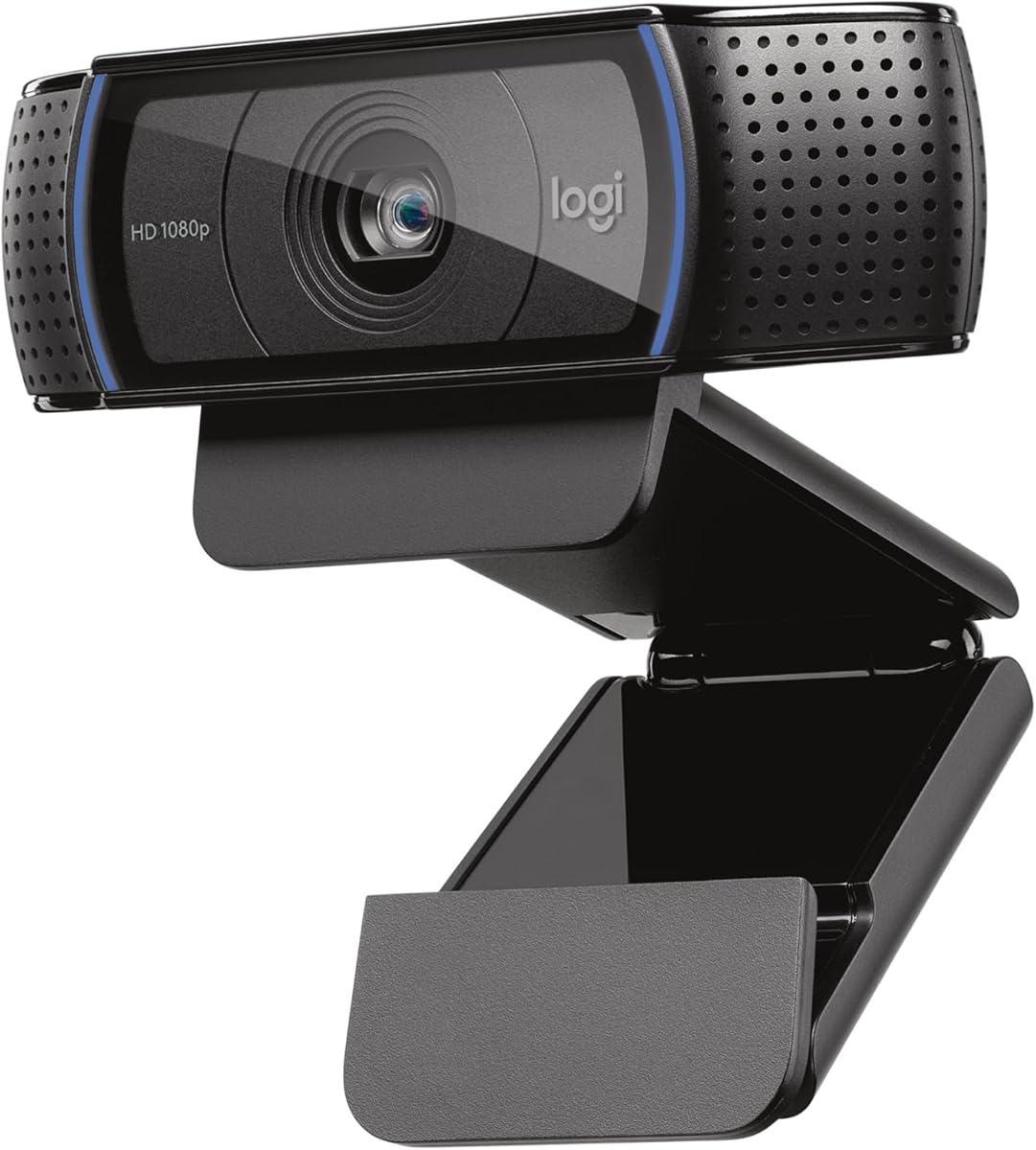
Logitech BCC950
4.3Editor score
HD 1080p video
Full duplex speakerphone
Plug and play USB
Discover the top Logitech conference cameras for every room size. This guide compares video quality, audio range, and features to help you choose the perfect
Choosing the right video conferencing tool is critical for modern businesses. A high-quality camera ensures clear visuals and smooth communication. Logitech offers a wide range of solutions for huddle rooms to large boardrooms.
We evaluated ten top models based on video resolution, audio clarity, and ease of use. Each product was analyzed for compatibility with popular platforms like Zoom and Teams. Our goal is to help you find the best fit for your space.
Each pick highlights specific strengths and ideal use cases. You will find options for budget needs and premium setups. Please note that prices and availability can change frequently online.
4.3Editor score

4.3Editor score

4.2Editor score
This side-by-side comparison highlights key specifications across all ten models. Review video resolution, audio capabilities, and unique features to determine which camera meets your specific conferencing needs effectively.




The Logitech MeetUp is a top-tier video conferencing system designed for huddle and small rooms. It features an Ultra HD 4K sensor and captures clarity with a wide field of view. This device ensures participants are seen clearly during meetings.
We may earn a commission when you buy through this link, at no additional cost to you.
Its beamforming microphones capture voices up to four meters away, offering excellent audio clarity. The motorized pan and tilt function expands the field of view significantly. You can connect it to a mini PC for room solutions like Microsoft Teams Rooms.
While it lacks an included expansion microphone, the base unit delivers strong performance. The plug and play BYOD connectivity makes it versatile for various setups. Managing devices through Sync adds value for larger deployments.
This camera is ideal for businesses needing high-quality video in small spaces. Its robust feature set justifies the investment for professional environments. Consider it if you want reliable performance and room solution compatibility.
The 4K sensor ensures every detail is captured accurately during presentations.
Connect easily to existing infrastructure for seamless conferencing experiences.
We may earn a commission when you buy through this link, at no additional cost to you.
The Logitech BCC950 combines HD video with high-quality audio clarity for business-grade video conferencing. It features a Carl Zeiss lens for sharp 1080p HD video. The built-in speakerphone and microphone allow clear hearing up to eight feet away.
We may earn a commission when you buy through this link, at no additional cost to you.
This model is optimized for Microsoft Lync and certified for Skype for Business. The full duplex speakerphone ensures natural conversations without echo. Remote control and base button options give you easy control over calls.
It may lack modern 4K resolution but delivers solid performance for its price. The noise-cancelling microphone enhances audio quality in noisy environments. Compatibility with various apps makes it a versatile choice for offices.
Choose this camera if you need a reliable desktop solution without breaking the bank. It suits small meetings where audio and video clarity are paramount. A solid option for cost-conscious businesses.
Simplify your setup with a single device handling both audio and video.
Built-in speakerphone ensures clear communication for all meeting members.
We may earn a commission when you buy through this link, at no additional cost to you.
The Logitech PTZ Pro 2 is ideal for conference rooms and large events. It delivers brilliantly sharp image resolution and exceptional optical accuracy. The enhanced pan tilt and zoom motor performance ensure smooth transitions between presets.
We may earn a commission when you buy through this link, at no additional cost to you.
Its wide field of view makes it easy to see everyone clearly during meetings. Advanced camera technology frees up bandwidth by processing video within the device. This results in a smoother video stream for applications like Skype for Business.
You need to pair it with external audio for a complete solution. The high optical zoom allows detailed views of objects or whiteboards. It is designed for professional video applications where quality is non-negotiable.
This camera is perfect for large training environments or boardrooms. Its focus on optical precision and bandwidth efficiency stands out. Consider it for professional setups requiring detailed visual clarity.
Exceptional optical accuracy ensures crisp images even at high zoom levels.
On-device processing reduces bandwidth usage for smoother streaming.
We may earn a commission when you buy through this link, at no additional cost to you.
The renewed Logitech MeetUp offers an all-in-one conference camera for small meeting rooms. It provides Ultra Wide 120-degree field of view to capture everyone. The 4K Ultra HD video quality ensures crisp output with 5x HD zoom.
We may earn a commission when you buy through this link, at no additional cost to you.
Built-in custom-tuned speakers and beamforming mics deliver crystal-clear conversations. You can connect your smartphone via Bluetooth for wireless audio conferencing. The certified renewed quality offers excellent value with sustainable impact.
As a renewed product, warranty terms may differ from new units. The Bluetooth feature adds flexibility but relies on external device connectivity. It maintains the core strengths of the original model at a lower price.
This is a smart choice for eco-conscious buyers seeking high performance. It works seamlessly with platforms like Zoom and Microsoft Teams. A great way to access premium features affordably.
Certified Renewed Quality ensures quality while reducing environmental impact.
Connect smartphones via Bluetooth for added conferencing versatility.
We may earn a commission when you buy through this link, at no additional cost to you.
The Logitech Rally Plus is designed for professional video conferencing needs. It delivers studio-quality video with a sleek black style. The system includes a White Mic Pod to ensure comprehensive audio coverage.
We may earn a commission when you buy through this link, at no additional cost to you.
This equipment bundle is part of a larger ecosystem for enterprise deployments. The professional style fits well in modern office environments. It is built to support high-demand conferencing scenarios effectively.
The setup may require additional components like a base or mount. It is not a simple plug-and-play camera but a full system. However, the video quality and flexibility are unmatched in its class.
Choose this if you are building a full conference room system. It offers the scalability needed for large enterprises. A top-tier choice for those prioritizing performance over ease of use.
Sleek styling that complements modern office aesthetics perfectly.
The White Mic Pod ensures every voice is captured clearly.
We may earn a commission when you buy through this link, at no additional cost to you.
The Logitech Group bundle is a complete audio video conferencing solution for big rooms. It includes an HD video camera, speakerphone, and expansion mics. Optimized for up to 20 participants, it covers large group conferences well.
We may earn a commission when you buy through this link, at no additional cost to you.
Razor sharp video with HD 1080p and autofocus ensures clear visuals. The premium Zeiss-certified optics add to the image quality. Business grade speakerphone and expansion mics allow clear hearing around the table.
Setting up expansion mics adds complexity compared to standalone units. It is designed for larger spaces where audio range is critical. Compatibility with Mac and PC makes it a versatile choice for diverse IT environments.
This bundle is ideal for large conference rooms needing reliable audio. The wide field of view captures everyone effectively. A robust solution for enterprise-sized meetings.
Add expansion mics to cover larger areas without losing clarity.
Zeiss-certified optics deliver sharp and reliable video quality.
We may earn a commission when you buy through this link, at no additional cost to you.
The Logitech C920x HD Pro PC webcam is a popular choice for small offices. It captures Full HD 1080p video at 30 frames per second. The autofocus and HD lighting adjustment produce bright images even in low light.
We may earn a commission when you buy through this link, at no additional cost to you.
Stereo audio with dual mics captures natural sound during calls. It is fully compatible with Windows 11 and comes with a software license. This makes it a great webcam for streaming and laptop use.
Its narrow field of view limits its use to single-person setups. However, the price point makes it accessible for many businesses. The privacy shutter is not included but software tools can manage backgrounds.
Pick this camera for personal desks or small huddle spaces. It delivers strong performance for everyday meetings. A practical and cost-effective choice for basic conferencing.
Automatic fine-tuning ensures bright images in various lighting conditions.
Dual mics ensure natural sound is recorded during calls and videos.
We may earn a commission when you buy through this link, at no additional cost to you.
The Logitech Brio offers spectacular video quality with 4K resolution at 30 fps. RightLight 3 automatically adjusts exposure to compensate for glare and backlighting. This webcam supports up to 4K and features autofocus for sharp details.
We may earn a commission when you buy through this link, at no additional cost to you.
You can choose from three field of view presets to frame your video perfectly. Dual omnidirectional microphones with noise-canceling tech capture clear audio. Windows Hello support enables fast and secure facial recognition for login.
USB 3.0 is required for full 4K performance which may limit some PCs. The privacy shutter is attachable for added security. It is a premium webcam suitable for high-end streaming and meetings.
This is ideal for professionals who demand top-tier visual quality. Its features bridge the gap between streaming and conferencing. Consider it for advanced visual requirements.
RightLight 3 ensures you look great in any lighting condition.
Windows Hello support and privacy shutter enhance security and peace of mind.
We may earn a commission when you buy through this link, at no additional cost to you.
The Logitech webcams Conference Cam BCC950 is a reliable desktop solution. It works with most UC and video conference applications without software installation. The built-in full duplex speakerphone allows members to hear and be heard clearly.
We may earn a commission when you buy through this link, at no additional cost to you.
Easily control meeting functions with the included remote for convenience. Plug-and-play functionality on PC and Mac makes setup simple. The 1080p video ensures decent quality for standard meetings.
It lacks advanced features like motorized movement or 4K resolution. However, it is straightforward and easy to use. The remote adds a touch of control for desktop users.
This camera is perfect for users needing a no-fuss experience. It suits basic business conferencing needs well. A solid choice for those prioritizing simplicity.
No software to install allows for instant meeting setup.
The included remote simplifies call management during sessions.
We may earn a commission when you buy through this link, at no additional cost to you.
The Logitech Rally Camera is a premium PTZ camera with an Ultra-HD imaging system. It delivers brilliant sharp video, outstanding color, and exceptional optical accuracy. The automatic camera control adjusts framing for professional meetings.
We may earn a commission when you buy through this link, at no additional cost to you.
For overhead installations, the camera detects when inverted and corrects orientation. You can position it on a table, tripod, or wall. It is designed for professional meeting spaces of all shapes and sizes.
The base station is required for full functionality which adds to the cost. Its optical accuracy ensures high-quality visuals for any scenario. It integrates well into larger enterprise systems.
Select this camera for rooms needing precise optical performance. It offers flexibility in placement and automatic features. A high-end choice for professional environments.
Automatic inversion detection simplifies ceiling mount setups.
Breakthrough technologies ensure exceptional optical accuracy.
We may earn a commission when you buy through this link, at no additional cost to you.
Choosing the right camera involves understanding video quality, audio range, and integration needs. This guide outlines key factors to consider for your specific room size and budget.
Higher resolution like 4K ensures clearer visuals for participants. It allows for better visibility of documents and facial expressions during calls. Consider 1080p for standard meetings and 4K for premium needs.
A wider field of view captures more people in the room. Huddle rooms need 120 degrees or more to cover the whole table. Ensure the lens angle matches your room dimensions to avoid blind spots.
Clear audio is as important as video for successful meetings. Look for beamforming microphones that capture voices from a distance. Speakerphones with noise cancellation help reduce background noise effectively.
Match the camera to your room size. Small huddle rooms suit all-in-one units like MeetUp. Large boardrooms require PTZ cameras with expansion mics for full coverage.
Ensure the camera works with your meeting platforms like Zoom or Teams. Check for certifications like Microsoft Teams Rooms or Google Meet compatibility. Plug-and-play USB connectivity simplifies integration with laptops.
Consider how you plan to install the device. Wall mounts, TV mounts, or table stands offer flexibility. Overhead installations may require specific camera features like inversion detection.
Determine your budget range for the purchase. Higher-end models offer better video and integration but cost more. Renewed options can provide good value without compromising quality.
Invest in a device that supports future software updates. Look for management platforms like Sync for remote configuration. This ensures your system remains secure and functional over time.
Connect your camera to a computer or PC using USB. Launch your preferred video conferencing application to begin. The device should be recognized automatically for plug-and-play setup.
The Logitech MeetUp is highly recommended for small huddle rooms. It combines a 4K camera with beamforming microphones and speakers in one device. This all-in-one design simplifies setup and ensures quality visuals.
Yes, most Logitech cameras are optimized for platforms like Zoom and Teams. Models like the MeetUp and PTZ Pro 2 carry specific certifications. Always verify the product page for compatibility details.
Many Logitech cameras like MeetUp and BCC950 include built-in microphones. However, larger models like the Rally Camera often require separate microphones. Check the product description for audio specifics.
PTZ cameras allow pan, tilt, and zoom movement via software or remote. Fixed cameras stay in one position and rely on lens zoom. PTZ is better for large rooms needing active framing.
Yes, renewed options like the MeetUp Renewed offer savings. These units are inspected and tested to work like new. They provide excellent value while maintaining quality.
Logitech Sync allows for remote management of multiple devices. You can configure, update, and monitor cameras from one platform. This simplifies IT tasks for larger organizations.
This guide highlights ten excellent options for every meeting need. From the versatile MeetUp to the professional PTZ Pro 2, there is a model for every room.