
InnoGear Gaming Mic USB Computer Microphone
4.4Editor score
Advanced noise cancellation
Customizable RGB lighting
Touch-sensitive mute button
This guide compares the top cheap boom microphone options for streaming and podcasting, evaluating sound quality, build, and features to help you find the best
Finding an affordable yet reliable microphone for streaming or podcasting can be challenging. A good boom microphone offers clear audio, adjustable positioning, and noise reduction without breaking the bank. These devices help creators sound professional while keeping costs low for home setups.
We evaluated ten top-rated options based on sound clarity, build quality, connectivity, and included accessories. Each product was assessed for ease of use, compatibility with common platforms, and overall value. This list covers a range of needs from casual gamers to aspiring content creators.
Each pick highlights key strengths, ideal use cases, and potential drawbacks to help you decide. Prices and availability may change over time, so check current listings before purchasing. Our goal is to guide you toward a microphone that fits your budget and performance expectations.
4.4Editor score
4.5Editor score

4.5Editor score
This side-by-side comparison highlights key specifications and features across all ten models to help you quickly identify which options align best with your specific recording needs and budget constraints.


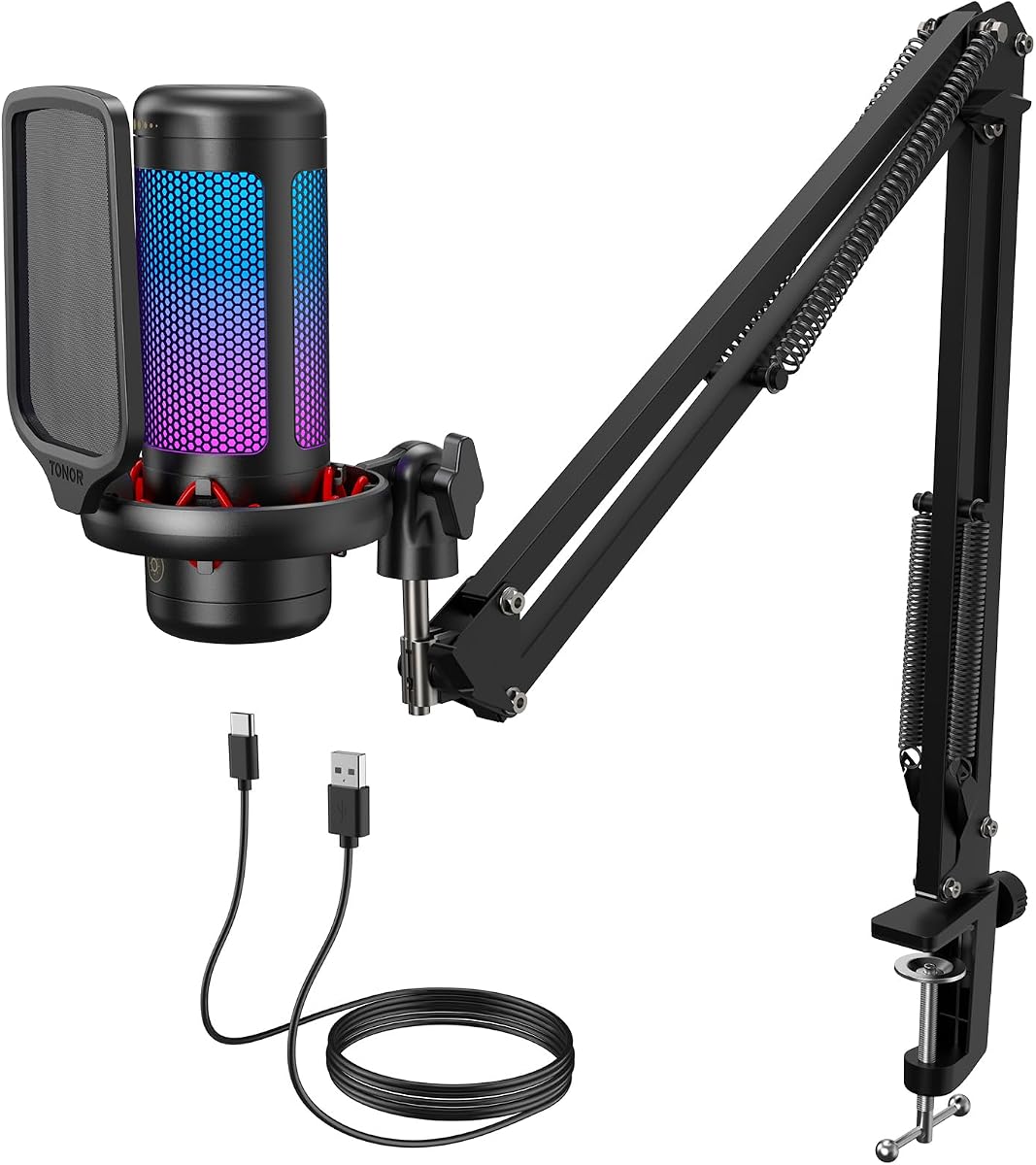
The TONOR TC310+ stands out as a top contender for creators seeking a full package at an accessible price point. Its high-fidelity reproduction ensures smooth communication during live streams or gaming sessions. With vibrant RGB lighting and easy sound control, it balances aesthetics and functionality well.
We may earn a commission when you buy through this link, at no additional cost to you.
This microphone excels with its all-in-one equipment kit that includes a sturdy metal boom arm and adjustable joints. You can easily find the perfect angle for your desk setup without extra purchases. The tap mute feature allows flexible responses during unexpected situations, enhancing interaction with your audience.
While RGB lighting adds visual appeal, some users may find it distracting during focused recording. The brightness control helps mitigate this, but it is a consideration for minimalists. Additionally, the lack of Xbox compatibility limits console users, though PC gamers benefit fully.
Creators looking for a reliable USB mic with aesthetic flair will appreciate the TC310+. Its clear sound and flexible positioning make it ideal for streaming or voice calls. For most home setups, this kit delivers excellent value and performance without extra accessories.
Equipped with premium chips and expert tuning, this mic ensures pure sound reproduction for professional-quality recordings.
The adjustable boom arm lets you find the perfect angle and distance for optimal voice capture every time.
We may earn a commission when you buy through this link, at no additional cost to you.
The InnoGear Gaming Mic offers exceptional value for budget-conscious users needing professional features. Its advanced noise cancellation ensures teammates hear every word clearly, making it ideal for competitive gaming. Seamless plug-and-play with intuitive controls simplifies setup without extra drivers.
We may earn a commission when you buy through this link, at no additional cost to you.
This model delivers immersive RGB lighting that transforms your gaming station with customizable modes. The large gain control knob allows precise volume adjustments while keeping audio stable. Its premium condenser capsule amplifies clarity, resonating well with viewers during streams.
Like many USB mics, it lacks Xbox support, limiting console compatibility. The RGB lighting, while visually stunning, may require minor configuration to sync with your rig. These trade-offs are minor given the low price and strong audio performance.
For PC gamers and streamers prioritizing clarity and style, this mic is a smart pick. Its noise cancellation and easy controls make it accessible for beginners while delivering quality audio. Expect consistent performance during intense sessions without breaking the bank.
Advanced technology minimizes background noise to ensure your voice stands out clearly during collaboration or streaming.
Customizable RGB lighting options add ambiance to your setup and can synchronize with your gaming rig for effect.
We may earn a commission when you buy through this link, at no additional cost to you.
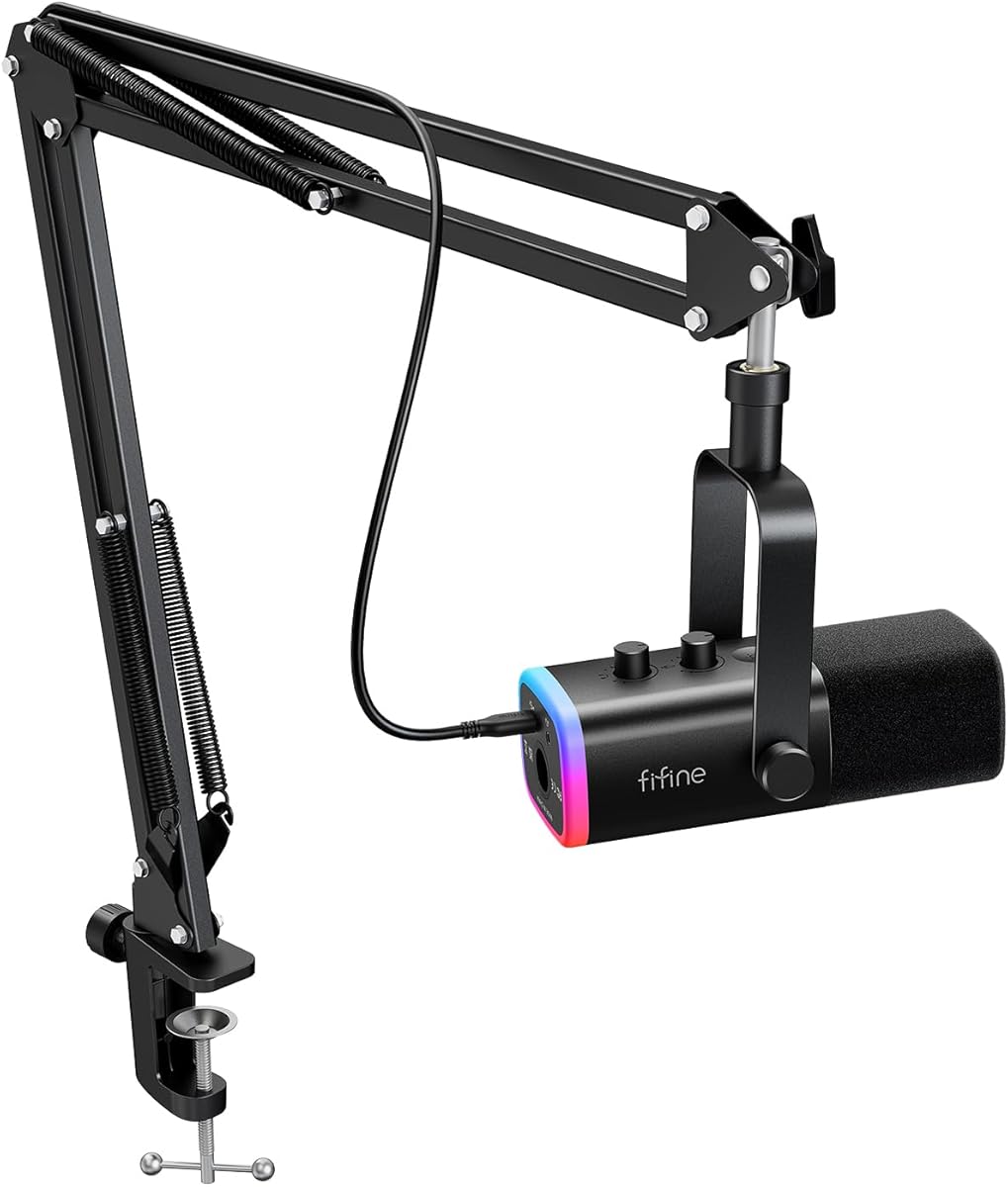
The FIFINE AmpliTank K688CT offers premium versatility with both USB and XLR outputs for future upgrades. Its dynamic mic ensures authentic sound integrity without distortion, perfect for podcasting. The robust boom arm support secures placement for smooth, uninterrupted audio quality.
We may earn a commission when you buy through this link, at no additional cost to you.
Intuitive controls allow you to manage sessions easily with tap-to-mute and gain knobs. The windscreen and shock mount set effectively handle harsh noises and vibrations. You can transition seamlessly between setups as your gear evolves, opening possibilities for XLR interfaces.
While function keys on the mic are invalid in XLR mode, this is standard for such interfaces. The C-clamp fits desks under 2 inches, which may limit larger setups. These constraints are manageable for most home studios looking for studio-grade sound.
Creators valuing flexibility and sound quality will find this kit excellent. It supports both casual streaming and serious recording needs. With durable materials and clear vocal capture, it stands out as a high-value option for aspiring professionals.
Switch between USB convenience and XLR studio quality with ease to match your current equipment needs.
Cardioid pattern captures voice from the front while minimizing ambient distractions for cleaner recordings.
We may earn a commission when you buy through this link, at no additional cost to you.
The FIFINE AmpliGame AM8T brings dynamic microphone quality to gaming and streaming at a reasonable price. Its USB and XLR compatibility ensures plug-and-play with PC as well as mixer integration. Enhanced features like cardioid patterns reduce background noise effectively.
We may earn a commission when you buy through this link, at no additional cost to you.
Vibrant RGB lighting customizes your setup visually, while the durable arm stand provides stable support. The included boom arm allows easy positioning for optimal vocal capture. A headphone jack offers real-time monitoring, keeping you aware of your audio output.
The XLR cable is not included, requiring an extra purchase for full XLR functionality. The desk clamp works for surfaces under 2 inches, which suits most home desks. These minor omissions do not detract from its overall performance.
For streamers needing dynamic audio quality with dual connectivity, this kit is strong. It balances cost with versatile options for growth. Expect clear sound and a reliable setup that adapts as your gear evolves.
Dynamic capsule rejects noise better than condenser models, ideal for noisy environments or live recording.
Use USB for simplicity or XLR for advanced routing depending on your current workflow needs.
We may earn a commission when you buy through this link, at no additional cost to you.
The MAONO A04 delivers high-resolution audio with its 192kHz/24-bit chipset, ensuring smooth recordings. Plug-and-play USB data port allows immediate connection without extra drivers. The all-in-one set includes everything needed for podcasting or streaming right out of the box.
We may earn a commission when you buy through this link, at no additional cost to you.
Its 16mm condenser mic provides a strong bass response and crystal-clear audio. The shock mount keeps the mic steady, while the pop filter minimizes plosives. Compatibility with most operating systems ensures seamless integration across devices.
Not compatible with Xbox, limiting console use. Additionally, Maono Link software is not supported for this mic, though it works with other tools. These points are minor for PC-based creators prioritizing quality.
For podcasters and streamers seeking professional sound at a low cost, this kit is ideal. Its high-resolution capture and complete package save time and money. Expect detailed audio that competes with higher-end setups.
192kHz/24-bit sampling captures detailed frequencies for studio-grade sound reproduction during recordings.
Includes shock mount, pop filter, and boom arm to start recording immediately without buying accessories.
We may earn a commission when you buy through this link, at no additional cost to you.
The FIFINE T669 offers a reliable studio condenser mic with exceptional sound quality. Its rugged construction handles high SPLs, making it durable for long sessions. The all-steel scissor arm allows optimal positioning for voiceovers and podcasting.
We may earn a commission when you buy through this link, at no additional cost to you.
A double pop filter provides two layers of noise dissipation for clean audio. The heavy-duty combo mount ensures stability during use. Its 30-inch reach allows flexible placement without obstructing your face during recording.
Lack of Xbox compatibility limits gaming console support. Additionally, it lacks XLR outputs for advanced users. However, its plug-and-play USB simplicity suits home studios perfectly.
Ideal for voice actors or podcasters seeking high fidelity, this mic delivers consistent results. The complete kit and sturdy arm provide everything needed for professional audio. Expect clear, rich sound with minimal setup hassle.
Wide frequency response captures vocals with natural clarity and depth for professional recordings.
Steel construction and 180-degree rotation ensure the mic stays steady during extended recording sessions.
We may earn a commission when you buy through this link, at no additional cost to you.
The ZealSound Podcast Microphone combines condenser quality with advanced noise reduction for clearer speech. Its 80 Hz–20 kHz response delivers balanced audio suitable for podcasting and streaming. Easy on-mic controls let you adjust levels without software.
We may earn a commission when you buy through this link, at no additional cost to you.
Built-in noise reduction helps reduce background noise, ideal for home environments. The dedicated echo knob allows real-time vocal adjustments for expressive recordings. A heavy-duty metal boom arm extends up to 30.8 inches for flexible positioning.
Top-address pickup requires maintaining distance for consistent volume. The desk clamp fits up to 1.8 inches, limiting very thick desks. These are manageable for most standard setups.
For creators needing clear sound and adjustable effects, this mic is excellent. Its multi-device compatibility and intuitive controls simplify workflows. Expect balanced audio and easy setup for various recording scenarios.
Switchable noise reduction minimizes ambient sounds for cleaner speech during interviews or streams.
Adjust echo and monitoring volume directly on the mic for quick creative changes during recording.
We may earn a commission when you buy through this link, at no additional cost to you.
The TONOR Dynamic Gaming Microphone features premium AI noise cancellation to eliminate distracting sounds like keyboard clatter. Its dual USB and XLR outputs support future upgrades without replacing the mic. Customizable RGB adds atmosphere to your gaming setup.
We may earn a commission when you buy through this link, at no additional cost to you.
Quick adjustment knobs allow control over mic and headphone volume. Superior compatibility ensures USB works with PC and consoles while XLR connects to interfaces. Real-time monitoring helps fine-tune sound for listeners.
XLR cables are not included, requiring separate purchase for full setup. Console compatibility excludes Xbox, limiting some users. These drawbacks are minor for the advanced audio quality and AI features.
Gamers and streamers seeking future-proof audio will appreciate this mic. Its AI cancellation and dual outputs make it versatile. Expect clear sound and flexibility as your setup grows.
Advanced technology removes background noise for effortless communication during gaming or voice chats.
Dual interfaces allow easy upgrades to XLR setups without buying a new microphone later.
We may earn a commission when you buy through this link, at no additional cost to you.
The V-Moda BoomPro offers first-class communication for gaming and home work. Its premium voice quality ensures clarity while reducing background noise. A detachable design maximizes compatibility across various headphones.
We may earn a commission when you buy through this link, at no additional cost to you.
Robust construction with a gold-plated connector ensures durability and reliable connection. A clip-on controller with mute and volume controls simplifies adjustments on the fly. It works across PCs, phones, and consoles via 3.5mm.
Compatibility depends on your headphones; refer to manufacturer specs for accuracy. Requires a 3.5mm jack, which limits modern USB-only headsets. This is a trade-off for broad hardware support.
Gamers with compatible headsets will value this upgrade. It transforms ordinary headphones into professional gear. Expect clear voice quality and easy controls for seamless communication.
Improved clarity ensures your voice is heard clearly while minimizing background noise effectively.
Works with most 3.5mm headsets, giving you a professional mic without buying a full new headset.
We may earn a commission when you buy through this link, at no additional cost to you.
The Cable Boom Microphone instantly upgrades any 3.5mm headphones into a professional gaming headset. It includes volume control and a mute switch for easy management. A flexible SteelFlex arm allows perfect microphone positioning.
We may earn a commission when you buy through this link, at no additional cost to you.
Input compatibility covers consoles, PCs, and mobile devices with 3.5mm outputs. The cable works with most headphones, giving you mic functionality without replacing your gear. A Y-adapter supports devices requiring separate inputs.
Lack of a boom base stand means it attaches directly to headphones or a cable. Requires 3.5mm jacks, which limits modern USB setups. These constraints are minor for console or mobile users.
For gamers needing a quick mic upgrade, this cable is perfect. It offers essential controls and a flexible boom. Expect clear voice communication across platforms at an affordable price.
Fits most headphones with 3.5mm jacks, making it versatile across phones, tablets, and consoles.
Rotary volume control and mute switch let you manage audio quickly during gameplay or calls.
We may earn a commission when you buy through this link, at no additional cost to you.
Choosing the right cheap boom microphone involves balancing cost with features like connectivity, audio quality, and durability. Here are key factors to evaluate.
Most cheap boom microphones use USB for direct PC connection, which is plug-and-play and simple. Some include XLR options for future upgrades, allowing you to connect to professional audio interfaces. If you plan to expand your setup later, look for dual connectivity. For console users, ensure the mic supports 3.5mm inputs if USB is unavailable.
USB is ideal for beginners; XLR offers more control as you grow.
Condenser microphones capture more detail and are sensitive, making them great for quiet rooms. Dynamic microphones are less sensitive to background noise, suitable for noisier environments. Both types can deliver clear audio if positioned correctly. For podcasting, a condenser may be preferable, while dynamic works well for gaming in busy spaces.
Match the mic type to your room conditions for best results.
A sturdy boom arm keeps the mic steady and allows flexible positioning. Look for metal construction with adjustable joints that can hold the mic without sagging. Clamp size matters; most fit desks up to 2 inches thick. A long reach ensures you can place the mic close to your mouth without cluttering your desk.
Prioritize durable arms to avoid constant adjustments.
Background noise can ruin recordings, so check for built-in noise cancellation. Some mics use AI or hardware filters to reduce keyboard clatter or ambient sounds. Cardioid pickup patterns also help by focusing on sound from the front. This feature is vital if you share your workspace with others.
Strong noise rejection ensures clearer communication.
Easy access to mute and volume controls improves workflow during live sessions. Tap-to-mute buttons and onboard knobs reduce reliance on software. Some mics offer headphone jacks for zero-latency monitoring, helping you hear yourself accurately. Intuitive controls save time and keep focus on your content.
Onboard controls are essential for seamless recording.
Durability ensures your mic lasts through daily use. Metal cables, reinforced connectors, and quality plastics resist wear. Gold-plated connectors can improve signal stability. Check reviews for reliability to avoid frequent replacements. Investing in a robust mic saves money long-term.
Look for metal components to guarantee longevity.
Ensure the mic works with your specific devices like PC, Mac, PS5, or Xbox. USB mics often lack console support unless they use 3.5mm. Check OS compatibility to avoid driver issues. Cross-platform support offers flexibility if you switch devices often.
Confirm device support before purchasing to avoid compatibility issues.
Many kits come with pop filters, shock mounts, and cables, offering value. Additional items reduce extra costs and simplify setup. Verify what is included versus sold separately. A complete package helps you start recording immediately without delays.
Choose kits with essential accessories for convenience.
Start by connecting the mic to your device via USB or 3.5mm. Plug the boom arm into the desk clamp and position it so the mic is 6 to 12 inches from your mouth. Adjust the angle so the capsule faces you directly for clear capture.
Test audio settings in your recording software to set gain and monitor levels. Use mute buttons during pauses to avoid capturing unwanted noise. Regularly adjust position to maintain consistent volume during movement.
Keep the mic and arm clean with a soft cloth. Avoid placing it near liquids or in humid areas to prevent damage. Periodically tighten joints to ensure stability. Store it in a dry place when not in use to extend its lifespan.
Many USB mics are PC and Mac focused, but some offer 3.5mm compatibility for consoles. Always check product specs for console support before buying. Models with dual outputs or dedicated controller compatibility work best for gaming setups.
USB mics connect directly to computers and are easier to use without extra gear. XLR mics require audio interfaces but offer higher quality and flexibility. For beginners, USB is sufficient, but XLR suits those wanting professional upgrades later.
Position the mic close to your mouth and use software noise reduction. Choose models with built-in cancellation or cardioid patterns. Record in quieter spaces when possible to minimize ambient sounds during capture.
Condenser mics capture more detail and are great for controlled environments. Dynamic mics reject noise better, making them ideal for noisier rooms. Your choice depends on your setup and how quiet your space is during recording.
Most USB mics are plug-and-play with no drivers required. Some advanced models offer software for fine-tuning, but basic functions work immediately. Check product details for specific driver needs to avoid setup issues.
If not included, consider a pop filter and shock mount to reduce plosives and vibrations. A quality cable helps maintain signal stability. These accessories enhance audio quality without significantly raising your total cost.
Our top picks, the TONOR TC310+, InnoGear Gaming Mic, and FIFINE K688CT, offer excellent value with standout features. Each delivers clear sound, reliable controls, and strong build quality suited for streaming or podcasting.
Prioritize connectivity, noise reduction, and durability based on your specific needs. If you need future upgrades, dual USB/XLR options provide flexibility. For simplicity, plug-and-play USB mics work well right out of the box.
Prices and availability change over time, so review current listings before buying. Investing in a solid cheap boom microphone ensures you sound professional without overspending. Choose wisely to maximize performance and value in your setup.